 Extensibility Enhancements to Redwood Individual Compensation Start and End Date Attributes
You can now override the individual compensation plan start and end date behavior by using the VB Studio business rules to configure and validate. When you override, the plan configuration will be ignored and behaviors such as synchronize start date will not take effect. You will need to create defaulting, validation rules that enforce your expected behavior.
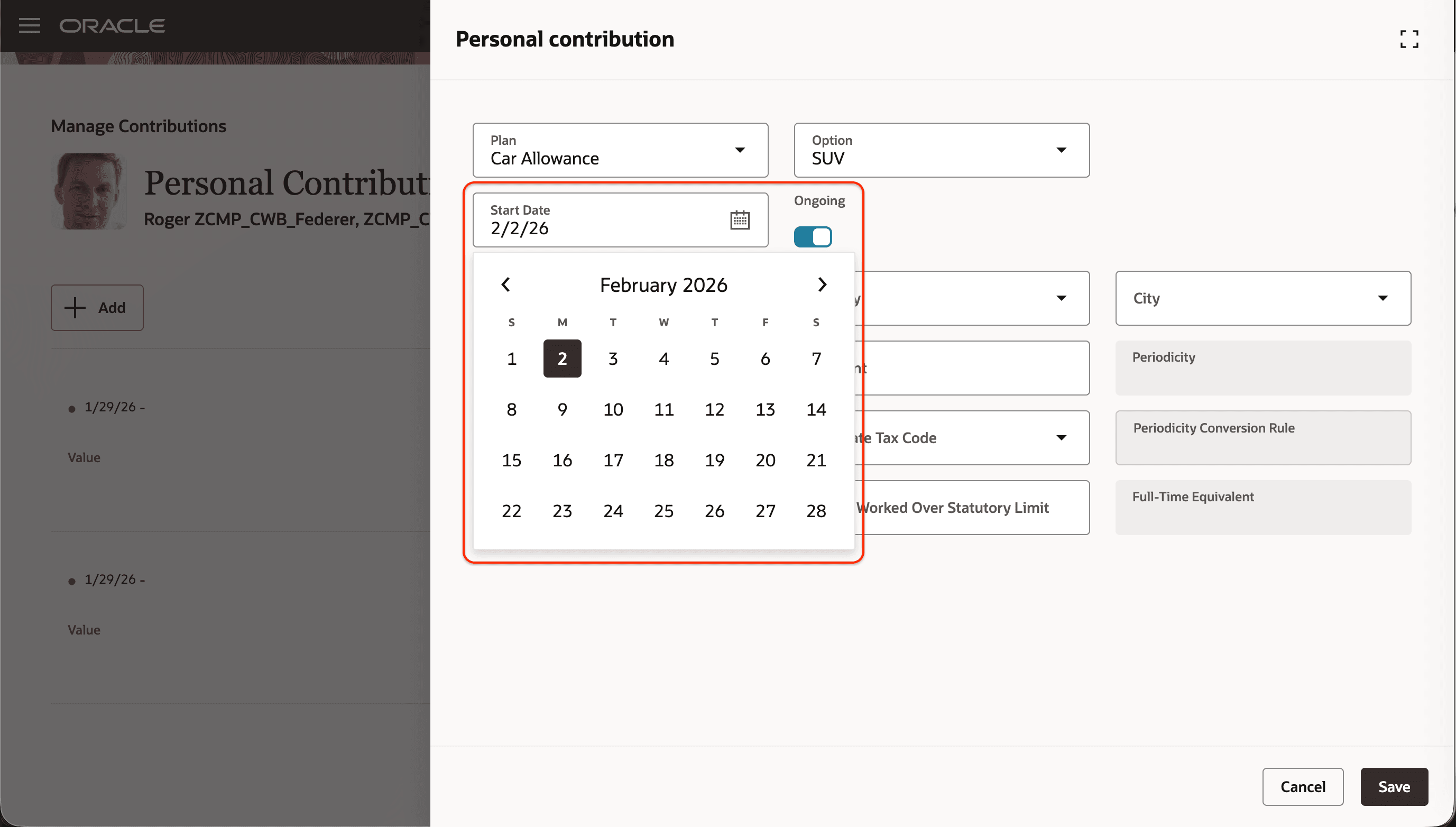
Start Date Defaulted to Next Monday When Current Date is Thursday 29-Jan-2026
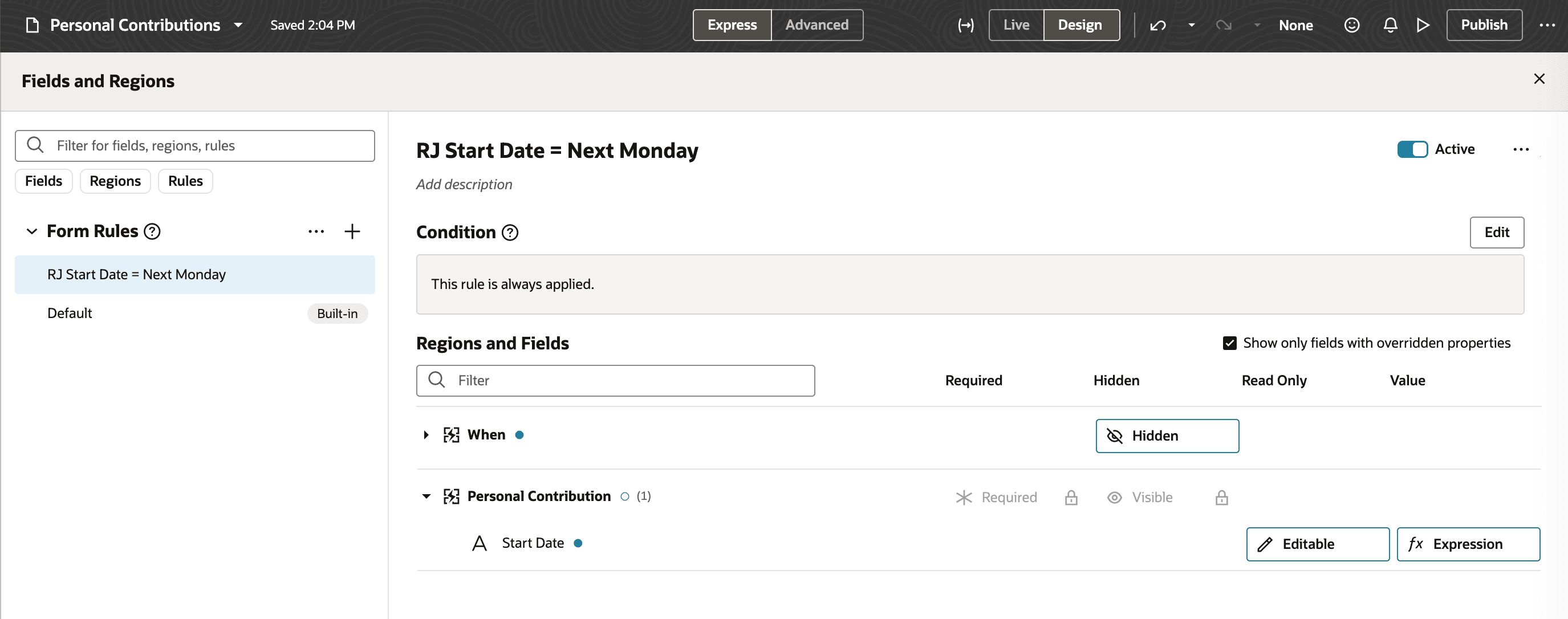
Business Rule Configuration to Default Next Monday in Start Date
Show End Date Rather Than Ongoing
When you make the end-date rule editable via business rules, the “Ongoing” flag is removed and users can directly select an end date. “Ongoing” appears wherever an end date is applicable; users must clear it to set a date.
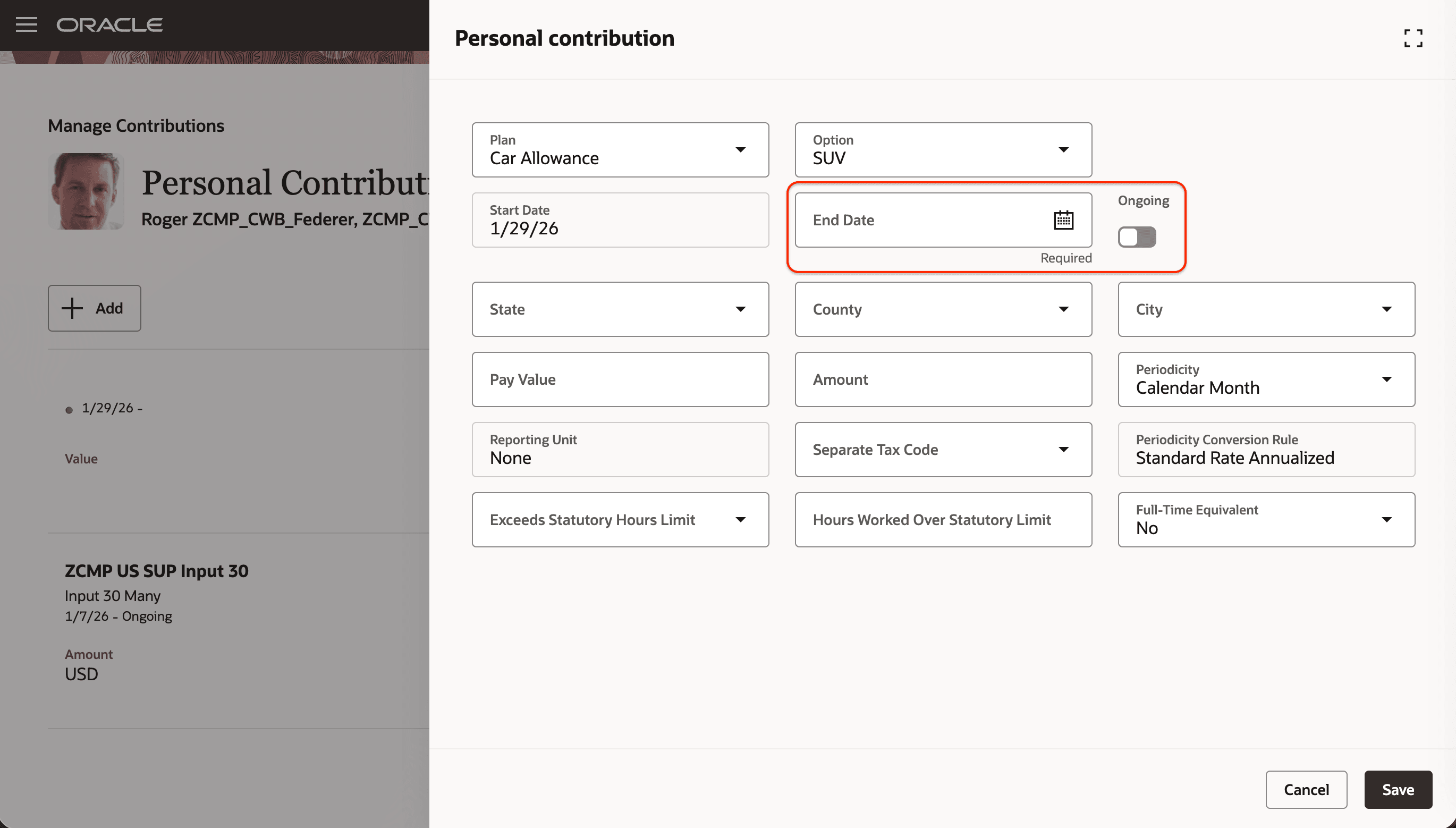
End Date Doesn't Show Ongoing Selected
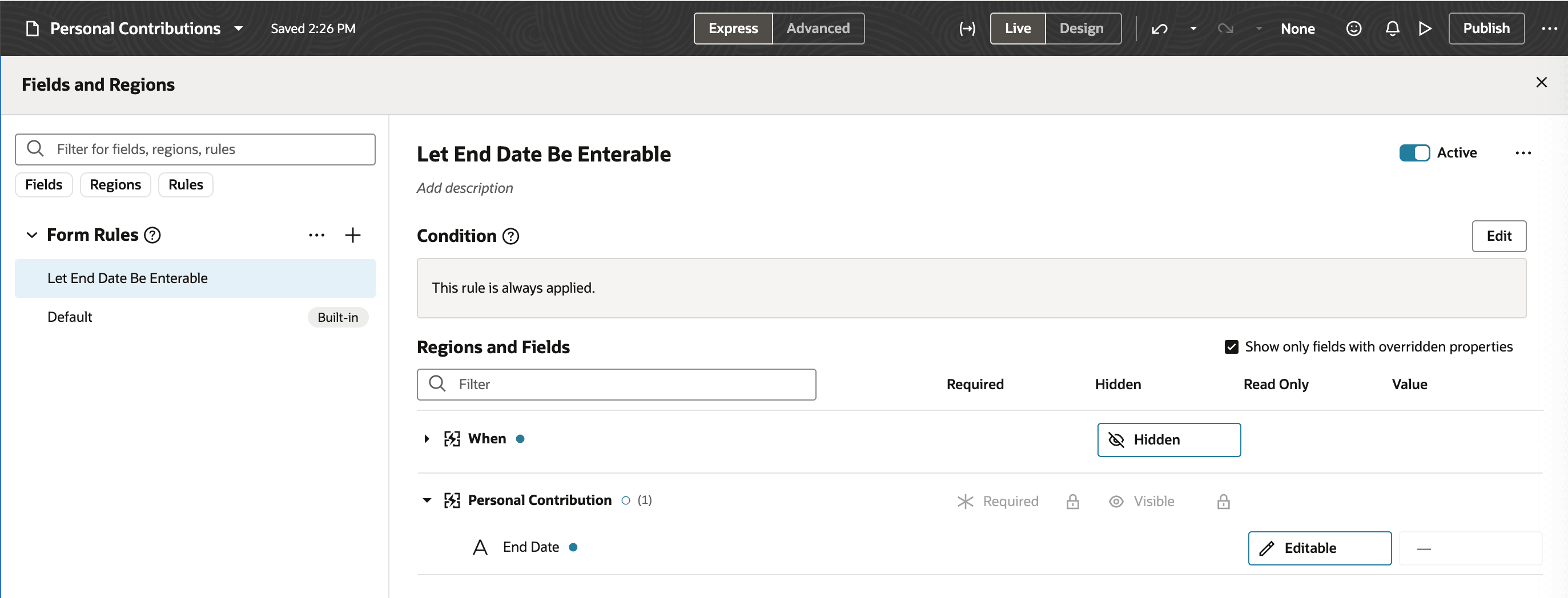
Business Rule Configuration to Not Show Ongoing Selected
Flexibility to define and validate start and end dates per your business needs.
Steps to enable and configure
For more information about how you configure page properties, see Set Property Values Using Rules.
Tips and considerations
-
Business rules take the highest precedence: Business rules override setup configurations in a manner similar to input value defaulting. When a default value or read-only rule is defined for the start date or end date fields, the entire configuration for that field is governed by the business rule.
-
Default values apply only when creating records.
-
Read-only or editable configurations apply to both existing and new records. Use the Operation attribute if you want the configuration to affect only new records.
-
Projected start and end date rules will not apply when a business rule is defined for the corresponding date field.
-
The end date cannot be defaulted for non-recurring elements.
Key resources
For more information, refer to these resources on the Oracle Help Center.
- Set Property Values Using Rules in the Extending Oracle Cloud Applications in Visual Builder Studio Express Mode guide.