Automated Nudges for Journey Assignment
You can now mass assign journeys automatically through nudges to a targeted population without manual intervention.
Here's how the feature works:
-
Configure a Nudge Plan.
-
Select Assign Journey as the reason.
-
Choose the specific journey to be assigned.
-
Define the target population (for example, using eligibility profile or list of persons).
-
When the nudge plan runs, the journey is automatically assigned to all eligible employees.
For example, an organization needs to assign a mandatory compliance training journey to all employees in a specific department.
-
HR configures a nudge plan targeting employees in that department.
-
The plan is scheduled to run on a specific date.
-
When triggered, the system automatically assigns the compliance journey to all eligible employees.
This removes the need for HR to manually search for employees and assign journeys individually.
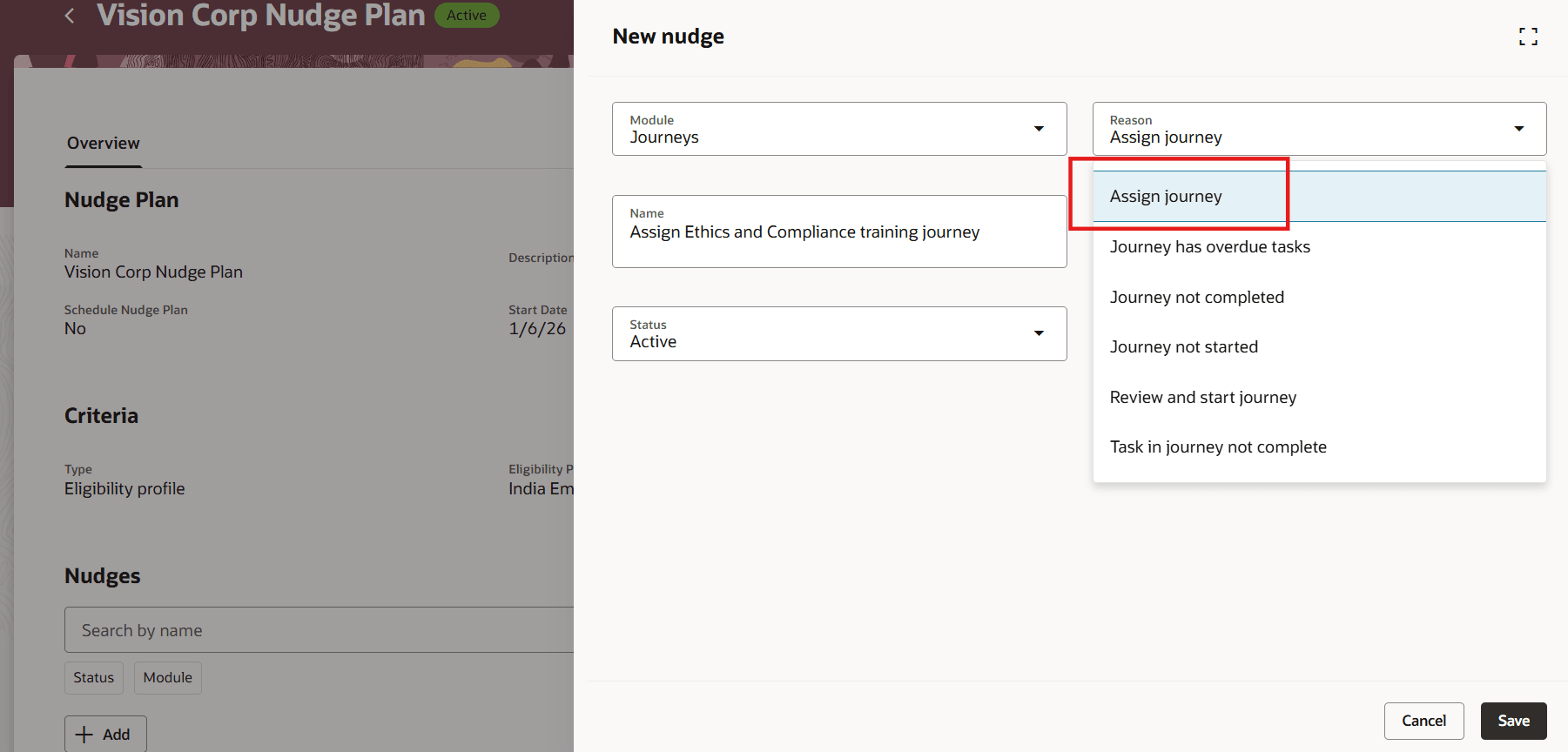
Nudge Reason to Assign Journey
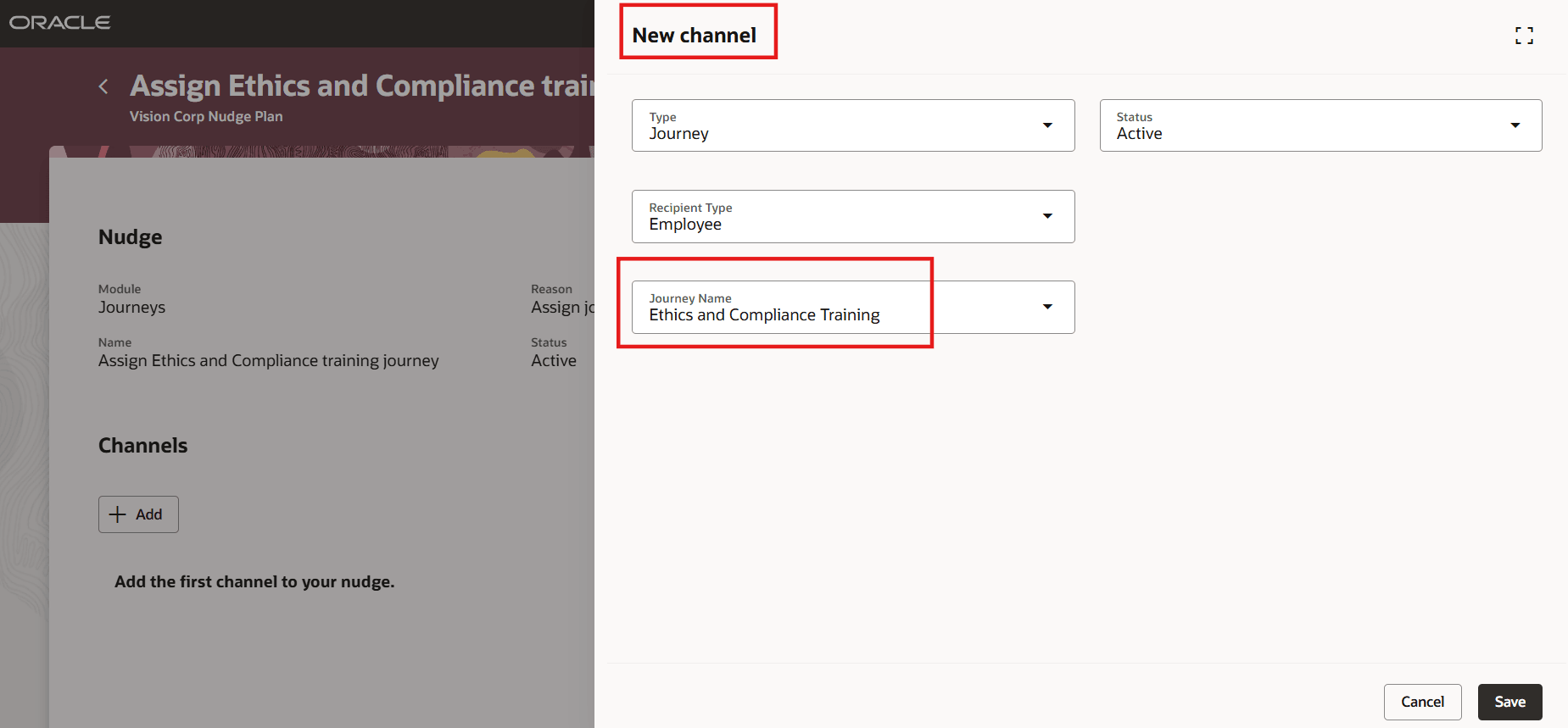
Select Journey to be Automatically Assigned in Nudge Channel
You can configure multiple channels with different journeys within the same nudge by adding more than one journey in the nudge channels. This allows a single nudge to assign multiple journeys as part of the same targeted allocation.
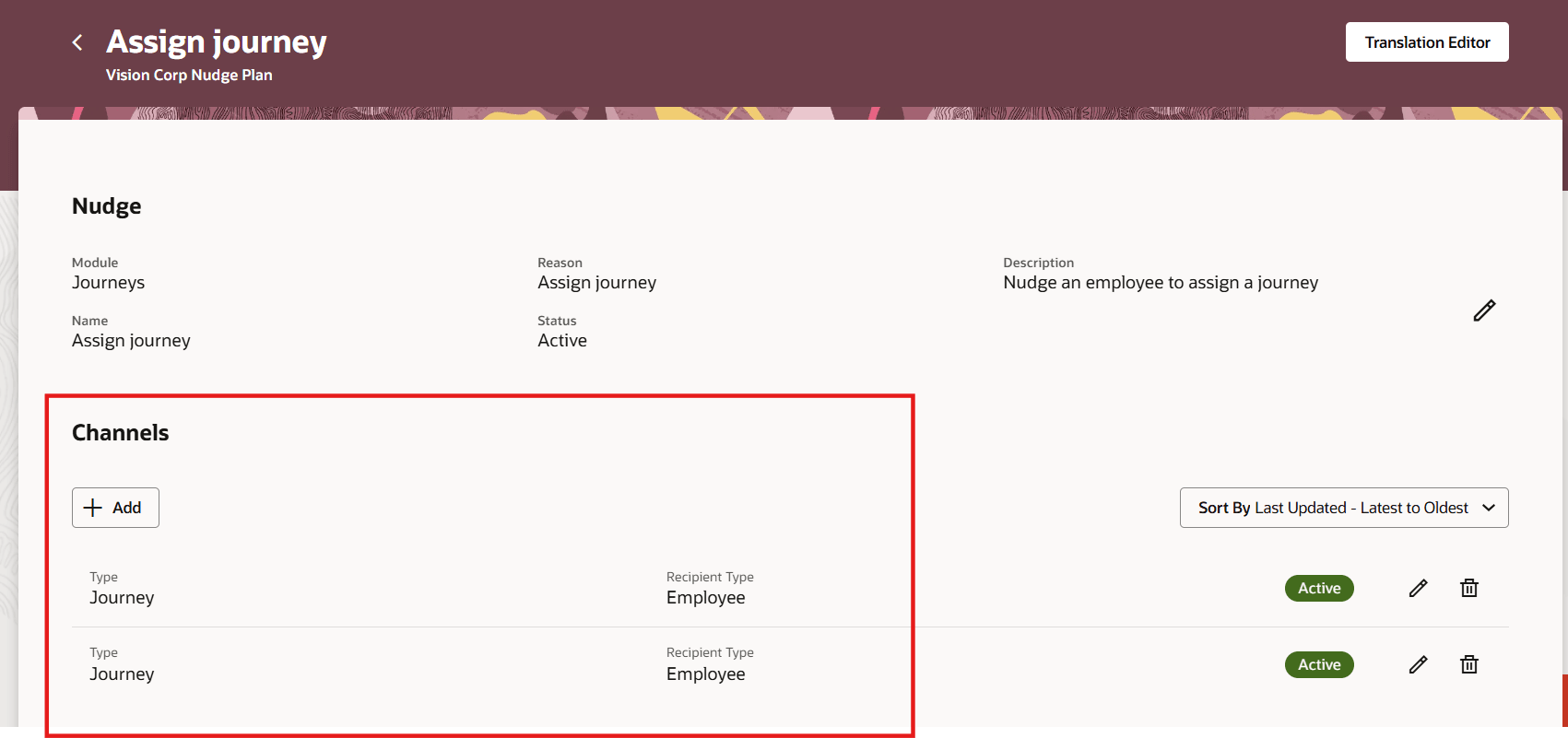
Multiple Channels with Different Journeys in Same Nudge
Reduces administrative effort and minimizes the risk of missed assignments by eliminating manual assignment.
Steps to enable and configure
You don't need to do anything to enable this feature.
Key resources
For more information about nudges, refer to the HCM Nudges topic on Oracle Help Center.
Access requirements
You must grant administrators the Nudge Configuration (ORA_PER_NUDGE_CONFIGURATION_DUTY) duty role to configure nudges.