Improved Deep Links to Navigate Directly to Journey Pages
You can use the enhanced journey deep links to navigate directly to journey pages that have Journeys and Oracle Search for Journeys enabled by default. Additionally, deep links from Responsive pages will now be automatically redirected to journeys pages. Earlier, users accessing deep links from Responsive pages received a message to verify whether journeys have been enabled. Since Journeys is set to default from release 25C, deep links will now be redirected to journeys automatically.
This table shows the enhanced journey deep links and their navigation from Redwood and Responsive pages.
| Object Key and Deep Link | Redwood Journeys Navigation and Status | Responsive Checklists Navigation |
|---|---|---|
|
EMP_CHECKLIST_COMPLETED https://<server_host>/fscmUI/redwood/worker-journeys/journey/my-journeys?status=ORA_CLOSED |
Me > Journeys > My Journeys with Status filter applied as "Completed" | Me > Checklist Tasks > Completed Checklists |
|
EMP_CHECKLIST_IN_PROGRESS https://<server_host>/fscmUI/redwood/worker-journeys/journey/my-journeys?status=ORA_OPEN |
Me > Journeys > My Journeys with Status filter applied as "Open" | Me > Checklist Tasks > Progress Checklists |
|
EMP_CHECKLIST_OPEN_TASKS https://<server_host>/fscmUI/redwood/worker-journeys/journey/my-tasks?status=ORA_OPEN |
Me > Journeys > My Tasks with Status filter applied as "Open" | Me > Checklist Tasks > Current Tasks |
|
HR_MANAGE_CHECKLIST https://<server_host>/fscmUI/redwood/worker-journeys?tab=teamJourneys |
Oracle Search for Journeys enabled: Journeys > Team Journeys tab Oracle Search for Journeys disabled: Journeys > Assigned Journeys tab |
My Client Groups > Allocate Checklists |
|
HR_ONBOARDING_EMPLOYEES https://<server_host>/fscmUI/redwood/worker-journeys?tab=teamJourneys |
Oracle Search for Journeys enabled: Journeys > Team Journeys tab with category filter as "Enterprise onboarding" Oracle Search for Journeys disabled: Journeys > Assigned Journeys tab |
My Client Groups > Onboarding > Employees |
|
HR_ONBOARDING_TASKS https://<server_host>/fscmUI/redwood/worker-journeys/journey/my-tasks?category=ORA_ONB_ENT_ONBOARDING&status=ORA_OPEN |
My Task deep link with Status filter applied as "Open" and category filter as "Enterprise Onboarding" | My Client Groups > Onboarding > My Tasks |
|
MGR_MANAGE_CHECKLIST https://<server_host>/fscmUI/redwood/worker-journeys?tab=orgJourneys |
Oracle Search for Journeys enabled: Journeys > Organization Journeys tab Oracle Search for Journeys disabled: Journeys > Assigned Journeys tab |
My Team > Allocate Checklists |
|
MGR_ONBOARDING_EMPLOYEES https://<server_host>/fscmUI/redwood/worker-journeys?tab=orgJourneys |
Oracle Search for Journeys enabled: Journeys > Organization Journeys tab with category filter as "Enterprise onboarding" Oracle Search for Journeys disabled: Journeys > Assigned Journeys tab |
My Team > Onboarding > Employees |
|
MGR_ONBOARDING_TASKS https://<server_host>/fscmUI/redwood/worker-journeys/journey/my-tasks?category=ORA_ONB_ENT_ONBOARDING&status=ORA_OPEN |
My Task deep link with Status filter applied as "Open" and category filter as "Enterprise Onboarding" | My Team > Onboarding > My Tasks |
Note: In the URLs in the table, replace <server_host> with the server host name of your Fusion instance.
Here are some example deep links to navigate directly to journey pages when Journeys and Oracle Search for Journeys are enabled by default:
In Progress Journeys
https://<server_host>/fscmUI/redwood/worker-journeys/journey/my-journeys?status=ORA_OPEN
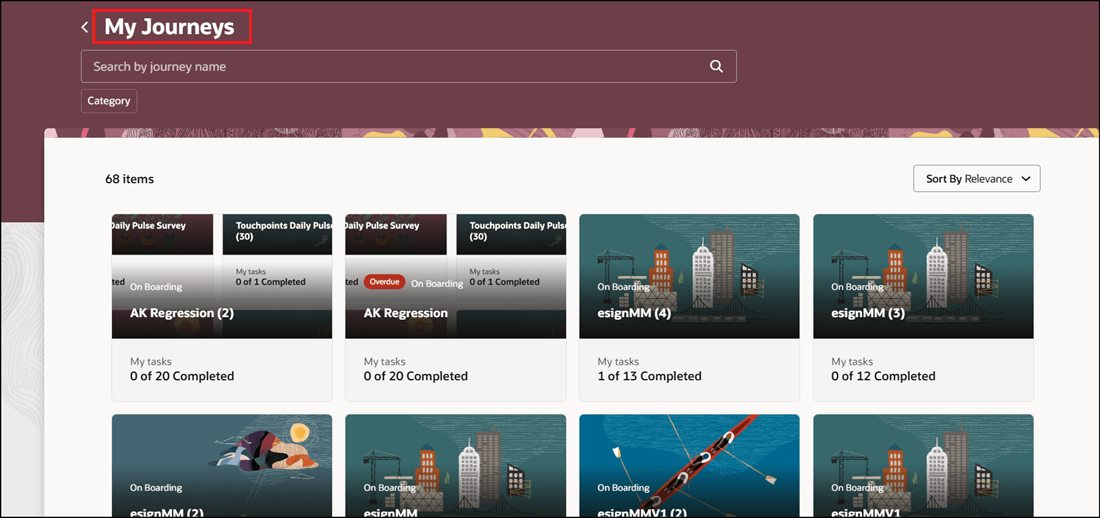
Deep Link Navigation to My Journeys Page Showing Open Journeys
Completed Journeys
https://<server_host>/fscmUI/redwood/worker-journeys/journey/my-journeys?status=ORA_CLOSED
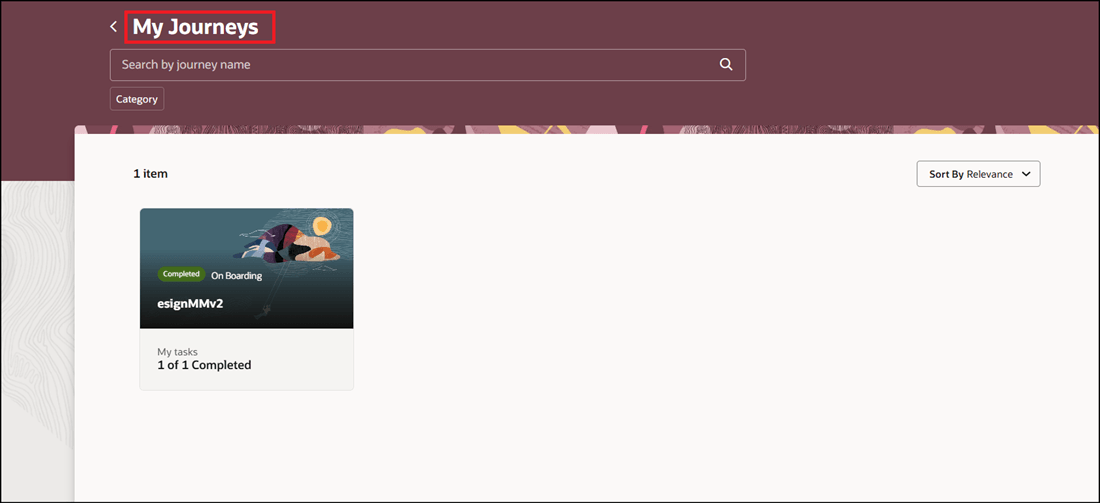
Deep Link Navigation to My Journeys Page Showing Completed Journeys
Users can simply click those links to go directly to the application pages they need to use, without any more clicks or navigation.
Steps to enable and configure
You don't need to do anything to enable this feature.
Key resources
For more information about journeys, refer to the Implementing and Using Journeys guide on Oracle Help Center.