 New Redwood Process to Change Worker Type
You can now use the Redwood Change Worker Type process to seamlessly convert workers from one type to another using a single guided flow. This eliminates the need to terminate an existing work relationship and create a new one, reducing duplicate data entry and maintaining continuity of worker information.
For example, a contingent worker who initially joined for a project or short-term engagement can be converted into a regular employee based on business needs or performance — all within one streamlined transaction.
Using the new process, you can change the following worker types:
- Contingent Worker to Employee
- Employee to Contingent Worker
- Nonworker to Employee
- Nonworker to Contingent Worker
- Employee to Nonworker
- Contingent Worker to Nonworker
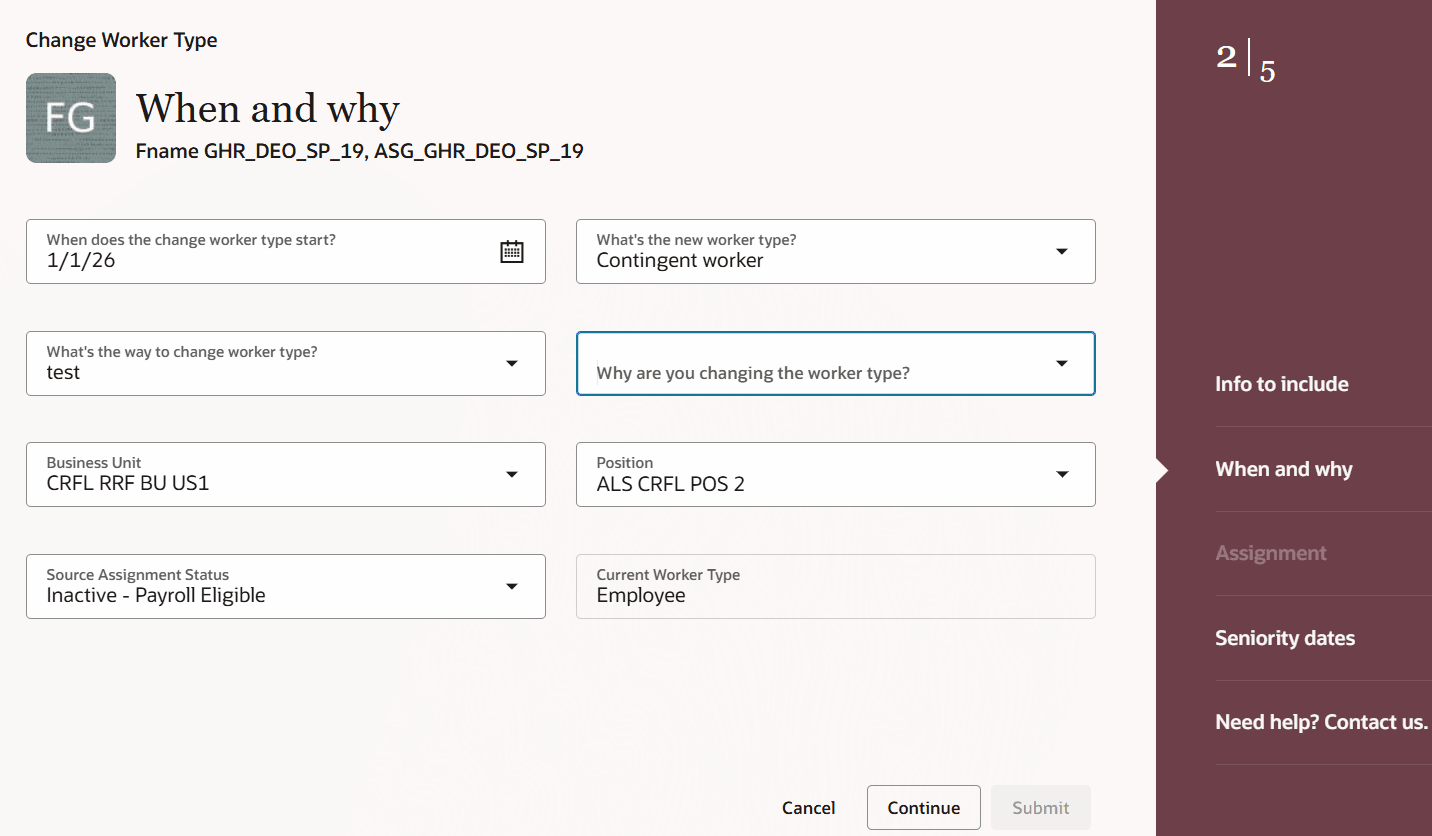
Change worker type from employee to contingent worker
You can also rollback the data that you changed while changing the worker type.
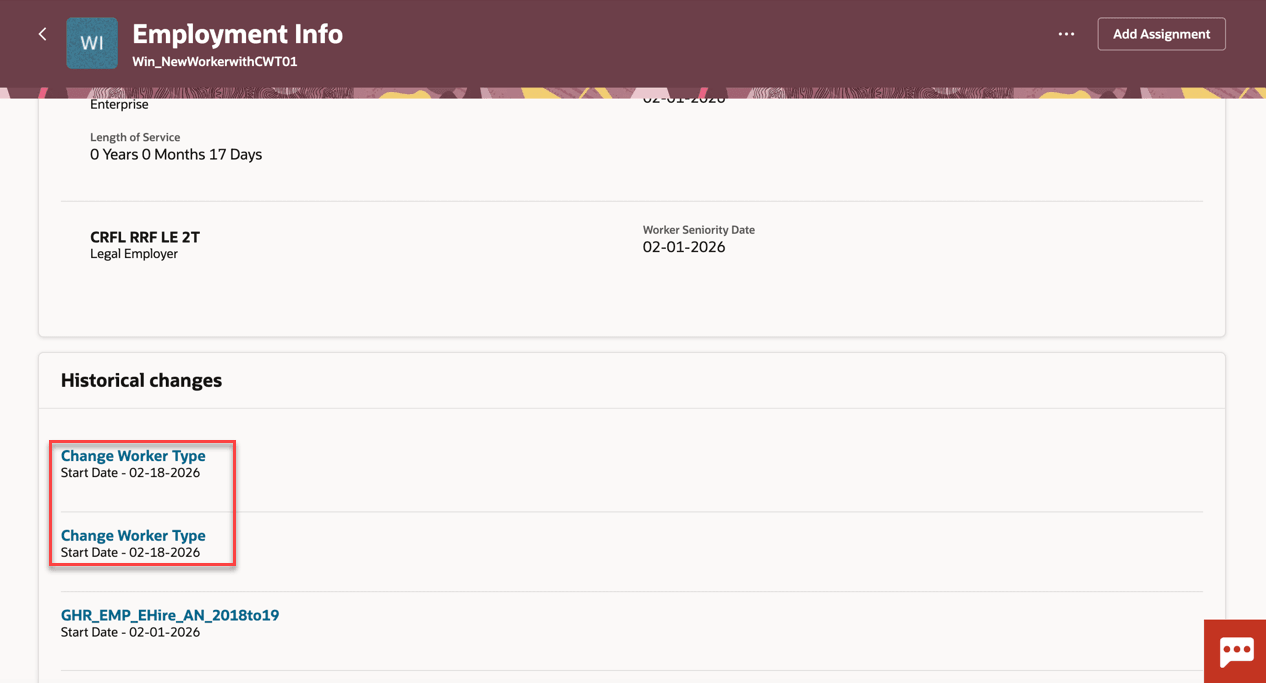
Historical changes for Change Worker Type
This table lists the attributes and the corresponding values that are newly added for this process.
| Attribute | Value |
|---|---|
| Approval Process | Change Worker Type |
| Action | Change Worker Type |
| Action Type | Change Worker Type |
Payroll - Worker type changes now trigger automated payroll updates, reducing manual intervention and ensuring payroll relationships, calculation cards, and assignments are created or updated correctly. The transaction supports direct entry of payroll details for the new assignment. The process automatically creates required payroll objects such as assigned payroll, automatic element entries, and statutory calculation cards when applicable. Personal payment methods are copied, but balances, costing and other payroll history aren’t transferred to a new payroll relationship.
Note: The Change Worker Type process doesn't allow transferring to a new legal employer at the same time. This needs to be handled in two separate processes. This is the case, for example, in the US where an employee becomes a retiree (and vice versa) as it implies a change of legal employer.
Organizations can respond faster to changing workforce needs by completing worker conversions in a single step rather than a multi-step process. The guided flow requires minimal training, enabling HR teams to handle conversions confidently without specialized knowledge. A single auditable transaction lowers compliance risk by removing gaps in employment records that multi-step processes often introduce. Ultimately, this drives operational efficiency and improves the worker experience during role transitions.
Steps to enable and configure
To use the Redwood Change Worker Type process, check if the following profile option is set to the required value.
| Profile Option | Check if the profile value at the Site level is |
|---|---|
| ORA_HCM_VBCS_PWA_ENABLED | Y |
The profile option ORA_PER_EMPL_CHG_WRK_TYPE_DFLT_FRM_SRC_ENABLED is set to Yes by default. When enabled, it copies assignment attributes, manager relationships (including all reporting relationships), direct reports, and payroll information from the source assignment.
For the Payroll step, data is copied only when you navigate to the Payroll region. The payroll information is pre-populated upon visiting the region. If the Payroll Step isn’t accessed, the data isn’t copied or populated.
Set the profile option to No if you don’t want these values to be copied from the source assignment.
|
Profile Option |
Check if the profile value at Site level is |
|---|---|
| ORA_PER_EMPL_CHG_WRK_TYPE_DFLT_FRM_SRC_ENABLED | Yes |
Tips and considerations
- Reversing a Change Worker Type Transaction or Changing Its Effective Date
- If a Change Worker Type transaction was incorrectly done and needs to be reversed, you can cancel the work relationship that was created as part of the transaction. Select the newly created work relationship and cancel it. Once canceled, the application automatically reactivates the original (launching) work relationship that was used to initiate the Change Worker Type action.
- If you need to update the effective date, follow this two-step process:
• First, cancel the work relationship created by the Change Worker Type transaction.
• Then, re-initiate the Change Worker Type transaction with the desired effective date.
- Within the Payroll section, it's important to provide the Tax Reporting Unit, in order to ensure that the Tax Reporting Unit and assignment associations on the Statutory Deduction calculation card are created. Missing associations may result in the employee being missed from the payroll run.
Key resources
For more information, refer to the following resource on the Oracle Help Center.
- Worker Types, in the Using Global Human Resources guide
Here are the topics we recommend on getting started with Express Mode.
-
Refer to the following documentation in this order:
-
Express Mode in VBS for detailed instructions on using specific Express Mode features.
-
Extending Redwood Applications for HCM and SCM Using VB Studio for details on what’s supported by HCM.
-
-
You can refer to the VB Studio documentation "Configure an Oracle Cloud Application" to check the steps to access VB Studio from a Redwood page.
-
Extending HCM Redwood Applications Using Visual Builder Studio
-
Refer to the Customer Connect forum Visual Builder Studio for HCM
Access requirements
The following privilege applies to the new process.
| Aggregate Privilege | Role |
|---|---|
| ORA_PER_CHANGE_WORKER_TYPE (Change Worker Type) | Human Resource Specialist |