Enhanced AI-Generated Comments for Redwood Employment Processes
Assignment Notes in Redwood Employment processes now offer enhanced controls that lets users customize the AI generated content to better suit their needs.
- Tone Control: Users can choose between an Engaging tone or a Formal tone for the AI-generated notes. The default tone is Engaging, and customers can configure their preferred default through application settings.
- Length Control: Users can Summarize or Expand the generated content. The default setting is Expand. Users can toggle between the two options to adjust the level of detail in the notes as needed.
- Rewrite: Users can regenerate the AI-generated notes using the Rewrite option. Note that when Rewrite is selected, the content is regenerated based on the input parameters available for the current transaction, and not based on the previously generated text in the notes field.
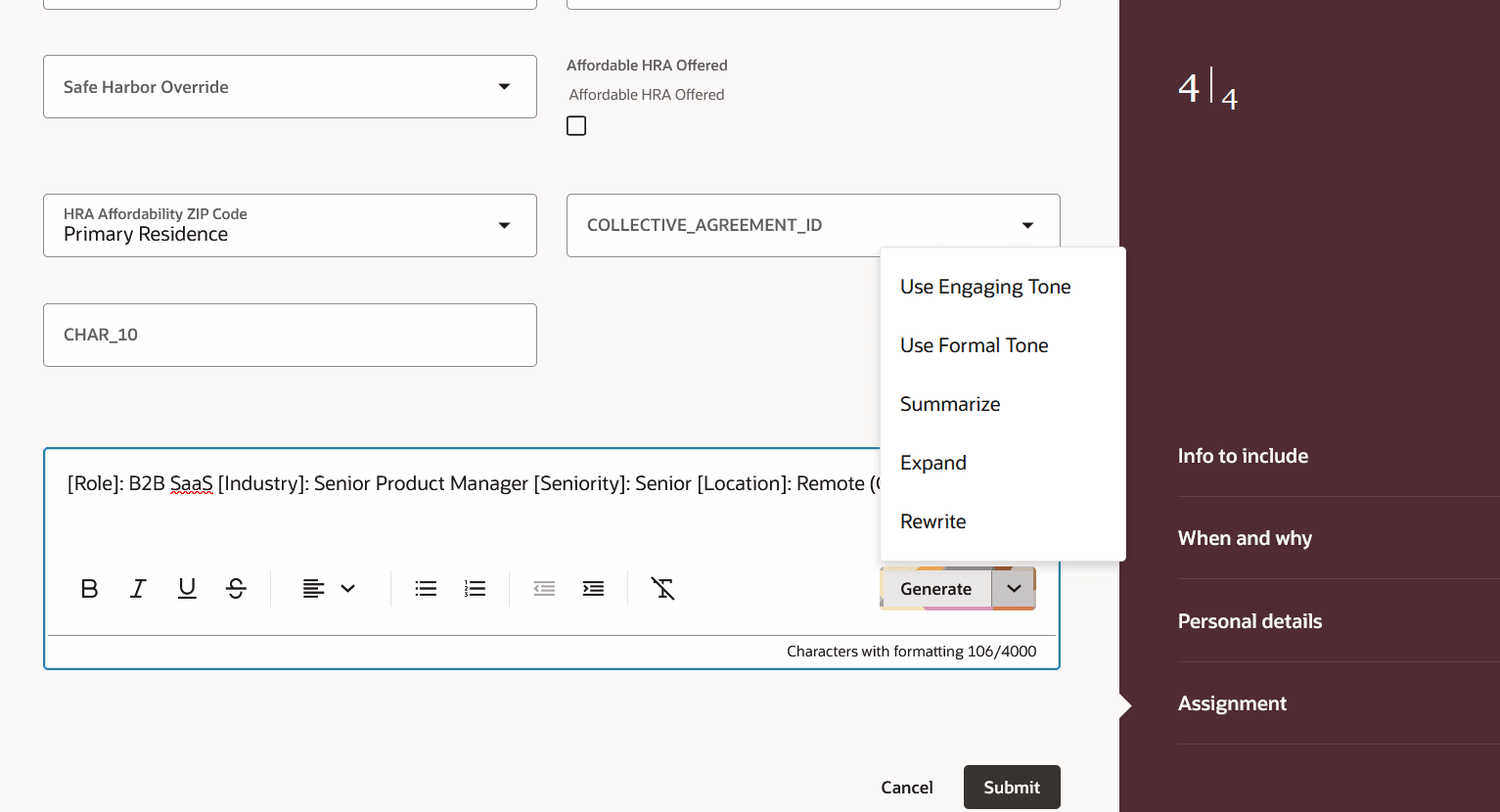
Tone control, Length control, and Rewrite options in Generate button
These controls give users greater flexibility in tailoring AI-generated notes to match their organization’s communication style and the level of detail appropriate for each employment process.
Steps to enable and configure
You don't need to do anything to enable this feature.
Key resources
For more information, refer to this topic on the Oracle Help Center
- Employment Processes in the Using Global Human Resources guide.
For more information, refer to this What's New announcement in release 25D