Ability to Configure Search for Action and Action Reason LOVs in Redwood Employment Processes
The Action and Action Reason Lists of Values (LOVs) in Redwood Employment processes now support search configurability. You can choose to show or hide the Action Code and Action Reason Code columns, or display only the relevant name fields.
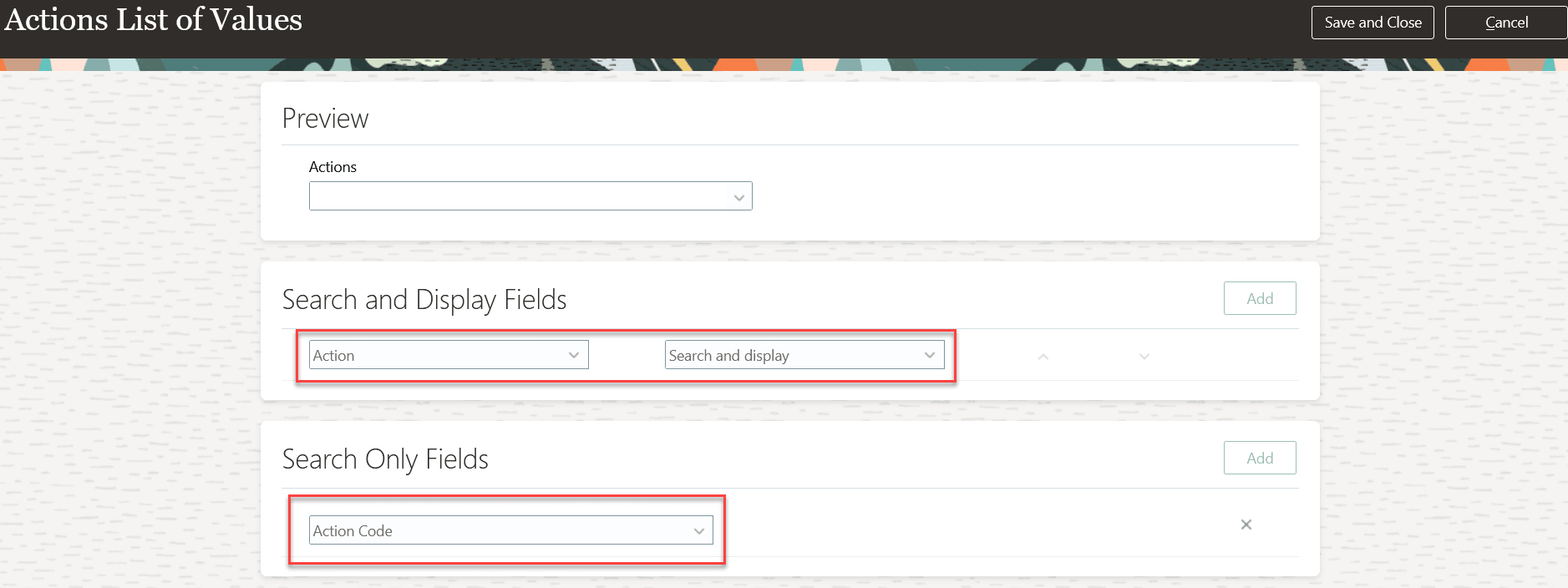
Action Code field is added to search only fields
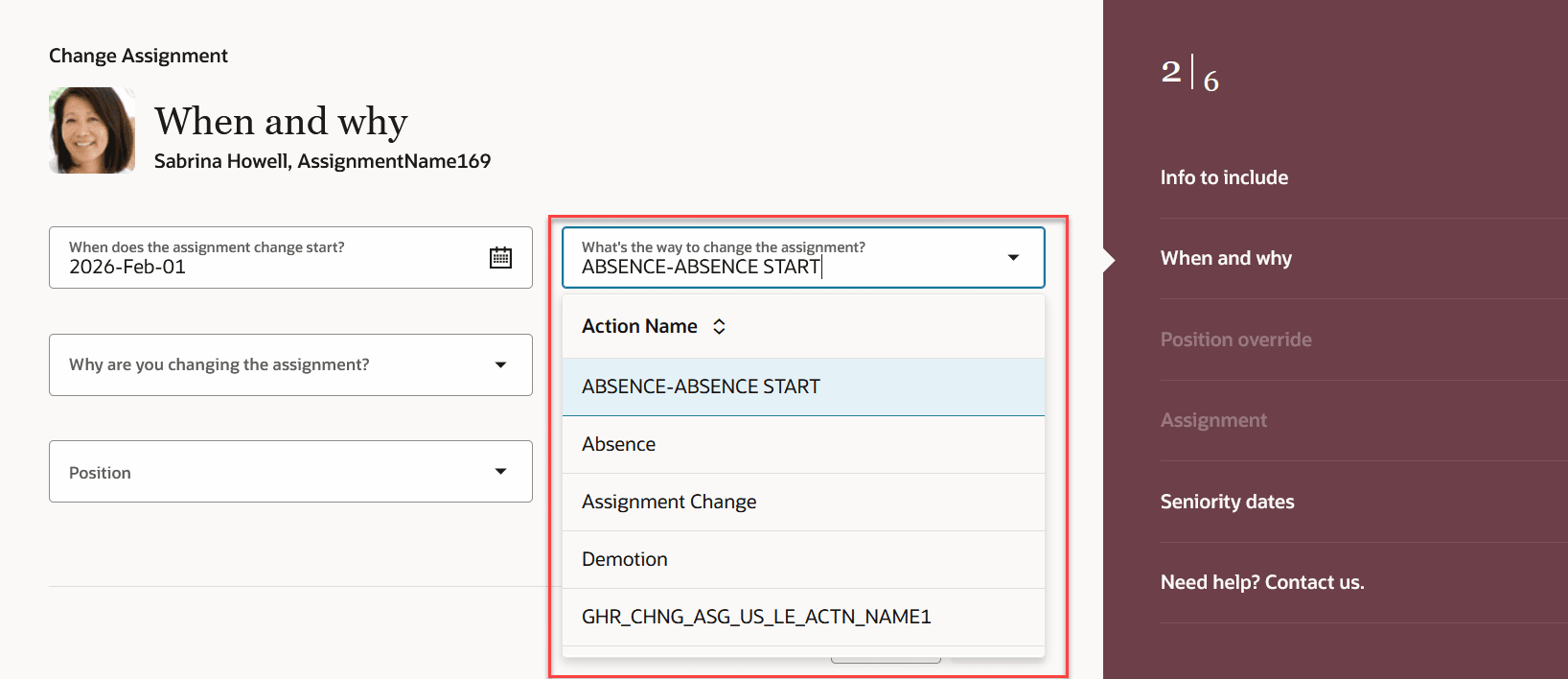
Only Action Name displayed in the Action LOV
Similarly you can hide the Action Reason Code field in the Search Configuration page.
This feature gives you the flexibility to select the columns you want to display in the Action Reasons LOV based on your requirement.
Steps to enable and configure
For more information about setting up Oracle Search for List of Values (LOVs), see the Set Up Oracle Search for List of Values chapter in the Oracle Search Cloud Service playbook.
For more information about how to configure the Action Reason LOV, see How do I configure a list of values?
Key resources
For more information, refer to this resource on the Oracle Help Center:
- Employment Processes in the Using Global Human Resources guide