Guided Journeys Configuration in Connections
Show guided journey content and selected tasks in context.
Connections can display guided journey content at the page level for both horizontal and waterfall views. Configure a guided journey code for the page and optionally choose which tasks appear.
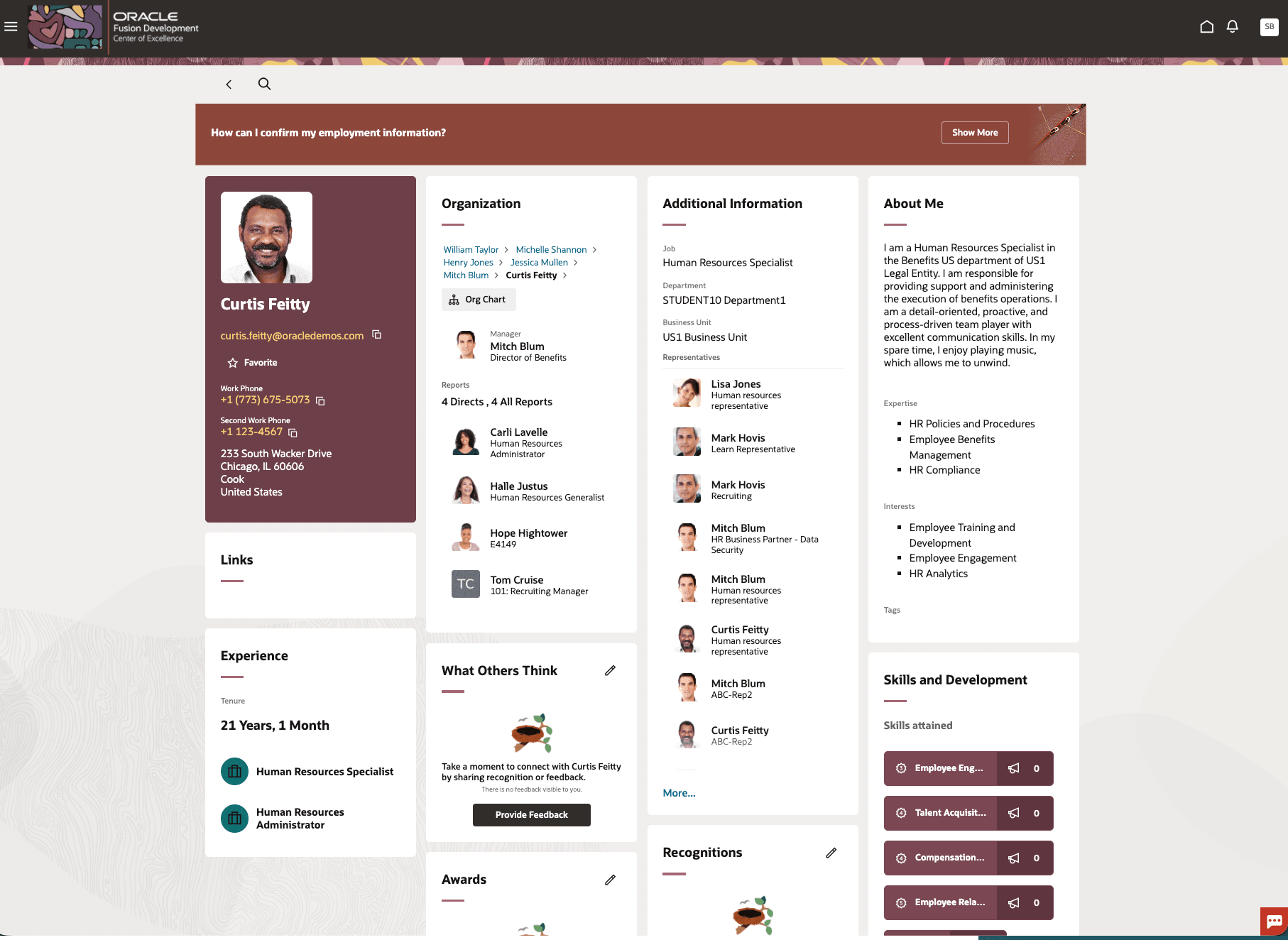
Page Level Guided Journey in Connections Profile
Now you can
- Configure a guided journey code for Connections, both views.
- Choose one or more guided journey tasks to display at the page level.
- Leave the task selection blank to display all tasks associated with the selected guided journey.
Improve the relevance and consistency of guidance in Connections by showing guided journey content directly in the page context. Organizations can tailor guided tasks so users see the right support where they work.
Steps to enable and configure
Edit the page in Visual Builder Studio. In Express Mode
- Go to Common Properties.
- Set the Guided Journeys at the Page Level page property by selecting the code in the list of values.
- Optionally, set Guided Journey Tasks at the Page Level to one or more guided journey task codes.
Page Properties:
Page Properties for Page-Level Guided Journeys
| Page Properties | Description | Value |
|---|---|---|
| Set Guided Journeys at the Page level | Controls the display of the guided journey at the page level. | Guided Journeys Code REST LOV |
| Set Guided Journey Task Codes at the Page level | Controls the display of guided journey task codes at the page level. Select one or more task codes from the list. Leave the selection blank to display all task codes associated with the selected guided journey. | Dependent LOV based on the selected guided journey code |
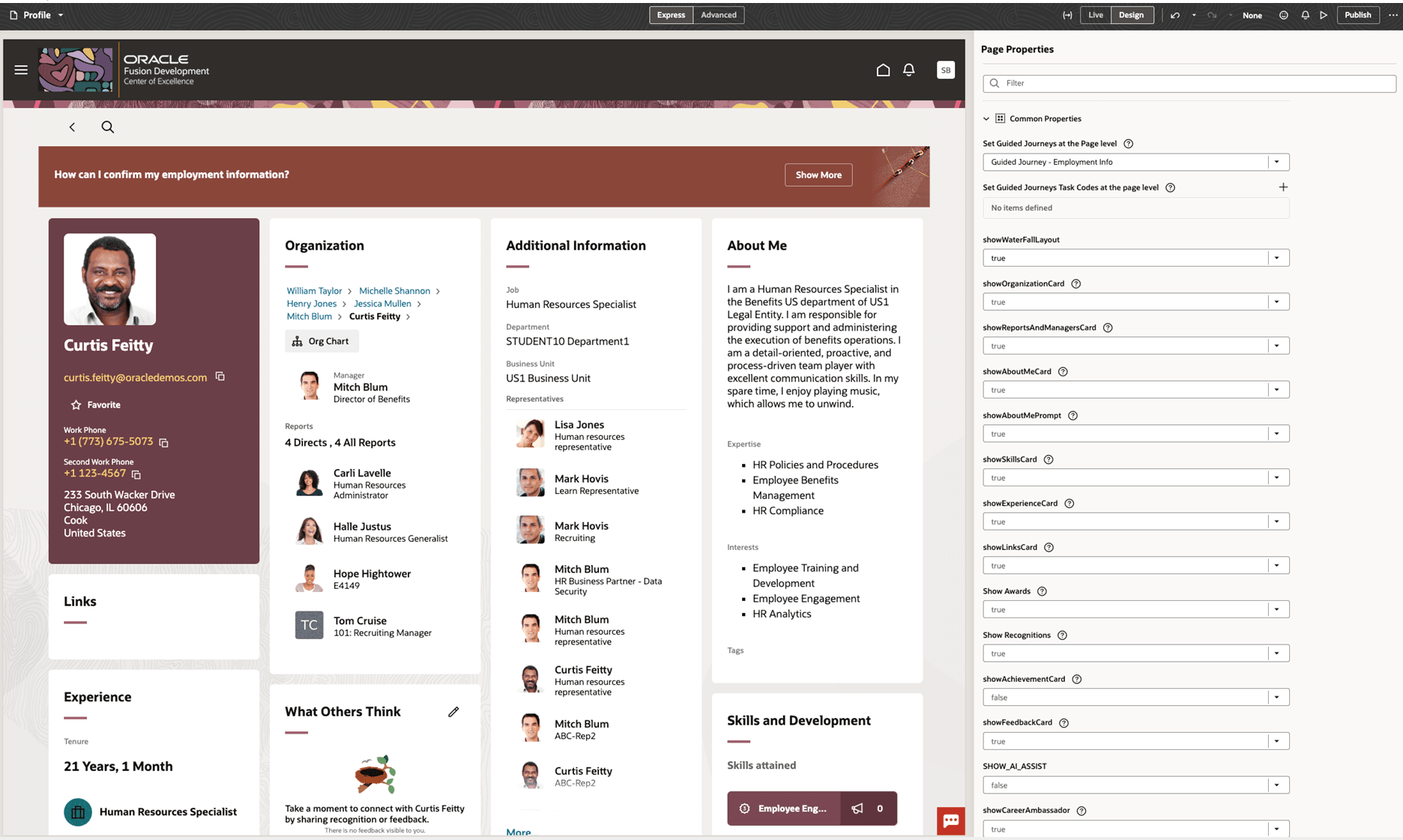
Guided journey page properties in Connections
Key resources
For more information, refer to these resources on the Oracle Help Center:
- Overview of Guided Journeys in the Implementing and Using Journeys guide
- Enable a Guided Journey for Redwood Pages in the Implementing and Using Journeys guide
- Control Display of Guided Journey Based on User Roles in the Extending Redwood Applications for HCM and SCM Using Visual Builder Studio guide