 Learning Events: Online Meetings and Teams Breakout Rooms
We expanded your options for creating and managing online learning events, making it easier than ever to deliver a seamless virtual classroom experience. Now when you create learning events, you can use instructor accounts for integrated sessions—with automated meeting creation, convenient access for all participants, and robust tracking of attendance and completions. Real-time notifications, flexible configuration settings, and enhanced breakout room support ensure your learning programs stay efficient, adaptable, and engaging for everyone involved.
New event creation
You can configure additional meeting options when using the instructor account for online meeting.
- Enable automatic completion to automatically process learner attendance after the meeting.
- Set the minimum learner attendance to get completion in terms of percentage or minutes.
For Microsoft Teams, you can enable the use of breakout rooms. When it's enabled, instructors can create breakout rooms and assign participants to them during live sessions for focused discussions or activities.
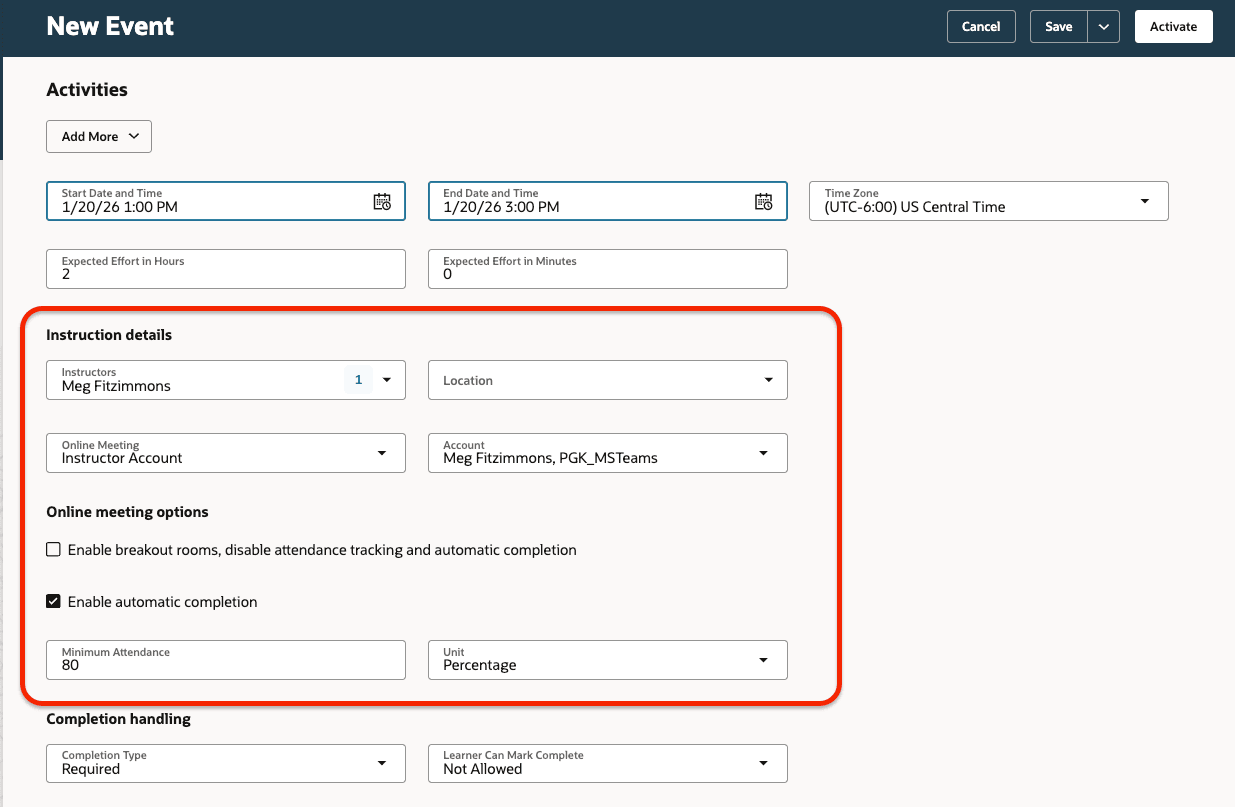
New Event Page with an Activity That Uses an Integrated Instructor Account and Has Online Meeting Options
Online meeting access
For learners and instructors, accessing and joining online meetings is seamless; the join URL is automatically included in notifications and calendar invites (.ics files). It's also visible on the activity’s enrollment and administration details pages. Banner messages clearly communicate the sync and join link status throughout the scheduling and enrollment process.
Visual cues and controls (like the Download Invite and Join Meeting buttons) can be managed centrally, with options to show and hide the controls based on organizational needs.
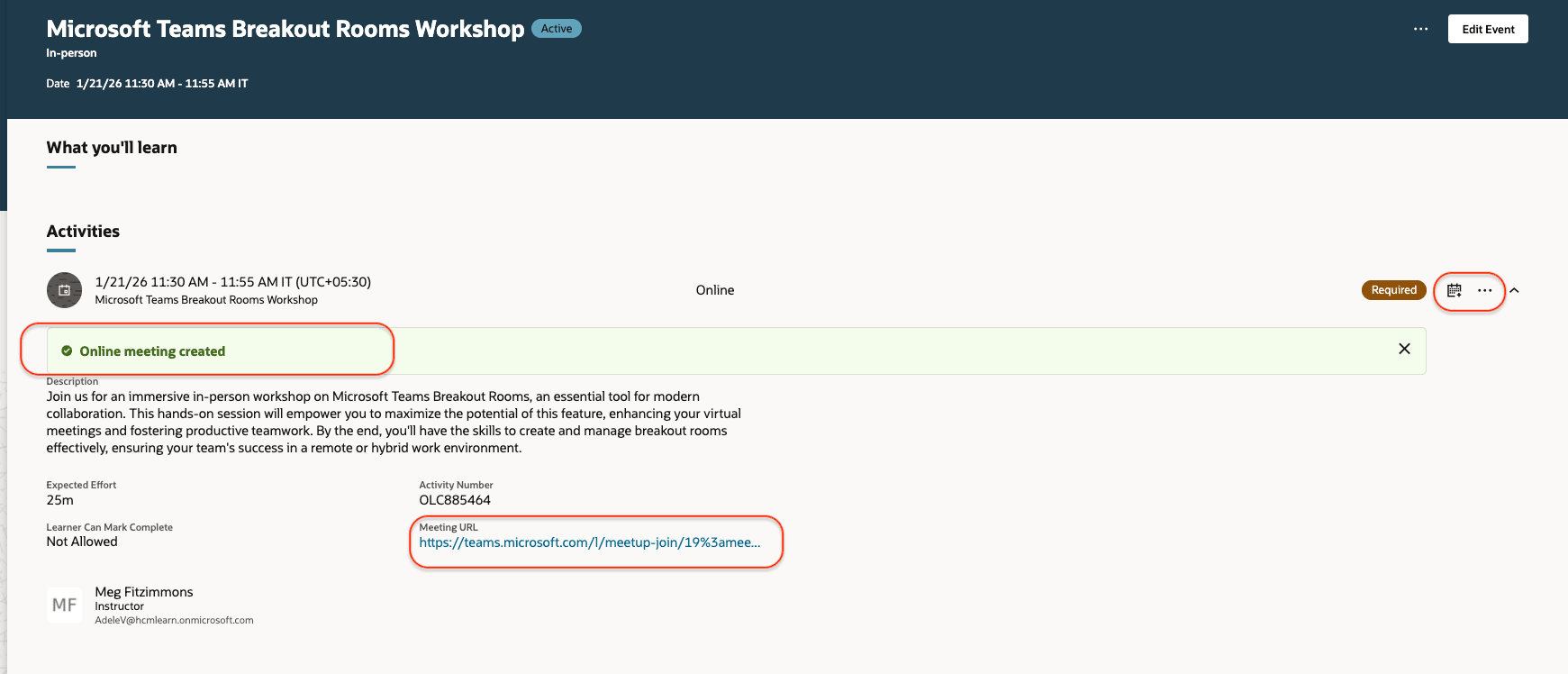
Event Details Page with Provider Meeting Creation Status, Meeting URL, and Download Event Icon
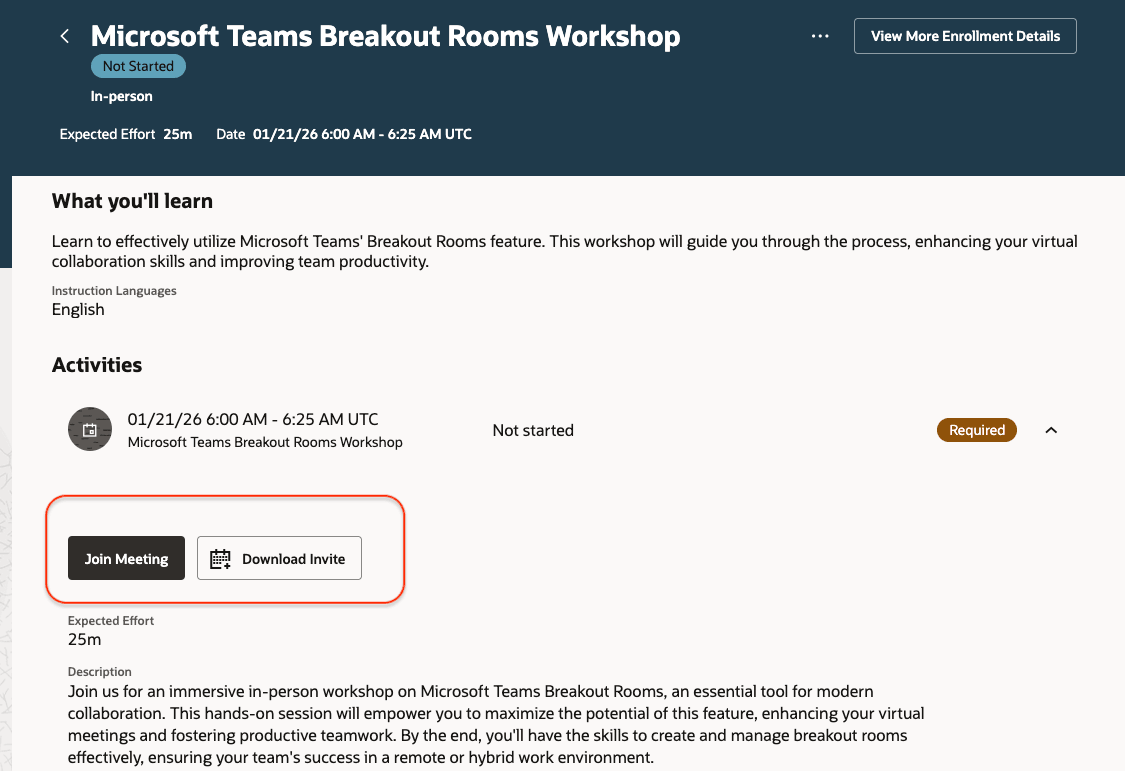
Event Enrollment Details Page Showing the Join Meeting and Download Invite Buttons
Reduce manual workload and increase operational efficiency for learning specialists by automatically managing online training and related functionalities, such as attendance reports, automatic completions, and meeting recordings. Additionally, learners and instructors enjoy a smoother, communication-rich experience with immediate access to virtual sessions and completion tracking.
Steps to enable and configure
If it isn't already, you need to enable learning events.
Tips and considerations
- Hide the Download Invite icon on learner enrollment pages using Visual Builder Studio.
- Make the online meeting options required, hidden, or read-only using Visual Builder Studio.
- When Microsoft Teams breakout rooms are used, learners won't be automatically marked completed after the session. But you still get the attendance log, which can be used to manually processing attendance.
- To create and manage breakout rooms, instructors must use the supported Microsoft Teams client for Windows or macOS.
Key resources
For more information about learning events and breakout rooms, see these documents:
For more information on extending Redwood pages in HCM, refer to this guide on the Oracle Help Center: Extending Redwood Applications for HCM and SCM Using Visual Builder Studio