Offering Observation Checklist Enhancements
The following enhancements have been introduced to improve the efficiency and clarity of the observation checklist process:
-
Expanded self-assessment visibility: Observers are now able to view learner responses more easily, with the self-assessment checklist opening by default. This section can still be collapsed and expanded for convenience during focused assessments.
-
Independent questionnaire selection: Learning specialists have greater flexibility and control when configuring observation checklists, as they can now assign separate questionnaires to learners and observers. This ensures distinct and targeted data collection for each audience, with selections finalized once the activity begins to maintain data integrity.
-
Improved activity information layout: To help users focus on what matters most, duplicated elements such as descriptions and supporting content are displayed only where relevant when both self-assessment and observer activities are present. When just one activity is assigned, complete information is provided for clarity.
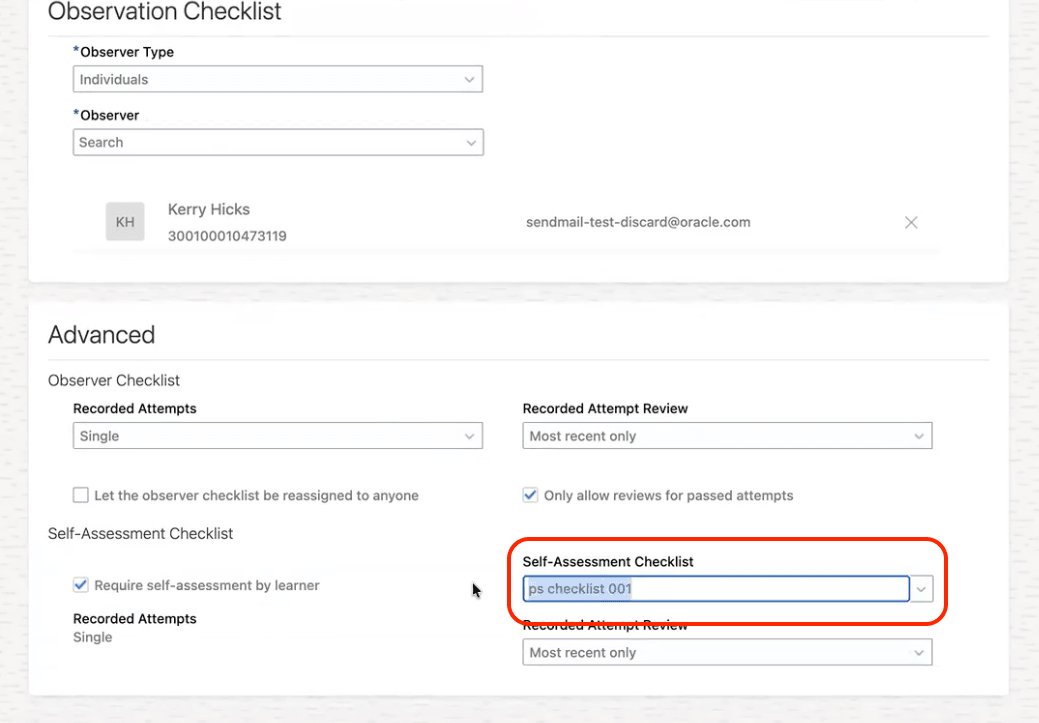
Observation Checklist Showing the Self-Assessment Checklist Options
This enhancement transforms the observation checklist into a more strategic tool by enabling personalized, role-specific assessments and streamlining the review process. By enhancing clarity and configurability for both learners and observers, organizations benefit from more actionable insights, increased assessment accuracy, and stronger compliance with learning objectives—ultimately driving improved workforce development and measurable business outcomes.
Steps to enable and configure
You don't need to do anything to enable this feature.
Tips and considerations
This enhancement is also available in 26A with the 6th March cummulative weekly patch bundle or later. Therefore it's included for those who received 26A in April, anyone who received 26A earlier will require the patch bundle.
Hiding activity titles requires configuring business rules in Visual Builder Studio; verify rules before publishing activities to learners.
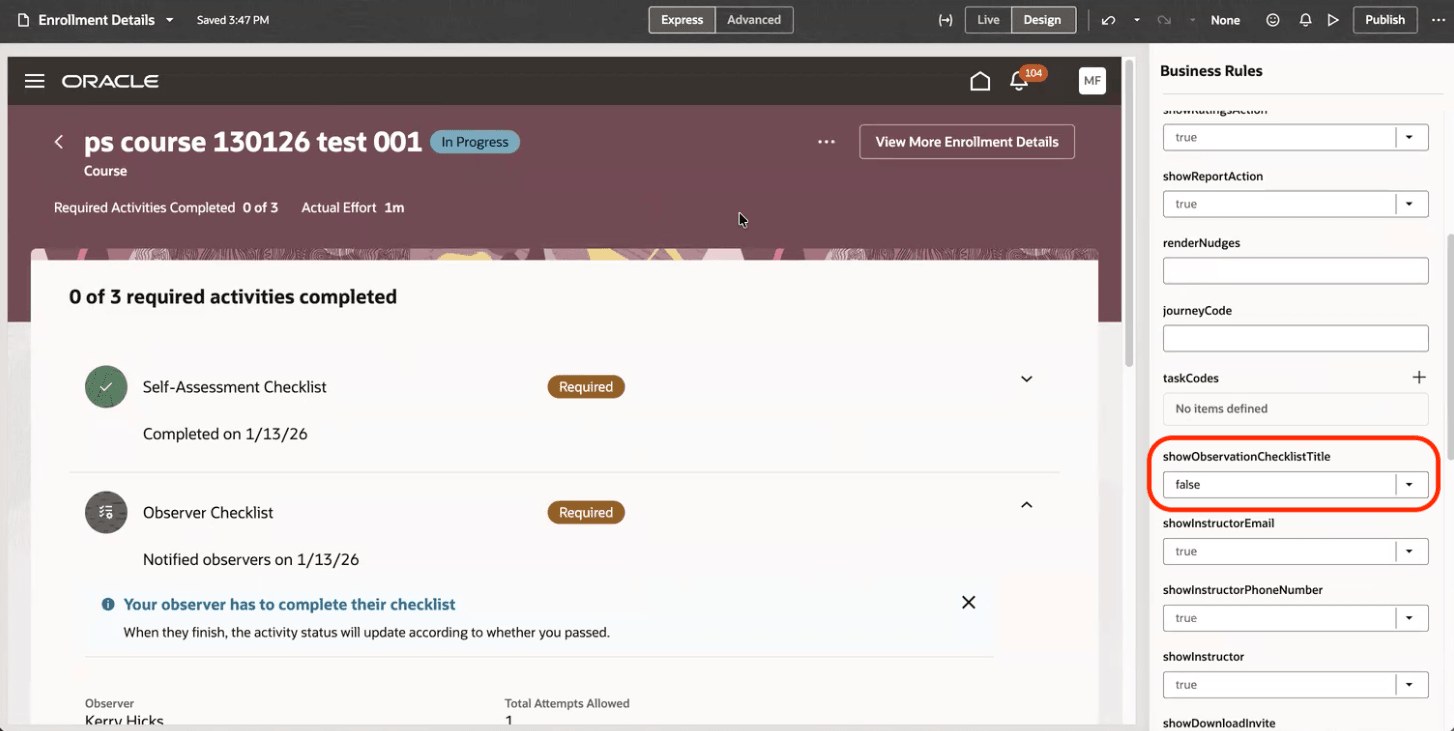
Visual Builder Studio Business Rules for an Observation Checklist
Key resources
For more information on extending Redwood pages in HCM, see Extending Redwood Applications for HCM and SCM Using Visual Builder Studio in Oracle Help Center.