Related Materials, Enrollment Forms, and Response Visibility in Redwood Assignment Management
Access new enhancements to the redesigned Assignment Details experience with added Related Materials and Enrollment Form tabs. You can also now view questionnaire responses across assessments, observation checklists, and feedback activities.View enrollment details and read-only learner responses on the Enrollment Form tab. Also view and manage descriptive flexfields.
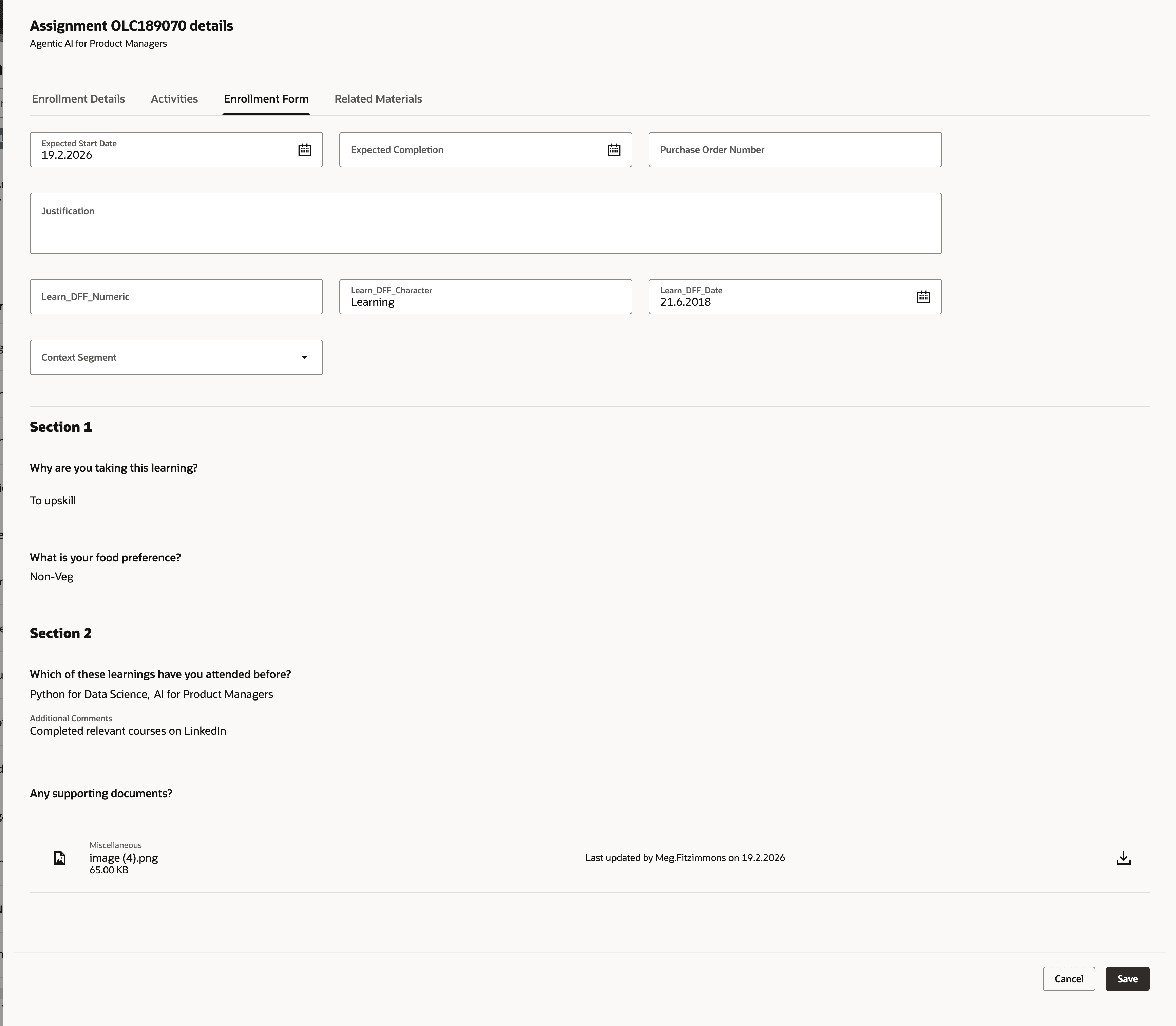
Learner Responses on the Enrollment Form Tab
View and manage assignment-level and assignment profile-level related materials on the Related Materials tab.
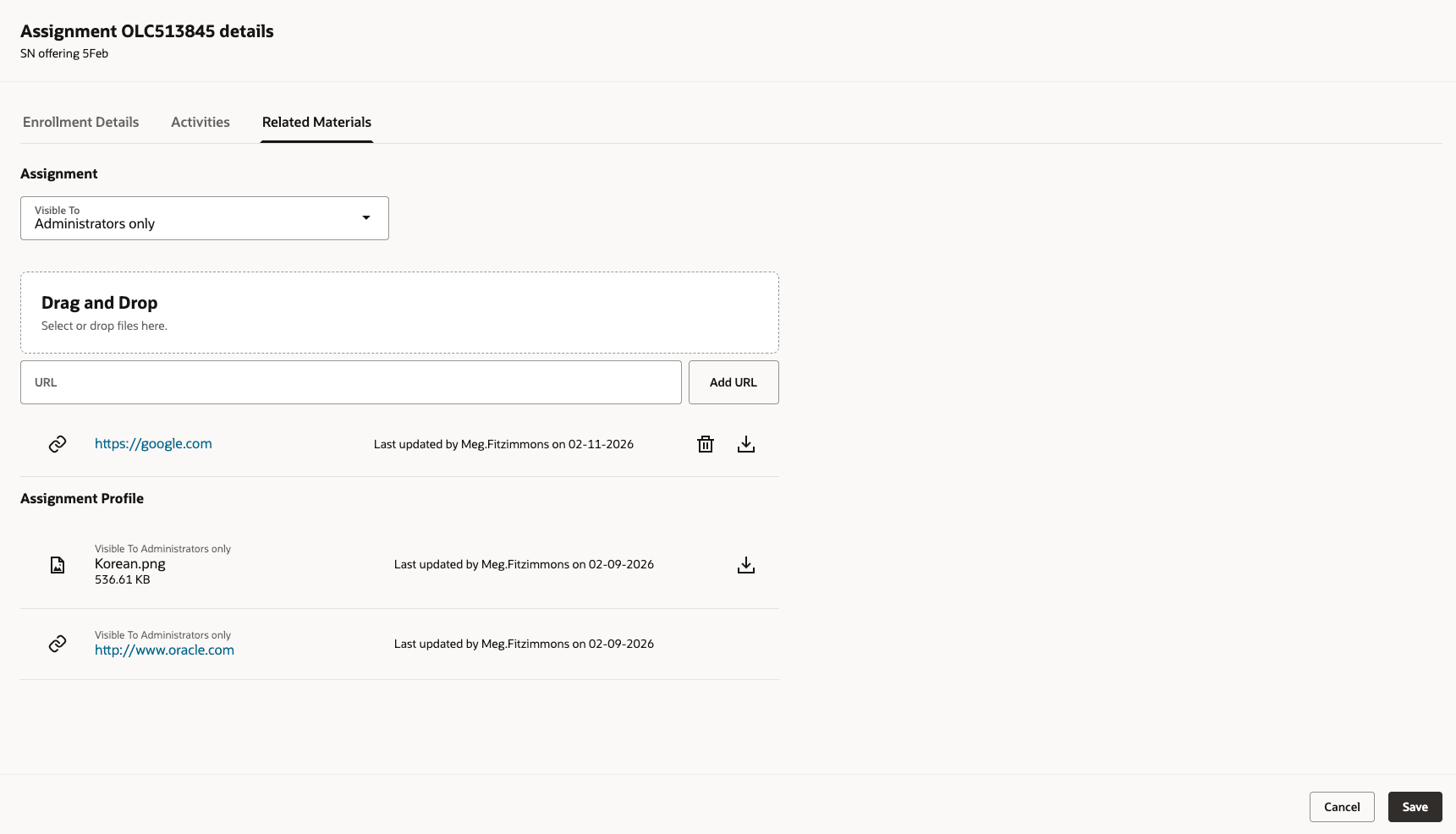
Enrollment Form Related Materials Tab
View the questionnaire responses for the feedback activity--when the learner attempted it–from the Activities tab.
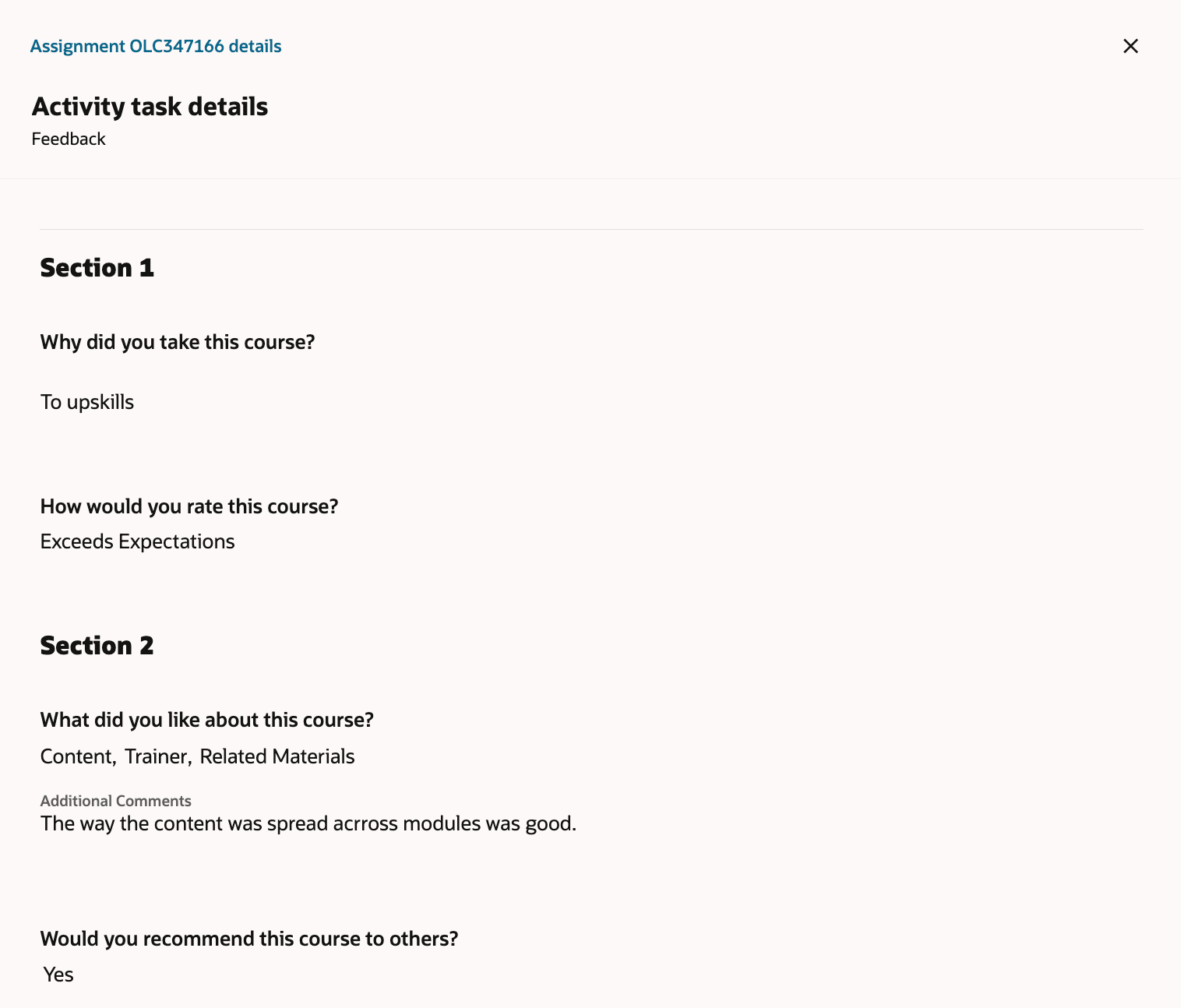
Enrollment From Activities Tab
View the questionnaire responses for the assessments and observation checklist activities from the Attempts panel.
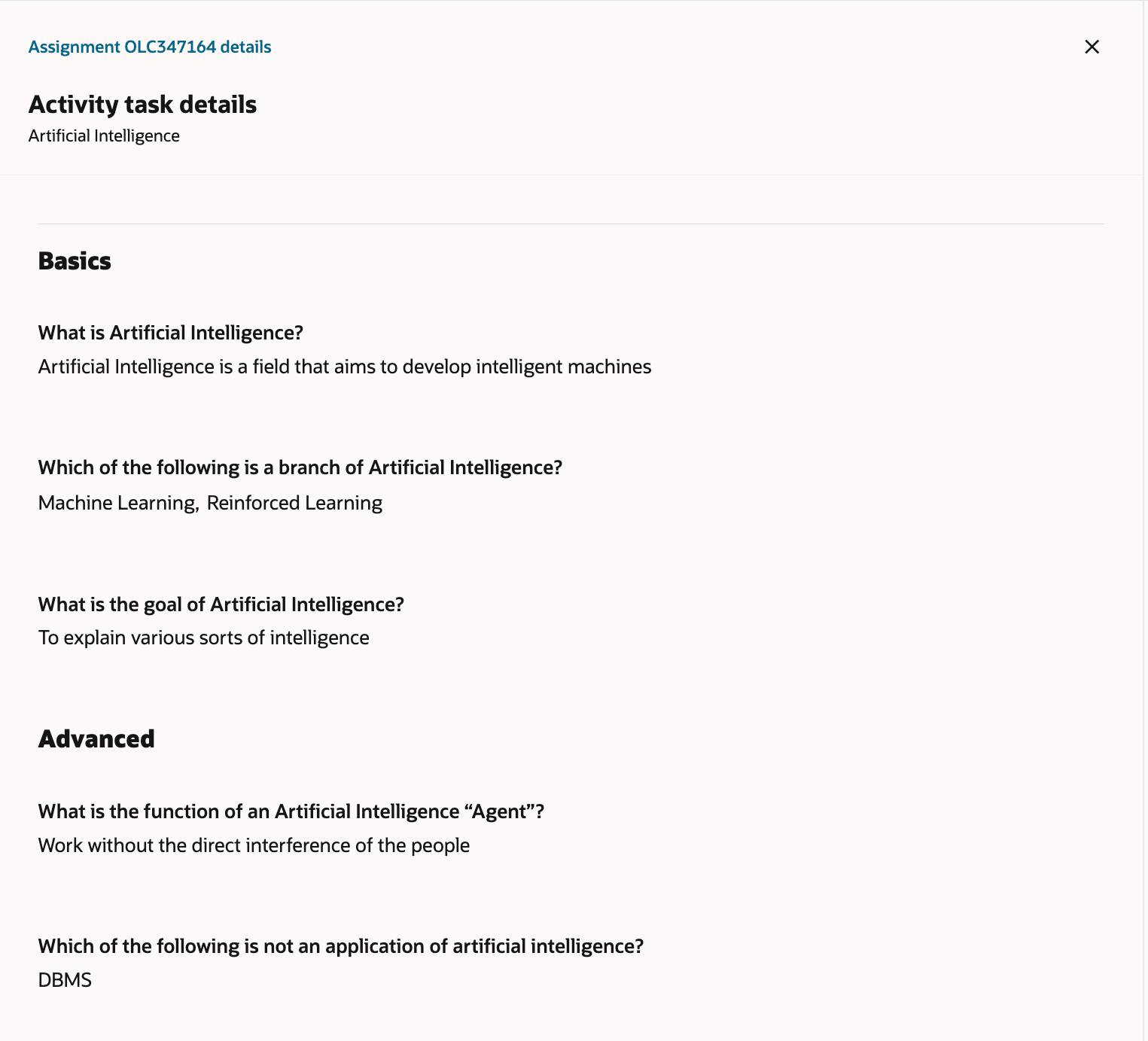
Attempts Panel
These enhancements increase visibility and efficiency with centralized enrollment details, learner responses, and descriptive flexfields. Quickly access related materials and gain clearer insight into learner progress through questionnaire responses.
Steps to enable and configure
If you haven't already, you need to enable Redwood Assignment Management to use this feature.
Tips and considerations
- Related materials added at the assignment profile level can't be managed from the assignment.
- Related materials added at the assignment level don't affect the assignment profile.