Manage Activities in the Sourcing Activity Center
With the Sourcing Activity Center, users have a place to manage activities related to campaigns, candidates, and events.
Within Candidate Sourcing, users granted the Access Sourcing Activity Center privilege (IRC_ACCESS_SOURCING_ACTIVITY_CENTER) have access to the Sourcing Activity Center page and its Quick Action link.
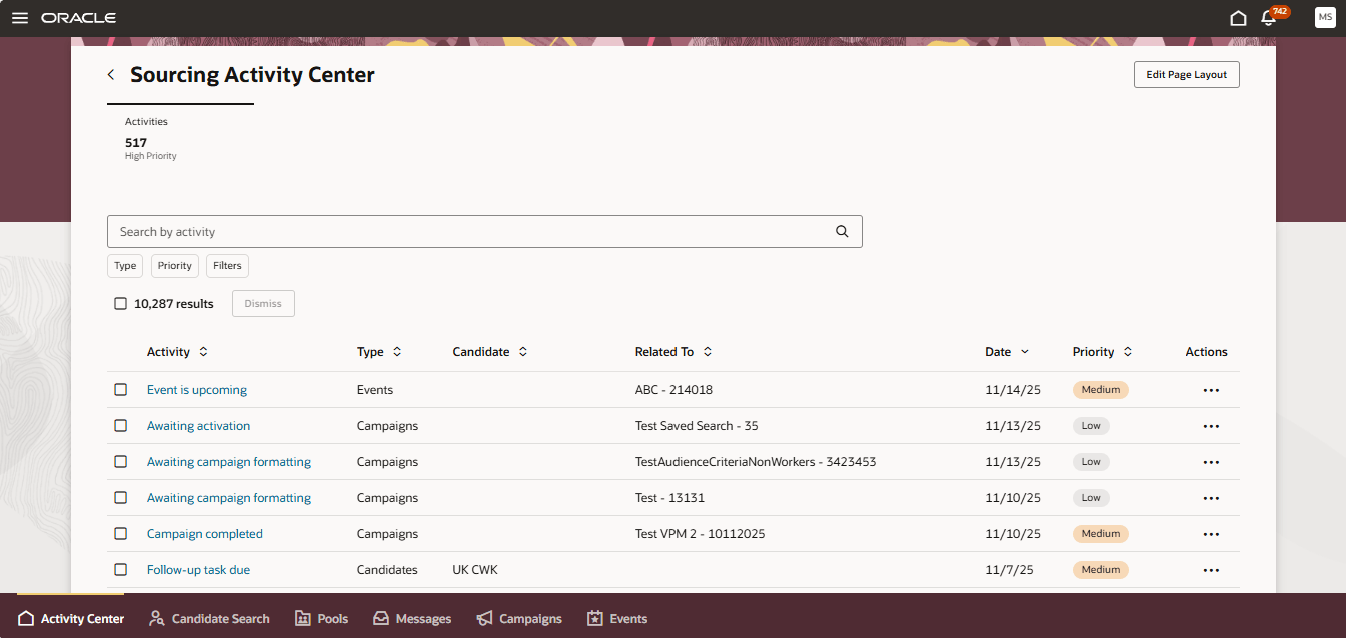
Sourcing Activity Center Page
Users can view a list of all activities available or filter by type and easily see which ones are of high priority. To view more details about an activity, select the activity name. You can take action on your activities from the Actions menu.
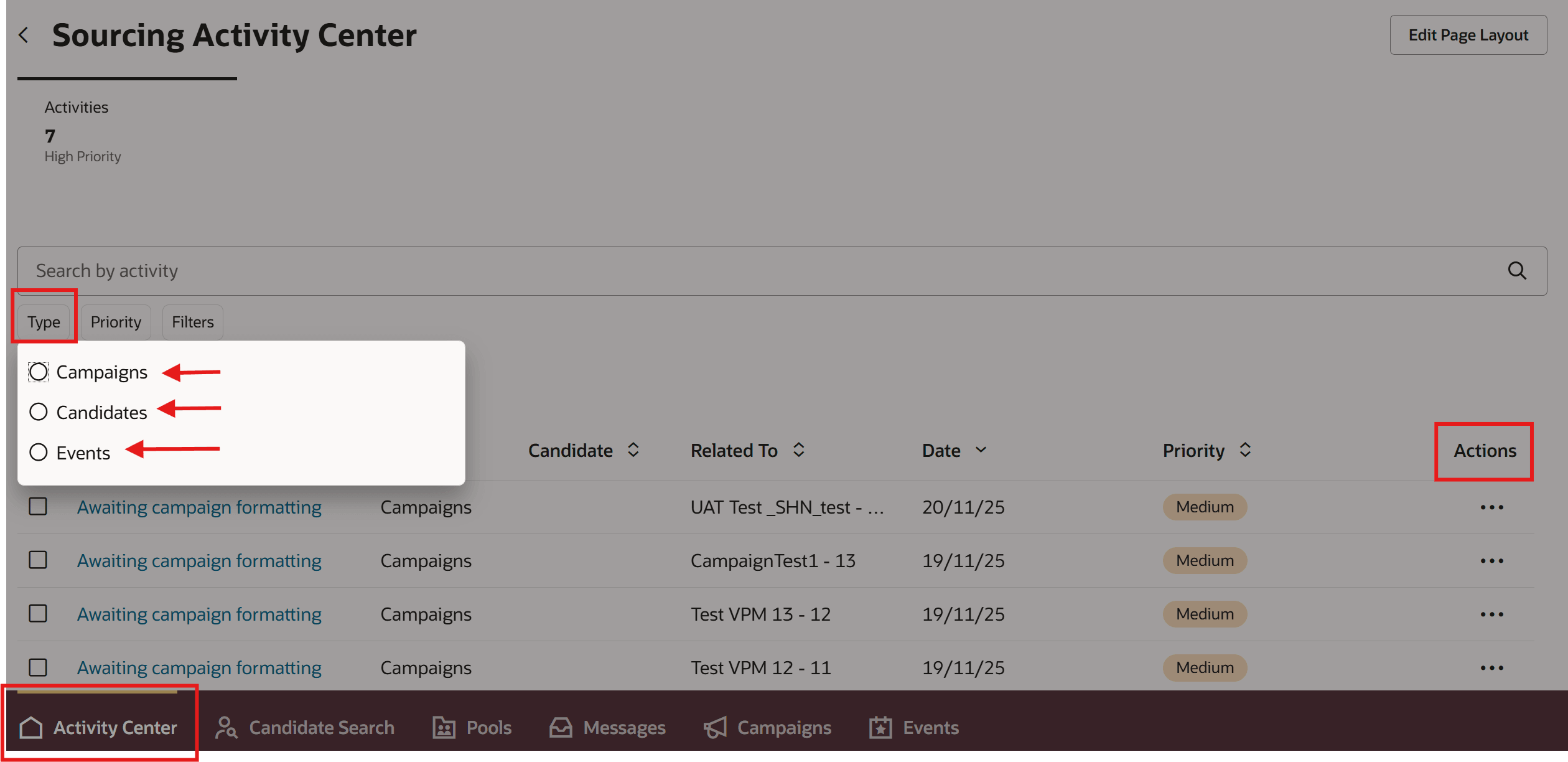
Type Filter and Actions in Sourcing Activity Center
The following activities are available:
Campaigns
- Awaiting campaign formatting
- Awaiting activation
- Campaign completed
Candidates
- Follow-up task due (candidate search)
- Displayed in both Recruiting Activity Center and Sourcing Activity Center
- Follow-up task due for pool member
- Displayed in both Recruiting Activity Center and Sourcing Activity Center
- Follow-up task due for event audience
Events
- Registrations pending approval
- Maximum capacity is reached
- Event completed
- Event is upcoming
- Registration closing
Note: For Event activities, Recruiting Booster needs to be enabled.
Business benefit: Users are prompted to view and manage their activities related to candidates, events, and campaigns in a timely manner.
Steps to enable and configure
The Candidate Sourcing tile appears when these profile options are enabled:
- ORA_IRC_RECRUITING_REDWOOD_ENABLED
- ORA_IRC_ENABLE_RAC
For details, see How do I enable a profile option?
For details on how to configure activities in the Sourcing Activity Center, see How do I configure activities in the Sourcing Activity Center?
You need to run the scheduled process Synchronize Recruiting Activity Center Action Items to generate and update the action items in the Sourcing Activity Center. Recommended frequency is daily.
Users also need privileges to access the Candidate Sourcing tile, the Sourcing Activity Center, and Booster (for Events). For details, see the Access Requirements section.
Access requirements
Users need a combination of privileges or aggregate privileges to access the Sourcing Activity Center within Candidate Sourcing.
They need one of the following privileges to access the Candidate Sourcing area:
- Manage Recruitment Campaign (IRC_MANAGE_RECRUITMENT_CAMPAIGN)
- View Recruitment Campaign (IRC_VIEW_RECRUITMENT_CAMPAIGN)
- Manage Recruiting Event (ORA_IRC_MANAGE_RECRUITING_EVENT)
- View Recruiting Events (ORA_IRC_VIEW_RECRUITING_EVENT)
- Manage Candidate Pool (IRC_MANAGE_CANDIDATE_POOL)
- Search for Candidates (ORA_IRC_SEARCH_FOR_CANDIDATES)
- Events (ORA_IRC_EVENT_REDWOOD_ENABLED)
Additionally, users need the privilege Access Sourcing Activity Center (IRC_ACCESS_SOURCING_ACTIVITY_CENTER) for the Sourcing Activity Center page to appear in the Candidate Sourcing area and for the Quick Action to appear.
To manage the KPI and Visualizations which can be displayed, users need the Edit Sourcing Activity Center Layout (IRC_EDIT_SOURCING_ACTIVITY_CENTER_LAYOUT) privilege.