Career Coach Enhancements: Framework Update
The Recruiting Inbox Response Agent is an AI-powered email assistant that responds to candidate questions by leveraging your organization’s policy and process documents. This email assistant agent is built using Oracle AI Agent Studio. Using this framework, you can upload relevant documents that contain possible answers for candidate questions. The agent then uses these documents to reply to candidates.
The agent responds to an email if the following conditions are met:
- If it’s the first email or response from a candidate, the agent responds. Subsequent emails are sent to the recruiter for their response.
- The email must contain five questions or less.
- If the agent can’t find answers to all the questions based on the uploaded documents, the email is sent to the recruiter.
- If the agent is unable to respond due to unavailability or network errors, the email is sent to the recruiter. The time limit for the agent's response is set in the IRC_2W_AGENT_AUTO_SKIP_TIMEOUT profile option.
- If questions belong to the following excluded topic categories, the agent doesn’t respond, and the email is sent to the recruiter:
- Salary comparisons, such as “What’s the salary for a designer role in your company?”
- Company information on gender ratio, ethnicity, and so on, such as “Do you prefer a male employee for this role?”
- Discrimination on the basis of gender, race and other factors.
Sample Response Sent by the Email Assistant
When a candidate’s email is received, it’s displayed in the vanity mailbox. It won’t be relayed to the recruiter’s mailbox when the email is queued to the agent or while the agent is processing it.
The email is also displayed in the Hiring application, but the recruiter won’t be able to reply to it while the agent is processing it. The Send Reply button will be disabled and a message is displayed accordingly. Once it completes processing, this button is enabled.
Agent replies are displayed in these areas in Hiring:
- Messages tab on the candidate’s profile page
- Messages tab on a candidate page in the context of job requisitions, job applications, offers, candidate pools, events, or prospects
- Message Center
Note: The agent reply will also be delivered to the recruiter’s mailbox from the vanity mailbox.
Messages Tab Enhancements
The Emails section has been enhanced with a new subtab, Automated and Email Assistant. This filter displays:
- Email responses by the agent.
- Auto-generated emails sent from Hiring through the vanity email or no-reply email in the context of requisitions, prospects, pools, or events.
- Replies from the candidate or the hiring team to agent responses or auto-generated emails.
Messages Tab on Candidate Profile
The Mine subtab displays all the email conversations where you’re a participant. The All subtab displays all the email conversations where you or other hiring team members are participants, as well as all agent emails and automated emails.
Message Center Enhancements
The Inbox and Sent filters in Message Center have been updated to include agent messages.
Inbox Filters
My messages has been renamed to My conversations. This filter displays the following types of messages:
- Replies received from candidates for the emails that you sent to them.
- If you reply to a candidate’s incoming email, it’ll be displayed here and in the Sent filter.
- If you’re a participant in any other email thread involving agent replies, automated emails, or other hiring team members, those emails will also be displayed here.
A few points to note:
- The first incoming email from a candidate won’t appear in this filter. It’ll appear in the Hiring team conversations filter.
- If you’ve sent an email, but haven’t received a reply from the candidate, that message won’t appear in this filter. It’ll appear in the Sent By Me filter.
Inbox Filters
All conversations: The All messages filter has been renamed to All conversations, with the same functionality. This filter appears only when both the email and text assistant aren’t enabled. For details about the text assistant, see the 26B What’s New feature, Career Coach Enhancements: Text Assistant Support.
When either the email assistant or text assistant are enabled, you'll see the following two filters instead of All conversations.
Hiring team conversations: This displays the following categories of messages:
- The first incoming email from a candidate will appear here, even before you, other hiring team members, or the agent can reply to it.
- An email sent by another hiring team member, for which the candidate replied, will also appear here. You can see the email if you have access to the requisition, prospect, pool, or event context related to the email.
- If other hiring team members participate in any other email thread involving agent replies, automated emails, or your emails, those emails will also appear here.
Automated and assistant conversations: This filter appears when the email assistant is enabled. It includes the following categories of messages:
- Auto-generated emails that were sent to the candidate based on a recruiter action in the context of requisitions, prospects, pools, or events will appear here, after the candidate has replied to them. Note that you must have access to these contexts to be able to see these emails.
- Emails that were sent to the candidate by the agent will appear here and in the Sent filter. When a candidate replies to the agent’s email, that email will also appear here.
- If you or other hiring team members participated in an email thread involving an agent’s reply, that email will also appear here. It’ll also appear under Inbox > My conversations or Inbox > Hiring team conversations, depending on who participated in the conversation.
A few points to note:
- The first incoming email from a candidate won’t appear in this filter.
- An automated email will appear in this filter only if the candidate sends at least one reply to it. If there’s no reply, the email will appear in the relevant Sent By filter.
Sent Filters
Two new filters have been introduced and a few existing filters have been renamed, as follows:
- Sent By > Me: The functionality remains the same. In addition, any reply that you sent to candidates on pre-existing conversations involving automated messages or email assistant messages will also appear here.
- Sent By > Others: The functionality remains the same. In addition, any reply that other hiring team members sent to candidates on pre-existing conversations involving automated messages or email assistant messages will also appear here.
- Sent By > Vanity email automatically: The functionality remains the same, but the filter name is modified for better clarity.
- Sent By > No-reply email automatically: The functionality remains the same, but the filter name is modified for better clarity.
- Sent By > Email assistant: Email replies that were sent by the email assistant appear here.
- Sent By > Text assistant: Text messages sent by the text assistant to candidates appear here.
Sent By Filters
Business benefit: The transition to a workflow agent model for Career Coach, now supporting both web and SMS channels, provides a more unified and efficient solution for candidate engagement. The flexibility of using either a seeded agent or a custom-configured agent allows for easy adaptation to different career site or SMS provider needs, ensuring scalability and customization.
Steps to enable and configure
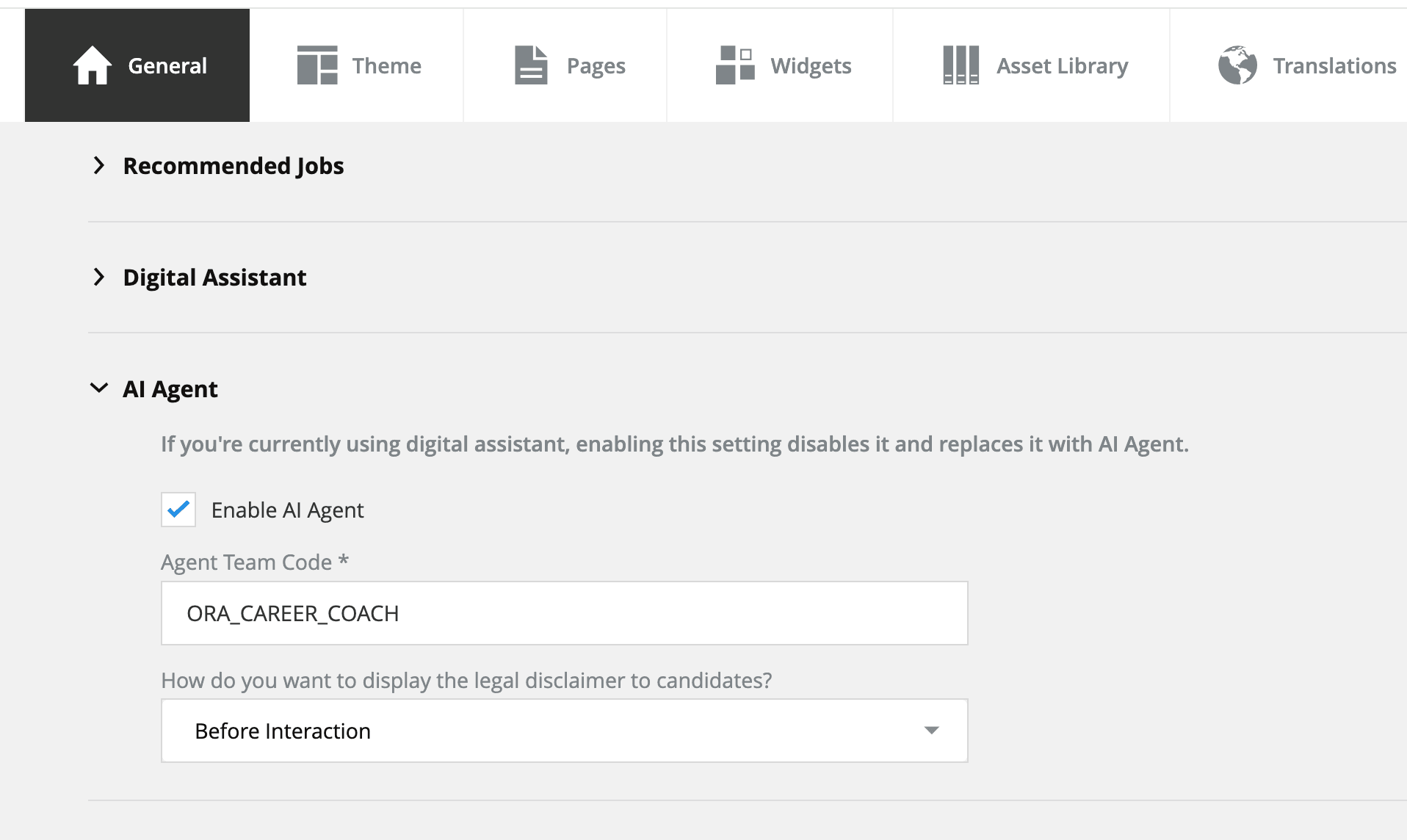
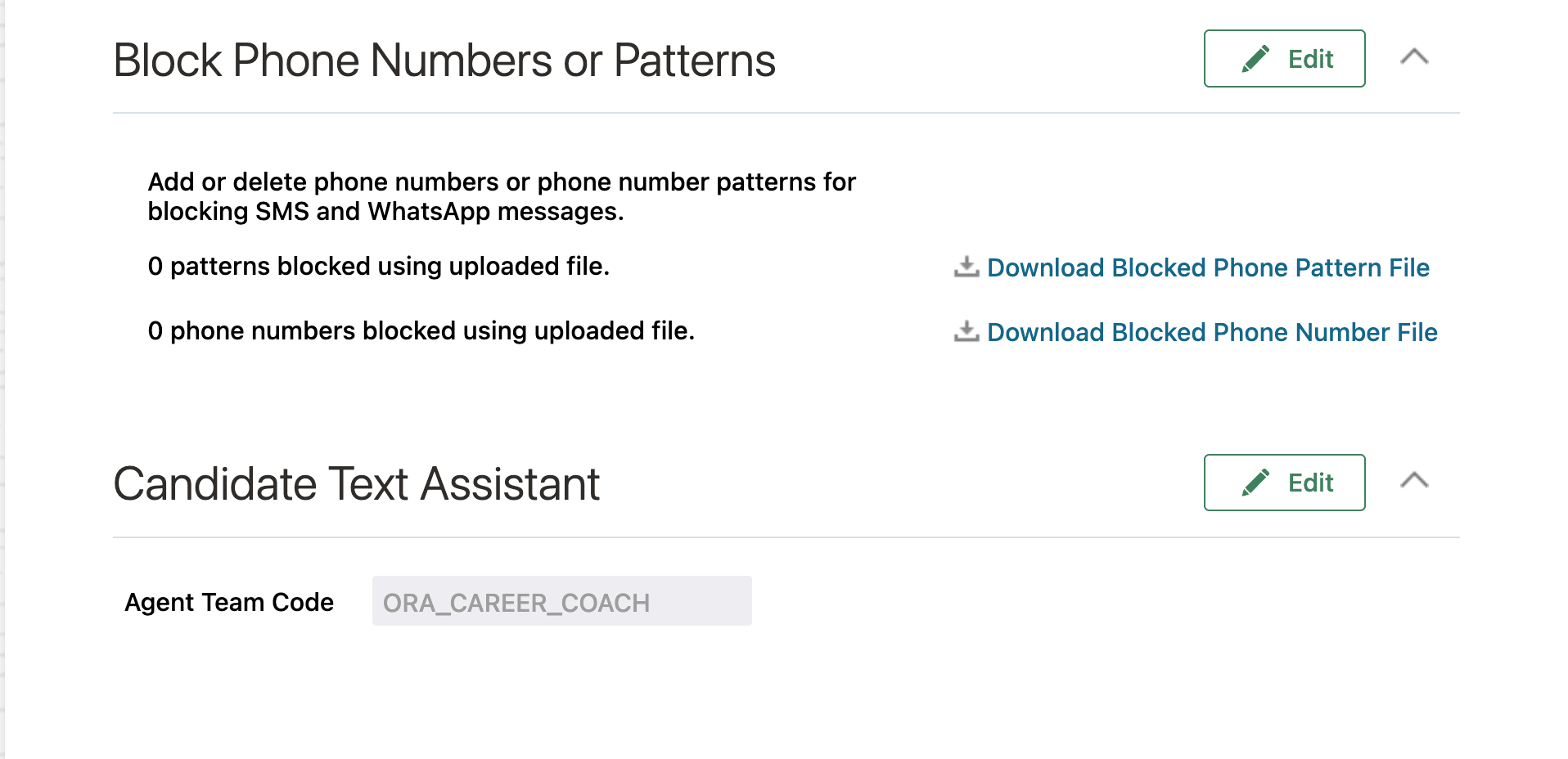
Career Coach is available as both a seeded agent and a template. By default, the seeded agent ORA_CAREER_COACH is used when the AI agent is enabled for a career site or SMS provider. You can also configure targeted agents for specific sites or override the seeded agent for SMS by creating your own custom agent.
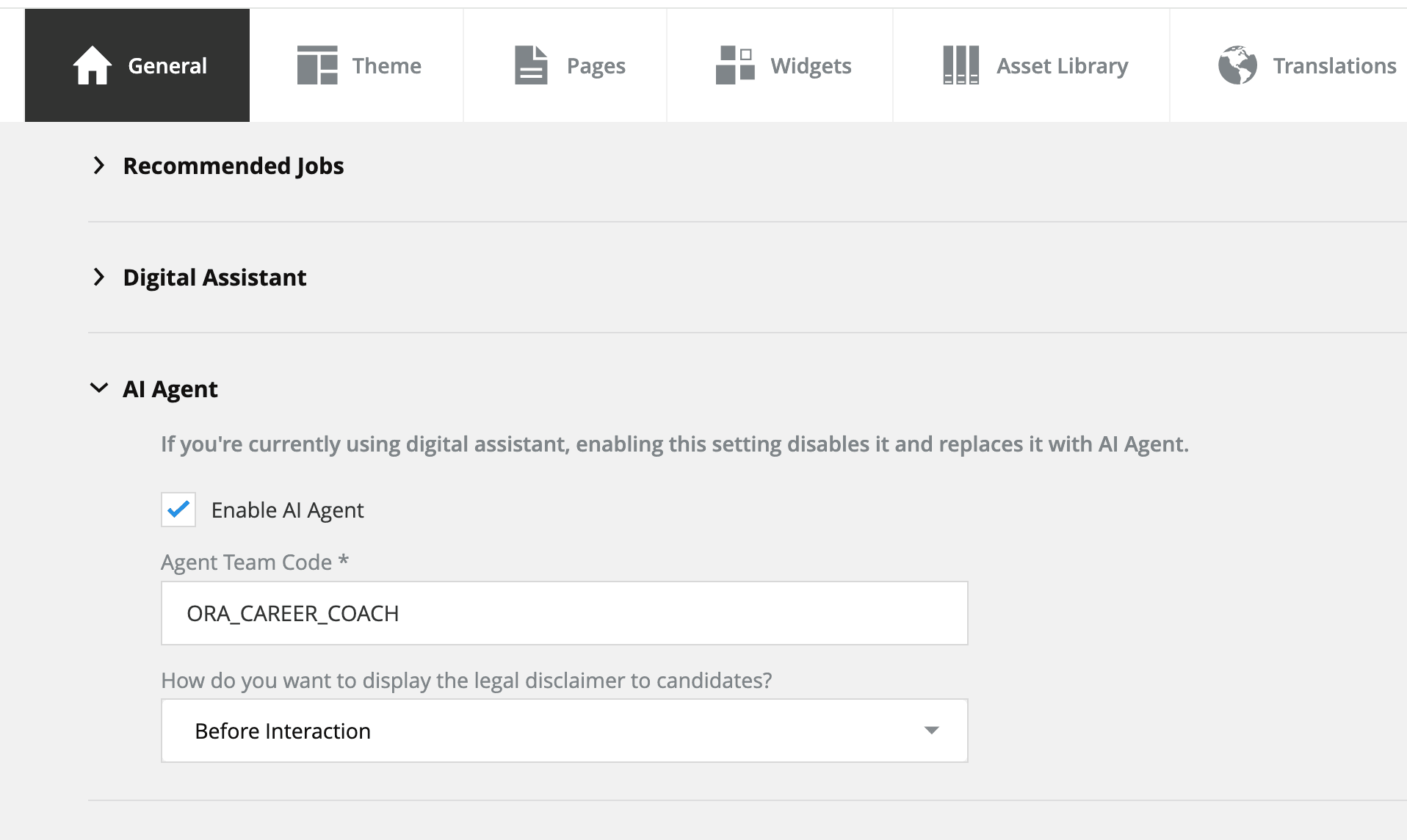
Agent Team Code Configuration
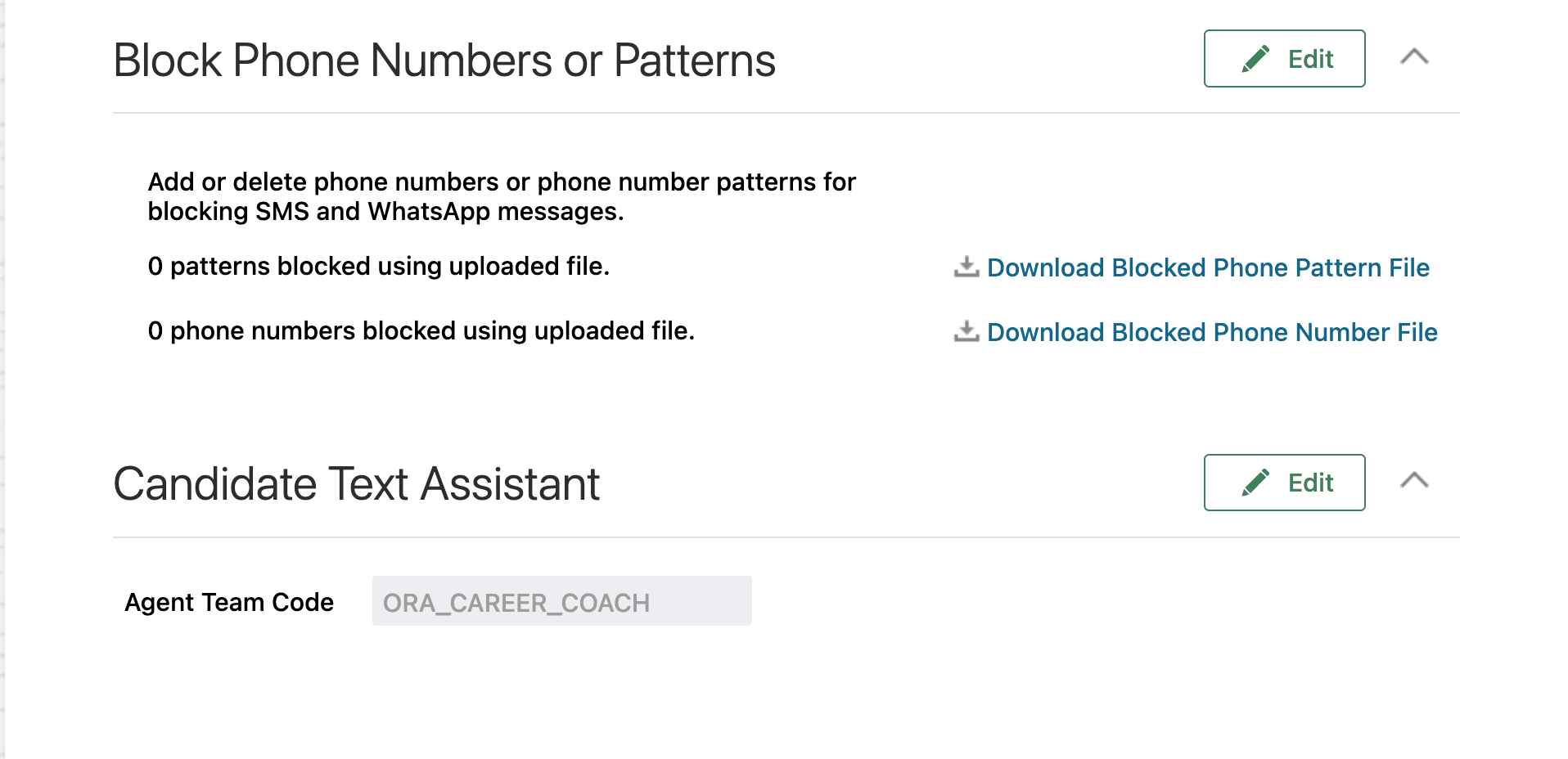
Configure for SMS
- If you enabled the AI Agent for the career sites in 26A, no additional configuration is required. The same ORA_CAREER_COACH agent will be automatically converted to a workflow agent. The integration user and other configurations set up during 26A will continue to work.
- If you're enabling the AI Agent for a career site for the first time in 26B, see Enable AI Agent for Career Sites on My Oracle Support (KB873870).
- If you're enabling the AI Agent for SMS, see Career Coach Enhancements: Text Assistant Support.
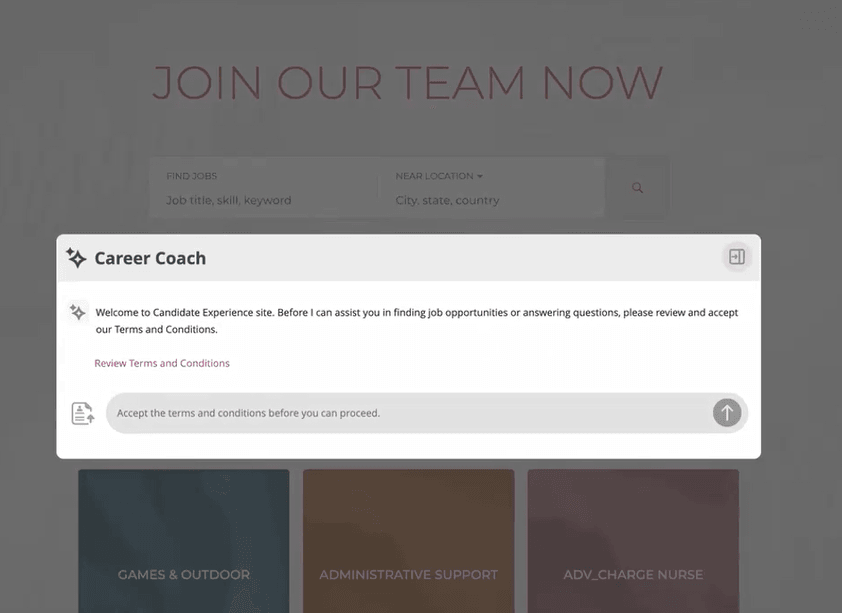
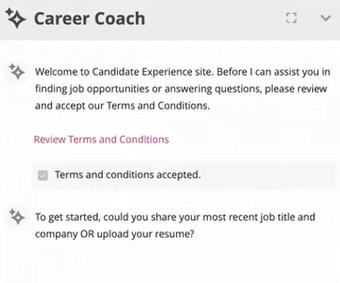
You can configure whether candidates are required to agree to the terms and conditions or whether the agreement is optional. For details, see How do I configure the terms and conditions in Career Coach?
Key resources
- Explore AI Agents for Oracle Fusion Cloud Applications
- How do I use AI Agent Studio?
- Enable AI Agent for Career Sites on My Oracle Support (KB873870)
- How do I set up candidate messaging?