Redwood Experience: Zoom Authorization Page
Take advantage of the Zoom authorization page that has been recreated in the Redwood toolset called Visual Builder Studio.
When Redwood profile options are enabled, you can access the Authorize Zoom Integration for Interviews action in the Me > Show More > Interviews menu. Upon selecting the action, the Authorize Zoom Integration page appears where you can provide your authorization to be added as a meeting host for interviews scheduled with Zoom. When you select the Authorize button, a Zoom window appears asking you to confirm that you authorize the integration.
Once your authorization is provided, the date and time of the authorization is displayed on the page. However, it's still possible to authorize again if needed. As an example, the integration isn't working as expected because the authorization was removed on the Zoom side.
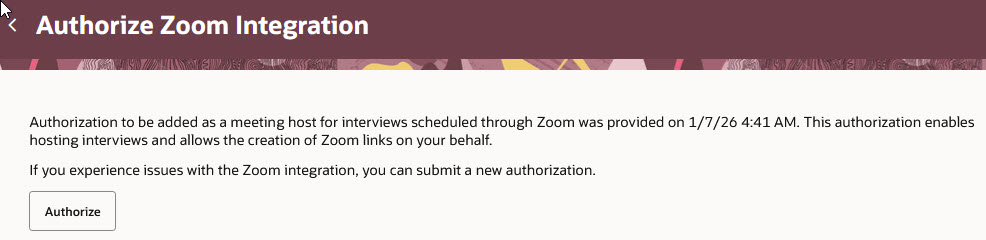
Authorize Zoom Integration Page
Business benefit: The Zoom authorization page provides a consistent Redwood look and feel experience to users.
Steps to enable and configure
To use the Redwood experience for interviews, you need to enable these profile options:
- ORA_IRC_RECRUITING_REDWOOD_ENABLED
- ORA_IRC_JOB_APPLICATION_REDWOOD_ENABLED
- ORA_IRC_INTERVIEW_REDWOOD_ENABLED
For details, see How do I enable a profile option?
For details on enabling and customizing Redwood for HCM, see How do I adopt Redwood for HCM? and Extending Redwood Applications for HCM and SCM Using Visual Builder Studio.
For privileges, see the Access Requirements section.
Access requirements
To view the Authorize Zoom Integration for Interviews action, users need the following privilege:
- Access Zoom Authorization Page for Interviews (IRC_ACCESS_ZOOM_AUTHORIZATION_PAGE_FOR_INTERVIEWS_PRIV)