Redwood Experience: Create Sourcing Campaigns Using AI Agent
Use an AI Agent to create a campaign including the campaign email and the text contained within that email. The agent proactively monitors job requisitions and initiates sourcing efforts by creating campaigns to enable early and efficient sourcing.
Here’s how it works:
A new agent template is available in AI Agent Studio: Recruiting Sourcing Campaign Agent Template.
The Recruiting Sourcing Campaign Agent reads requisition details to find eligible requisitions and coverts those details into a natural language search to find relevant candidates. Once candidates that are a match for a requisition are found, a campaign is created. You need to manually activate the campaign which provides the opportunity to review and modify the campaign content prior to activation.
Business benefit: Creates recruiting campaigns for eligible job requisitions helping recruiting teams begin sourcing earlier and with less manual setup.
Steps to enable and configure
You determine the trigger for the Recruiting Sourcing Campaign Agent by configuring the schedule.
(Navigator > Tools > AI Agent Studio > Agent Teams > [open your agent] > Agent Team Settings > Triggers > [Schedule] > Add)
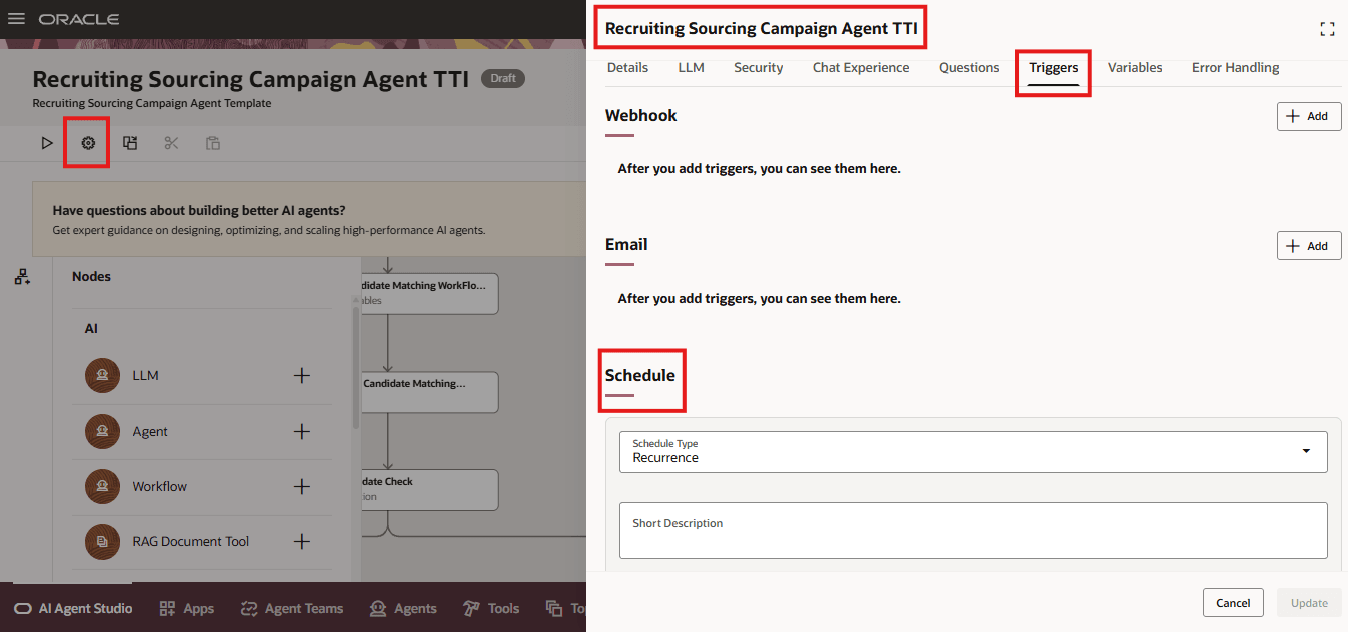
Agent Trigger Schedule
The agent automatically sends out campaign emails, but you need to tell the agent which email template to use by entering the name of your template into your agent.
(Navigator > Tools > AI Agent Studio > Agent Teams > [open your agent])
Select Edit on the Prepare Runnable Agent Trigger.
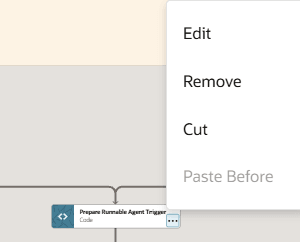
Prepare Runnable Agent Trigger Node
Below the line, "CampaignPurpose": "ORA_APPLY_TO_JOB" insert the following text replacing Your email template name with the name of your email template.
"EmailDesignTemplateName": "Your email template name"
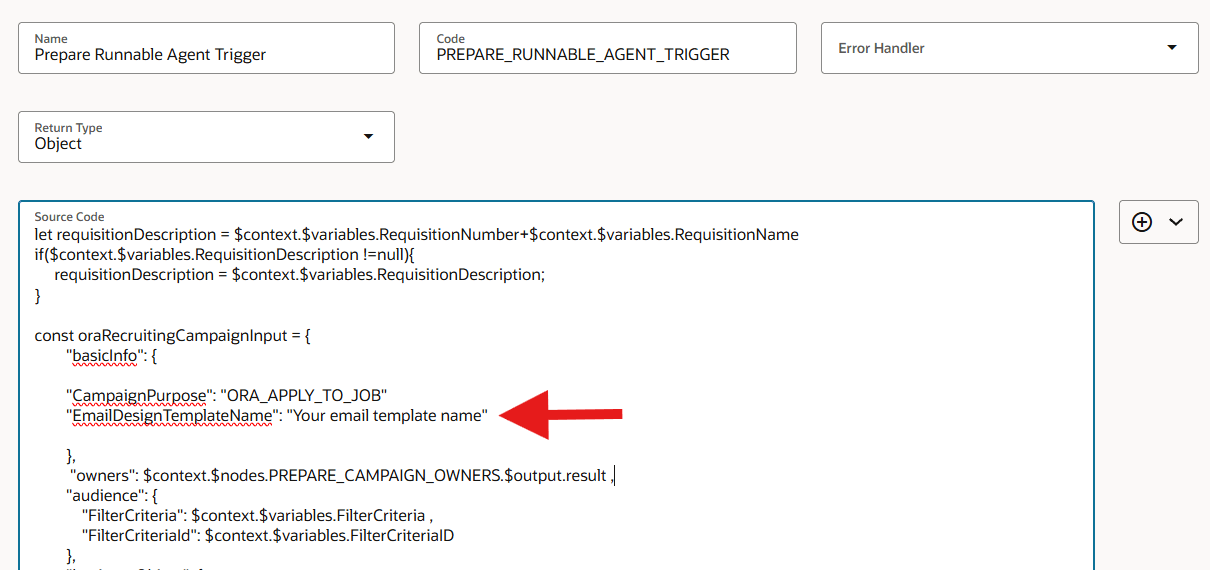
Node Configuration for Email Template
Tips and considerations
- The agent creates a campaign only if it finds 1,000 or more matching candidates
- A campaign won’t be created if an existing campaign is found for the requisition
Key resources
- Create AI Agents Using Preconfigured Agent Team Templates
- Explore AI Agents for Oracle Fusion Cloud Applications
- How do I use AI Agent Studio?
- How can I give users access to AI agents
- Access Requirements for AI Agent Studio
Access requirements
Users need these privileges:
- View Job Requisition (IRC_VIEW_JOB_REQUISITION_PRIV)
- Manage Candidate Pool (IRC_MANAGE_CANDIDATE_POOL_PRIV)
- Manage Recruitment Campaign (IRC_MANAGE_RECRUITMENT_CAMPAIGN_PRIV)
- Recruiting Sourcing User Workflow Agent Access (ORA_HCM_IRC_SOURCING_USER_WF_AGENT_ACCESS)