Redwood Experience: Preview Job Requisition Template
Take advantage of the preview job requisition template flow that has been recreated in the Redwood toolset called Visual Builder Studio (VBS).
When you want to preview a job requisition template, you can use the Preview action which is available as a standalone button on the job requisition template details page. The Preview page opens in the same browser tab. The default view is Internal – Desktop. You can change this value to preview the requisition template as an external candidate, from a desktop computer, or from a mobile device.
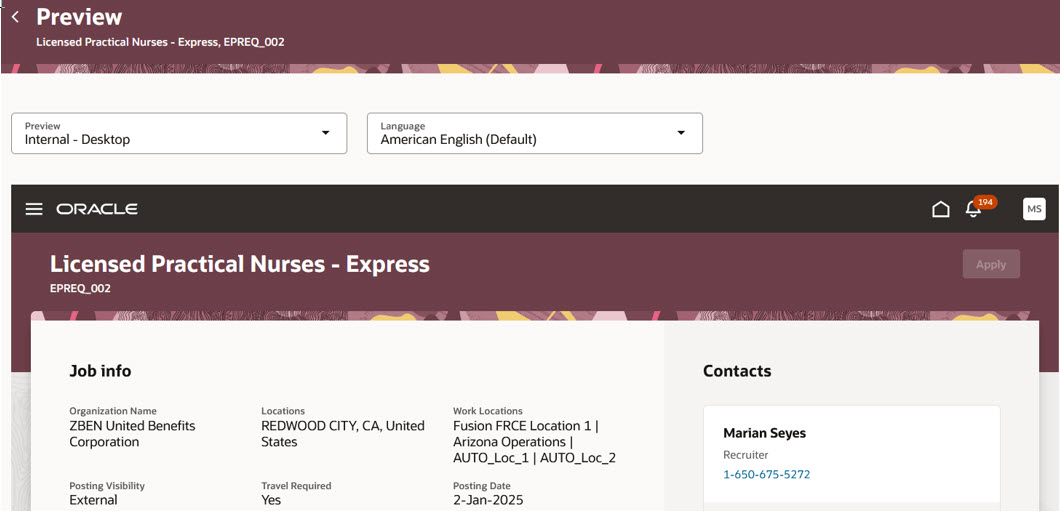
Preview Job Requisition Template: Internal - Desktop View
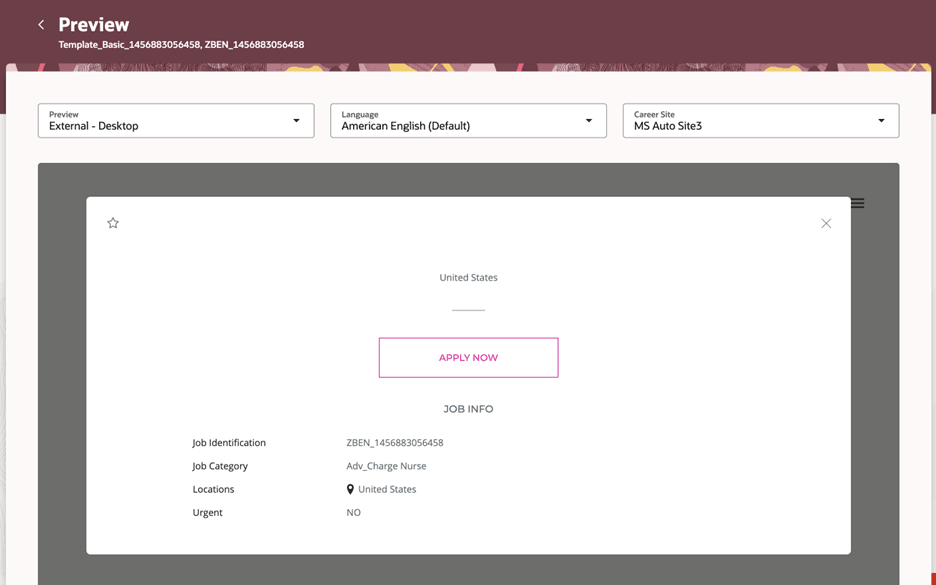
Preview Job Requisition Template: External - Desktop View
Business benefit: With this enhancement, you have a consistent user interface when you navigate from the job requisition template details page to the preview job requisition template screen.
Steps to enable and configure
To enable the Preview Job Requisition Template action and flow in Redwood, you need to enable these profile options:
- ORA_IRC_RECRUITING_REDWOOD_ENABLED
- ORA_IRC_REQUISITION_REDWOOD_ENABLED
- ORA_IRC_RECRUITING_ESS_REDWOOD_ENABLED (to preview internal job postings)
For details, see How do I enable a profile option?
For details on enabling Redwood for HCM, see How do I adopt Redwood for HCM? and Extending Redwood Applications for HCM and SCM Using Visual Builder Studio.