Redwood: Display AI-Generated Feedback And Check-In Summaries in Performance Documents
Workers or managers viewing an employee’s performance document, can now see AI-generated summaries of an employee's check-ins and combined anytime and requested feedback summary in the drawer for the Questionnaire and Overall Summary sections. This is also visible to managers in All-in-One Evaluations.
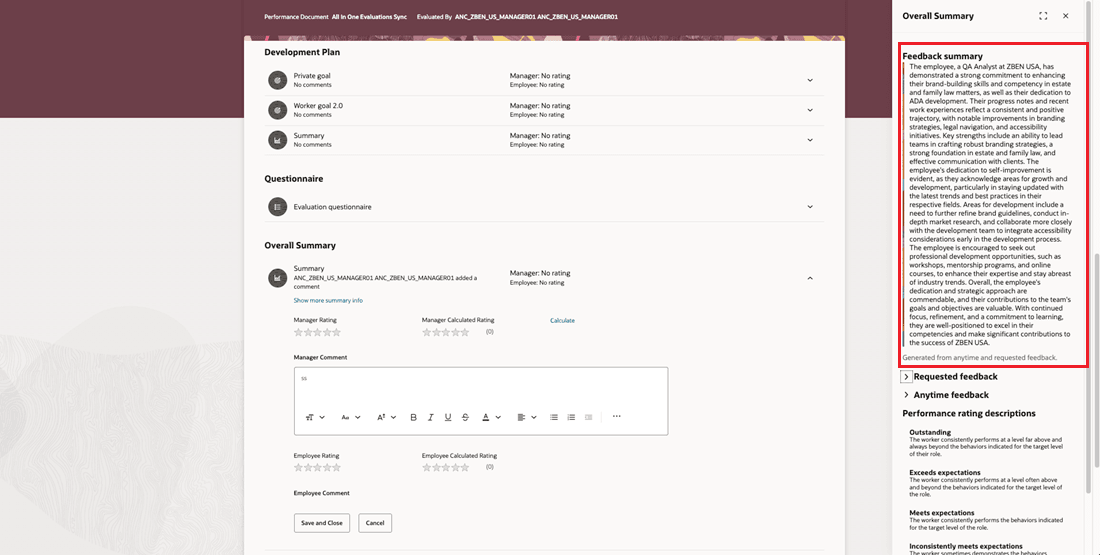
Generated Feedback Summary
HR users can configure the settings in a performance template to control whether AI-generated summaries appear in performance documents. On the Process tab, they can enable or disable the display of AI-generated check-ins and feedback summaries.
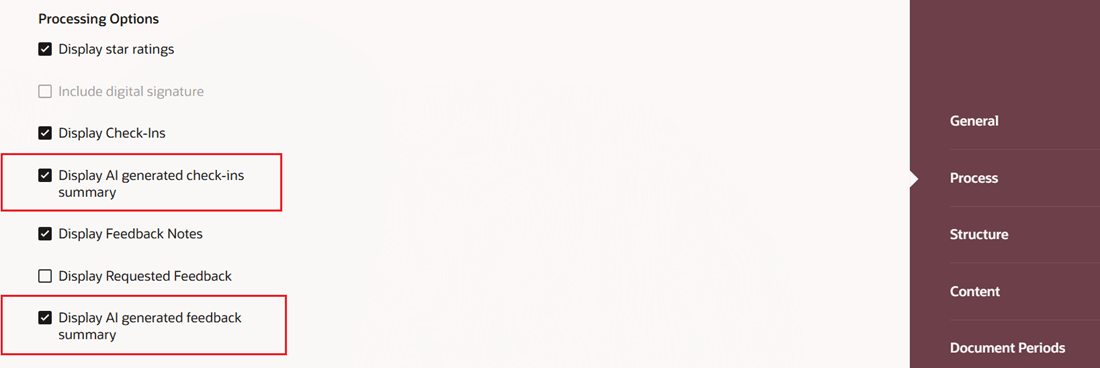
Configure Generated Feedback Display Settings
Business Benefit: This feature enables you to review a concise, AI-generated summary of employee feedback directly in the performance document.
Steps to enable and configure
You need to configure the profile options for Redwood performance documents as indicated in the following table.
| Profile Option Code | Description | Value |
|---|---|---|
| ORA_HCM_VBCS_PWA_ENABLED | Enable VBCS Progressive Web Application User Interface | Y |
| ORA_HRA_PERFORMANCE_DOCUMENTS_AND_GOALS_REDWOOD_ENABLED | Enable performance documents and employee performance and development goals to display in Redwood. | Yes |
HR administrators need to configure the settings in the performance template:
- Go to My Client Groups > Performance > Performance Templates.
- Go to the Process tab and under Processing Options, select Display AI generated feedback summary.
- In the Display Requested Feedback (generated from anytime and requested feedback) section, select or deselect options as needed.
Configure the following page property:
| Page Property Name | Description |
|---|---|
|
Control Feedback Date Range for Data Sources Used in AI Generated Comments |
This property controls the date range used for data sources, such as check-ins and anytime and requested feedback, to generate AI comments in performance documents. |
Tips and considerations
- You can choose to show just the summaries or the individual check-ins and feedback as well.
- The same summary from Feedback Center is displayed in the generated summary as well.
Key resources
- For a listing of all profile options for the recreated pages across HCM, see the following document in My Oracle Support:
- For more information on extending Redwood pages in HCM, refer to this guide on the Oracle Help Center: