Configure Attachment Options for Redwood Benefits Pending Actions
Previously, the Redwood attachments component displayed both File Upload and URL options. Customers with compliance or security restrictions that prohibit URL-based attachments couldn’t disable the URL option in Benefits pending actions.
With this enhancement, you can configure which attachment types should be available in Redwood Benefits flows. These are the supported values:
-
file
-
url
-
all
This configuration applies wherever the Redwood Benefits attachments component is used, including the certification panel drawer and self-service Benefits flows.
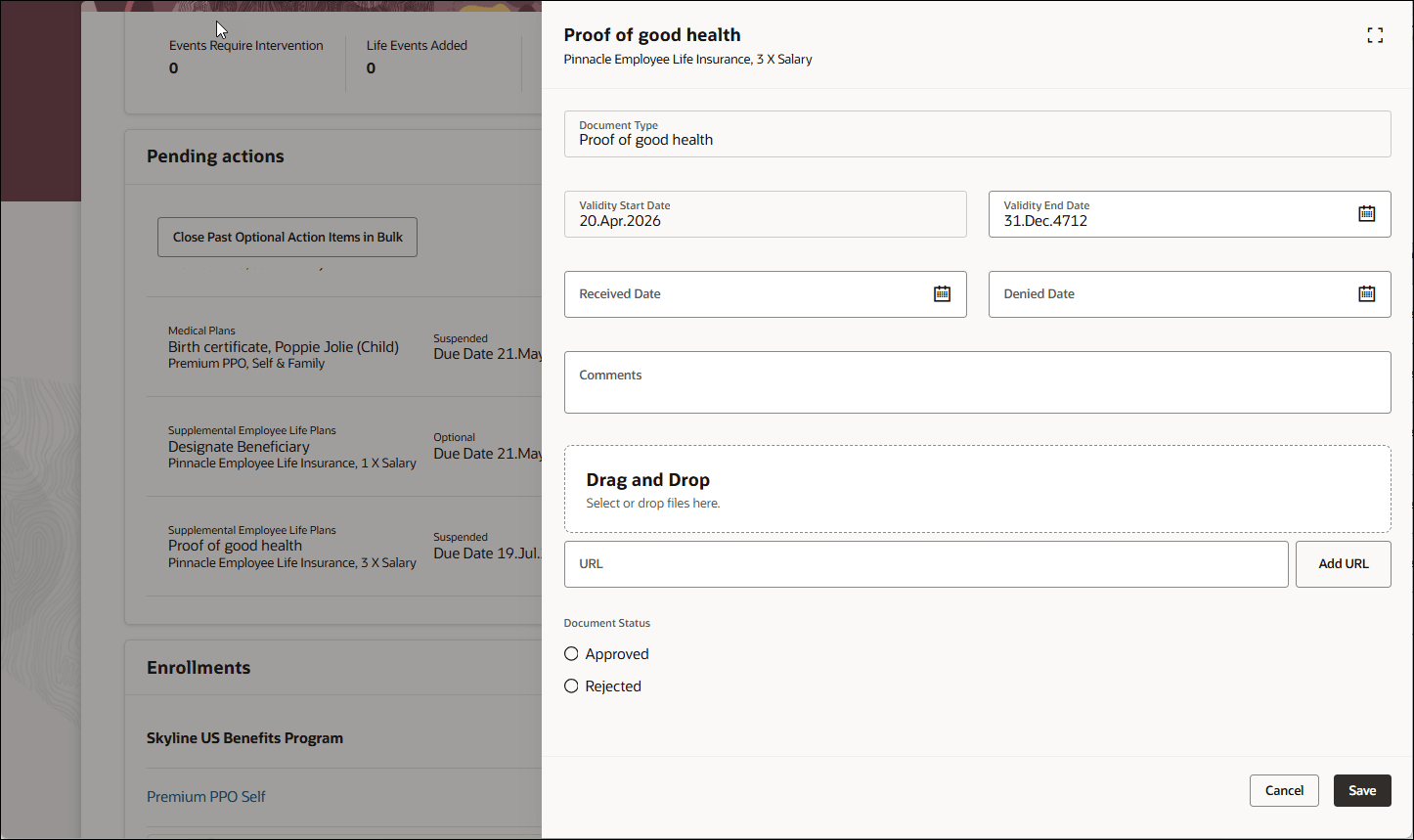
Attachment Types Allowed in Document Record for a Certificate – Set to All
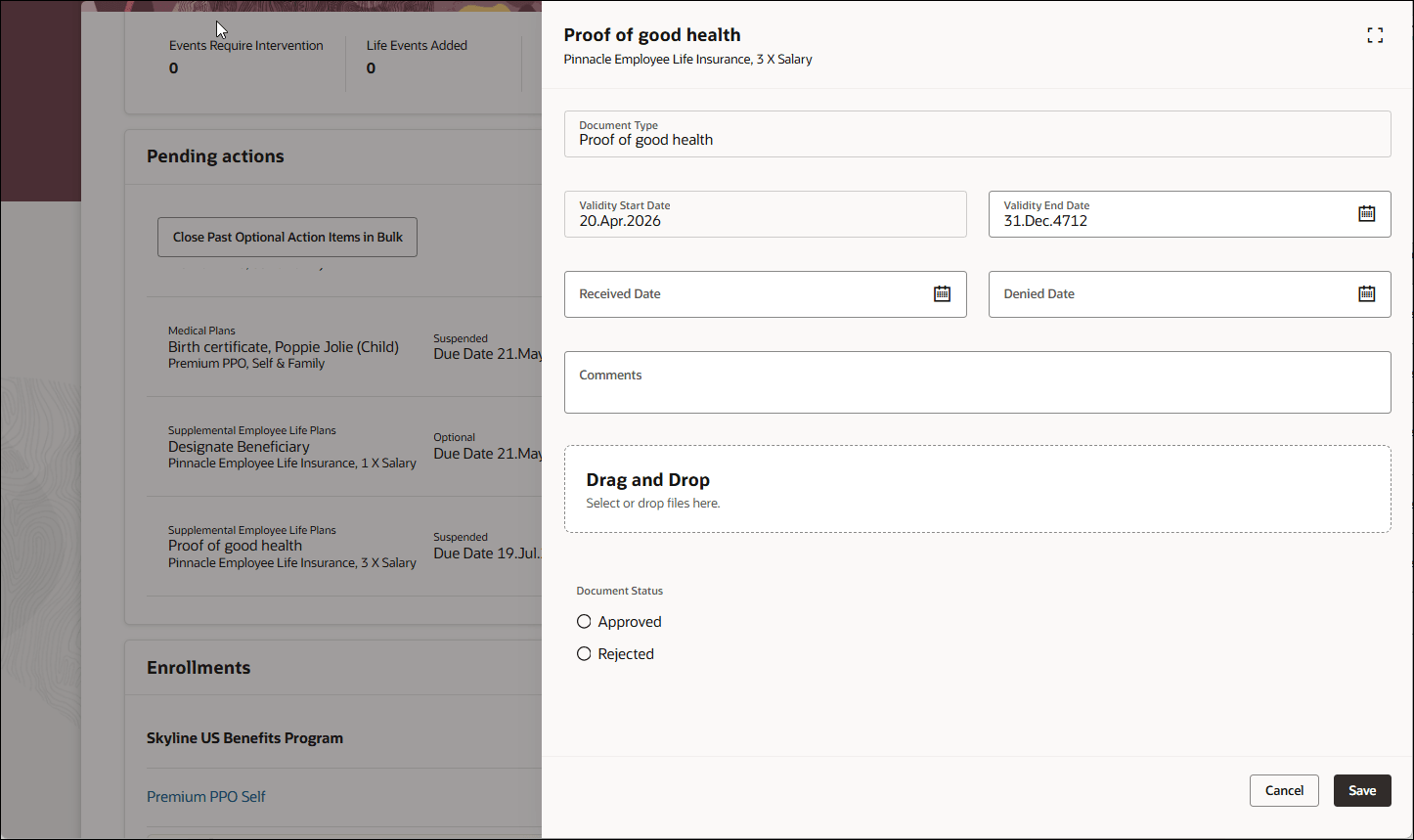
Attachment Types Allowed in Document Record for a Certificate – Set to File
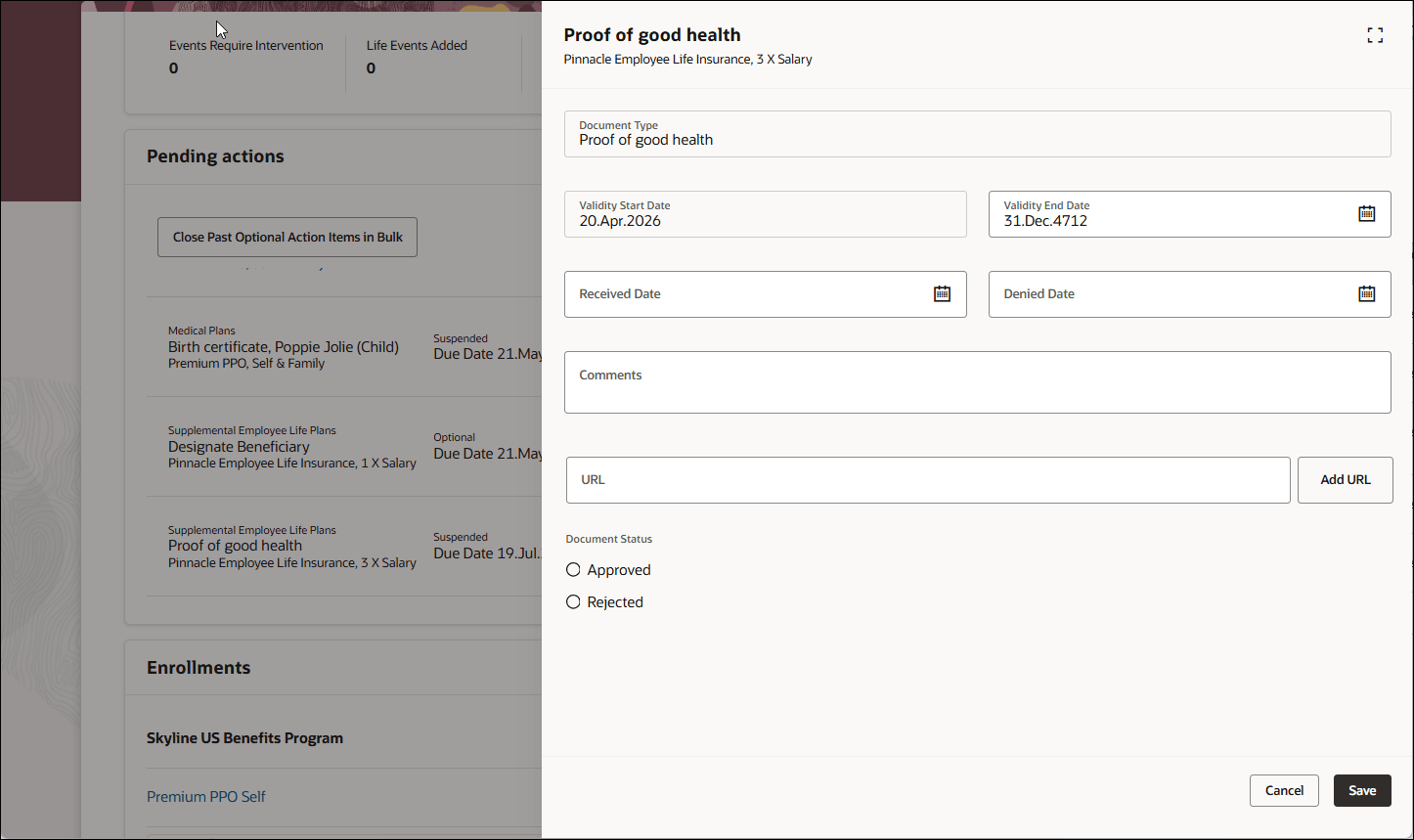
Attachment Types Allowed in Document Record for a Certificate – Set to URL
This feature helps customers enforce their document attachment policies for Benefits pending actions. Customers can restrict users to file uploads only when URL based attachments are not allowed by their compliance or security policies.
Steps to enable and configure
How do I configure attachment options for Redwood Benefits pending actions?
Tips and considerations
- Configure Benefits Service Center and self-service Benefits separately.
- This enhancement controls the attachment options shown to users. It doesn't change the existing attachment upload, download or storage behavior.
Key resources
- What Can You Do with Visual Builder Studio in Express Mode?
- What Is an Extension?
- Components of Visual Builder Studio Express
- Administering Visual Builder Studio: Set Up VB Studio to Extend Oracle Cloud Applications
Access requirements
Users who configure this feature need appropriate access to edit and publish page changes in Visual Builder Studio. Users need the existing Benefits access that lets them manage or complete Benefits pending actions and certifications.
Acceptable Oracle Cloud Application Roles
VB Studio Administrators
- Application Administrator
- Human Capital Management Application Administrator
- Sales Administrator
- Customer Relationship Management Application Administrator
- Synchronization Enabled Administrator Identity
VB Studio User
- Application Developer
- Synchronization Enabled Developer Identity