Configure Enrollment Confirmation Alerts by Life Event
You can now configure alert rules to control whether an enrollment confirmation alert is sent for a specific life event. For example, you can send the alert for a marriage life event and suppress it for an address change life event.
If you don’t configure an alert rule for a life event, the system continues with the current behavior and sends the alert by default. When an alert rule exists, the alert is sent if the rule is active and suppressed if the rule is inactive.
This feature applies to Redwood Self-Service Benefits pages.
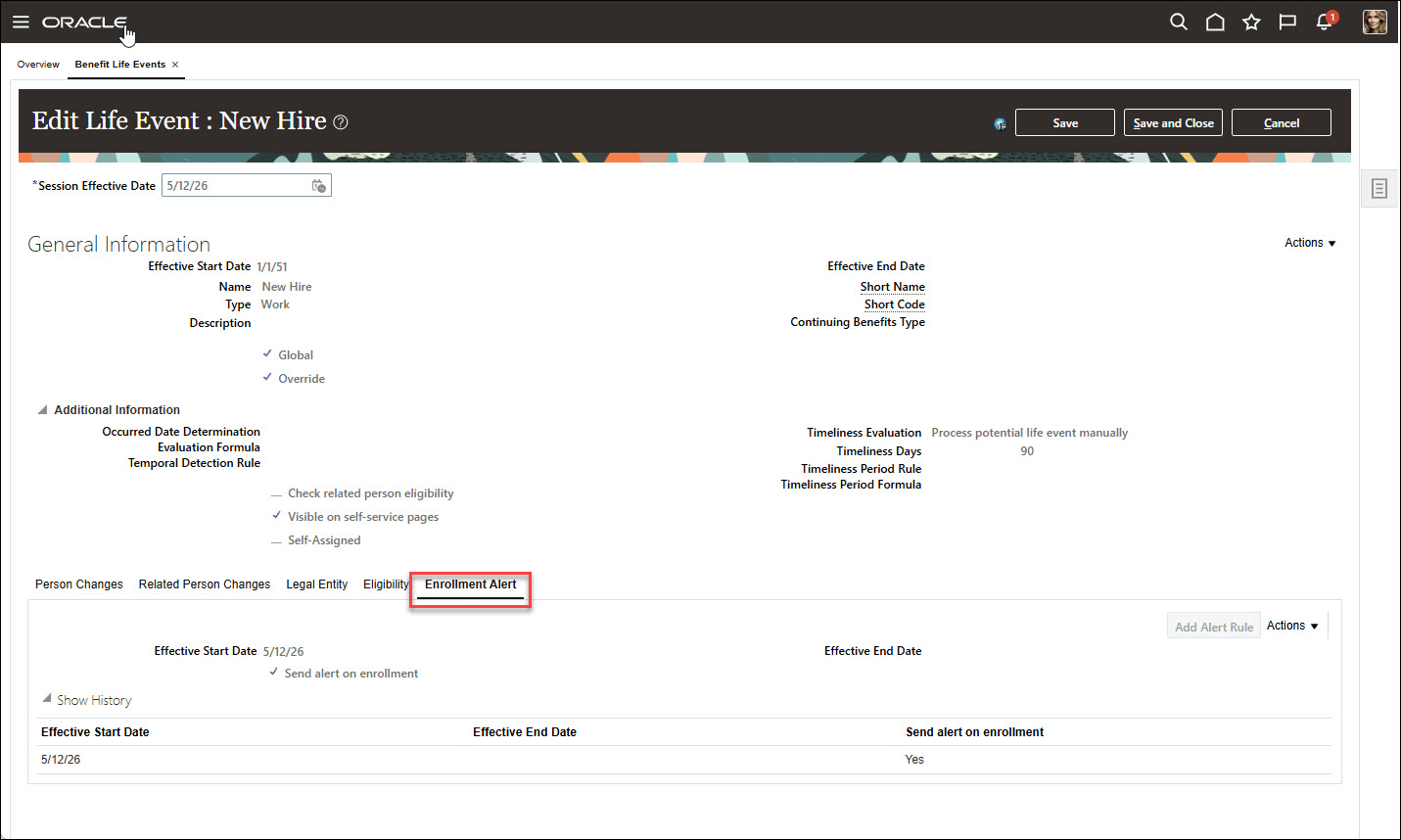
Life Event Alert Enabled Setup
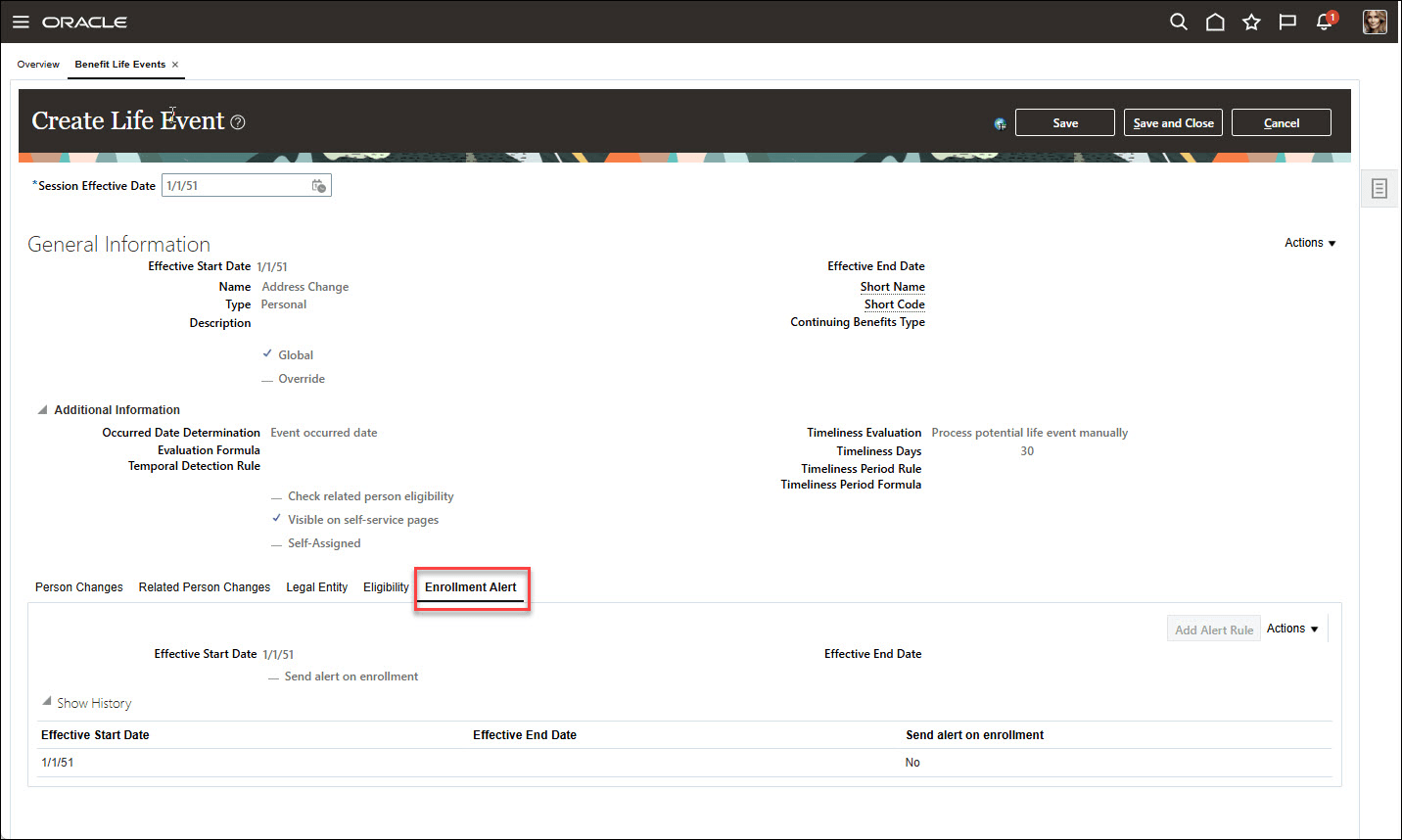
Life Event Alert Suppressed Setup
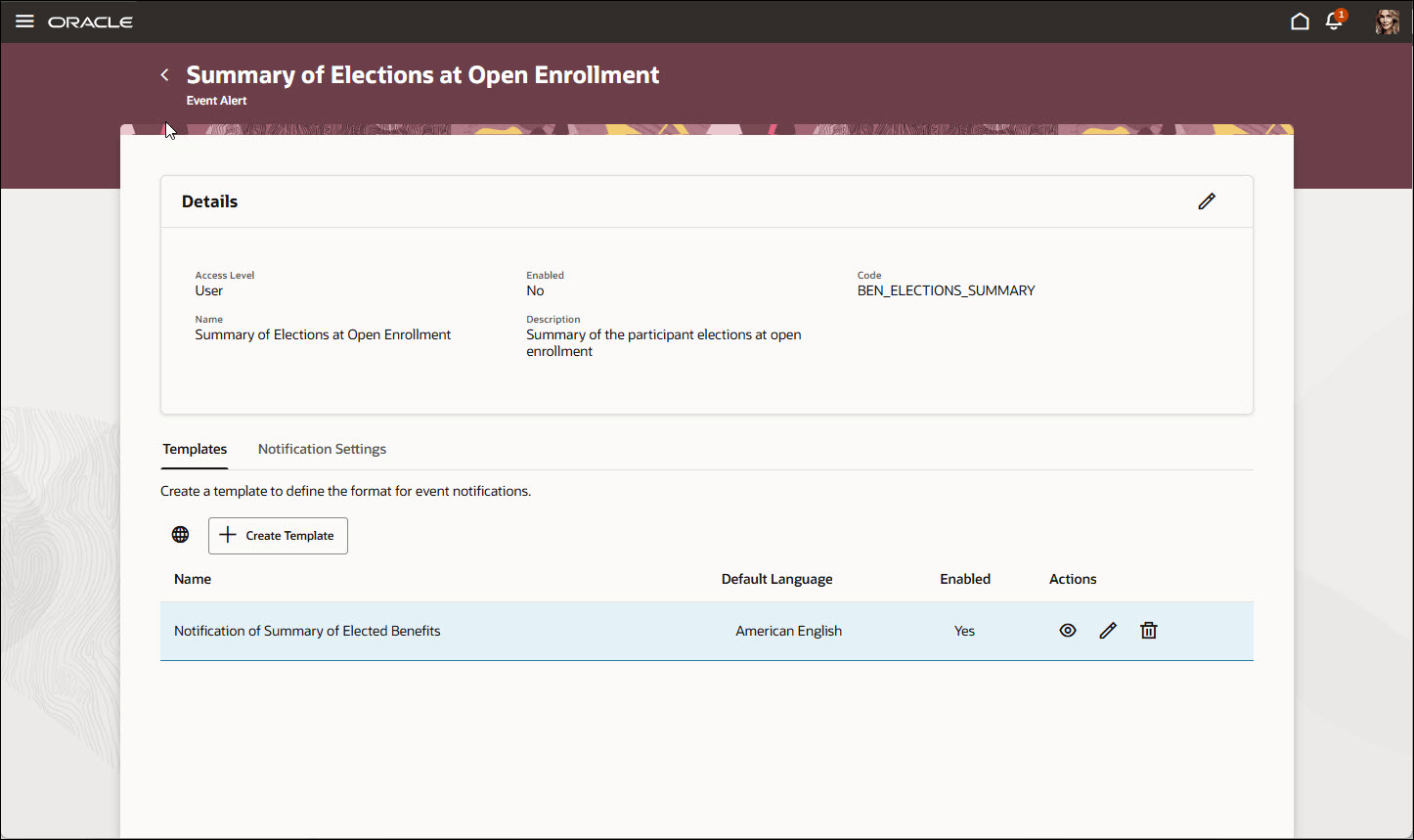
Summary of Elections at Open Enrollment Alert
This feature gives organizations more control over employee communications by enabling them to:
- Tailor enrollment confirmation alerts to the life events where they are relevant
- Reduce unnecessary notifications
- Help employees receive clearer and more timely information
Steps to enable and configure
Enable these profile options. To learn how to enable a profile option, see How do I enable a profile option?
-
ORA_HCM_VBCS_PWA_ENABLED
-
ORA_BEN_ADMINISTRATIVE_ENROLLMENT_REDWOOD_ENABLED
-
ORA_BEN_SELF_SERVICE_ENROLLMENT_REDWOOD_ENABLED
How do I enable the Summary of Elections at Open Enrollment alert?
How do I configure an enrollment confirmation alert for a life event?
Tips and considerations
- If no alert rule exists for a life event, the alert is sent by default.
- The system allows only one effective-dated alert row per life event across the timeline, with no overlapping rows.
- If a past row already ended, you can create a future row. If a future row already exists, you can’t create another row as of today.
- This feature applies only to Redwood Self-Service Benefits pages. Responsive and classic pages continue with existing behavior.
- Alerts are triggered from the employee self-service enrollment flow. If an administrator performs the enrollment, no alert is triggered.
Key resources
- How You Configure and Enable Benefits Alerts
- What’s the difference between an Event alert and a Resource alert?
- What is Alerts Composer? - HCM Common Questions and Answers
- What functional privileges and access levels are required to use Alerts Composer?
- Implementing Benefits
Access requirements
Users with these roles can configure and use enrollment confirmation alerts:
- Benefits Manager
- Benefits Administrator
- Benefits Specialist
- Human Capital Management Integration Specialist