Display Benefits Document Type Names in Certification Panel Drawers
Certification-related pending actions in Redwood Benefits now display document type names based on Benefits configuration.
Previously, the document type shown in the panel drawer was derived from the Document of Record (DOR) document types. In Redwood, you can't rename DOR document type names. If an organization renamed a Benefits certification type or Benefits document type, the name configured in Benefits could differ from the name shown in the UI.
With this enhancement, Redwood Self-Service Benefits displays the Benefits lookup name for the document type. In Benefits Service Center, when the Benefits document type and DOR document type are different, both names are shown.
The following Benefits lookups are used to derive document type names displayed in the UI:
-
BEN_ENRT_CTFN_TYP
-
BEN_DPNT_CVG_CTFN_TYP
-
BEN_BNF_CTFN_TYP
-
ORA_BEN_DOC_CTFN_TYP
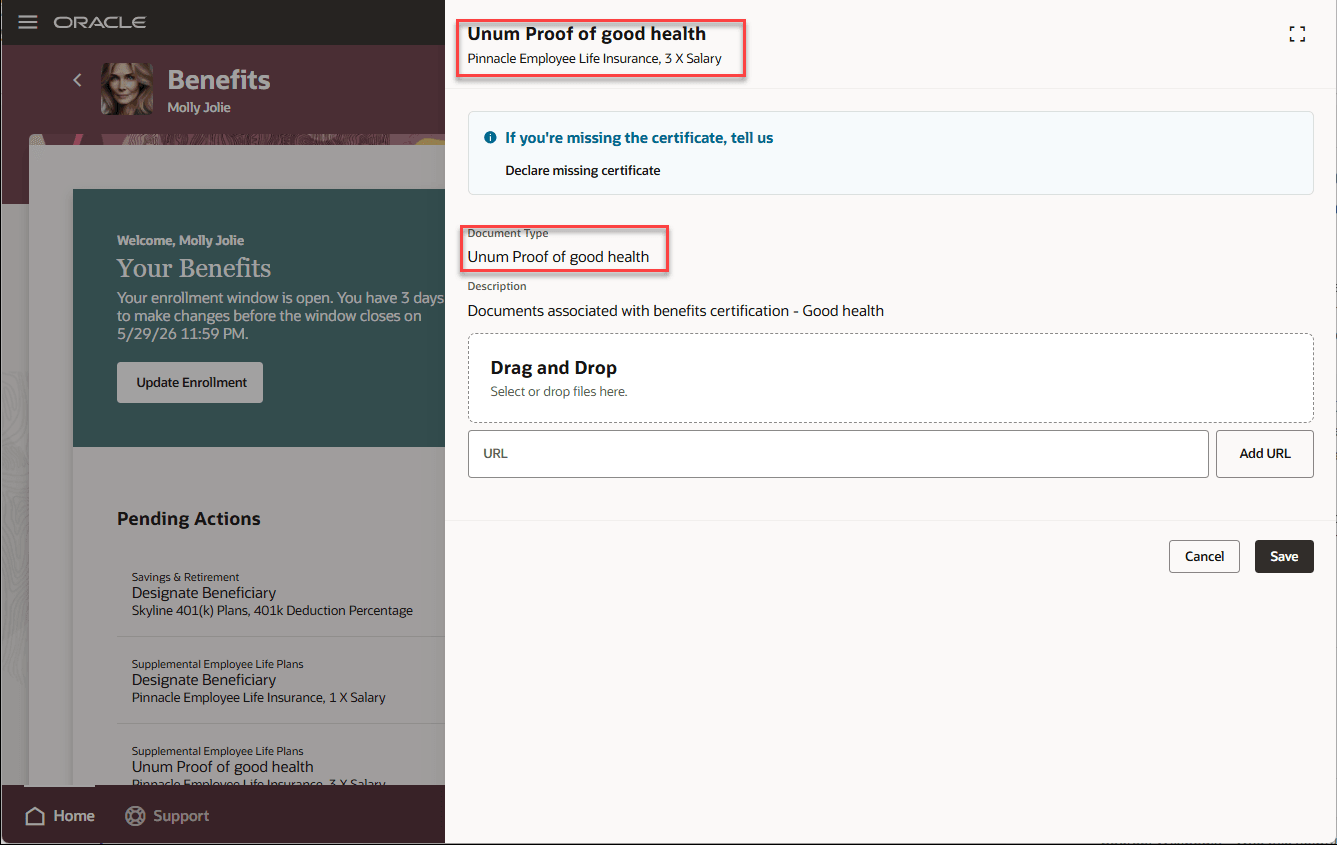
Self-Service Benefits - Pending Actions
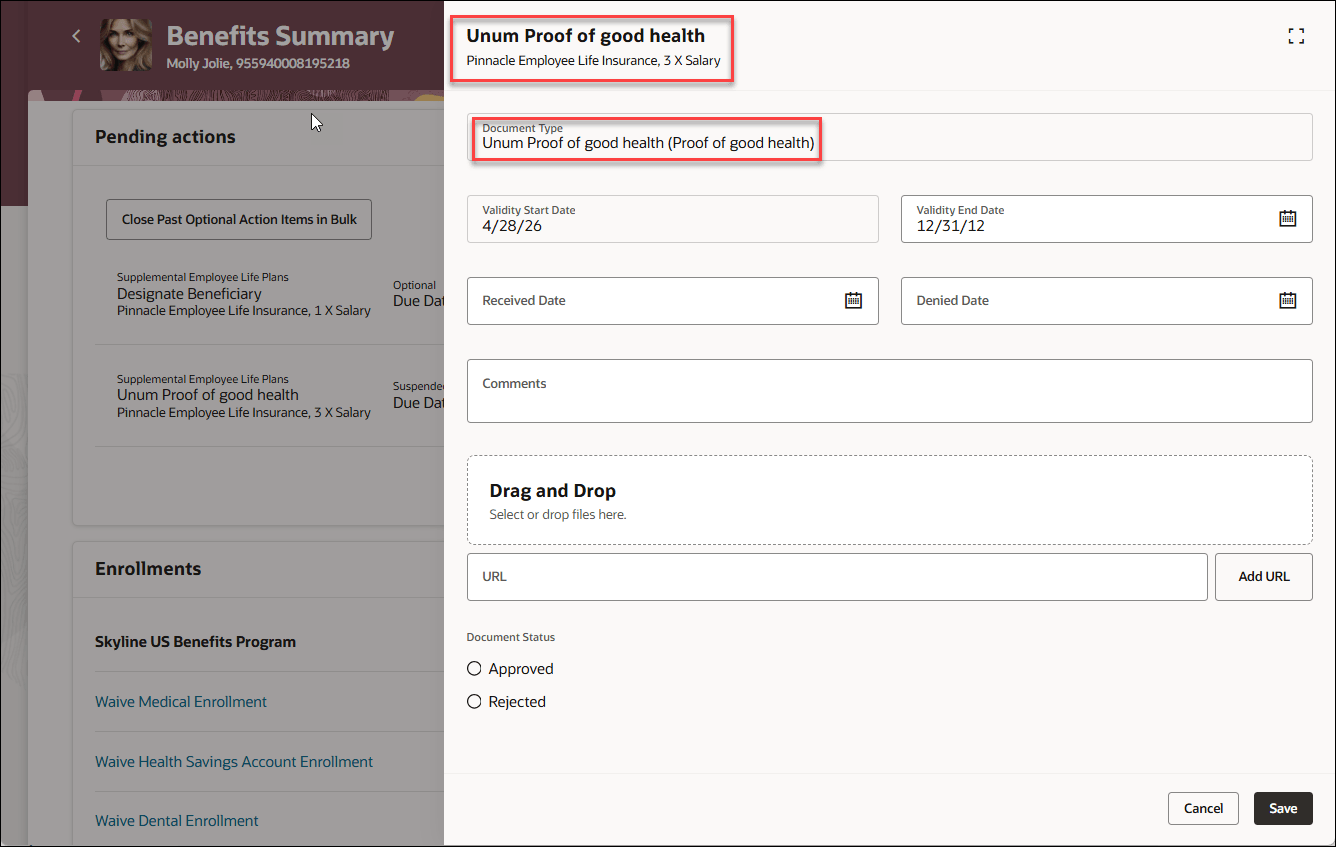
Benefits Summary - Pending Actions
This feature improves clarity and consistency for employees and benefits administrators. Users see document type names that match the organization’s Benefits configuration, reducing confusion when completing or reviewing certification pending actions.
Steps to enable and configure
Enable these profile options. To learn how to enable a profile option, see How do I enable a profile option?
-
ORA_HCM_VBCS_PWA_ENABLED
-
ORA_BEN_ADMINISTRATIVE_ENROLLMENT_REDWOOD_ENABLED
-
ORA_BEN_SELF_SERVICE_ENROLLMENT_REDWOOD_ENABLED
No additional feature-specific setup is required.
Tips and considerations
- This enhancement changes the display source for document type names. It doesn’t change document storage, retrieval or DOR integration.
- Localized Benefits display names appear based on the configured lookup values.
- The ORA_BEN_DOC_CTFN_TYP lookup should be updated along with the enrollment, dependent and beneficiary lookups.
Key resources
Access requirements
Users with these roles can access setup for Benefits lookups and configuration:
- Application Implementation Consultant
- Human Capital Management Application Administrator
- Application Administrator
Users with these roles can view the feature:
- Benefits Manager
- Benefits Administrator
- Benefits Specialist