Simulate a Life Event for Benefits Administrators
Benefits administrators can now simulate a life event for a person from the Benefits Summary page. The simulation allows administrators to:
- Select a life event and event date
- Compare the life event with current benefits eligibility
- Review the estimated eligibility and rate results after the simulated event
The simulation is read-only. It doesn’t create enrollment results or save transaction data.
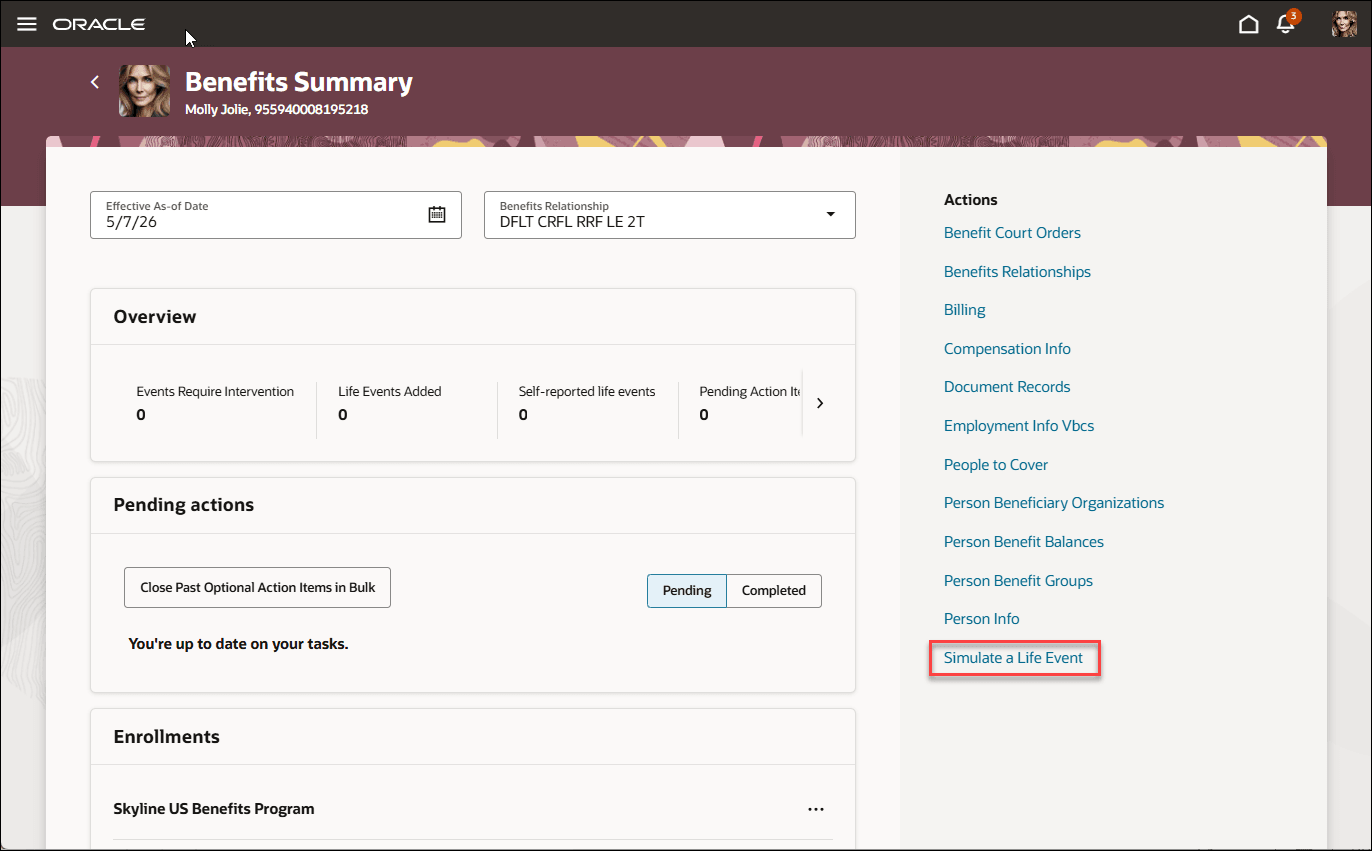
Benefits Summary
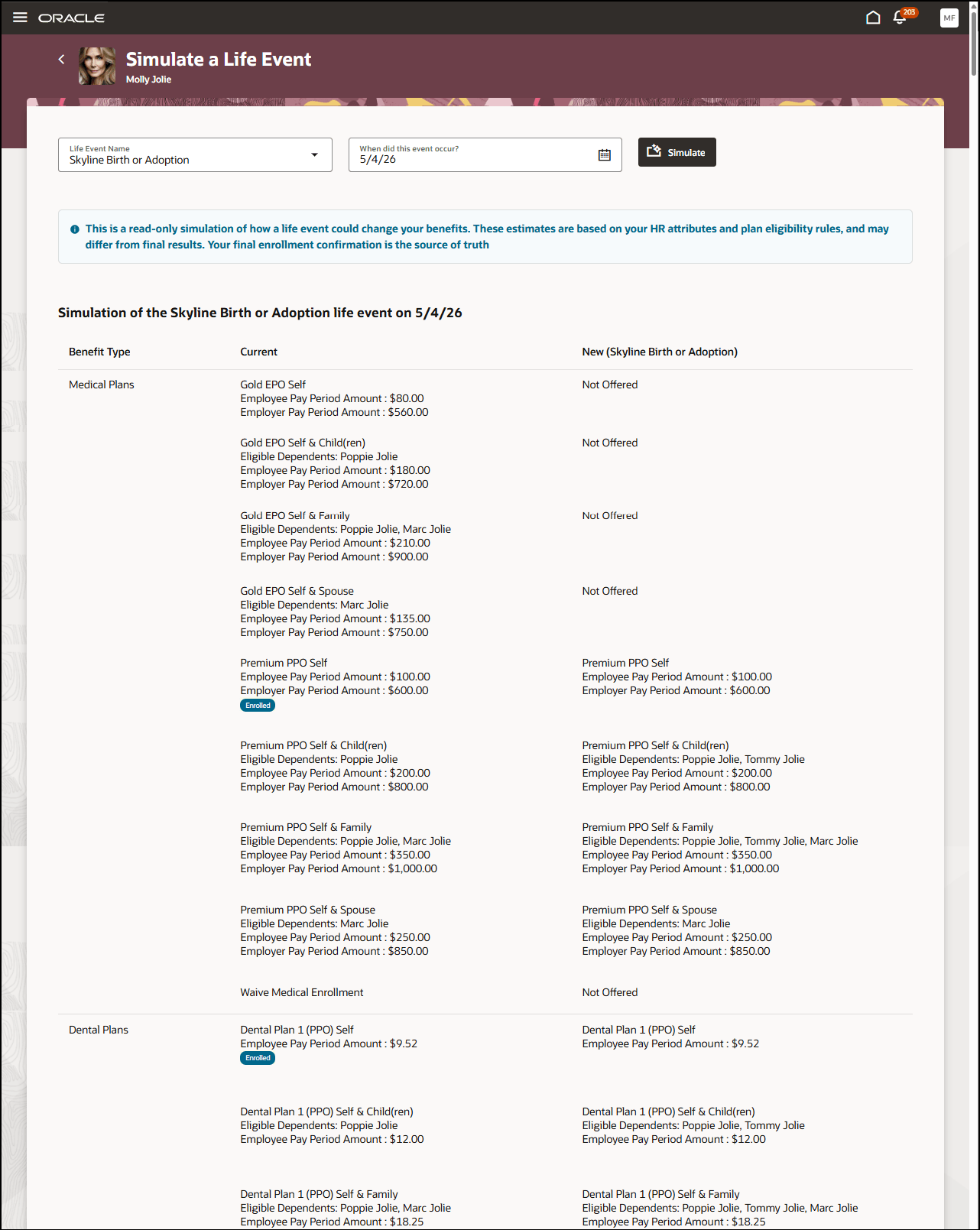
Simulation Results
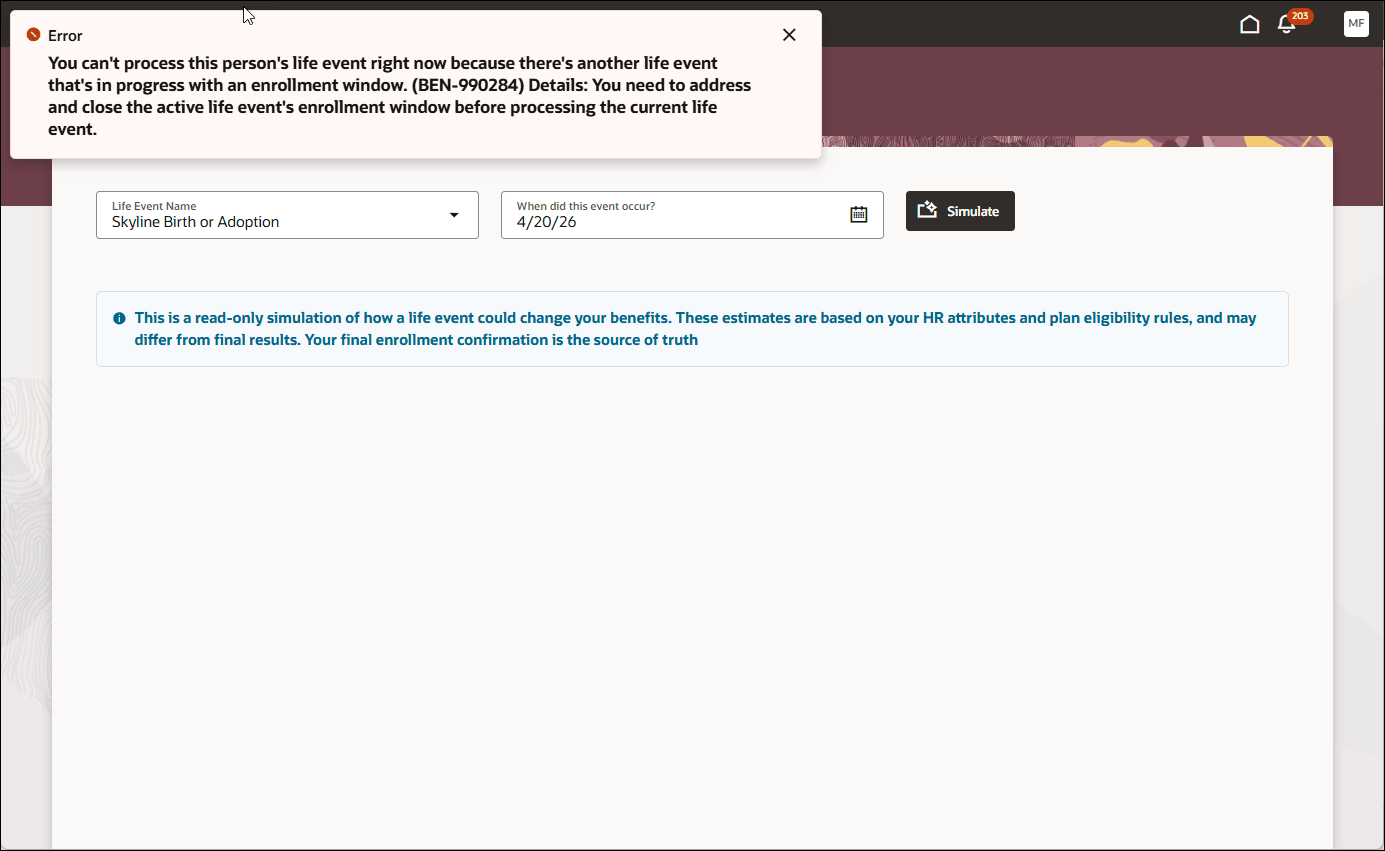
Error Message - Exiting Started Life Event
This feature helps benefits administrators test eligibility configuration and rate profile outcomes before advising employees. Administrators can use the results to understand potential plan eligibility and rate changes without affecting the person’s actual enrollment records.
Steps to enable and configure
Enable these profile options. To learn how to enable a profile option, see How do I enable a profile option?
-
ORA_HCM_VBCS_PWA_ENABLED
-
ORA_BEN_PLAN_CONFIGURATION_REDWOOD_ENABLED
-
ORA_BEN_ADMINISTRATIVE_ENROLLMENT_REDWOOD_ENABLED
How do I simulate a life event?
How do I hide the simulate a life event feature?
Tips and considerations
- The simulation results are estimates. Final enrollment confirmation remains the source of truth.
- Only primary rates are simulated.
- Unrestricted and unrestricted open events aren’t supported.
- The simulation won’t run if another life event is already in progress with an enrollment window, or if events are in Processed status after the selected date.
- Post-enrollment rates can’t be simulated using this feature.
- The default process isn’t run, and enrollment results for automatic plans or options aren’t created.
- For open or administrative event types, the simulation uses the next available configuration after the selected date.
Access requirements
Users with this role can access a sandbox to hide the quick action:
- Application Implementation Consultant
Users with these roles can view the feature:
- Benefits Manager
- Benefits Administrator
- Benefits Specialist