Workforce Compensation Change in Alerts for Managers
Alert options shown to managers in a Workforce Compensation plan have been streamlined to Error, Warning or Information.
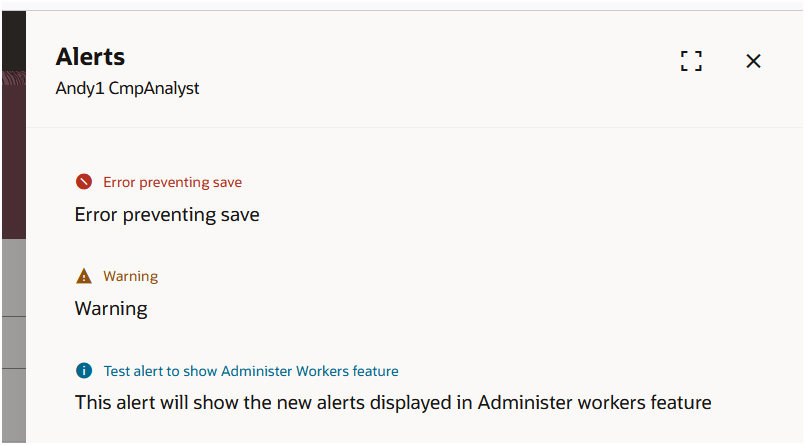
Panel Drawer With New Alerts
Here is how the alerts have been migrated to the new types.
Migration of Alerts to New Types
| Old Alert | New Alert |
|---|---|
| Error preventing save | Error |
| Error preventing submit | Error |
| Warning | Warning |
| Alert | Info |
| jiraWarning high | Info |
| Warning medium | Info |
| Warning low | Info |
| Information | Info |
| Square symbol | Info |
| Semicircle symbol | Info |
| Circle symbol | Info |
| Diamond symbol | Info |
| Triangle symbol | Info |
| Bar symbol | Info |
| Gear symbol | Info |
| Star 1 | Info |
| Star 2 | Info |
| Person | Info |
| Crossbars | Info |
This change should reduce manager confusion regarding alerts. Managers can focus on alerts requiring action first.
Steps to enable and configure
The Redwood Award Worksheet needs to be enabled for this change to be seen.
Tips and considerations
The ability to choose from the streamlined alert options when configuring will be available in a future release.