Workforce Compensation Analyst AI Agent
Allow your worksheet managers to review plan information using the new Workforce Compensation Manager Analyst agent. Managers can ask questions about:
- Status of reporting manager worksheets
- Overall budget info
- Manager due date info
- Manager overages
The agent operates in the context of the plan. It doesn't provide info about individual employees, only individual managers status. It allows the manager to ask questions about the plan without navigating to one or more worksheet pages.
This agent is ideal for those managers that want to get plan info without multiple clicks.
Here are a few interactions with the AI agent:
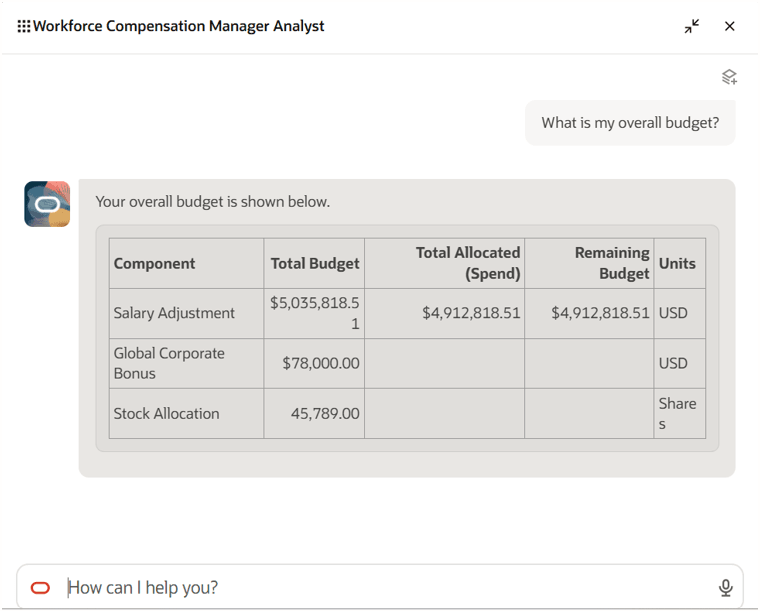
Workforce Compensation Manager Analyst Agent Showing Budget Info
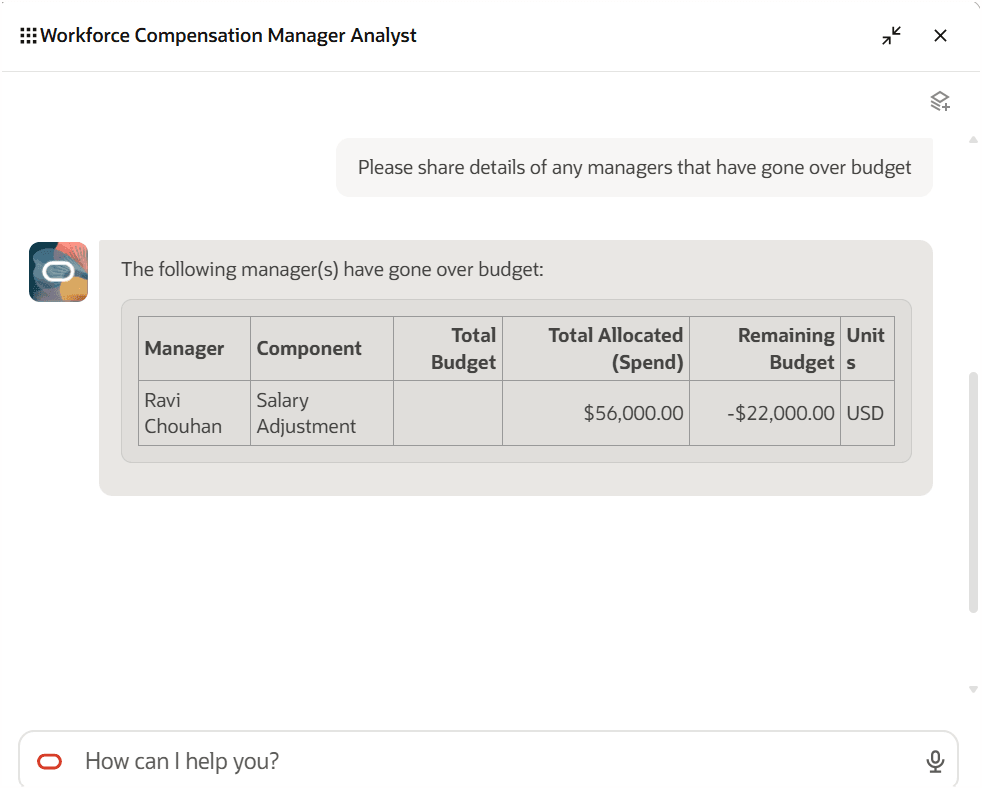
Agent Showing Budget Overage
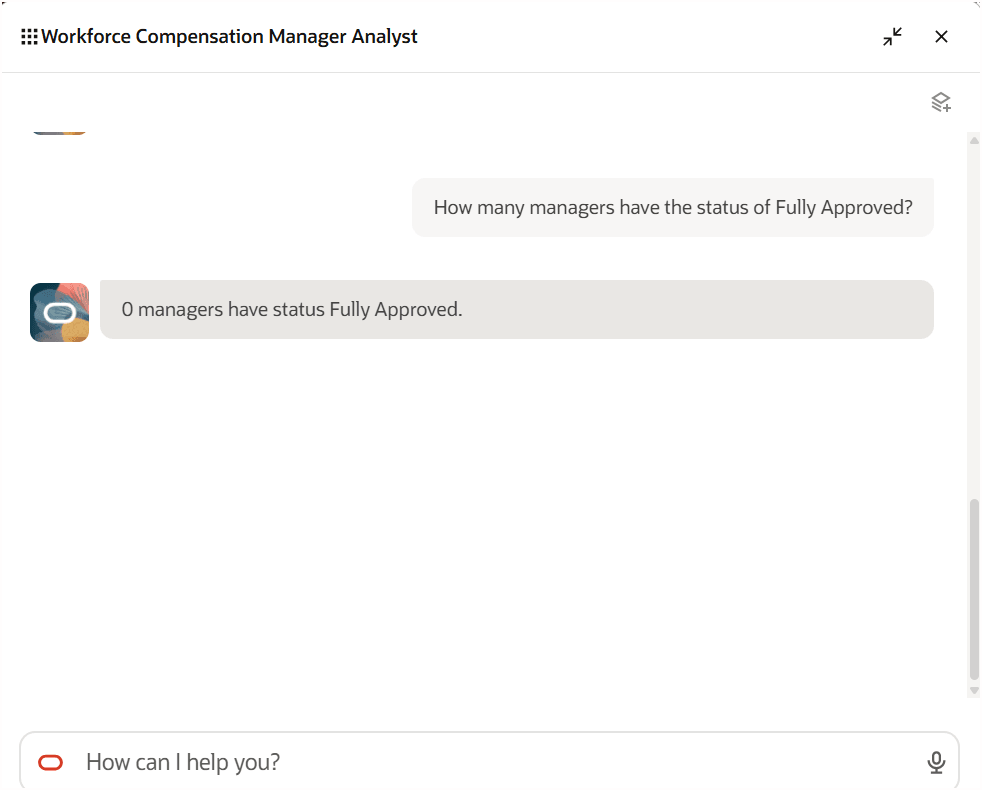
Agent Showing Approval Status
Allows worksheet managers to ask questions with fewer clicks.
Steps to enable and configure
Use the Opt In UI to enable this feature. For instructions, refer to the Optional Uptake of New Features section of this document.
Offering: Compensation Management
See the Global HR 25A release readiness topic: AI Agent Task Type for Guided Journeys for info on how to configure your instance to use the new agent. The workflow agent name is Workforce Compensation Manager Analyst.
Once configured in Journeys:
- Open the landing page for any plan
- On the landing page, click the Profile icon in the top-right corner
- Select Edit Page in Visual Builder Studio
- Configure the Guided Journey in VB Studio
- In Visual Builder Studio, enter the created Journey Code
- Enter the created Journey.Task Code(s)
- Click Publish
Tips and considerations
This agent will only provide info about summary or specific manager info. In a future release you'll be able to ask about specific employee info.