Change to Security for Photo Region of Redwood Personal Details Page
We updated the security model that controls access to the Photo region on the Redwood Personal Details page.
Previously, access to this region was split across two privileges:
- Manage Person Image provided functional security access.
- Access Person Gallery provided data security access.
With this update, the Manage Person Image aggregate privilege now governs both functional and data security access to the Photo region.
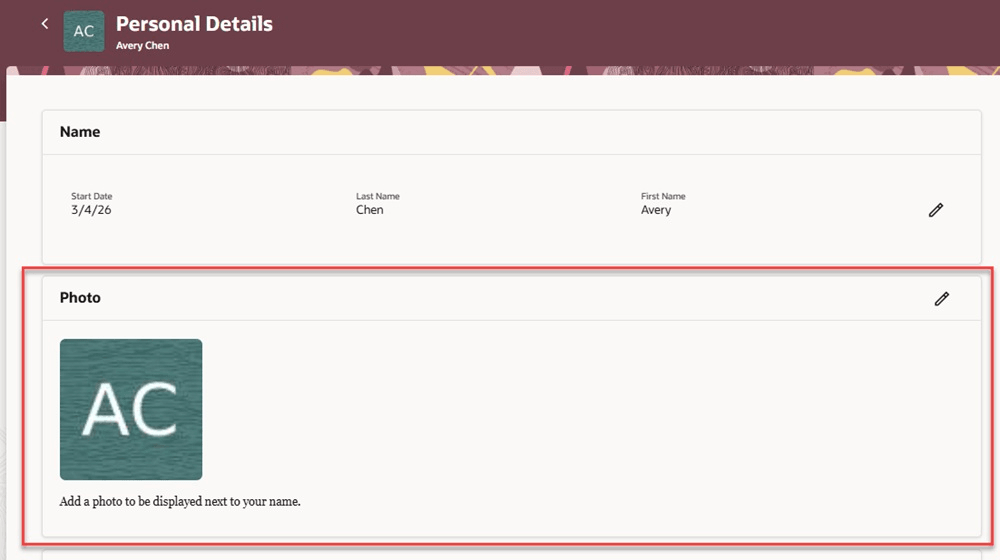
Photo region of the Personal Details page
For more information about roles assigned to a user, see the Steps to Enable section of this What's New.
This change simplifies security setup for the Photo region by consolidating access under a single aggregate privilege.
Steps to enable and configure
For more information, see Review Role Assignments.
Tips and considerations
-
Users can update photos in several places.
-
The Manage Person Image aggregate privilege controls access to photo updates on these Redwood pages:
- Personal Details
- Connections
-
The Access Person Gallery aggregate privilege controls access to photo updates in these areas:
- Responsive: My Public Info (part of the Directory)
- Responsive: Change Photo quick action
- User profile menu: Settings and Actions > Set Preferences > My Photo
-
- The Access Person Gallery aggregate privilege includes additional privileges which are used by Directory.
- With this update, you no longer need the Access Person Gallery privilege to give access to the Photo region in the Redwood Personal Details page, but you may still need it if you want to use the Directory.
Key resources
For more information, refer to these resources on the Oracle Help Center.
- Change Your Photo, Chapter: Personal Information in the Using Global Human Resources guide.
- Considerations for Loading Person Photos, Chapter: Person in the Implementing Global Human Resources guide.