Display Person Number for Family and Emergency Contacts
You can now display the person number for a family or emergency contact on the My Contacts page.
The following image shows the Visual Builder Studio rule for Regions and Fields. In the My contacts region, the Hidden property is set to Visible for the Person Number attribute.
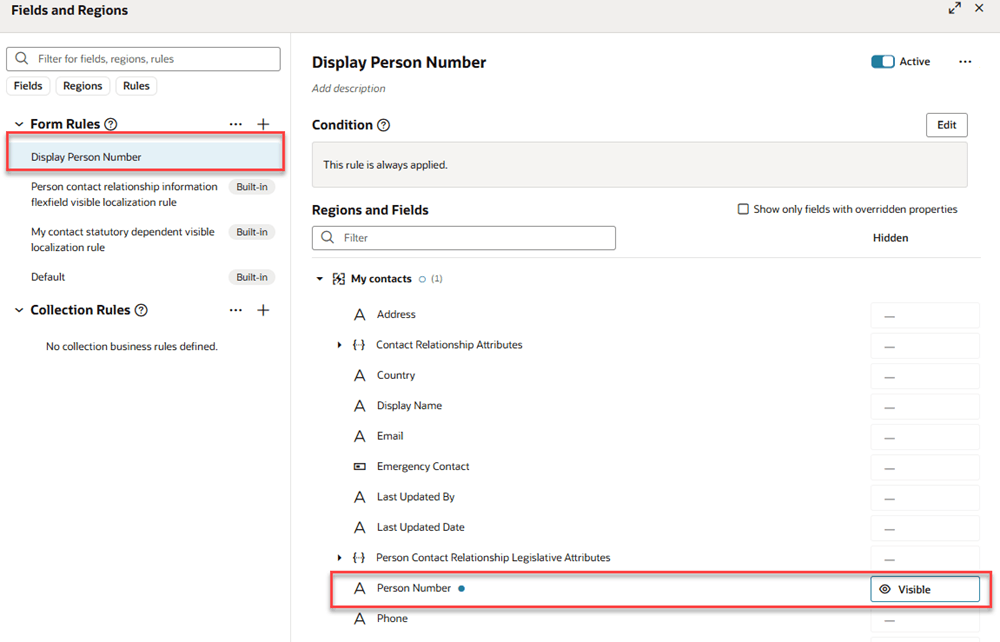
Visual Builder Studio Rule To Display Person Number for Family and Emergency Contact
The following image shows what the page looks like when the Person Number attribute is visible.
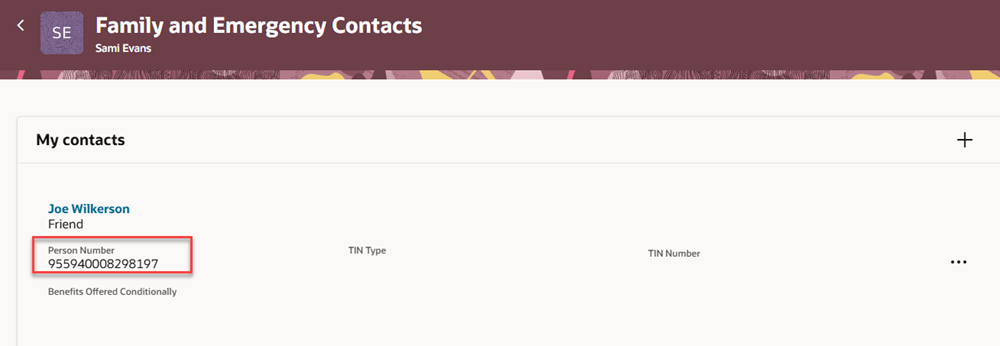
Family and Emergency Contacts page with Person Number visible
With this enhancement, you can quickly identify the person number for a family or emergency contact.
Steps to enable and configure
For more information about how to show a field, see How do I hide or show a field in Visual Builder Studio?.
Tips and considerations
If you need to make the person number editable, set the Person Number Generation Method to Manual. When you do that, elevated users see the Person number region on the contact detail page. That's not new or changed with this update. The following image shows the detail for a contact, including the relationship details, followed by name, demographic info, biographical info, phone, email, other communcation account, and address details. The last region on the page is the Person number region, which only displays when the Person Number Generation Method is Manual.
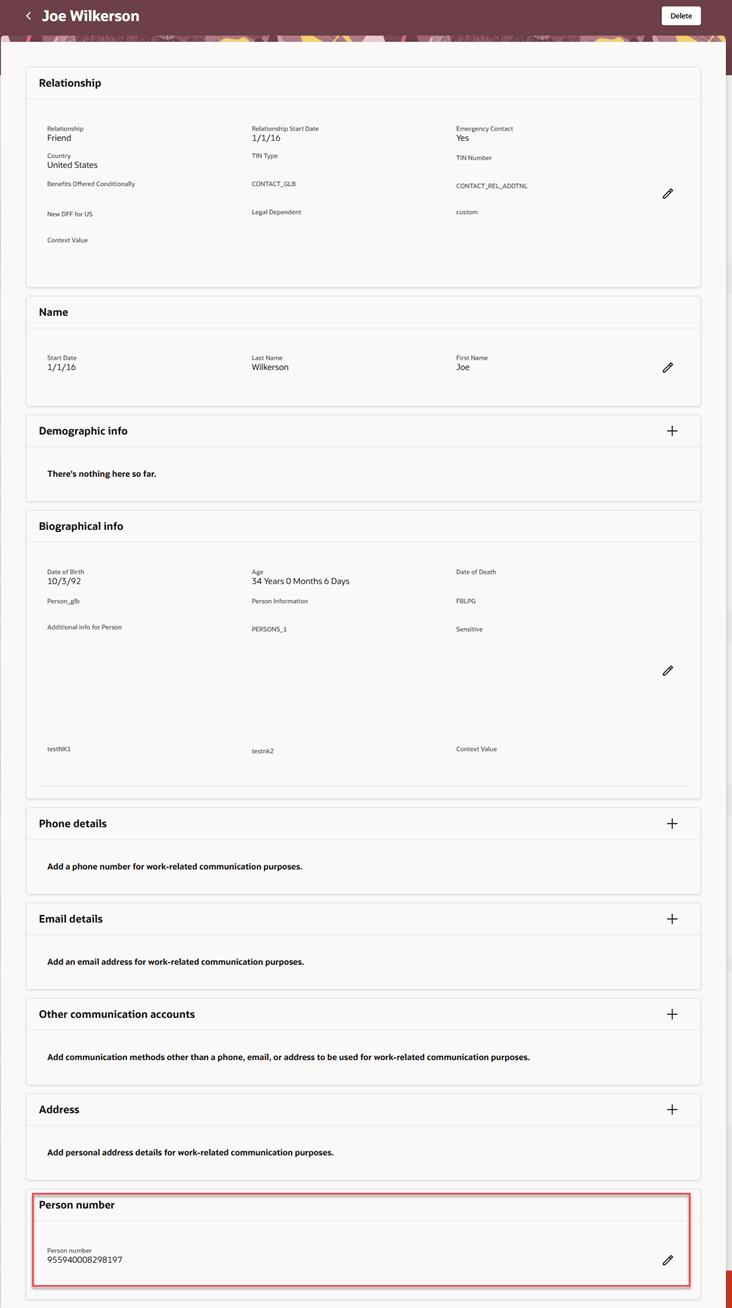
Person Number Region on Contact Details Page Where You Can Edit The Person Number
Key resources
For more information, refer to these resources on the Oracle Help Center:
- 24A What's New: Redwood Experience for Personal Info Pages
- Person Number Generation Methods, Chapter: Person in the Implementing Global Human Resources guide