Apply Task Display Settings of Delegating Line Manager to Proxies
When a line manager delegates journeys or journey tasks to a proxy, the proxy sees task display behavior that is aligned with the delegating line manager’s task display settings.
With this enhancement, journey task display settings are applied more consistently during line manager delegation.
By default, the task display settings configured for the delegating line manager are applied to the proxy. There is one exception: if the line manager is also the task performer, and the task display settings differ between the line manager and performer, the performer’s task display settings are applied to the proxy.
For example, if the Mark a Task as Complete action is hidden for the line manager but shown for the performer, and the line manager is also the performer of that task, the proxy will see the performer setting and will be able to mark the task complete.
This feature applies only to the line manager delegating journeys. The task display settings of the journey owner aren’t applied to the proxy.
Here are a few example use cases for this feature:
-
Manager delegates journey tasks while out of office: A line manager delegates their journey responsibilities to a proxy before going on leave. The proxy can act on tasks using the same task display behavior that would normally apply to the delegating line manager.
-
Proxy completes performer-visible tasks when the manager is also the performer: A manager is both the line manager and task performer. If a task action such as Mark a Task as Complete is shown for the performer but hidden for the line manager, the proxy receives the performer display setting and can complete the task.
-
Customer wants delegation behavior aligned with line manager task setup: An organization using task display settings for line managers wants proxies to inherit the same journey task visibility and action behavior when acting on behalf of those managers.
-
Delegation for large operational teams: A company with frequent manager delegation, such as during absences or regional handoffs, can reduce manual follow-up because proxies see the expected journey task actions during delegated work.
These are some key benefits of this feature
-
More consistent delegation experience: Proxies see journey task actions and visibility based on the delegating line manager’s setup, reducing unexpected differences between manager and proxy behavior.
-
Reduced administrative friction: Managers can delegate journey responsibilities with fewer concerns that the proxy won’t see the correct task actions.
-
Better support for absence and backup scenarios: Organizations can rely on proxies to continue journey task processing when line managers are unavailable.
-
Improved customer fit for delegation-heavy organizations: Customers that use delegation heavily, can better support real-world manager proxy workflows.
-
Clearer task action behavior: The exception rule for cases where the line manager is also the performer ensures that performer-specific task actions remain available to the proxy when appropriate.
Here’s an example where the line manager Priya Krishnan delegates her custom role to a proxy Megan Miller while proceeding on a long leave.
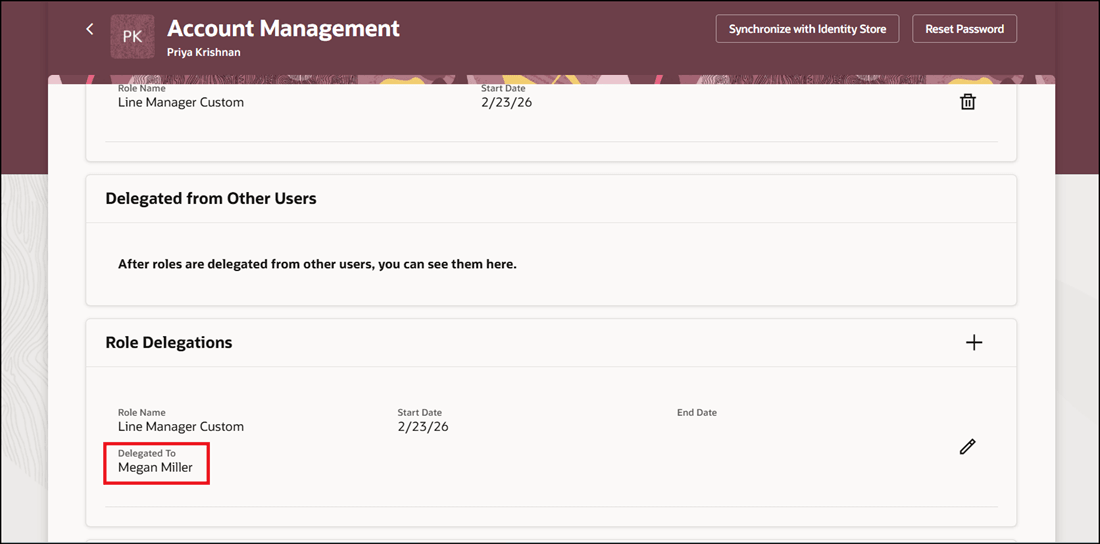
Role Delegated to Another Person
Priya assigns the journey named Employee Absence to Mathew Murdock who is her direct report. The task named Review and Approve Absence Request is configured so that the Task Access display property is allowed for the task performer.
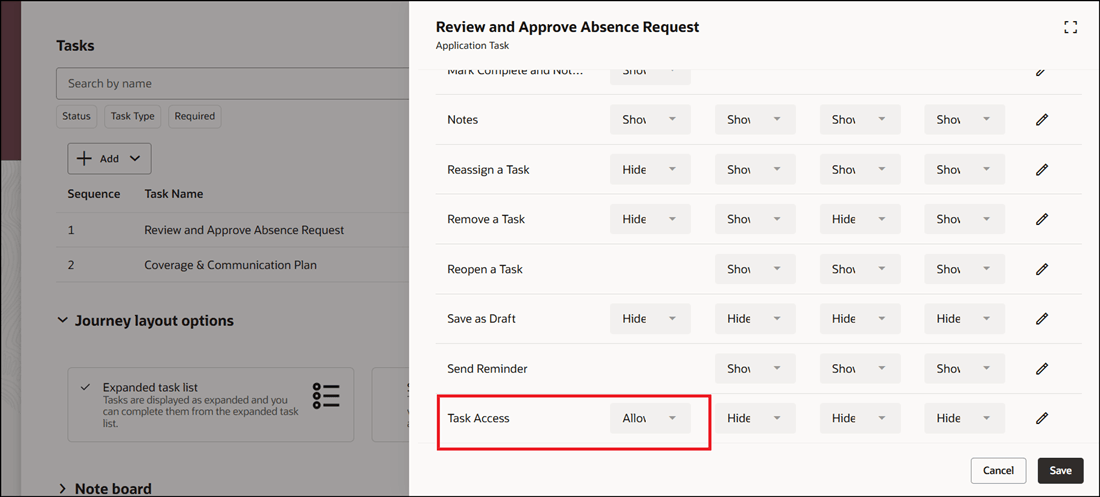
Task Configured to Allow Access for Performer
The proxy who is delegated the role can access Mathew’s journey task because task access is allowed for the performer. In this case, the proxy can review and approve Mathew’s absence request and mark the task as done.
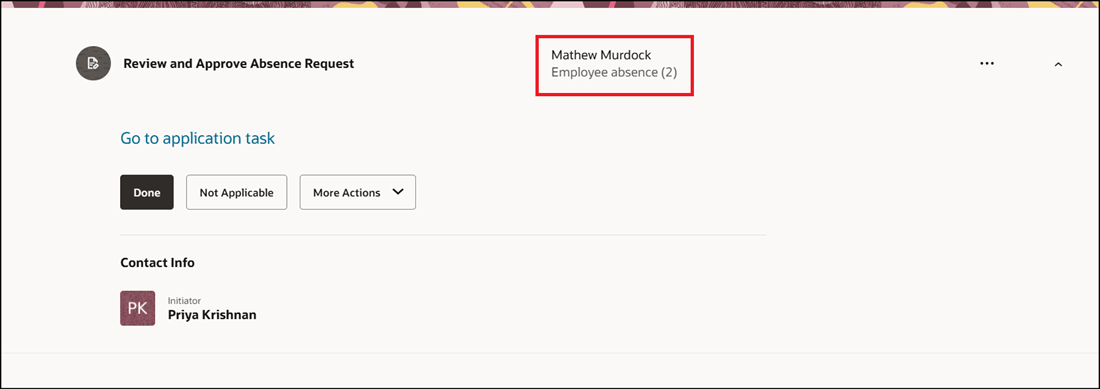
Task Accessed By Person to Whom Task Delegated
This feature improves delegated journey processing by making proxy behavior more predictable and aligned with the delegating line manager’s configured task display settings.
Steps to enable and configure
You can set the ORA_PER_JRNY_ENABLE_MANAGER_DELEGATION profile option (set the profile value to Y at the user profile level) to enable journey task delegation for the line manager. Once enabled, the line manager can delegate their role to another person. For more information, see this topic: How do I enable a profile option?
Tips and considerations
-
The display properties are honored only if the delegated role contains the PER_MANAGE_JOURNEY_BY_MANAGER_PRIV privilege.
-
This feature is only for line manager’s delegating journeys.
-
The delegating line manager’s task display settings are applied to the proxy by default.
-
If the line manager is also the performer, and the line manager and performer task display settings differ, the performer’s task display settings are applied to the proxy.
-
Task display settings of the journey owner aren’t applied to the proxy.
Key resources
For more information, refer to these resources:
Access requirements
- The delegated role needs to have the PER_MANAGE_JOURNEY_BY_MANAGER_PRIV privilege.
- You must be granted the Manage Journey (ORA_PER_MANAGE_JOURNEY_TEMPLATE) aggregate privilege to work on journey templates.