Enhanced Journey Template Security with Data Roles
The enhanced journey template security now uses the rolesLOV REST resource to display existing roles when you configure journey template security. The Role list returns assignable roles only, and the available role types include job, abstract, and data roles. This makes role selection more focused and consistent when you set up journey template security.
Administrators can search and select only roles that can be assigned and don’t need to filter through non-assignable options during setup. This helps reduce configuration errors and makes security setup faster and more accurate. By displaying the relevant role types in one list of values, the experience is easier to use.
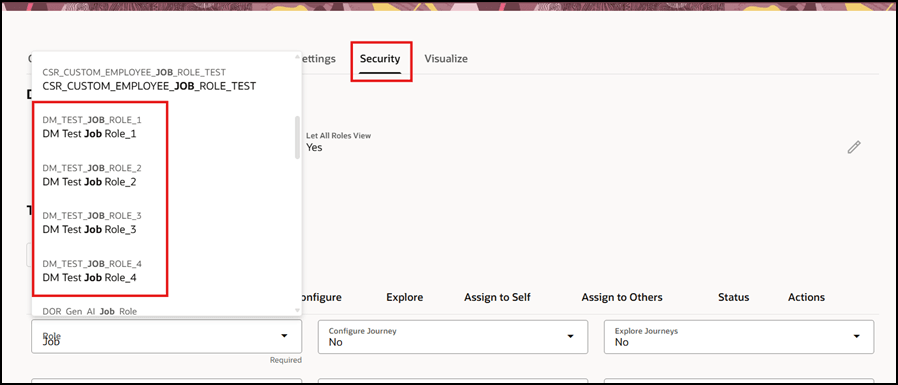
Role List on Journey Security UI Displaying Job Roles
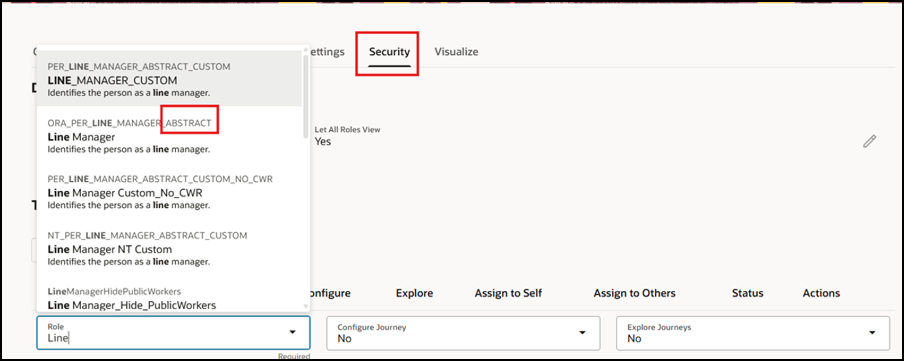
Role List on Journey Security UI Displaying Abstract Roles
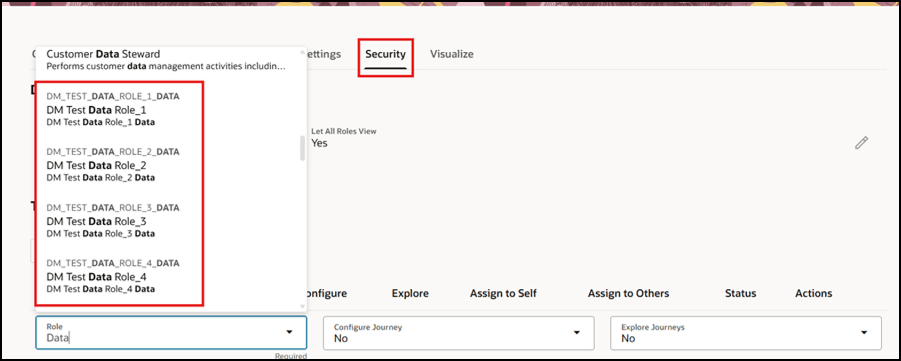
Role List on Journey Security UI Displaying Data Roles
This feature improves the efficiency, accuracy, and usability of journey template security configuration by showing administrators only valid, assignable roles in a unified role selection list.
Steps to enable and configure
You don't need to do anything to enable this feature.
Key resources
For more information, refer to the Implementing and Using Journeys guide.
Access requirements
You must be granted the Manage Journey (ORA_PER_MANAGE_JOURNEY_TEMPLATE) aggregate privilege to work on journey templates.