Single Task with Multiple Performers in Journeys
You can now configure a journey task to be performed by multiple people in a defined sequence. The new task performer named Multiple Stage Performer lets different performers contribute to the same task one after another, instead of requiring separate tasks or workaround flows.
The new task performer only applies to these task types:
-
Configurable Form
-
Document
-
External URL
-
Manual Task
-
Video
This feature is designed for business processes where one task needs input, review, approval, or completion by more than one person. The task becomes active only for the current performer in the sequence. After that performer completes their activity, the task moves to the next performer. Each performer can see the task or activity flow so they understand where they are in the sequence.
For example, a task can be configured with three performers:
-
The first performer enters or submits information.
-
The second performer reviews, adds information, or approves.
-
The third performer completes the final review.
This capability applies to use cases such as questionnaires and configurable forms where multiple people need to act on the same task content.
Here are some use case examples:
-
Employee and manager questionnaire review: An employee can complete a self-assessment questionnaire, after which the manager provides their evaluation, and then HR reviews and finalizes the responses. This supports talent or performance-related journeys where responses from different people need to be captured in one coordinated task flow.
-
Offboarding form with employee, manager, and HR input: During offboarding, the employee can provide departure details and transition notes, the manager can review pending work and confirm asset return, and HR can complete final payroll, benefits, and exit interview actions. The task moves from one performer to the next, maintaining a structured process.
-
Review and correction of submitted information: If a later performer identifies incomplete or incorrect information, they can reopen the task for a prior performer and provide a comment or reason. The prior performer can then update the task with visibility into the relevant previously entered information.
These are some key benefits of this feature:
-
Supports real-world workflows where multiple people must complete or review the same task.
-
Improves visibility into who needs to act and in what order.
-
Helps ensure that later performers can review information entered by earlier performers before completing their part.
-
Supports controlled correction flows by allowing later performers to reopen the task for earlier performers with a reason or comment.
-
Enables a single coordinated task experience for onboarding, offboarding, talent, compliance, and document review scenarios.
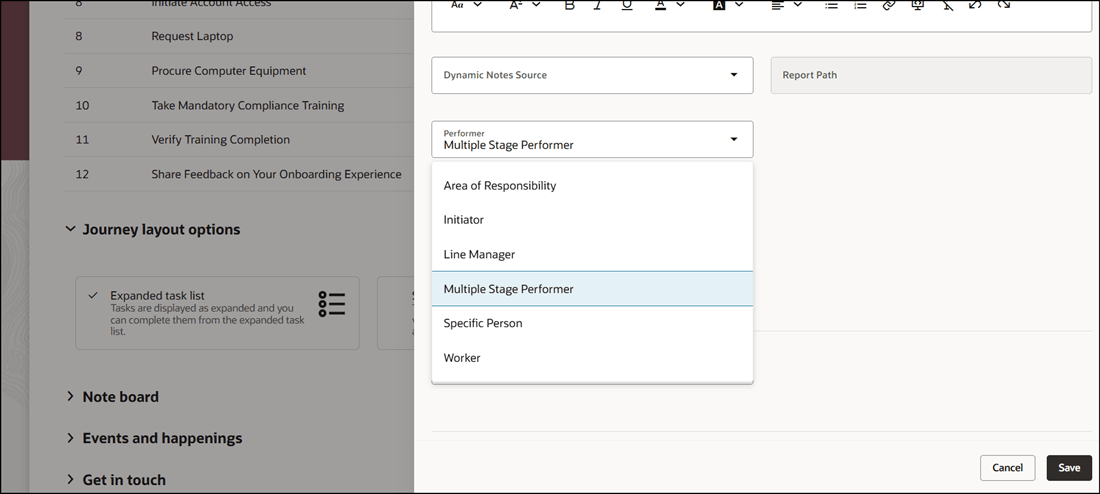
New Multiple Stage Performer for Task
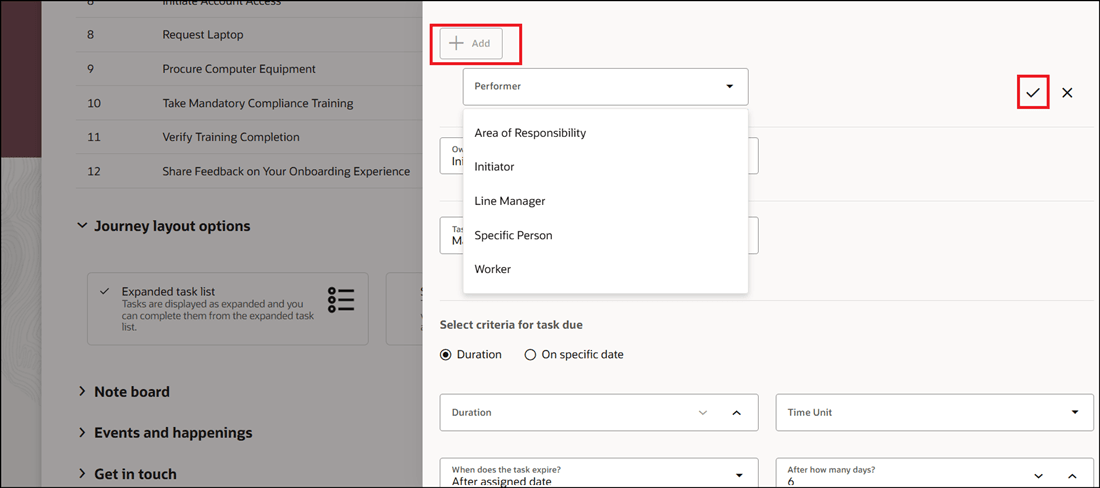
Add Stage for Task
In this example, two performer stages are added for the onboarding feedback task. The first stage is where the worker enters the feedback and in the second stage, the HR specialist reviews the feedback.
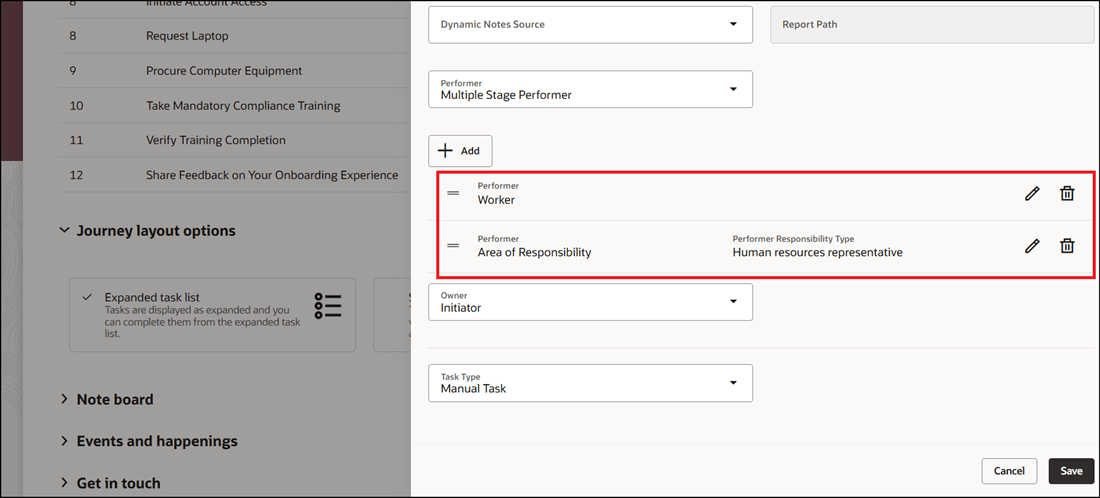
Added Task Stages in Sequence
When the journey is assigned, the task is displayed under employee tasks. The worker completes the feedback and adds comments. After the worker marks the task as done, it moves to the HR specialist task queue.
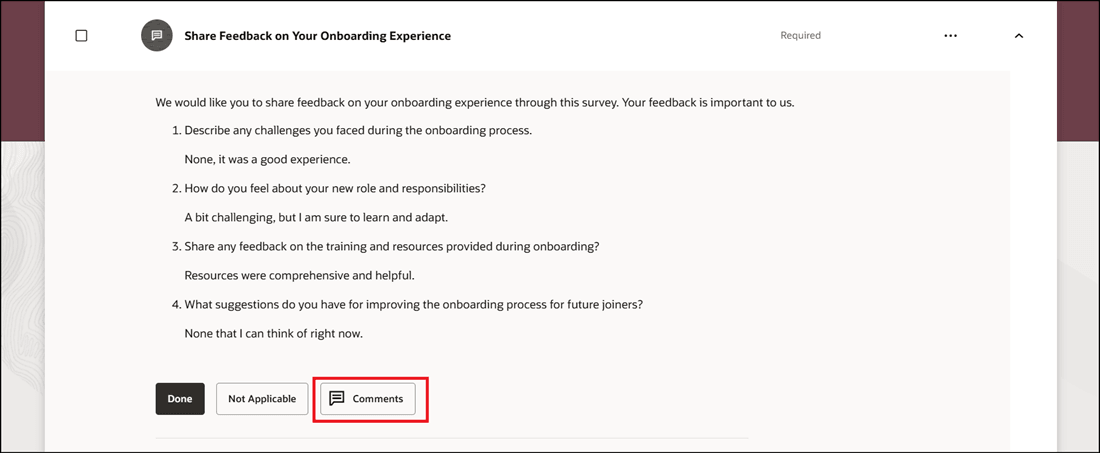
Task Assigned to Worker
The HR specialist reviews the feedback and adds comments. They can also return the task if needed. Once the HR specialist marks the task as done, the task is completed as there are only two performers in this case.
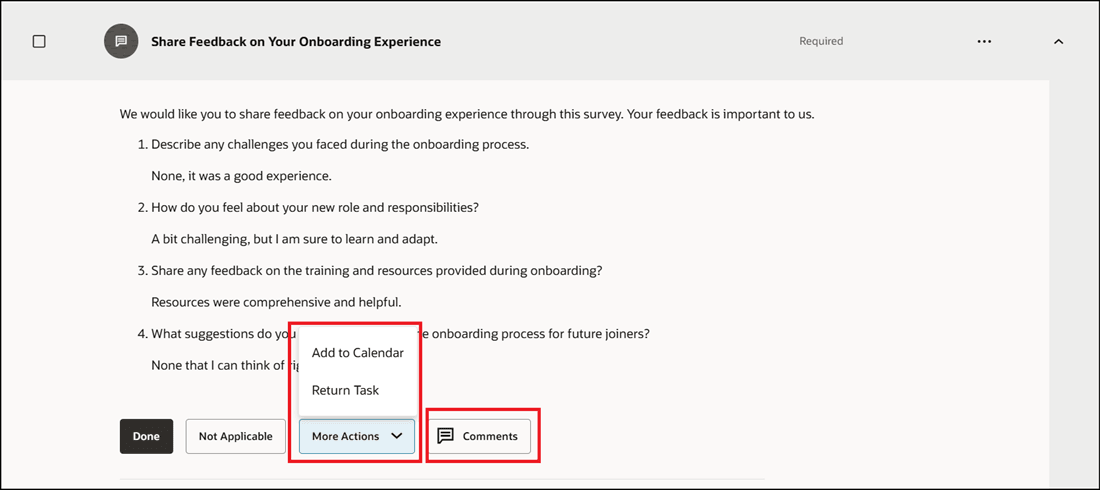
Task Moves to HR Specialist After Worker Completes Task
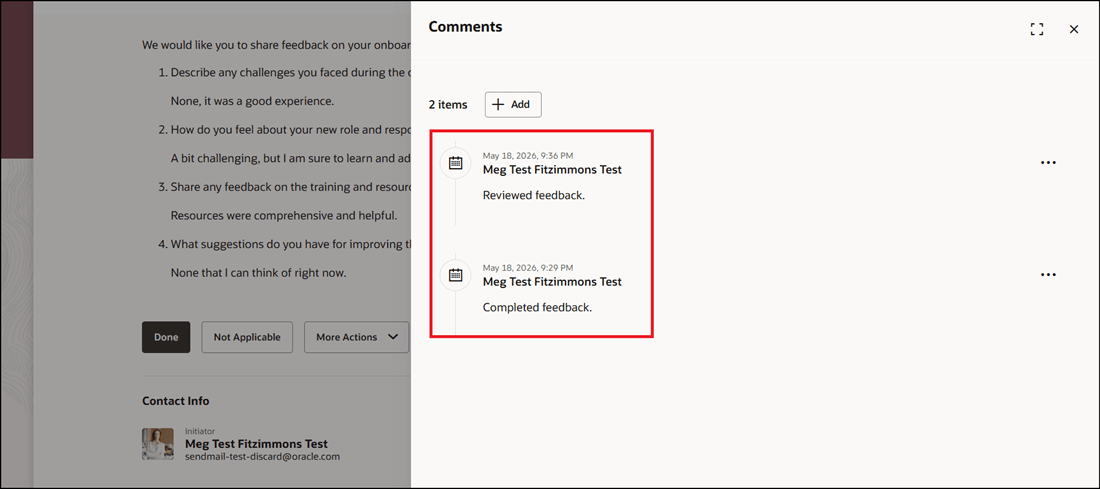
Comments Entered by Last Performer
This feature reduces the need for users to create multiple separate tasks when a single business activity requires input from several people. It provides a cleaner, more traceable journey experience for processes that require sequential collaboration.
Steps to enable and configure
- To use this feature, you need to enable the ORA_PER_JOURNEY_CONFIG_PARAMETERS profile option with the profile value JPT=Y. For more information, see How do I enable a profile option?
- Note:
- If no profile value exists, enter JPT=Y
- If a profile value exists, enter ;JPT=Y after the value. For example, if there is a value ALRT=Y, you need to enter the profile value as ALRT=Y;JPT=Y
- Note:
- To add multiple performers, see Add Multiple Performers in Journey Task
Tips and considerations
-
This feature is for one task performed by multiple people sequentially.
-
You can add a maximum of five performer stages per task.
-
The performer should not be repeated in the stages.
-
Oracle Search needs to be enabled for this feature.
-
The task won’t be marked as completed until all the stages are completed.
-
When you reassign a task with multiple stages, only the current stage of the task is reassigned and not the entire task.
-
When you reopen a task, all stages will be restarted starting from the first stage.
-
When you return a task, the task stage is returned to the immediately preceding stage.
-
Alert notifications are only sent to the current stage performer.
-
If a performer stage is rejected, all subsequent stages are moved to the same status. For example, if a performer in stage 3 rejects a task, all subsequent stages are rejected.
-
A task is visible only for the current performer.
-
The new task performer doesn’t apply for these task types: Native Electronic Signature, DocuSign, I-9 Verification, Advanced Task, and Oracle Process Automation Process Task
Key resources
For more information, refer to the Implementing and Using Journeys guide.
Access requirements
You must be granted the Manage Journey (ORA_PER_MANAGE_JOURNEY_TEMPLATE) aggregate privilege to work on journey templates.