My Career Recommendations
Employees visiting Opportunity Marketplace will now encounter the My Career Recommendations landing page first. This new page delivers personalized job, gig, and career role recommendations in "swim lanes" (horizontal rows of opportunity cards).
When an employee arrives at this page for the first time, if they've not yet selected any favorite career roles, they'll see generic recommendations and a banner encouraging them to click the Find Career Roles button.
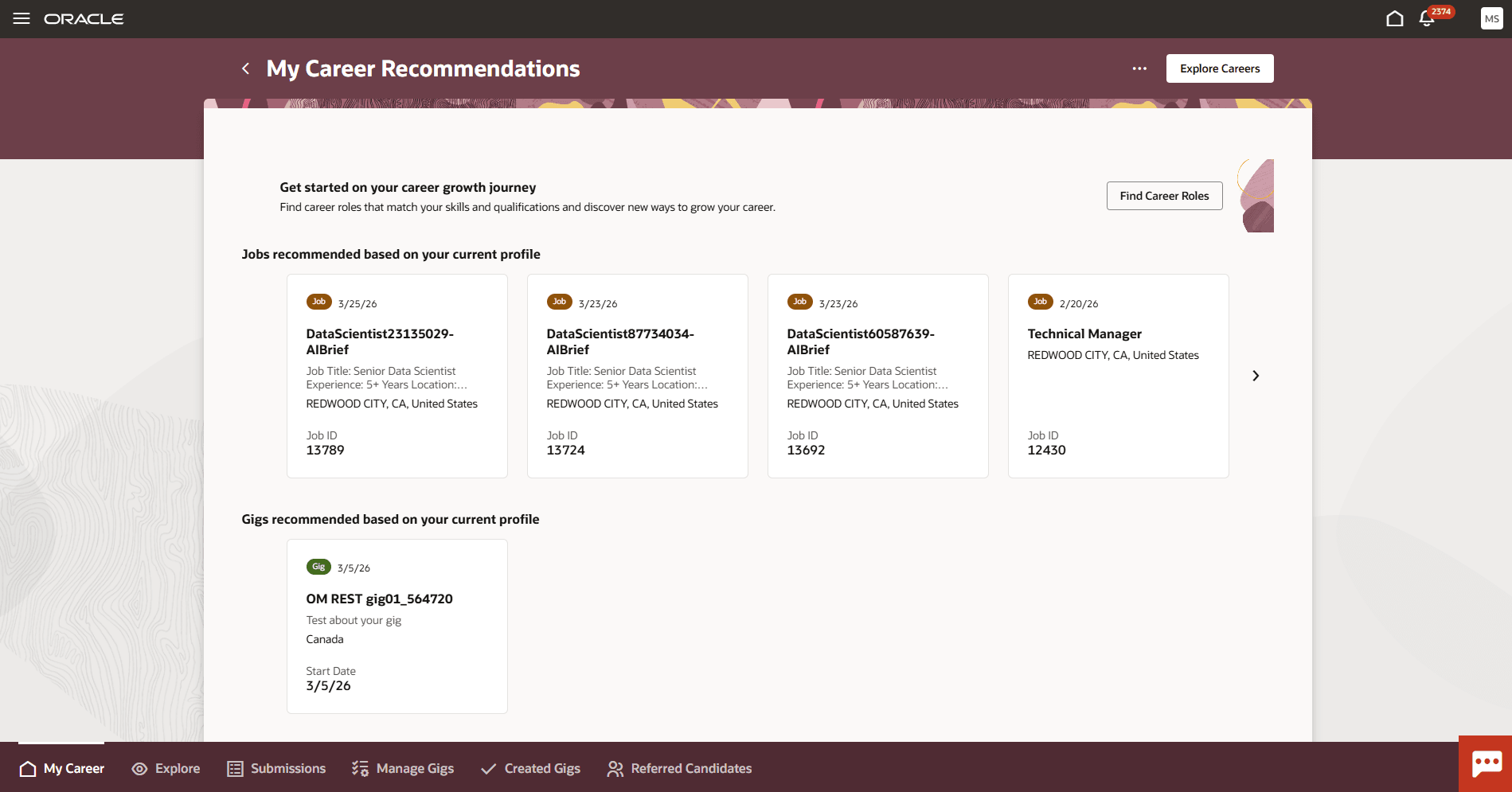
My Career Recommendations
For employees who've saved favorite career roles, the page highlights those roles on separate tabs.
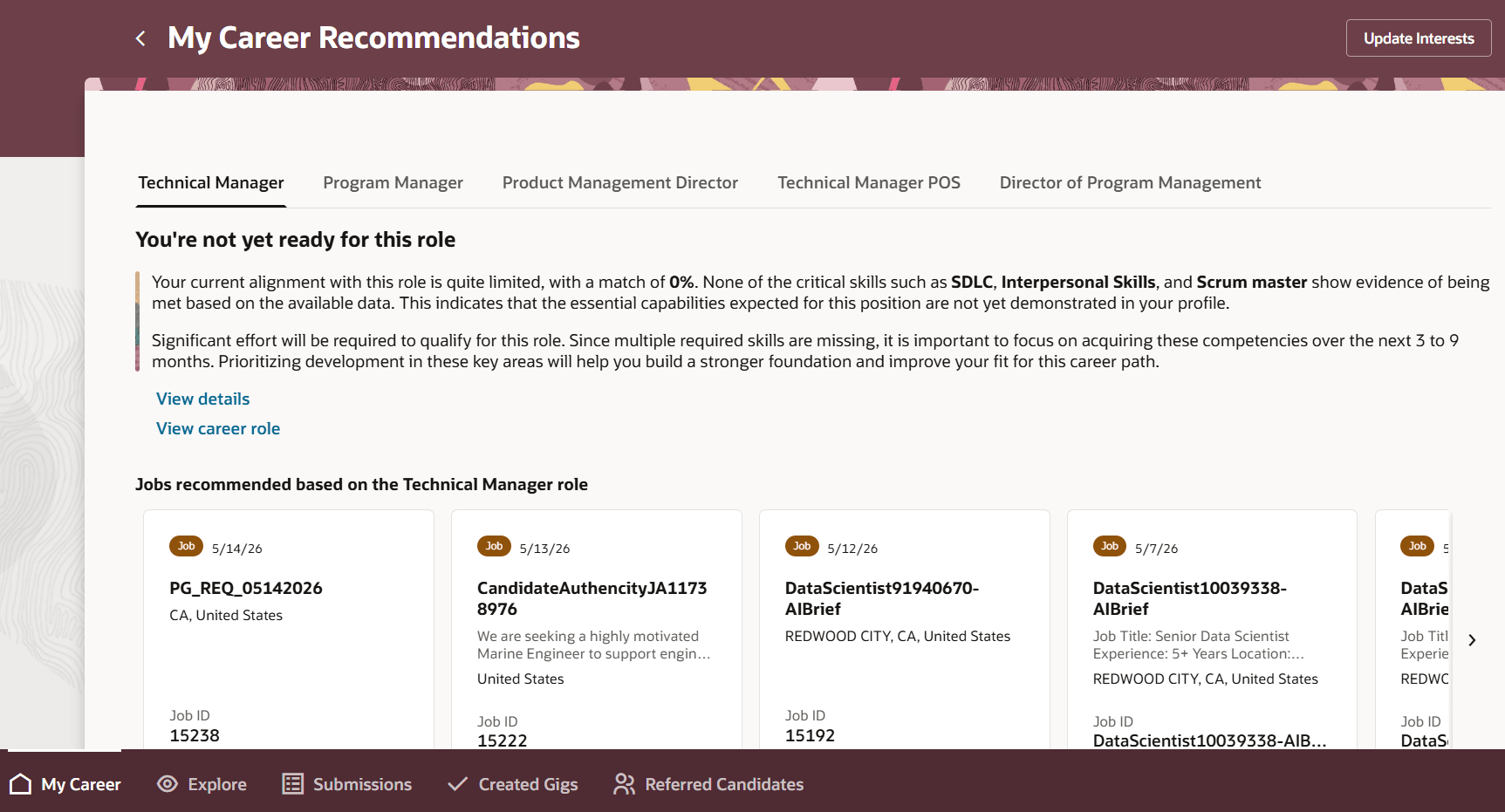
Favorited Roles Display on Tabs
Note: Employees with favorite career roles won't see the Current Role tab, as it's intentionally omitted.
Each favorited career tab shows AI-generated insights or role descriptions and adjusts available actions and navigation options. When AI Fit summary insights are disabled or return no data, the career role description shows instead to maintain user context. The content on this page adapts to any changes to the employees’ preferences. When they view a career role, they'll see a dynamic tree view combining popular and path-based career roles, highlighting the employee's current role while displaying possible next steps, and insights on the career transitions that other employees have taken over the past four years.
Note: If an employee has no current role, the Explore Careers button and career path graph won't display.
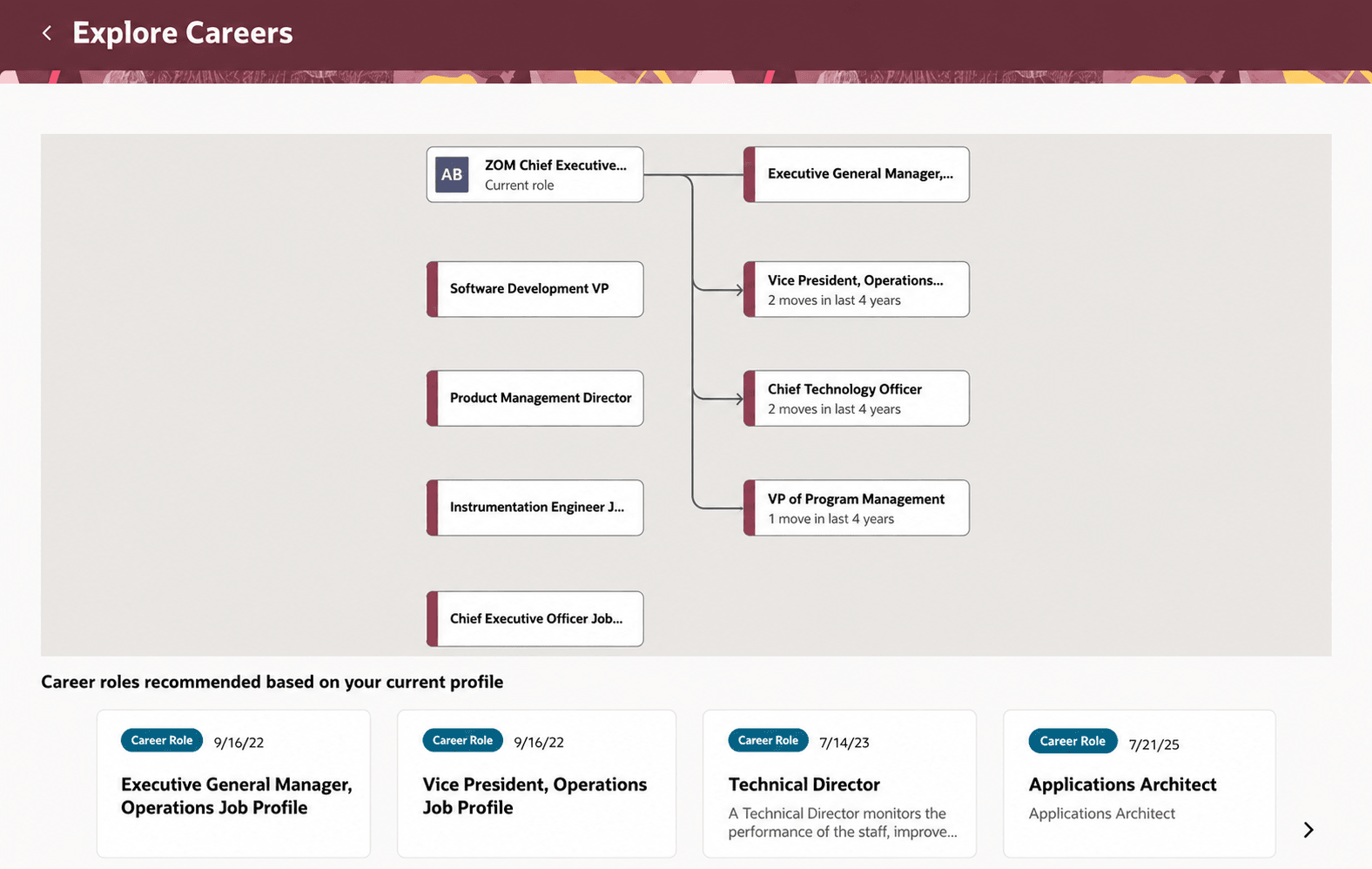
Insights on Career Roles
Insights on career transitions show the number of people who made each move in the last four years, helping users understand role popularity. Employees can navigate to detailed role information and view recommendations based on their profile. The experience supports asynchronous loading and fast performance to enhance usability.
The View details link only display if AI has information about the role.
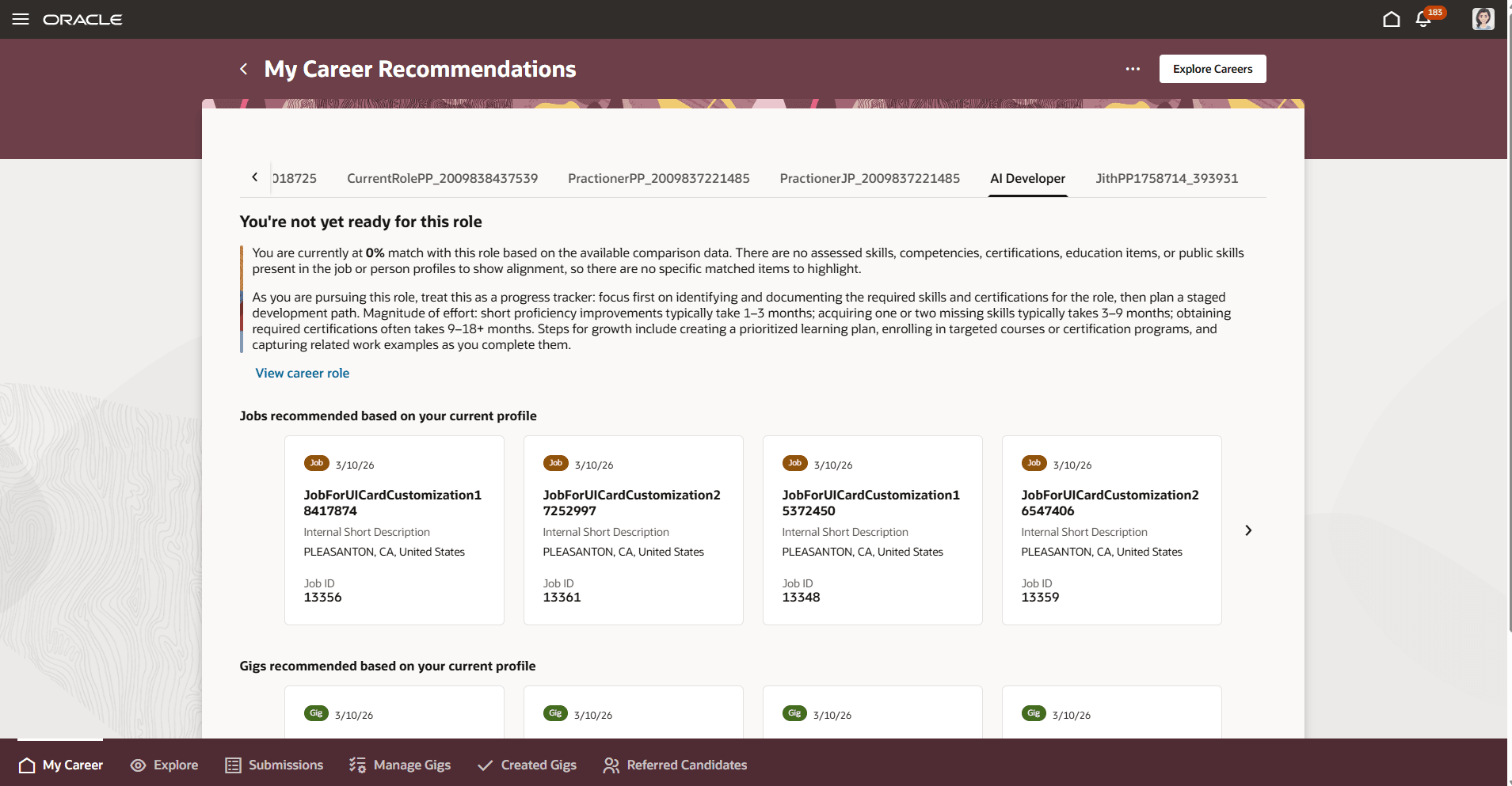
My Career Recommendations for Favorited Careers
The View details link only display if AI has information about the role.
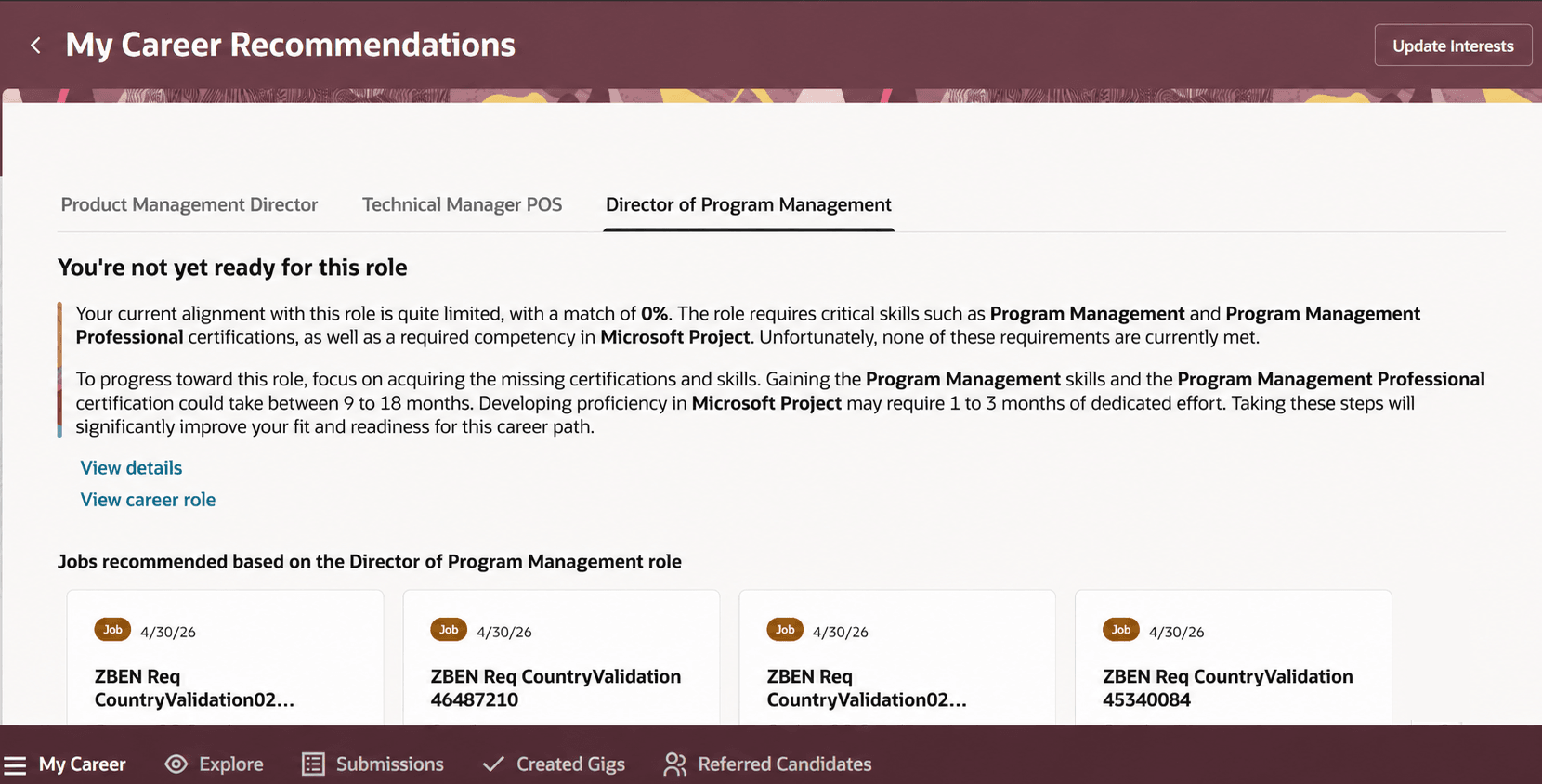
AI Agentic Summary with Links
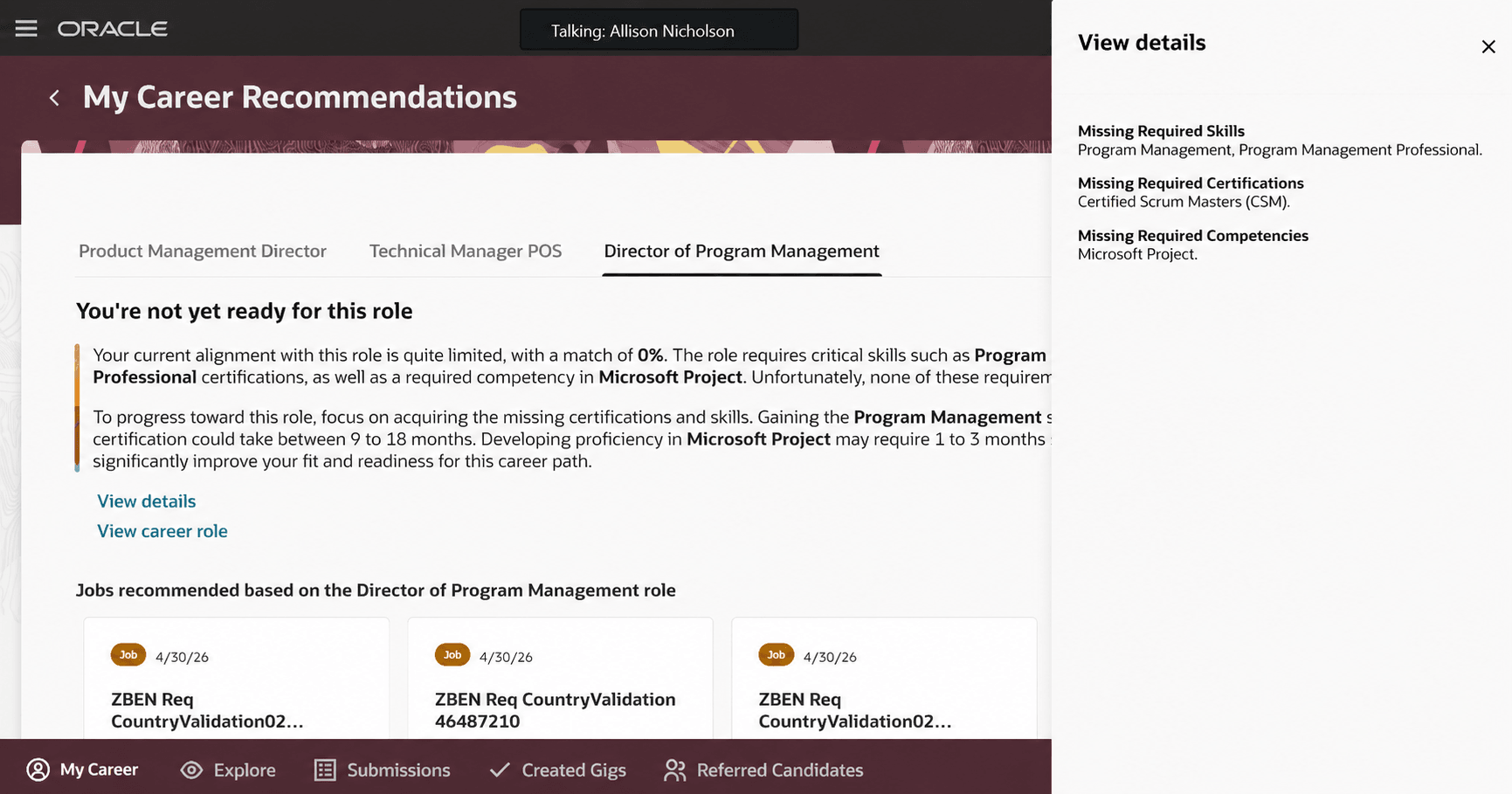
View Details
When the employee has a 100% match with favorited careers, if there are open jobs they’ll display. If there aren’t any, a message displays telling them to check back later.
Employees can still search for jobs, gigs, and roles using the Explore tab.
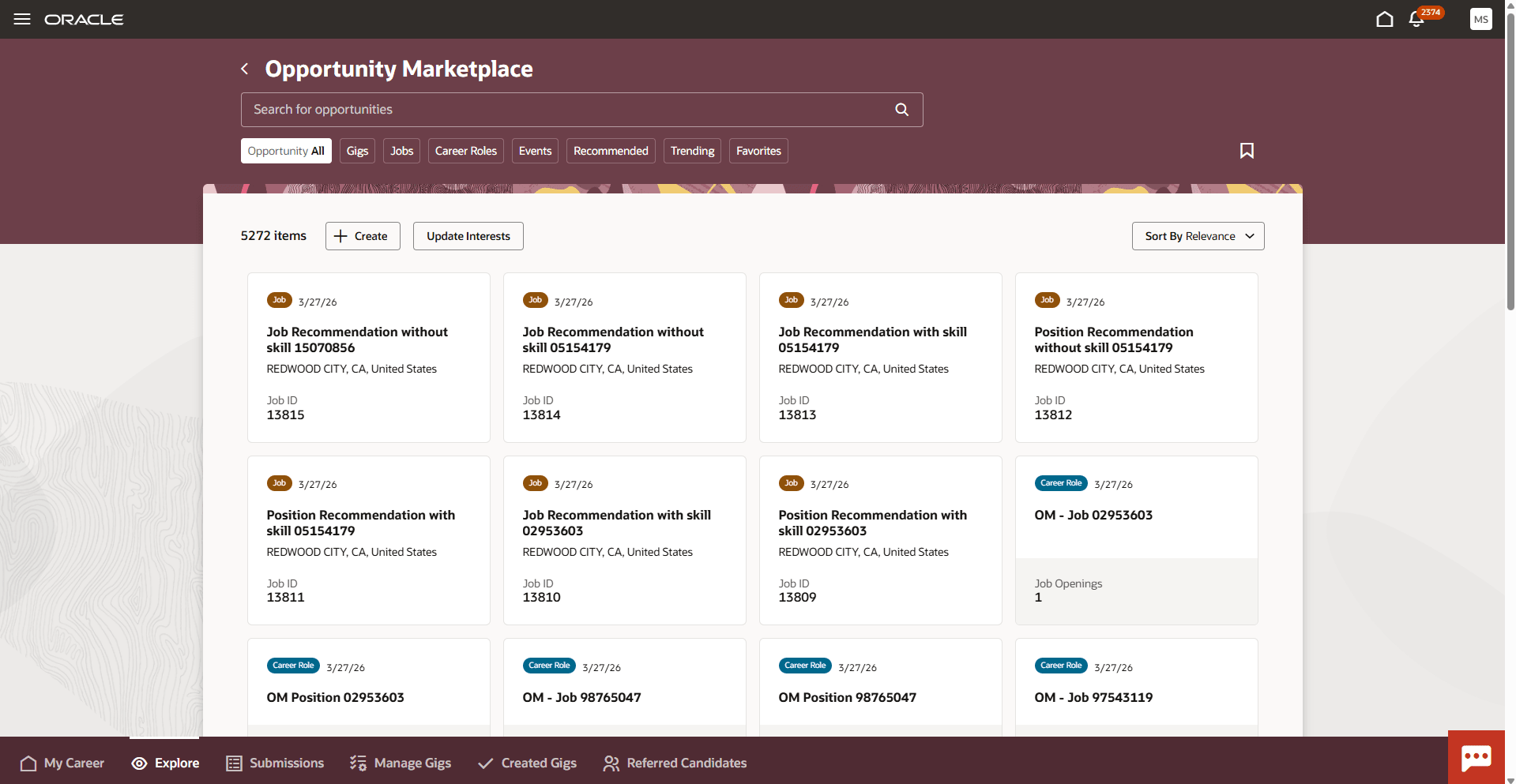
Explore Opportunities
Business benefit: This enhancement improves career exploration by delivering personalized recommendations that match employees’ skills and interests, enabling informed career growth decisions. It increases employee engagement with intuitive navigation and actionable insights that require no prior career knowledge. It simplifies discovery of relevant jobs, gigs, and career roles through a dynamic, performance-optimized interface.
Steps to enable and configure
- Enable the ORA_HCM_OPP_MARKET_PLACE_MY_CAREER profile option. For details, see How do I enable a profile option?
- Enable career roles in Opportunity Marketplace. For details, see Enable Career Roles in Opportunity Marketplace.
- In Visual Builder Studio, you can display or hide View Current Role and Update Interests in the My Career Recommendations page action menu. Set it to True to show the actions. For details on using page properties, see How do I control the display of a UI element in Visual Builder Studio?
- Enable or disable AI Fit summary insights for career roles. For details, see How do I set up the Job Fit Advisor in AI Agent Studio?
- Define career paths. For details, see Manage Career Paths.
- Ensure APIs and data services provide the employee's current career step, job profiles per step, and mapped jobs and gigs.