Internal Hiring Events
Employees can now view and apply for internal hiring events from Opportunity Marketplace.
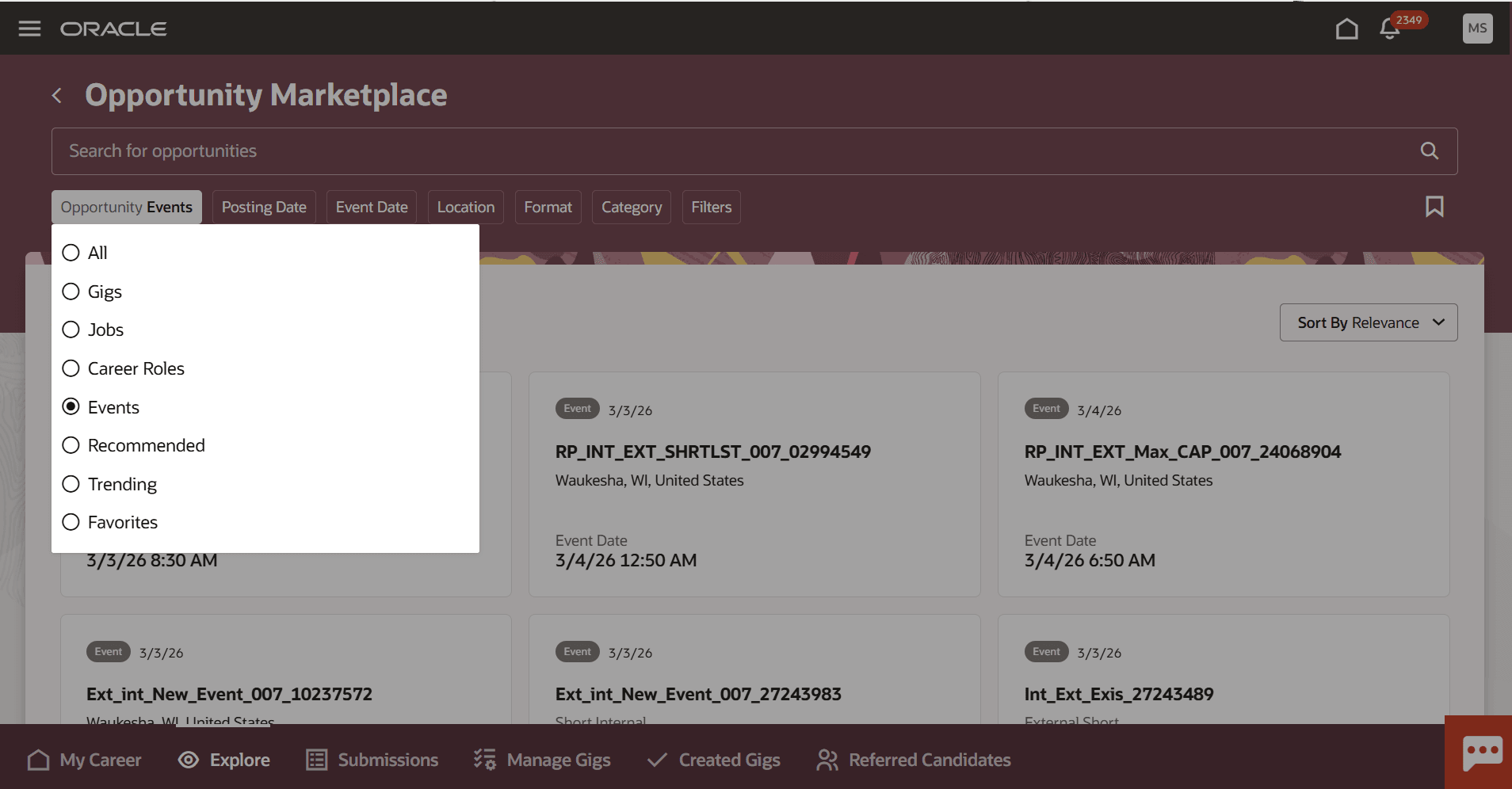
Events in Opportunity Marketplace
Employees can view event details, register directly from the event page, and answer any screening questions during registration. If screening questions are linked to an event, they must complete them during registration to proceed; otherwise, registration completes immediately. If an employee doesn't qualify for an event based on their answers to screening questions, the event displays in the History section and is labeled as Not Eligible.
Registered events appear in a dedicated Events tab on the Submissions page, separated into Active and History sections for easy tracking. Employees can add registered events to their calendars using the action icon on the Events tab. They can also copy the details of an event so they can share with a coworker by pasting into an email or text message. They can also withdraw from events.
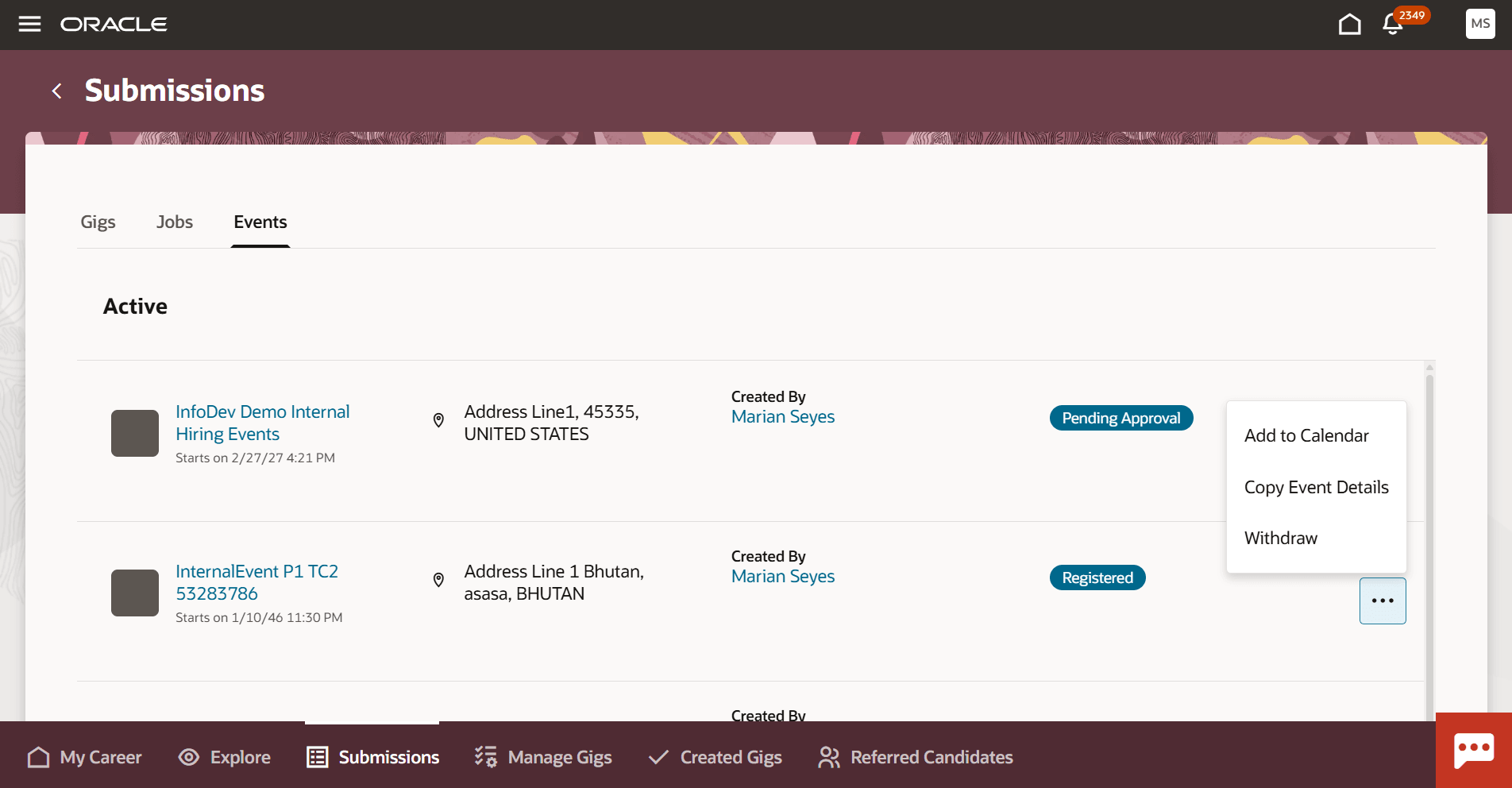
Events are Visible on the Submissions Page
Filters and facets similar to other Opportunity Marketplace contexts help refine event searches.
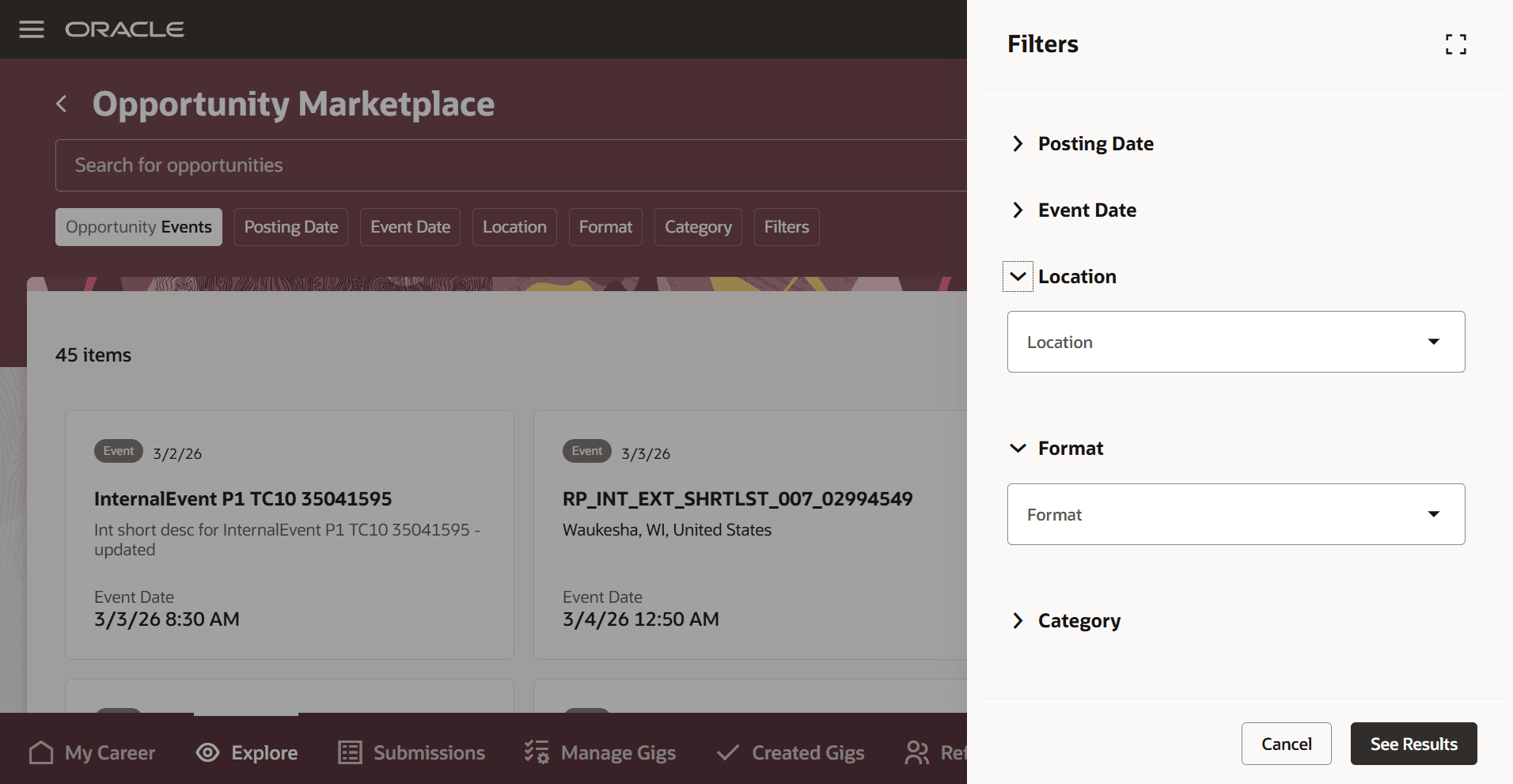
Use Filters and Facets
Business benefit: Increase employee engagement by providing direct access to internal hiring events within Opportunity Marketplace. Streamline event registration and tracking to improve visibility and participation. Simplify event discovery with familiar filters and a dedicated events context alongside jobs and gigs.
Steps to enable and configure
Follow these set up steps to enable internal hiring events:
- Enable the ORA_HCM_OPP_MARKET_PLACE_HIRING_EVENTS profile option to allow internal hiring events to flow into Opportunity Marketplace. For details see How do I enable a profile option?
- Create a new Events search view to support filtering and facets. For details, see How do I configure filters and facets for search views?
- Assign the appropriate privileges to all employees in Opportunity Marketplace. For details see the Access Requirements section.
- Create internal hiring events, or coordinate with your events creation team to ensure internal hiring event data is available. For details see Redwood Experience: Internal Hiring Events.
Tips and considerations
- To view and register for internal hiring events, employees must be users with Opportunity Marketplace access.
- Employees will still see events for which they have already registered on their landing and search pages. This is different behavior than jobs and gigs.
Key resources
How do I set up Opportunity Marketplace?
Access requirements
For details see Assign Opportunity Marketplace Privileges to Users.