Redwood Experience: Job Application E-Signature Section Enhancements
The E-signature section in the Progress tab of job applications has been enhanced as follows:
- Use of consistent e-signature text
- E-signatures displayed in chronological order
- Display of the name entered by the candidate
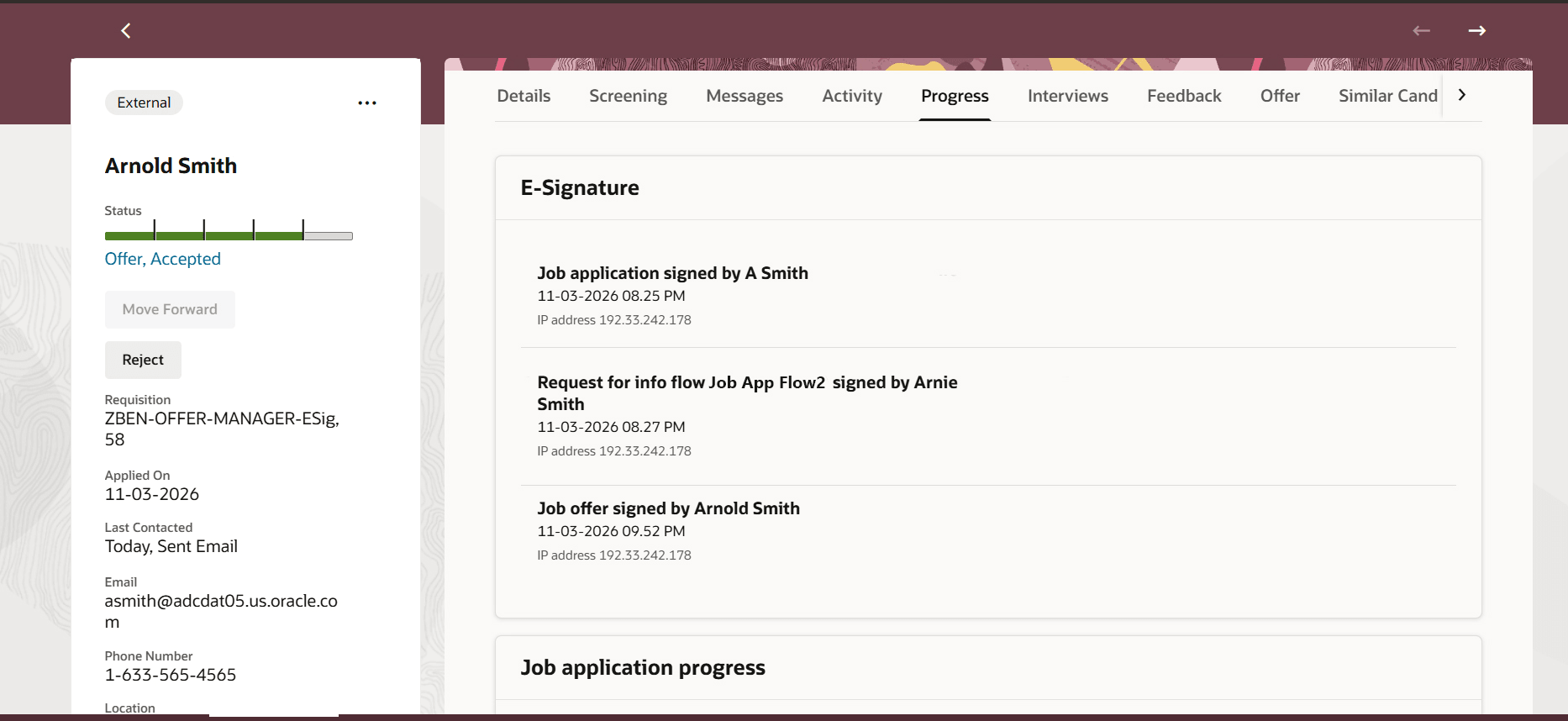
E-Signature Info
Business benefit: Provides a easy to review trail of e-signatures - showing the name the candidate signed with and the signing sequence - so hiring teams can quickly verify that all required signatures have been collected.
Steps to enable and configure
To use Redwood experience, you need to enable the Recruiting Redwood pages profile options. For details, see Set profile options for Redwood pages.
For details on enabling and customizing Redwood for HCM, see How do I adopt Redwood for HCM? and Extending Redwood Applications for HCM and SCM Using Visual Builder Studio