Redwood Experience: Job Application AI Overview Enhancements
The AI Overview for job applications now automatically generates candidate summaries for new applications. Recruiting users no longer need to manually open the Overview tab to trigger summary creation. Also, the candidate summary begins with a concise overall fit assessment, include question responses in the summary text, and surface key concerns such as employment gaps and education mismatches more prominently.
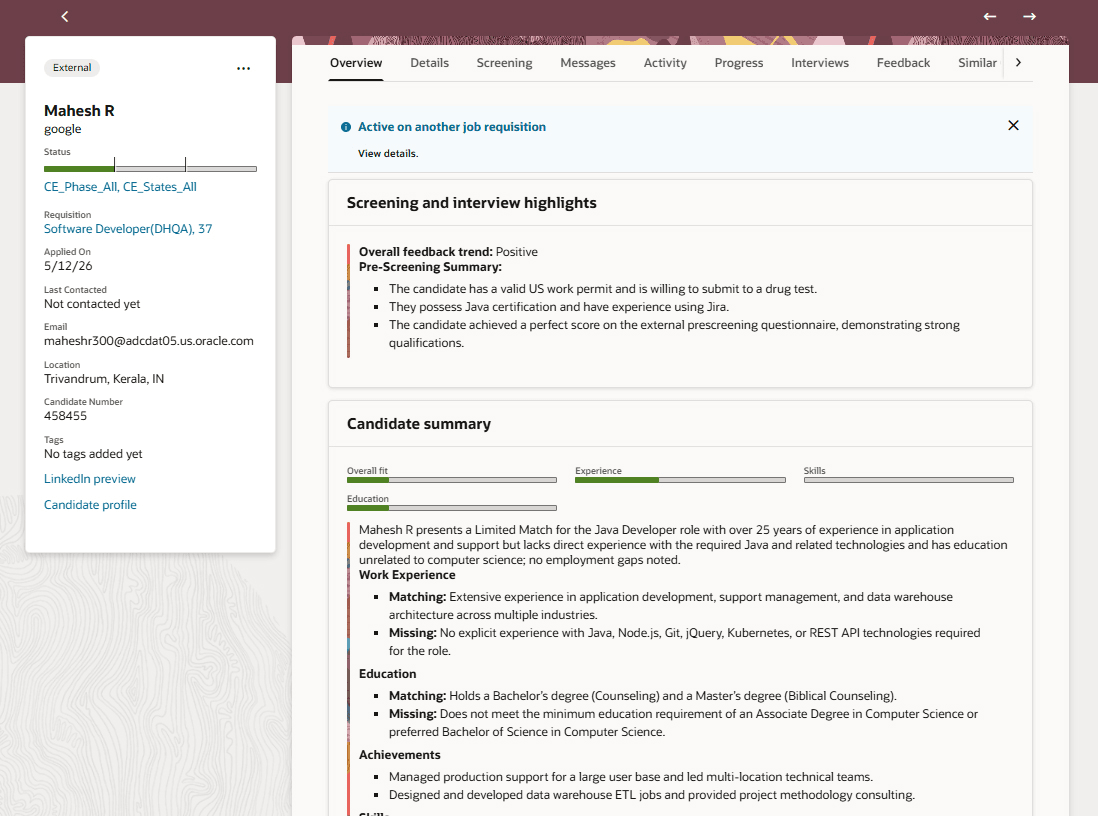
Job Application AI Overview
You can click the ratings on the Job Applications list to open a drawer which displays the candidate overview summary.
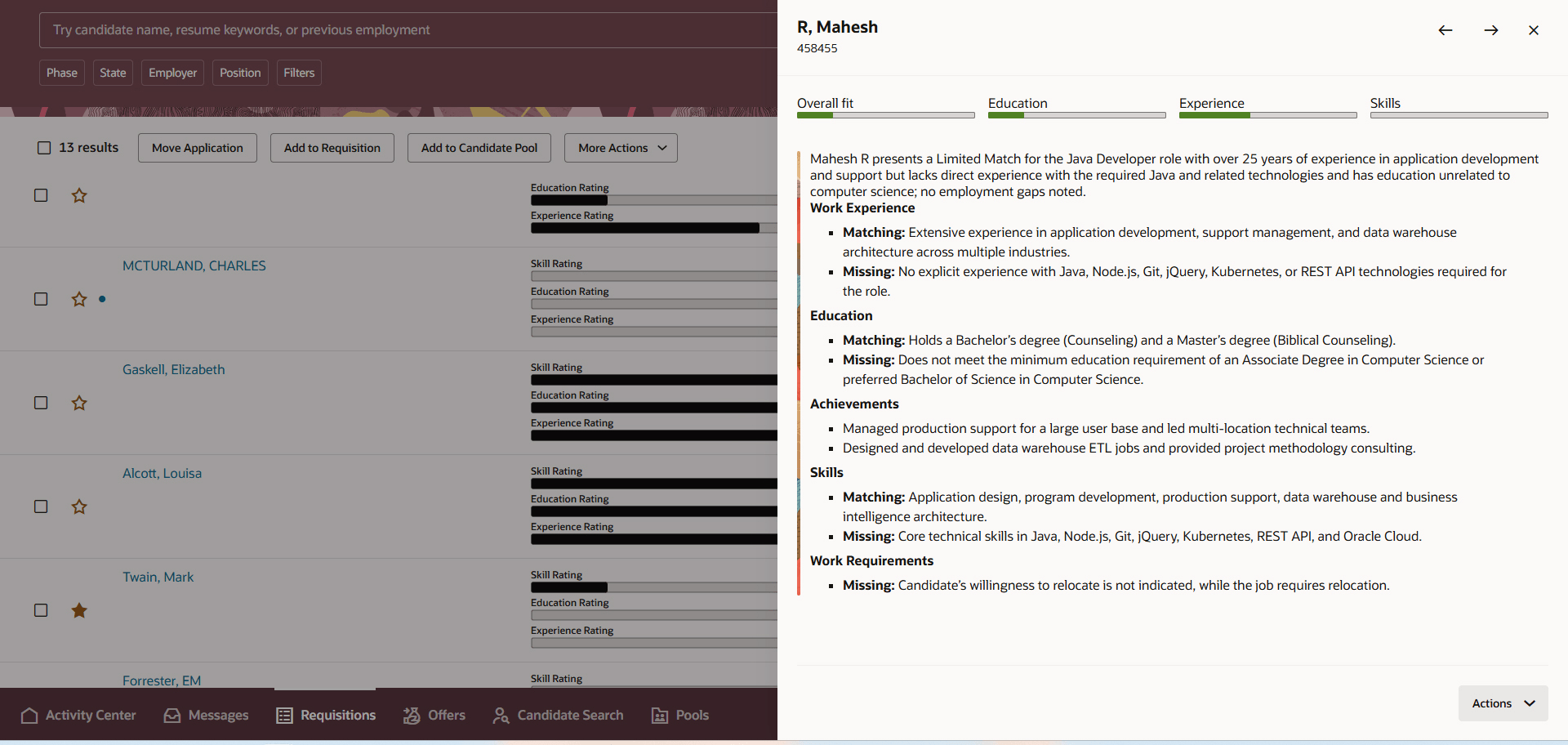
Drawer Displaying Candidate Overview Summary
The action to calculate ratings has been renamed Generate Application Insights and it manually calculates the ratings and generate the job application summaries.
The implementation is designed to handle higher application volume while preserving on-demand generation capacity and providing clear user feedback when daily generation limits are reached. The AI rating calculation has also been added to the same workflow agent to ensure consistent results across the ratings and summaries.
Business benefit: Recruiting users get AI-generated candidate insights earlier and with less manual effort, helping them review job applications faster and more consistently. Volume-aware processing improves scalability during peaks, and clear limit messaging reduces confusion when manual generation is unavailable. The stronger opening summary and highlighted risk signals help teams prioritize candidates more quickly and make better-informed screening decisions.
Steps to enable and configure
To use Redwood experience, you need to enable the Recruiting Redwood pages profile options. For details, see Set profile options for Redwood pages.
To setup the feature:
- Configure the job application Overview tab to display AI-generated summaries and ratings.
- Set up the Job Application Insights Generator agent.
- Control the display of the Overview tab in Visual Builder Studio.
For details, see Enable and configure the job application AI overview in Redwood.
You can view statistics on summary generation.
- Go to Setup and Maintenance > Recruiting and Candidate Experience > Recruiting and Candidate Experience Management > Enterprise Recruiting and Candidate Experience Information > AI Agent Studio > Job Application Overview.
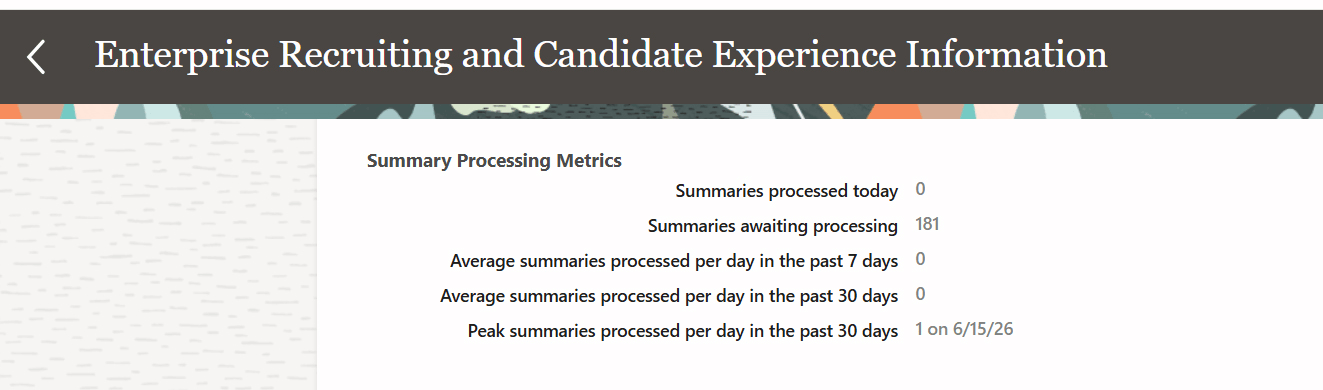
Statistics on Summary Generation
Key resources
- For details on enabling and customizing Redwood for HCM, see How do I adopt Redwood for HCM? and Extending Redwood Applications for HCM and SCM Using Visual Builder Studio
- Create AI Agents Using Preconfigured Agent Team Templates
- Explore AI Agents for Oracle Fusion Cloud Applications
- How do I use AI Agent Studio?
- How can I give users access to AI agents
- Access Requirements for AI Agent Studio