Redwood Experience: Capture Electronic Signature on Multiple Offer Documents
You can choose which documents a candidate must sign as part of the offer letter package. When you create or edit a job offer, you can select the Add candidate signature documents checkbox then add the documents that require the candidate's signature.
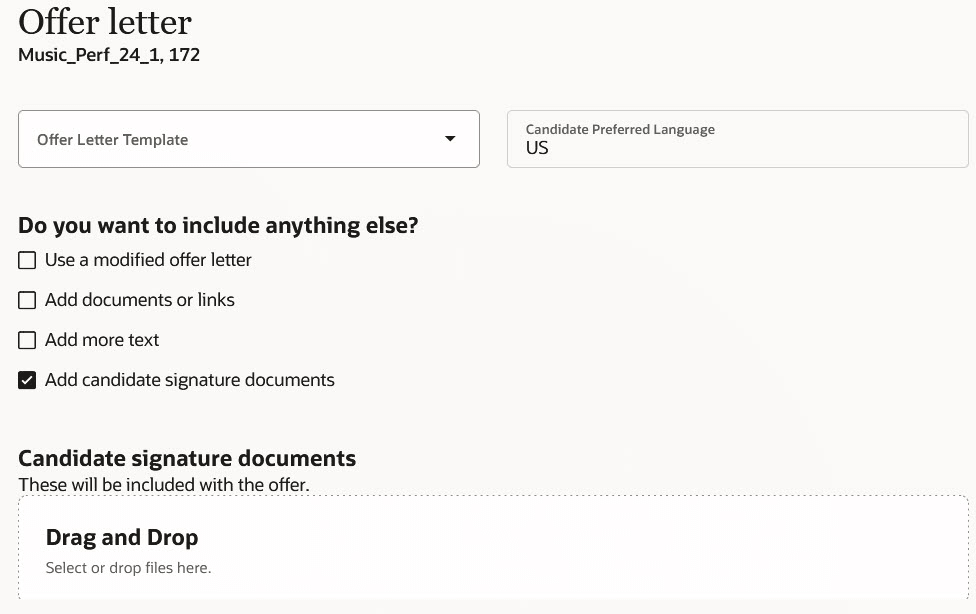
Add Candidate Signature Documents Option
During the offer acceptance process, the candidate can review the job offer and the attached documents, and electronically sign all documents at once. Here's how it works:
The candidate clicks Next to review the attached documents.
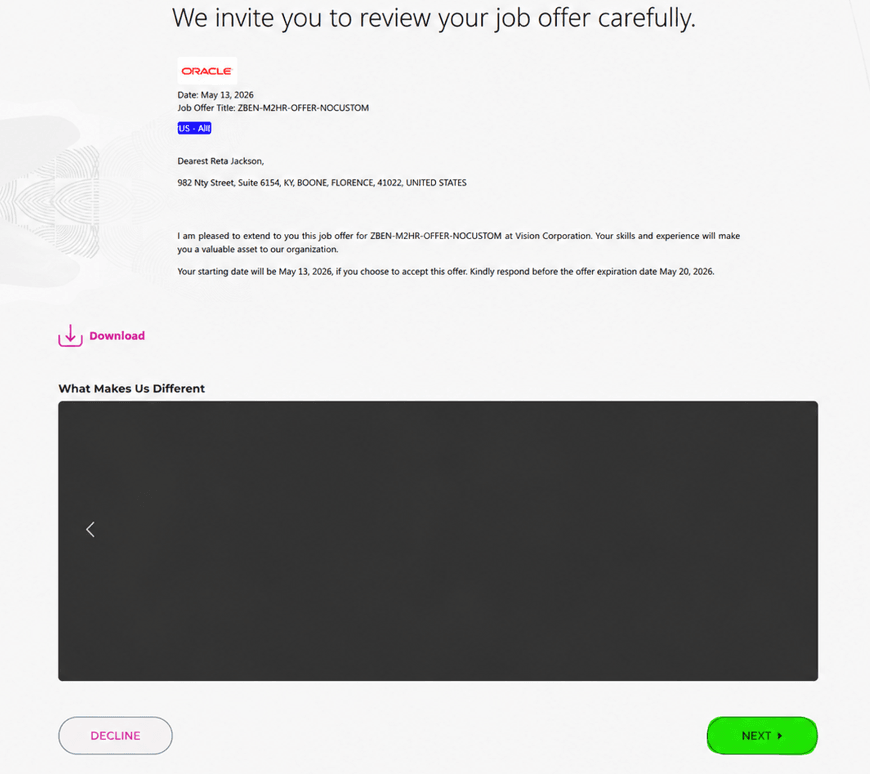
Next Button to Review Attached Documents
The candidate sees the documents to review and they can open them.
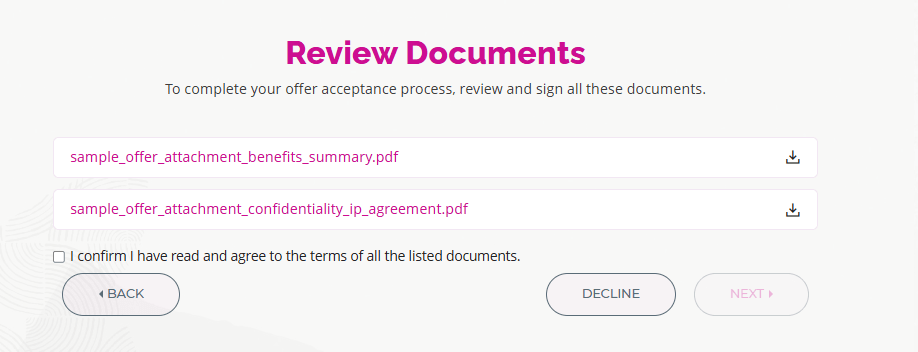
Review Documents Screen
The candidate sees the document and can use the forward arrow to view the next document in the list.
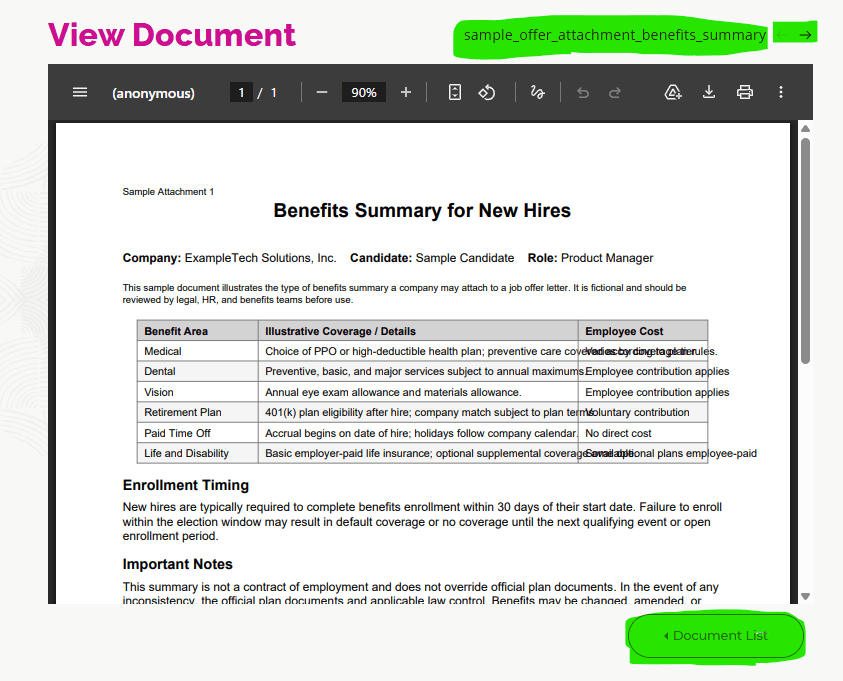
Document Displayed
The candidate needs to accept the terms and conditions to enable the Next button.
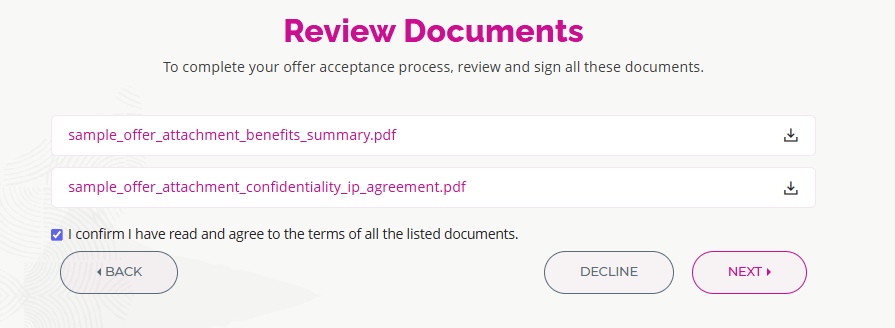
Accepting Terms and Conditions
The candidate accepts the job offer by entering their full name and clicking Accept.
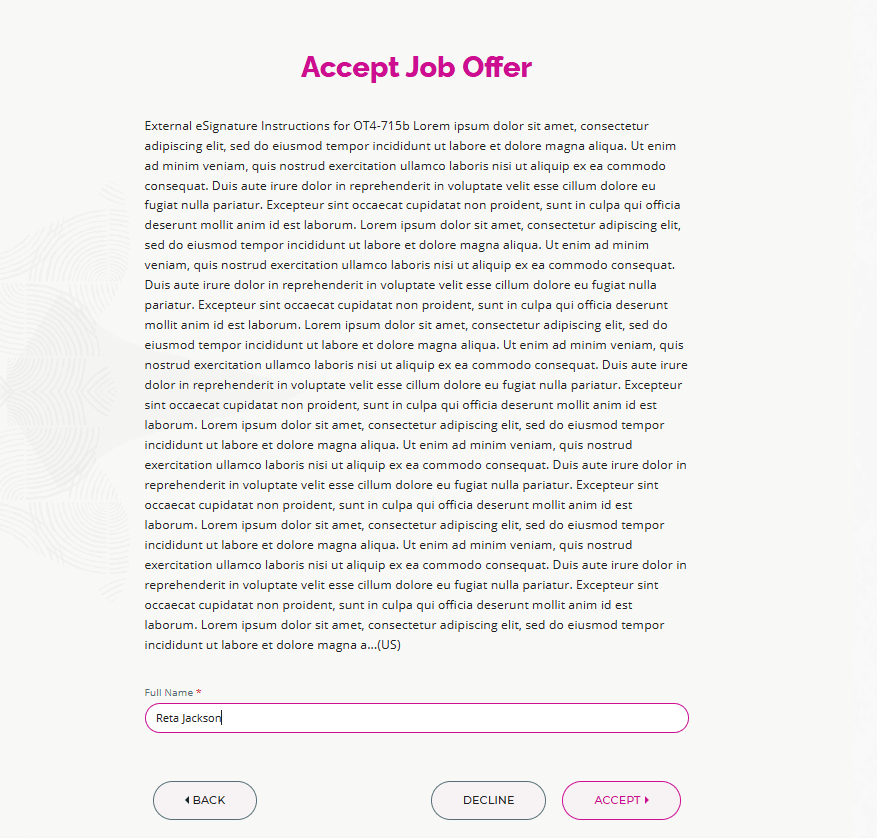
Accept Job Offer Screen
Once the job offer is accepted, the candidate can view and download the documents separately and also as a single offer package by clicking Download.
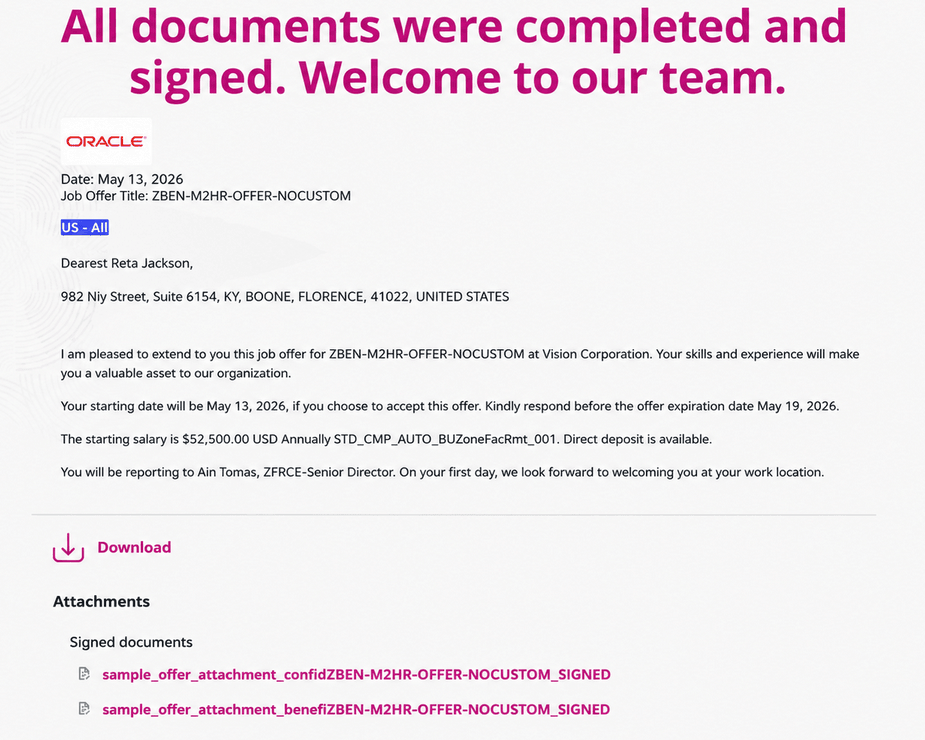
Downloading Documents
When a job offer is extended to an internal or external candidate, recruiting users can view the offer letter and unsigned offer documents before the offer is accepted by the candidate. Once the offer is accepted by the candidate, only the signed documents are visible and recruiting users can download individual documents.
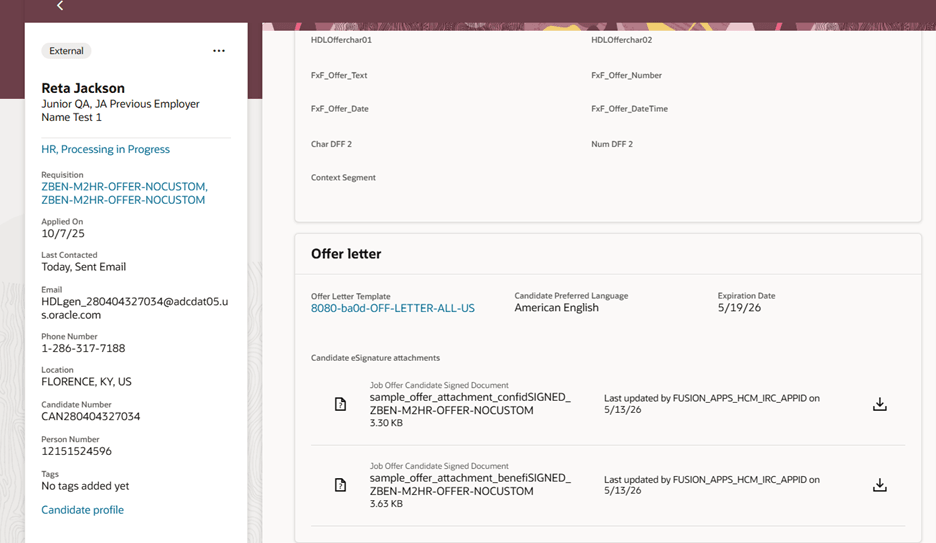
Recruiter can view the signed documents in Offer letter section of View Job Offer screen
Business benefits:
- Helps organizations accelerate hiring while reducing compliance risk by keeping offer-document signing and required post-offer submissions in one guided experience.
- Recruiters spend less time chasing documents, candidates are less likely to miss follow-up steps, and employers gain stronger auditability and chain of custody for signed documents and required forms.
- Gives recruiting users clear visibility into document completion and signature status directly in the offer workflow, reducing manual follow-up and making it easier to confirm that the right documents were signed at the right stage. It also improves compliance and audit readiness by surfacing signed versions after acceptance while giving candidates a simple way to download the completed offer package as a single set of documents.
Steps to enable and configure
To enable the Add candidate signature documents checkbox, set the site profile value to Y for the ORA_IRC_OFFER_MULTI_DOCUMENT_SIGNATURES profile option. For details, see How do I enable a profile option?
To use Redwood experience, you need to enable the Recruiting Redwood pages profile options. For details, see Set profile options for Redwood pages.
For details on enabling and customizing Redwood for HCM, see How do I adopt Redwood for HCM? and Extending Redwood Applications for HCM and SCM Using Visual Builder Studio