Redwood: Performance Document Participant Role Displayed In Feedback Center
Displays the performance feedback participant role assigned to you when you receive a request to provide feedback on an employee’s performance document. You can view the role in Feedback Center, under Feedback About Others > Feedback Requests About Others. HR administrators can hide the participant role using a page property in Visual Builder Studio.
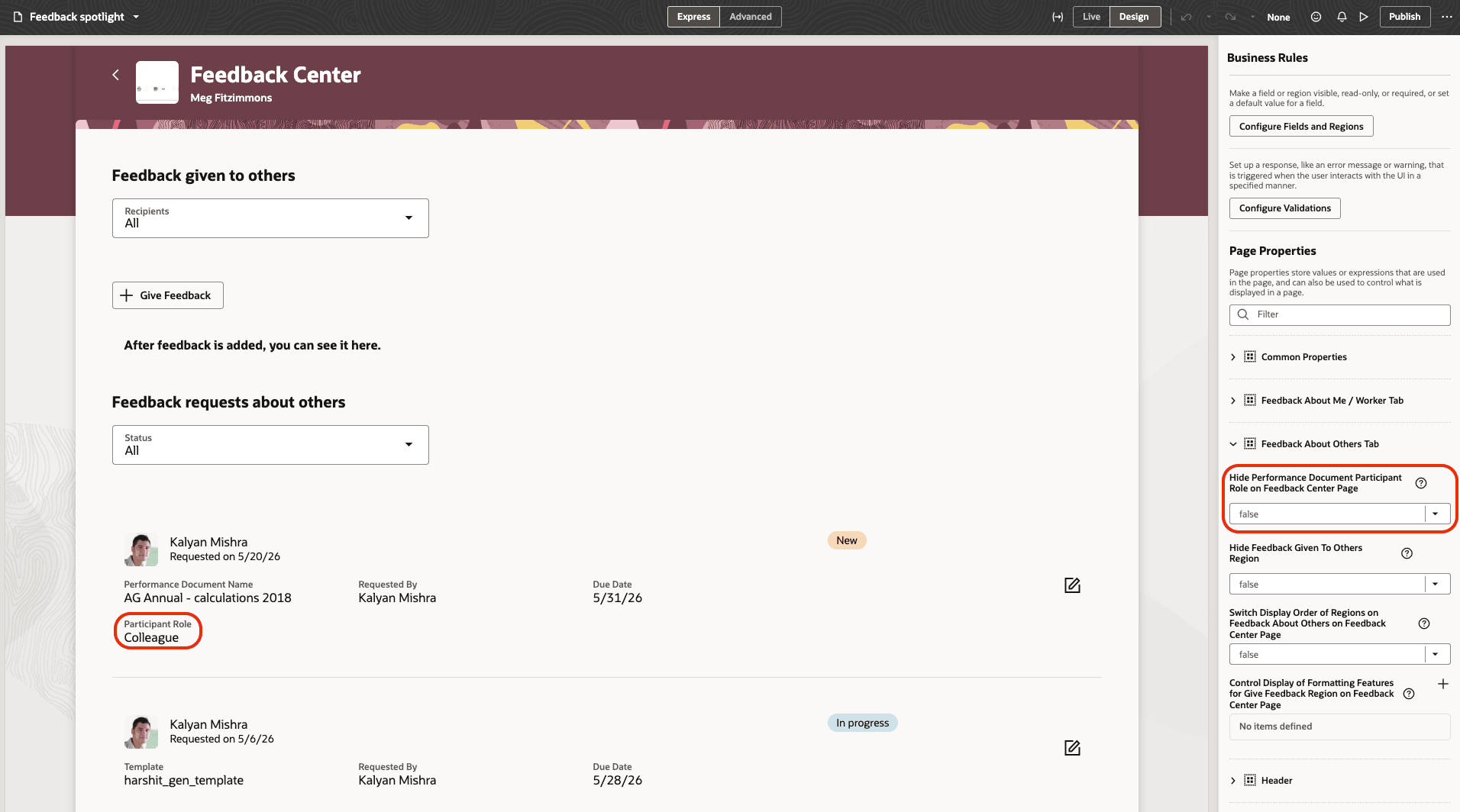
Page property to control the display of participant role
Provides participants with clear visibility into their assigned feedback role, helping them understand the context of each feedback request and respond appropriately when providing feedback on others’ performance documents.
Steps to enable and configure
You need to configure the profile option as indicated in the following table.
| Profile Option Code | Description | Value |
|---|---|---|
| ORA_HRA_SETUP_REDWOOD_ ENABLED |
Enable Redwood setup pages for Performance Management. | Enabled |
For more information about setting profile option values, see How do I enable a profile option?
For details on how to display the participant role, see How Can I Enable Performance Document Participant Role on the Feedback Center Page?
Key resources
For more details on extensibility, see Extending Redwood Applications for HCM and SCM Using Visual Builder Studio.