Redwood: Evaluation Preparation Task in the Performance Document
As an HR administrator, you can configure Redwood performance process flows to include an Evaluation Preparation task. An equivalent to the the Set Goals task in the responsive user experience this enables employees and managers to decide which goals, competencies, and skills should be included in an employee’s evaluation before the formal review begins.
Using the Evaluation preparation task:
- Goals, competencies, and skills continue to be managed within their dedicated Oracle Fusion product areas, while allowing direct navigation from the Redwood performance document.
- Employees can use the task as a way to acknowledge the goals set by their managers.
In a Process Flow, the Evaluation preparation section lists the options you can configure. If you select either of the manager or worker checkboxes, the Evaluation Preparation task is added to the table with the role and the task name Prepare for Evaluation.
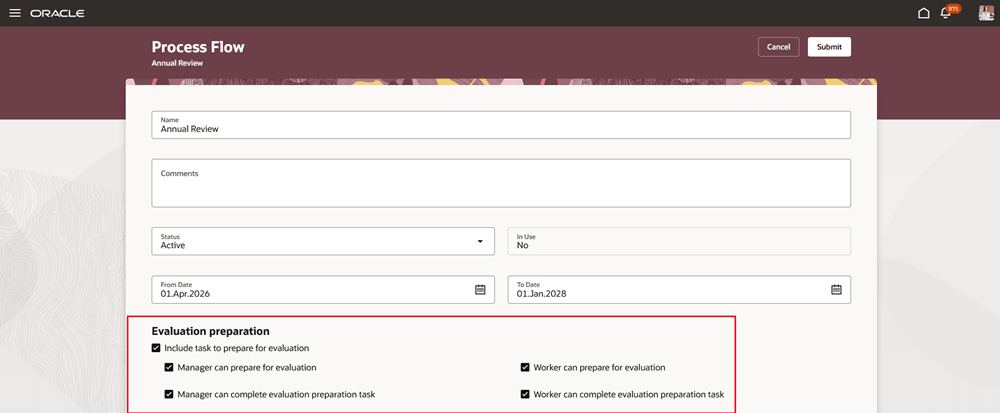
HR administrator configures the evaluation preparation task
Goals, competencies, and skills continue to be managed within their dedicated Oracle Fusion product areas, while allowing direct navigation from the Redwood performance document.
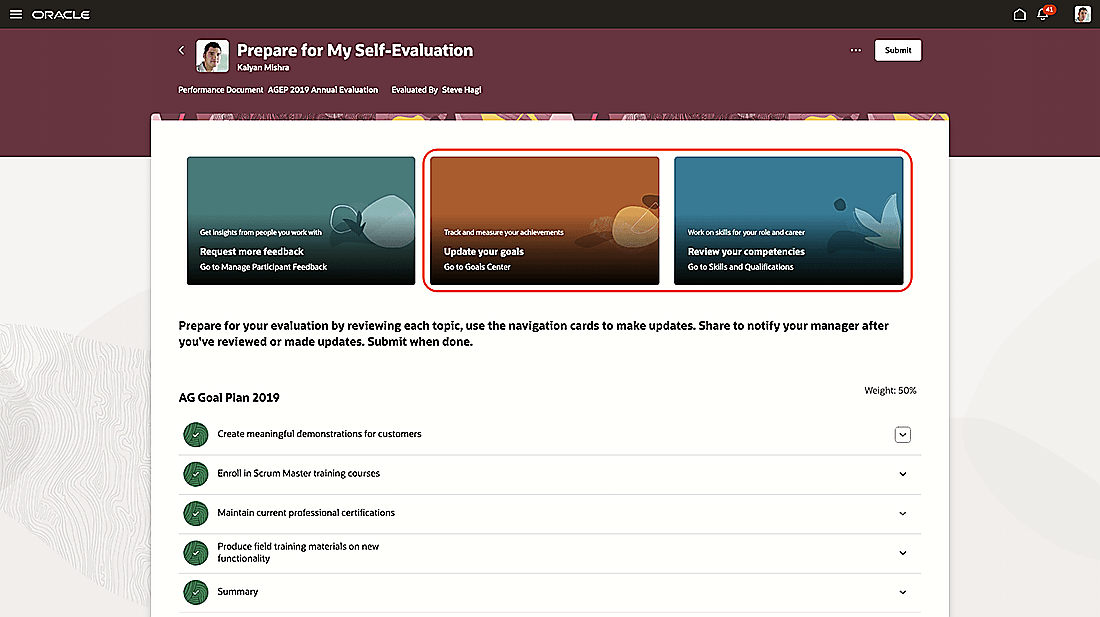
Navigate to goals and skills
Managers and employees can mark which items can be evaluated in advance of the actual evaluation.
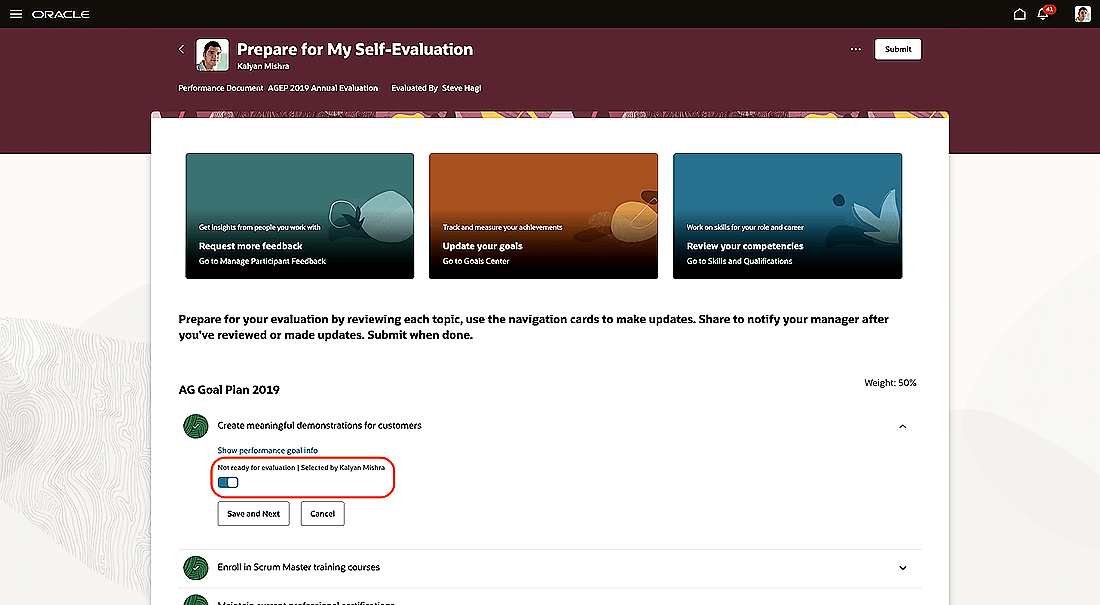
Employee can indicate status of evaluation item
Managers and employees can share with the other role when they have made updates.
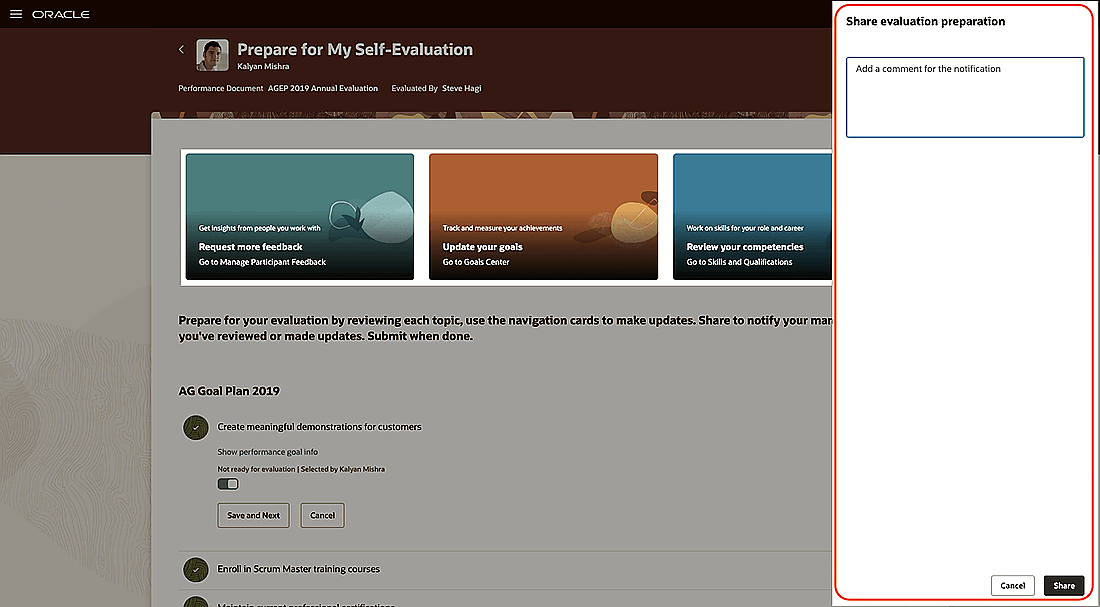
Share and notify manager after review or updates
Submit can be limited to employees to acknowledge their goals if set by managers.
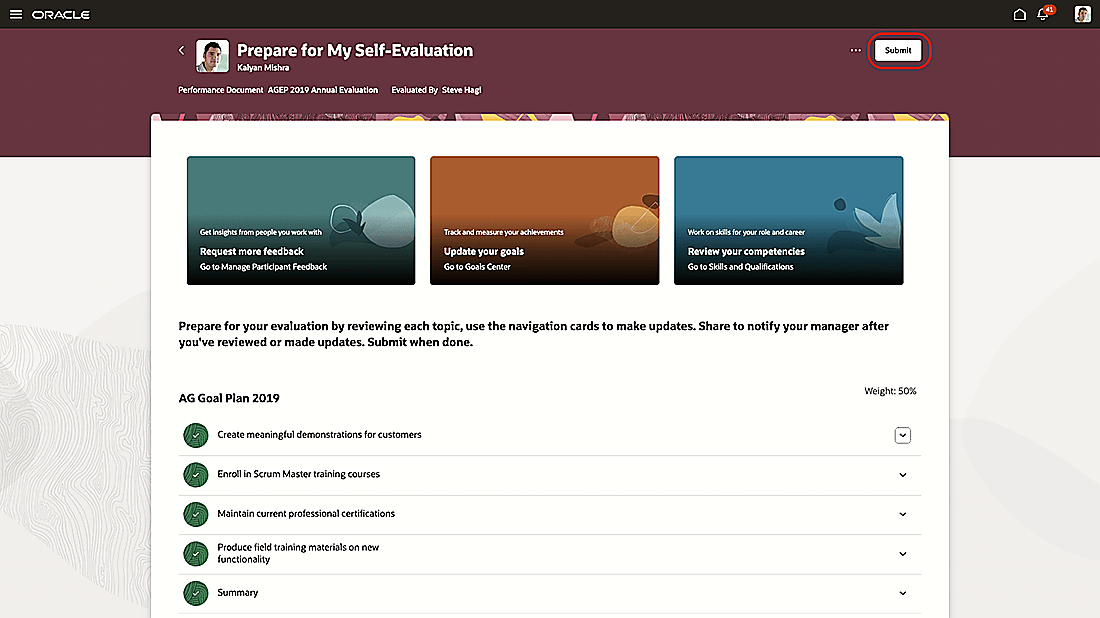
Submit once ready
Business benefit: This feature enables you to include and track evaluation preparation as part of the performance process flow.
Steps to enable and configure
You need to configure the profile option as indicated in the following table.
| Profile Option Code | Description | Value |
|---|---|---|
| ORA_HRA_SETUP_REDWOOD_ ENABLED |
Enable Redwood setup pages for Performance Management. | Enabled |
For more information about setting profile option values, see How do I enable a profile option?
Tips and considerations
- You can either include the Evaluation Preparation task in a new process flow or edit a process flow that isn’t in use.
- The Evaluation Preparation task is added to the table in the order in which you select it, with a default sequence number incremented by 10 from the last task added.
Key resources
For a listing of all profile options for the recreated pages across HCM, see the following document in My Oracle Support: HCM Redwood Pages with Profile Options – MOS Document 2922407.1
For more information on extending Redwood pages in HCM, see: Extending Redwood Applications for HCM and SCM Using Visual Builder Studio