Time Card Access for Payroll Processing
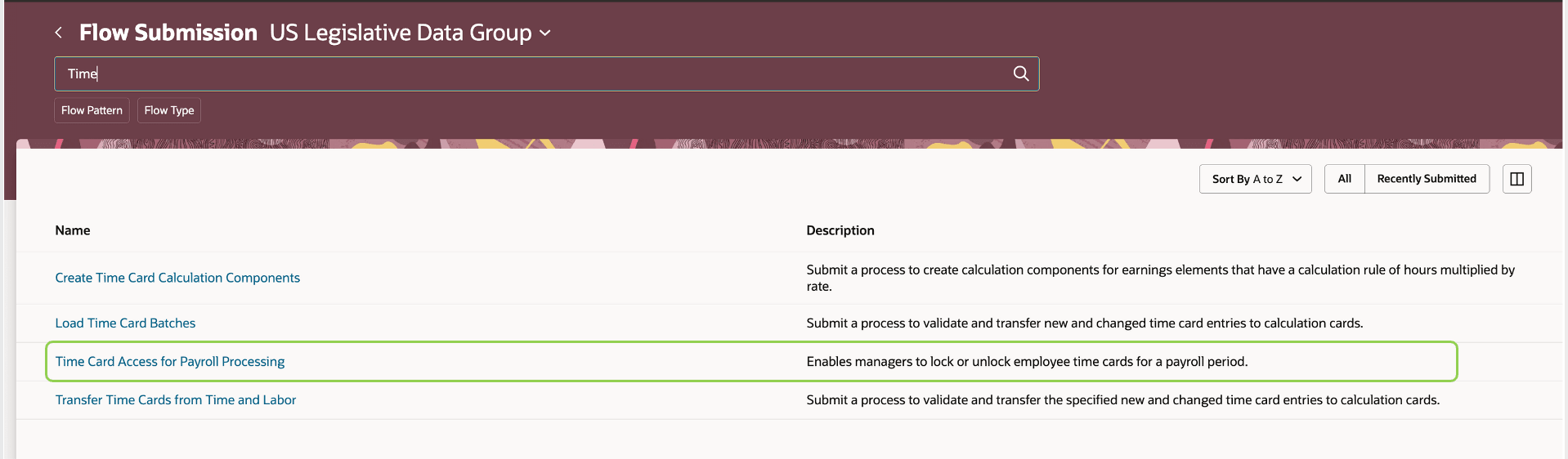
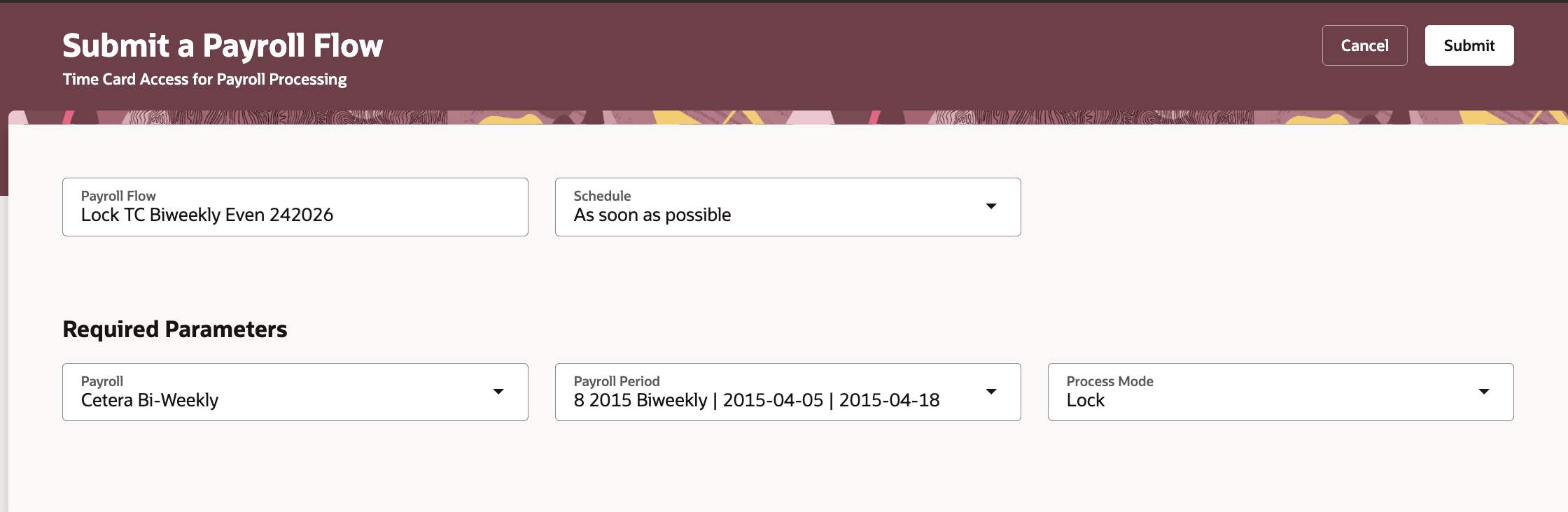
Payroll and time administrators can use the Time Card Access Management for Payroll flow to lock or unlock time cards for a selected payroll and payroll period.
Navigate to My Client Groups > Payroll > Submit a flow. Select the legislative data group.
View details drawer displays the attestations applicable to the time entries.
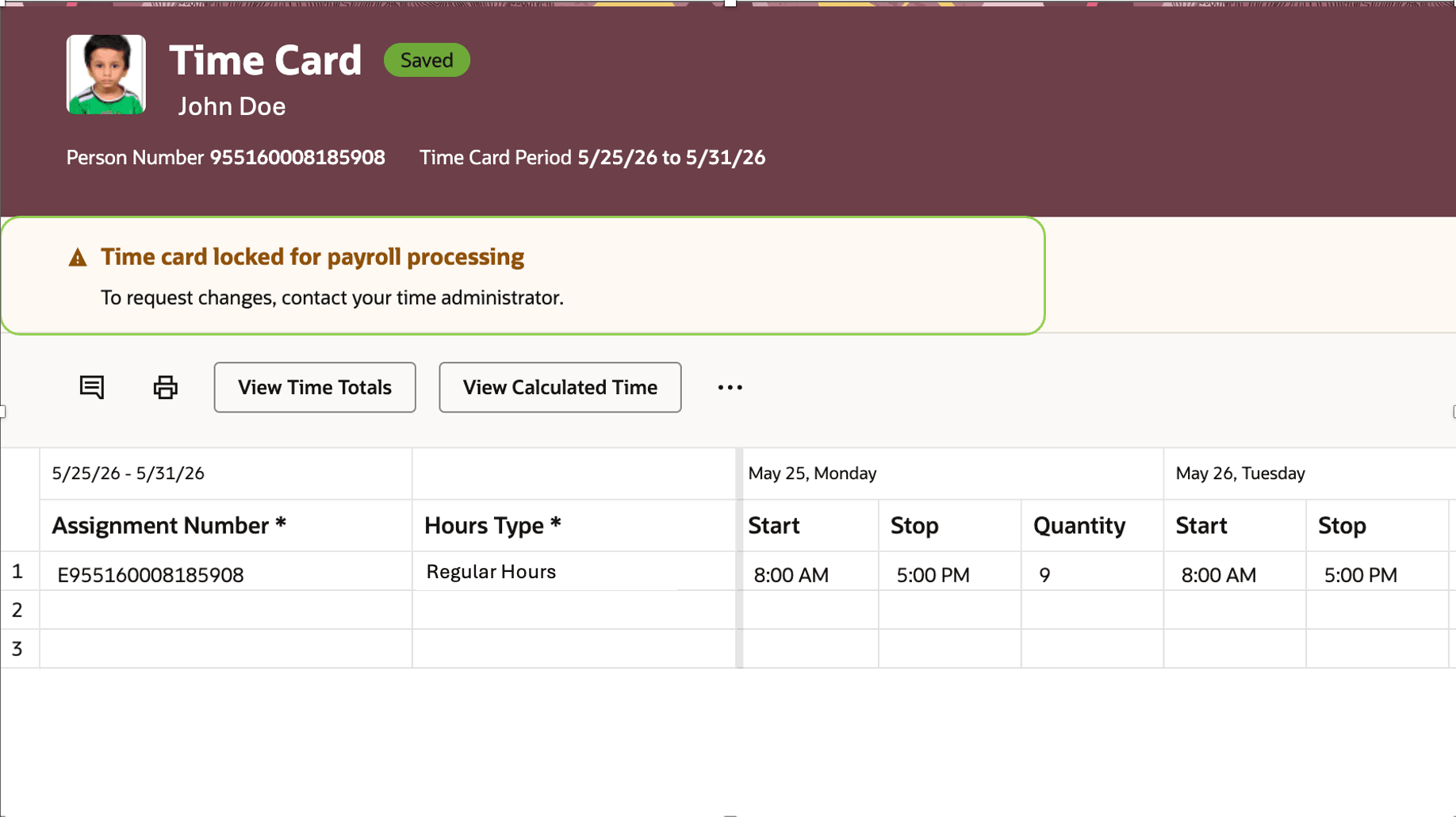
When a time card is locked, workers and line managers see a warning message and the time card opens in read-only mode. Edit, delete, and submit actions are restricted for locked time cards.
Time managers and timekeepers with the 'Manage Time Cards by Time and Labor Manager' privilege can continue to manage locked time cards by accessing them via the My Client Groups. Approval actions, approved change requests, internal time entry processes, and integrations can still update locked time cards.
Allows payroll and time administrators to secure time cards from being edited during payroll processing either by workers or line managers, while enabling administrators continued access.
Steps to enable and configure
None
Tips and considerations
- The flow doesn’t support concurrent processing. Wait for the current flow to complete before submitting another lock or unlock flow.
- The lock process applies to existing time cards that match the selected payroll and payroll period.
- New time cards created or generated after the lock process completes aren’t locked by that completed run.
- If the lock flow is run again for the same payroll and period, newly created matching time cards are locked.
- Workers can still create time cards and request time changes. Approved changes can update locked time cards.
Access requirements
Users need access to submit the Time Card Access Management for Payroll flow. The flow is secured using the Run Workforce Management Processes privilege.