Team Schedule Enhancements
Work schedule shifts are now synchronized and surfaced in Redwood Team Schedule. These shifts are derived from Standard Work Schedules, also known as Classic HR Work Schedules.
Load initial data for the provided date range by running the Load Schedule Patterns process. The scheduled process supports periodic runs to extend loaded date ranges over time. For example, if a weekly frequency is configured, each run advances the range and generates data for the next future week from the last generated end date.
After the process runs, line managers and time administrators can view these shifts in Redwood Team Schedule as part of the published schedule color-coded category, together with other schedule and absence information. Both Time based and Duration (Elapsed) Shifts will be shown with the Source: Schedule pattern.
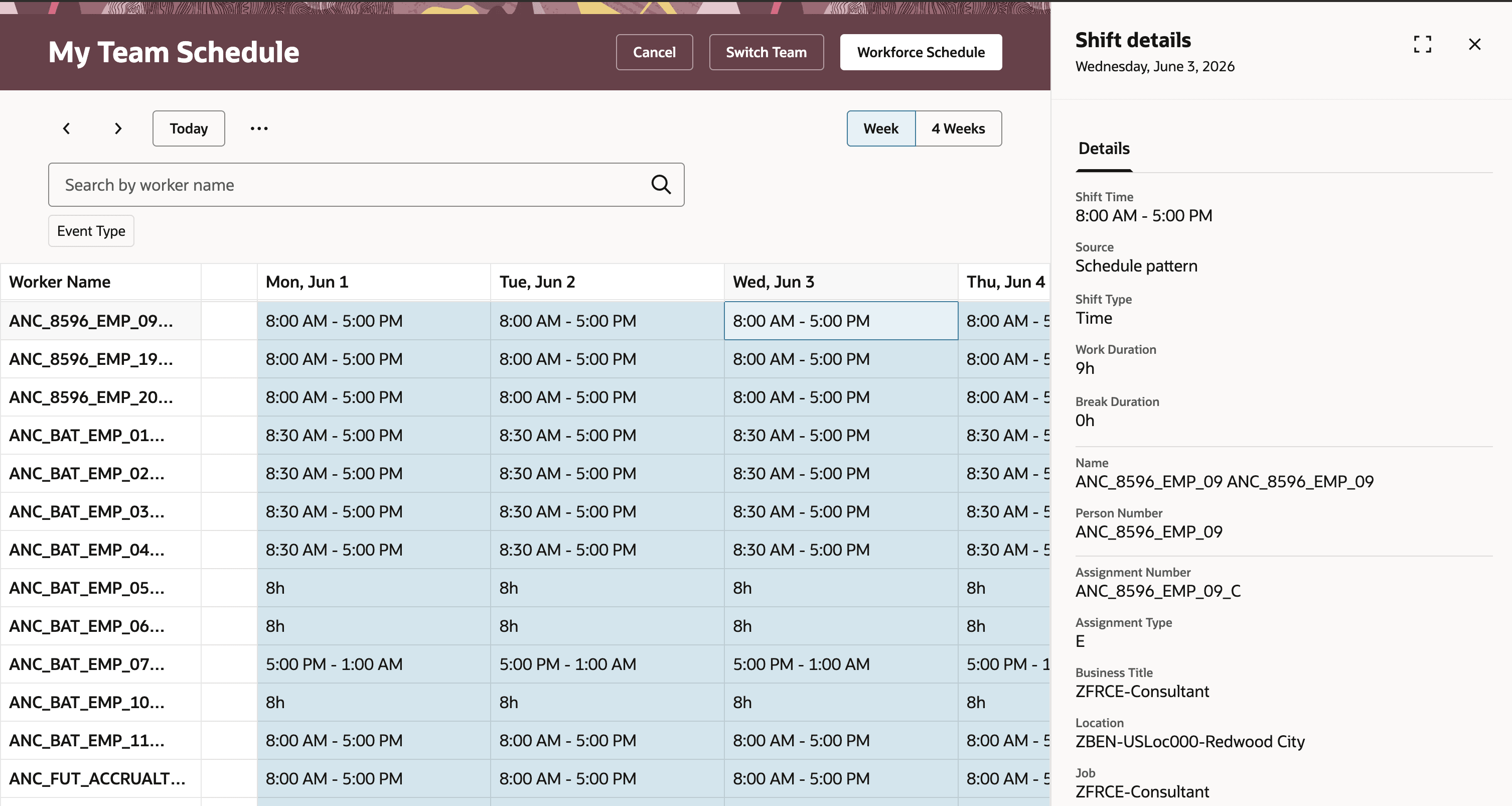
Team Schedule with Schedule Pattern Time Shifts
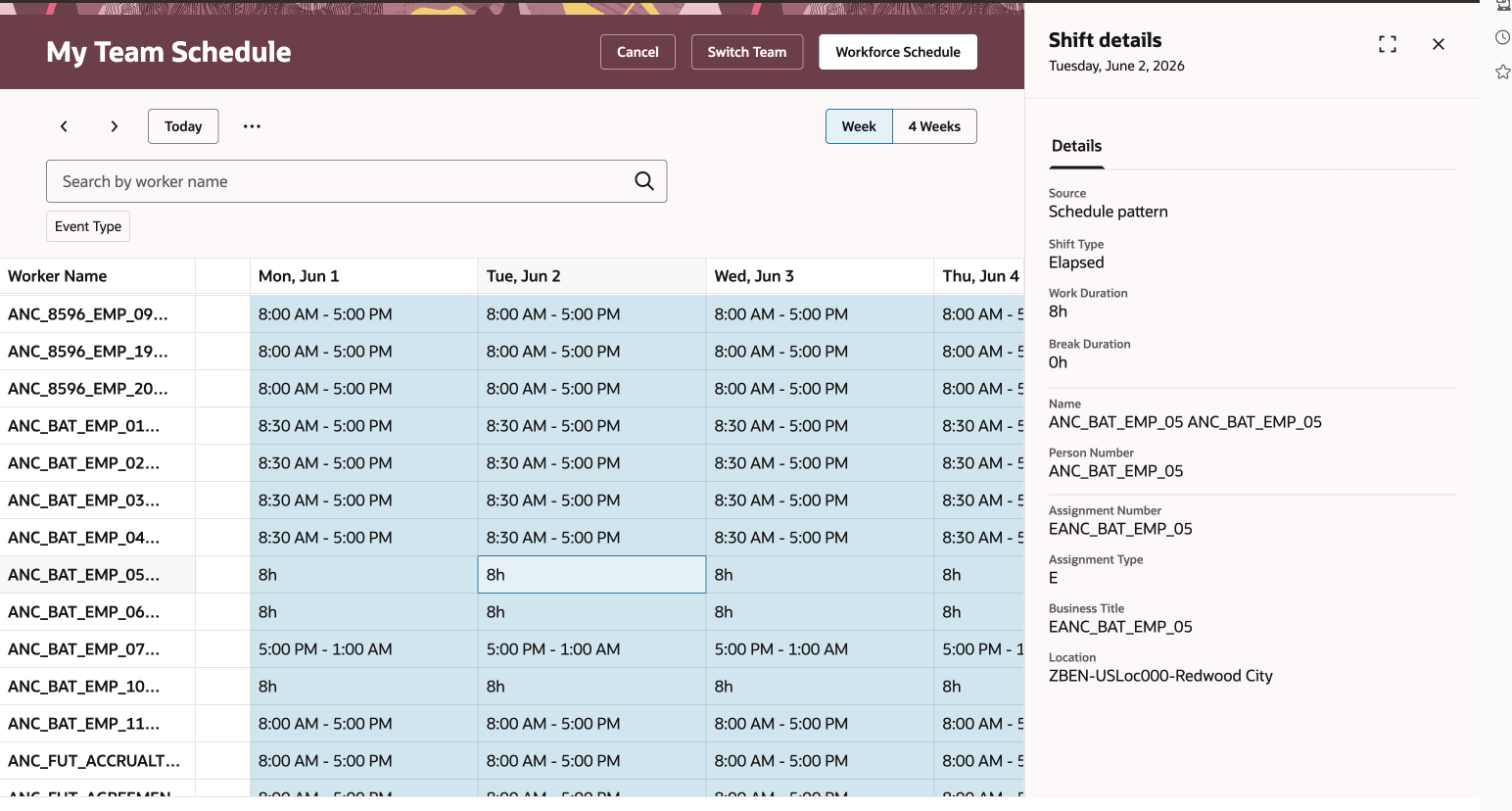
Team Schedule with Schedule Pattern Elapsed Shifts
To use this feature you need to the Load Schedule Patterns scheduled process with date-range parameters before schedule pattern shifts appear in Redwood Team Schedule.
Give managers a more complete and consistent schedule view in Redwood Team Schedule. This reduces the need to reconcile multiple schedule sources across separate views and helps improve team leave and coverage planning.
Steps to enable and configure
- Sign in with a HCM Admin role.
- Open Scheduled Processes.
- Select the Load Schedule Patterns process.
- Enter the required parameters:
Start Date
End Date. - Confirm date limits:
- End Date - Start Date <= 3 months
- Start Date is not more than 1 year in the future.
- Configure periodic scheduling to keep future ranges loaded.
- Submit the process.
- After process is executed, verify the results.
- Open Team Schedule:
- My Team > Time > Team Schedule
- Client Groups > Time > Team Schedule
Tips and considerations
- Updates to work schedules for a date range that is already synchronized aren’t reflected in Redwood Team Schedule until those changes are published through the Time > Planned Schedule > Publish.
- If managers make updates to the work schedules without publishing, downstream processing for Absences and Time and visibility on the Team Schedule can remain out of sync for those updates.
Key resources
- 25A Team Schedule Page For Line Managers
- 25B Team Schedule Page For Time and Labor Administrators and Managers
- 25C Redwood Team Schedule Enhancements
Access requirements
The delivered Line Manager role includes this new privilege. You need to add the privilege to any equivalent custom roles.
| Privilege Name | Code | Description |
|---|---|---|
| View Team Schedule by Line Manager | HTS_VIEW_TEAM_SCHEDULE_BY_LINE_MANAGER_PRIV | Allows line managers to view team schedules. |
The delivered Time and Labor Administrator and Time and Labor Manager roles include this new aggregate privilege. You need to add the privilege to any equivalent custom roles and regenerate your data roles.
| Privilege Name | Code | Description |
|---|---|---|
| View Team Schedule by Time and Labor Manager | ORA_HTS_VIEW_TEAM_SCHEDULE_BY_TIME_AND_LABOR_MANAGER | Allows time and labor managers to view team schedules. |