Workforce Schedule Enhancements
Display shift violation description in shift details
Schedule managers can view violation descriptions directly in the Shift Details panel for flagged shifts in the Workforce Schedule Gantt. This helps schedule managers understand and resolve issues while reviewing shifts, without switching between the Gantt and violation panels.
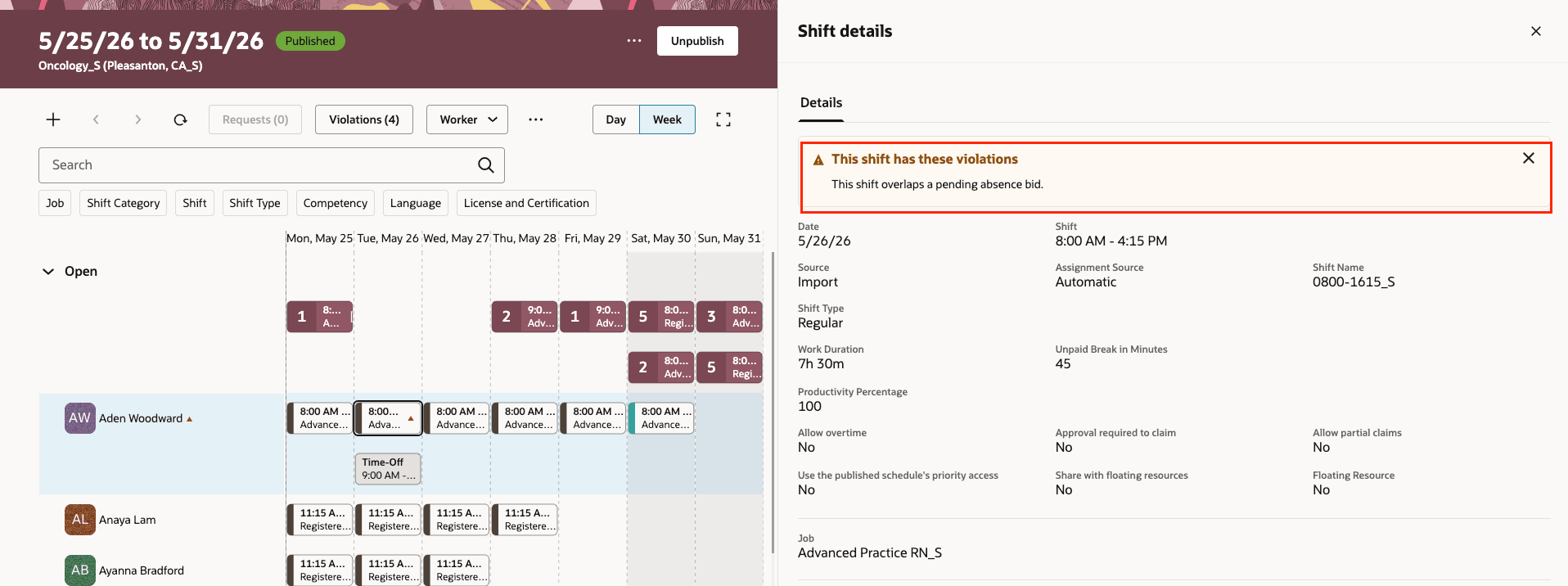
Shift violation display
Assign open shifts on published schedules
Managers can also assign open shifts on published schedules which wasn’t possible earlier. This lets them fill open shifts without regenerating the entire schedule. Open shifts with pending requests are excluded to reduce scheduling conflicts, and assigned open shifts are automatically published with worker notifications.
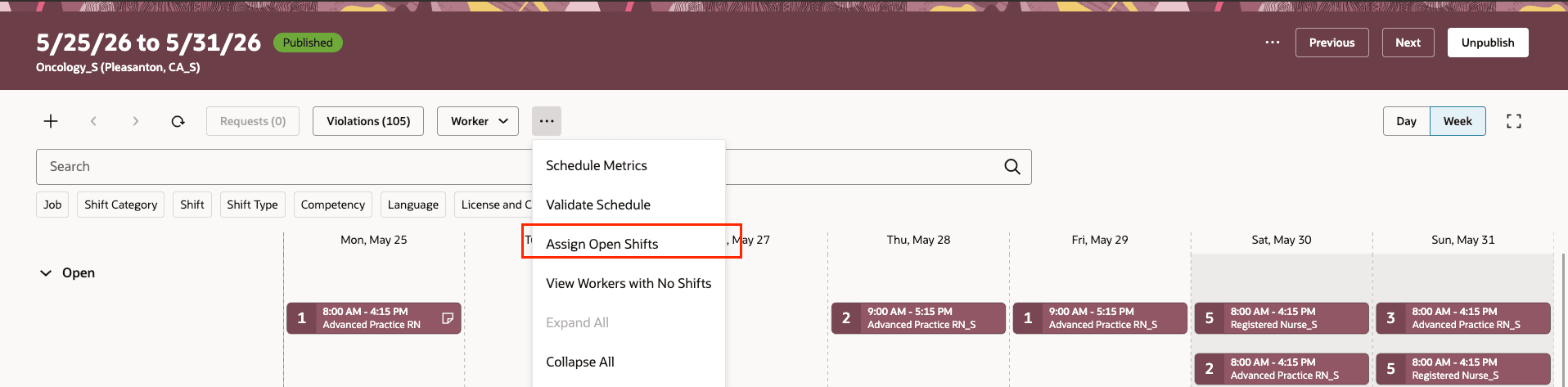
Assign Open Shifts option
Example Scenarios
- A retail store has last-minute absences after the schedule is published. The manager runs assign open shifts to fill gaps without changing existing assignments.
- A contact center has midweek demand changes. The manager assigns open shifts on the published schedule to cover the new call volume.
Publish schedule: Retain all open shifts
When publishing a schedule, managers can select Retain all option for open shifts. Retained open shifts remain visible to schedule managers but aren’t posted to workers, so workers can’t see or claim them. When Retain all is selected, options for approval required to claim, partial claims, and priority access are disabled.
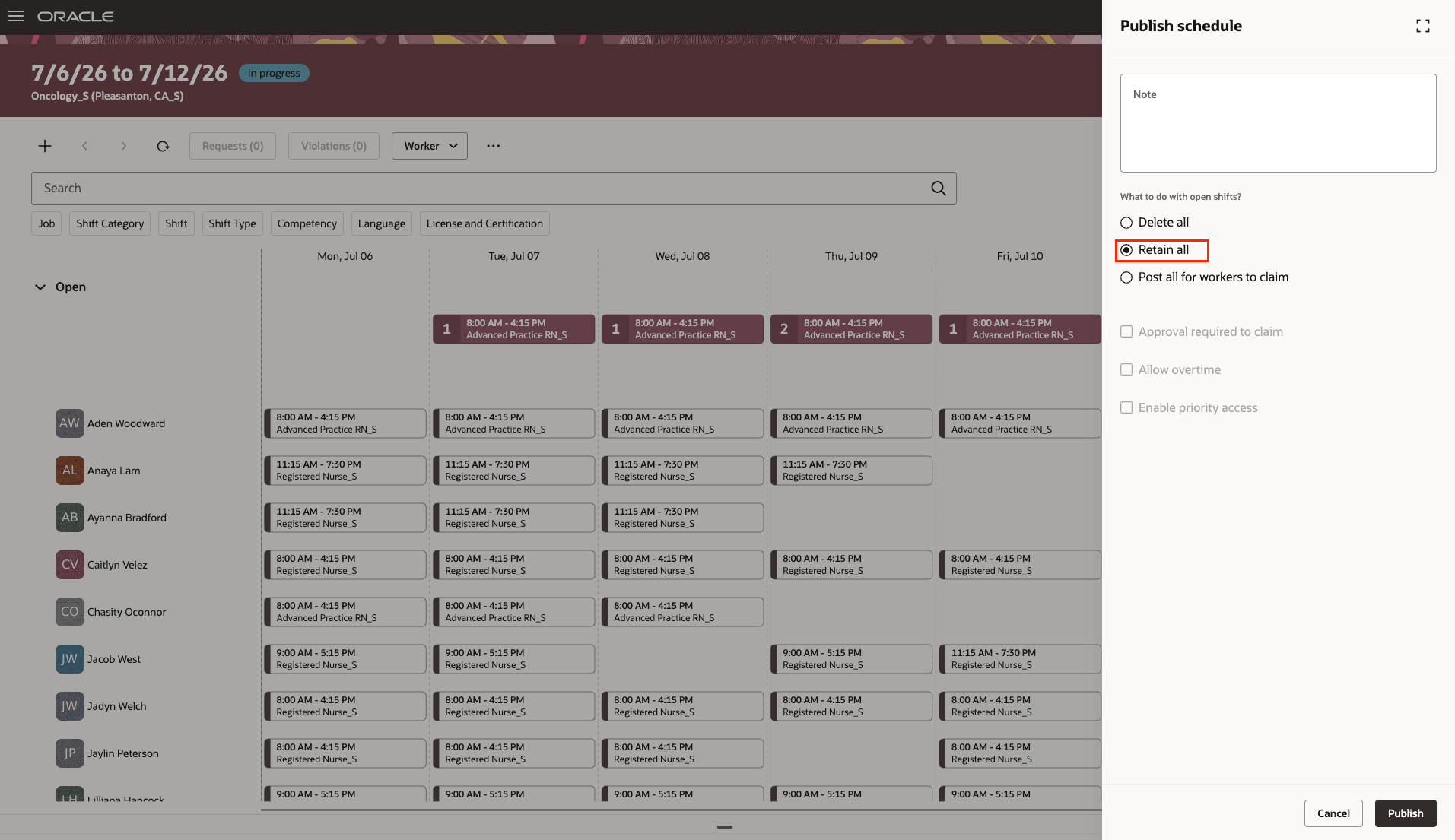
Retain all option
Example Scenarios
A hospital wants managers to control overtime distribution. Managers retain open shifts and assign them directly to qualified staff.
- A manufacturing site keeps open shifts hidden while supervisors decide which teams can cover extra production runs.
Visual Builder Studio Updates for Workforce Schedule Page
The fields visibility configuration for the following sections in Visual Builder Studio has now been extended to all the shift drawers, including View, Create, Assign, Edit, Split, Transfer Shift.
- Shift Basic Details
- Shift Eligibility Criteria
- Shift Worker Details
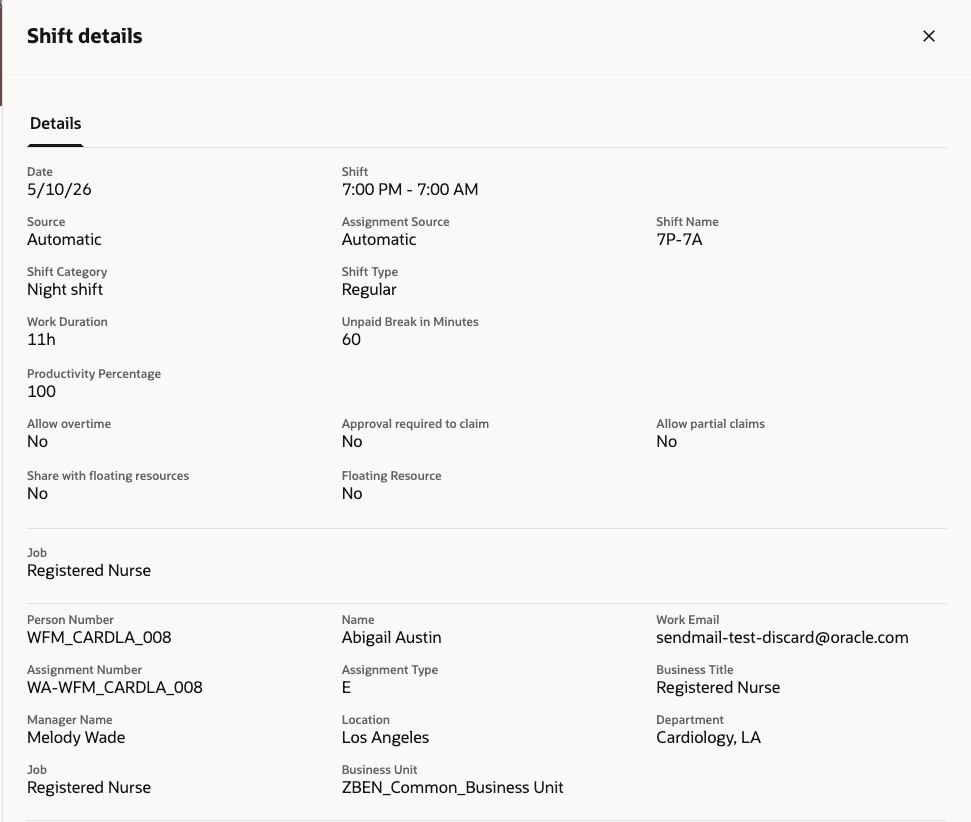
Shift Details Drawer Showing Default Fields
Help managers make faster scheduling decisions by showing violation details where they review shifts and supporting incremental open-shift updates on published schedules. Managers can also maintain tighter control over shift exposure to workers during sensitive staffing decisions.
Steps to enable and configure
You don't need to do anything to enable this feature.
Tips and considerations
- If no violations exist on a shift, no violation banner appears in Shift Details.
- Violation descriptions in Shift Details appear only for shifts flagged in the Workforce Schedule Gantt. The violations table still includes more details for different workers’ violations.
- Open shifts with pending requests are excluded from automatic open shift assignment to prevent scheduling conflicts and respect existing requests.
- Assigned open shifts are automatically published, and workers are notified without additional manager review.
- If a worker accepts a pending request during open shift assignment, potential scheduling violations are handled by the validation framework.
- When open shifts are retained during schedule publishing, workers can’t see or claim them. Attempts to claim retained open shifts return an error.
- New open shifts created by schedule managers on published schedules with retained shifts don’t generate notifications and remain hidden from workers.
- Selecting Retain all disables options for approval required to claim, partial claims, and priority access.
- You can configure visibility of the fields displayed on the Shift using Visual Builder Studio from the Workforce Schedule page.
Access requirements
This privilege gives access to automatic assignment of open shifts:
| Privilege Name | Code | Description | Requirement |
|---|---|---|---|
|
Use Workforce Labor Optimization |
HTS_USE_WORKFORCE_LABOR_OPTIMIZATION |
Allows use of workforce labor optimization features. |
Required to enable and use the Assign open shifts option. |