Descriptive Flexfield support for Schedule Shift Actions
In 26B, schedule shift DFF support let organizations configure global DFF segments for workload plans and shifts, copy DFF values from workload plans to generated shifts, and display shift-specific details in read-only worker-facing shift details.
In 26C, Workforce Scheduling expands that support to additional manager-facing scheduling flows. This release also supports updating shift DFF information through the Workload and Schedule Shift REST APIs and HDL import.
Schedule managers can use these expanded flexfield capabilities in the following shift actions:
- Edit assigned shift: View configured DFF attributes in the edit shift details panel and update DFF values while the shift remains editable. If the manager changes DFF values on the assigned shift, the shift source becomes manual.
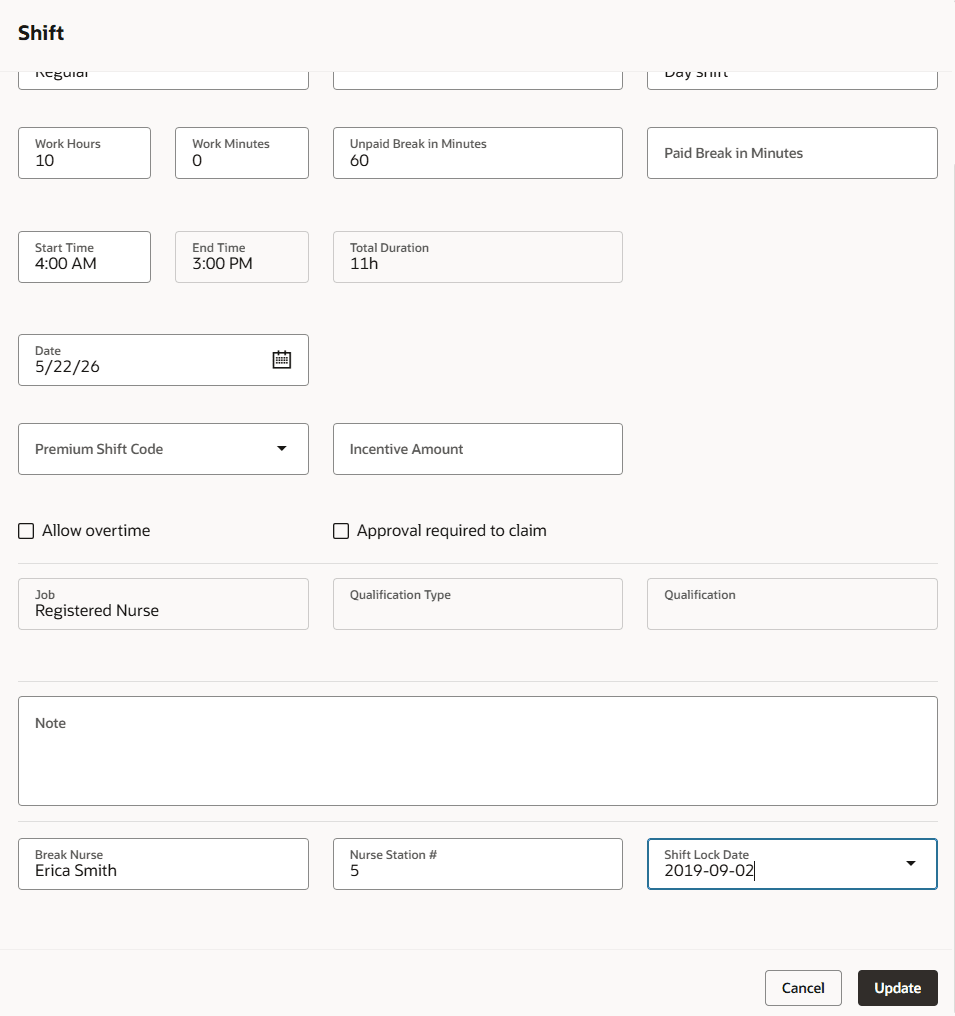
Edit assigned shift
- Assign open shift: Enter or update DFF values while assigning an open shift to a worker. This lets managers add shift-specific instructions during assignment without performing a separate edit action afterwards. If DFF values change from the source open shift, the assigned shift source becomes manual.
- Unassign shift: Any shift with DFF values that is unassigned will retain the information in the DFF attributes when the open shift is created. This preserves any information for the next worker assigned to that shift.
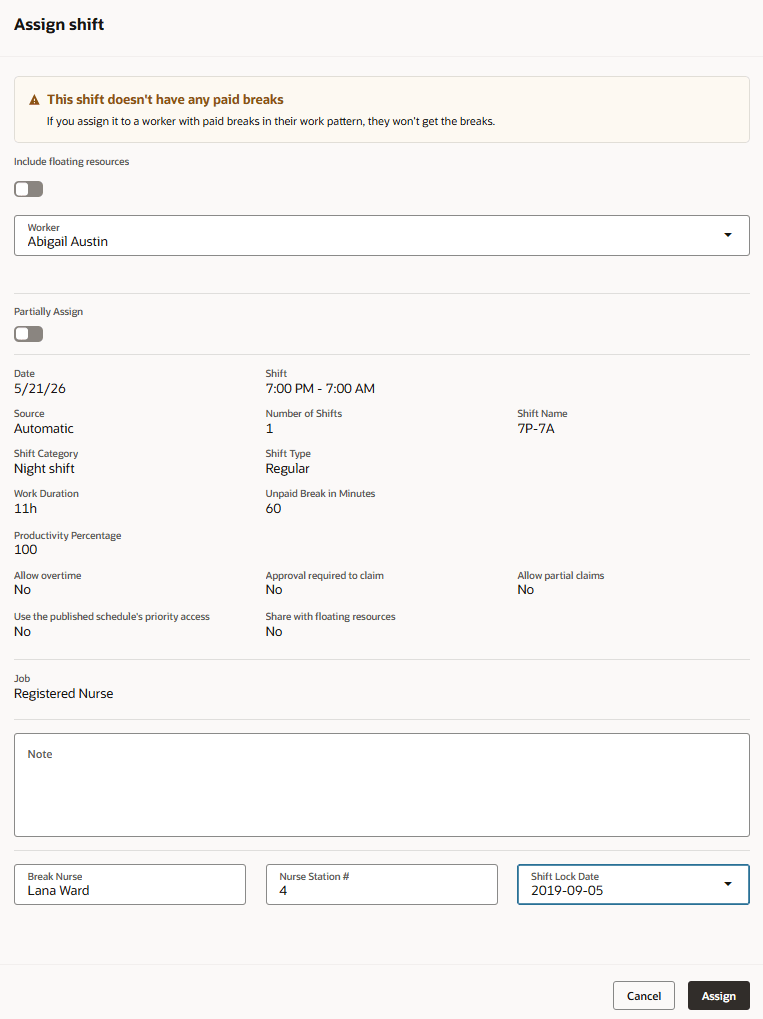
Assign open shift
- Transfer out: Retain DFF values when a worker is transferred out and the assigned shift becomes an open shift. DFF values are read-only during the Transfer Out action, and the shift source doesn't change.
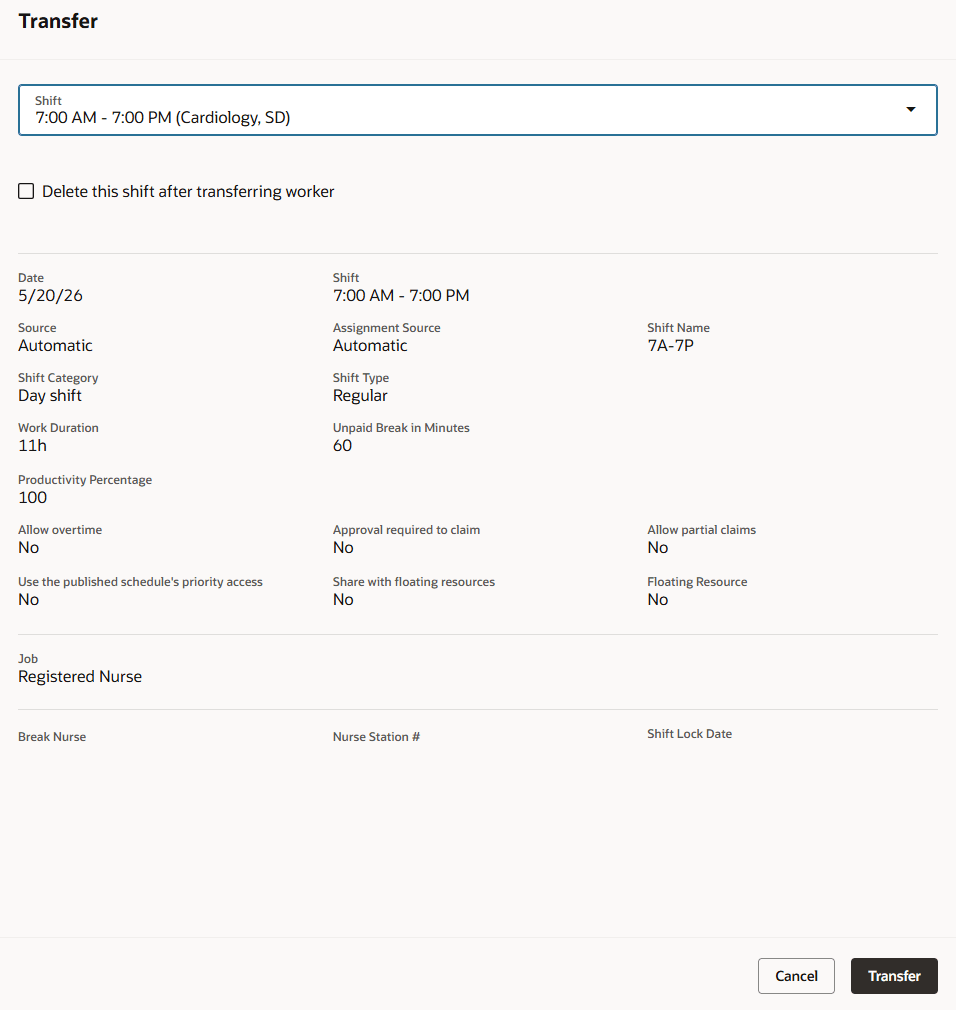
Transfer out
- Transfer in: Review and update DFF details before assigning an open shift to an on-call worker. If DFF values aren't changed, the shift source doesn't change. If DFF details are modified, the shift source becomes manual.
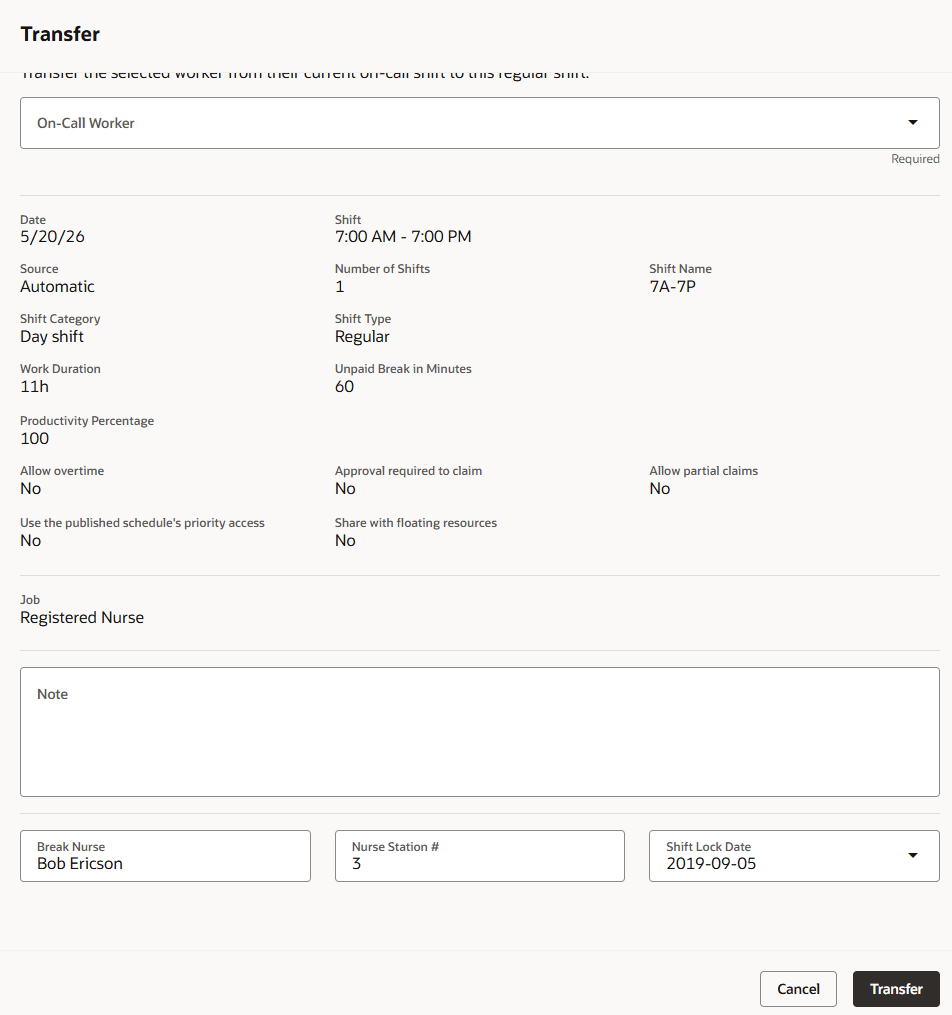
Transfer in
- Split shift: Edit DFF values for the assigned portion of the split shift. The remaining open shift portion doesn't display or allow edits to notes or DFF values during the split action, and its DFF values are cleared when the new open shift is created.
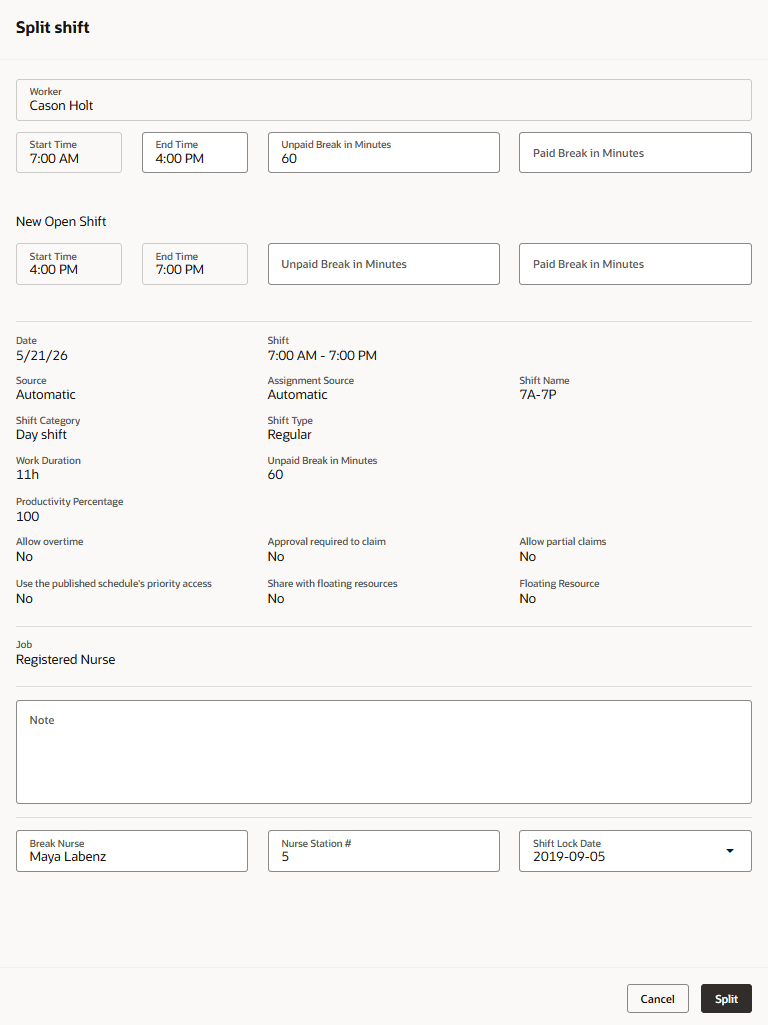
Split shift
These enhancements reduce extra follow-up edits and help preserve shift-specific instructions as schedules change. Managers can keep DFF details closer to the action they are performing, improving accuracy when assigning, transferring, splitting, importing, and reviewing shifts
Steps to enable and configure
No additional security is required for this release.
Confirm that schedule shift DFF segments are configured and deployed if your organization wants to use DFF details in these scheduling flows.
Tips and considerations
-
Review DFF values before assigning or reassigning open shifts. Retained values may carry instructions from a prior assignment.
-
Treat shift DFF edits as part of the shift’s operational history. When managers change DFF values during editable actions, the shift may no longer be tracked as system-generated or imported.
-
Use DFF attributes for details that are meaningful at the individual shift level, such as special instructions, location details, or shift-specific notes.
-
For split shifts, confirm whether DFF details are needed on both resulting shifts before completing the action. DFF values don’t automatically get created on the open shift part of the split.
-
Validate REST and HDL integrations against the deployed DFF context and segment names in the target environment. Flexfield metadata can differ by customer configuration.
-
Test the scheduling actions your organization uses most often. DFF behavior varies by action because some flows support editing, some preserve values, and some only display values.
Key resources
Flexfield support for Schedule Shifts, HCM 26B Workforce Scheduling readiness content
Flexfield support for Workload Plans in REST and HDL
Access requirements
No additional or new security is needed for this epic.
Users need existing access to manage the related Workforce Scheduling actions and DFF-enabled objects.