Review Compensatory Plan Balances as Running Totals
Previously, the Compensatory Plan Balance page only showed the current-date balance when search filters changed, requiring managers to calculate compensatory-time entries manually.
With this enhancement:
- Employees can select Date Range or last twelve months filter to review the compensatory plan balance for that period.
- Managers can use these filters to review balances for their direct reports and investigate compensatory earned-time entries.
- The Details section displays transaction details and available balance information.
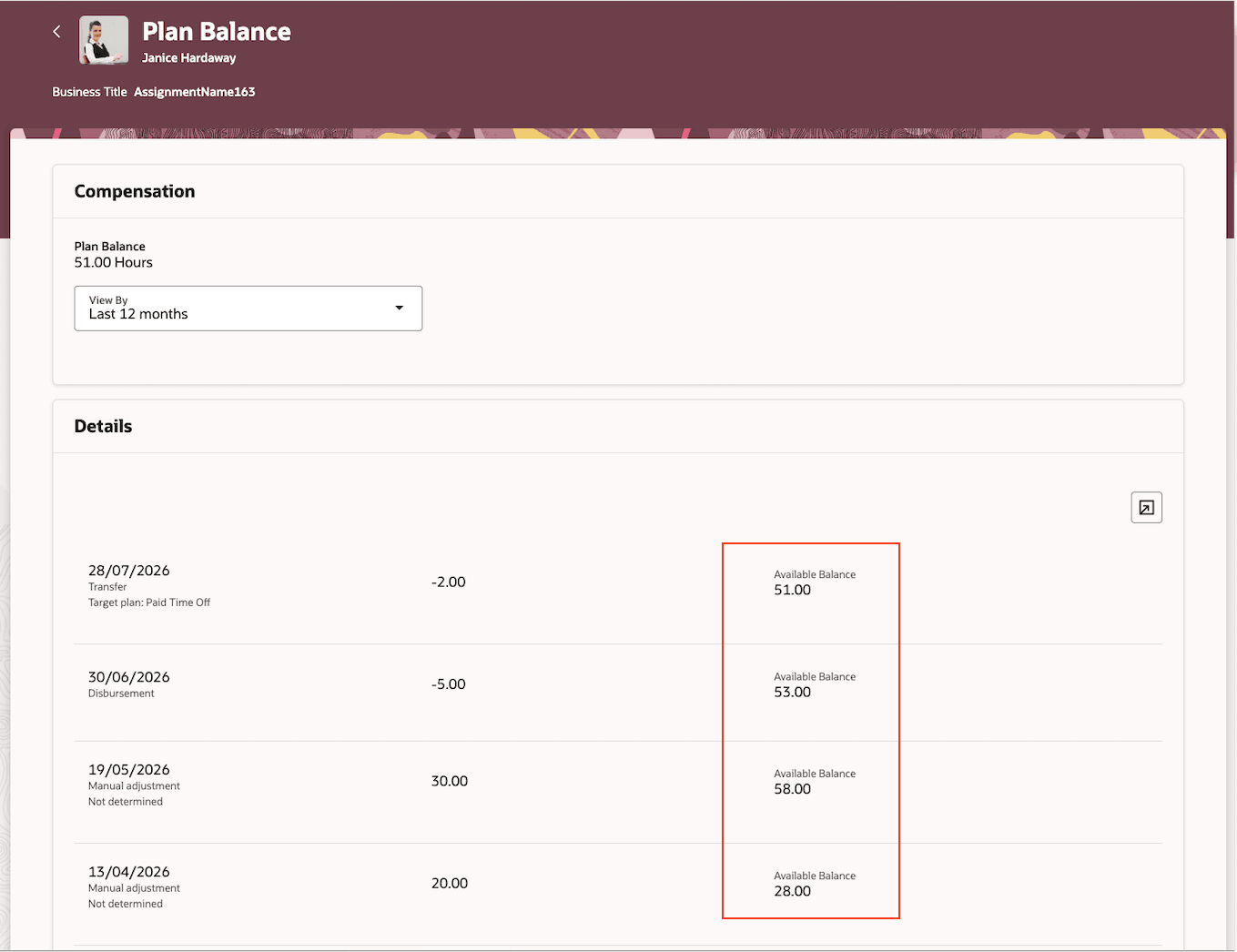
Available balance in the Compensatory Plan Balance page
Employees and line managers can review compensatory plan balances and transaction details for a selected period.
Steps to enable and configure
You don't need to do anything to enable this feature.