Additional Work Information Displayed in Assigned Journeys
You can now view additional employment and assignment information in the Work Info region of an assigned journey. The additional information gives journey users more context about the worker directly within the journey, reducing the need to navigate to other pages to find important employment details.
With the additional information, journey users can:
- Make more informed decisions while completing journey tasks.
- Reduce navigation between journeys and other employment or assignment pages.
- More easily coordinate activities around important employment dates, such as a pending worker's proposed start date or an employee's probation end date.
- Use position and location information to better understand the worker's assignment and complete role- or location-specific activities.
- Improve the overall journey experience by having commonly needed worker information available in context.
Depending on the worker and the available data, the Work Info region displays these attributes:
- Proposed Start Date: The hire date for a pending worker.
- Probation End Date: The date on which the worker's probation period ends.
- Position: The position assigned to the worker.
- Location: The worker's work location.
For example, you can use the additional information in these scenarios:
- Onboarding a pending worker: Review the proposed start date directly from the assigned journey so that onboarding activities can be coordinated with the worker's expected start date.
- Managing probation-related journeys: View the probation period end date while completing journey tasks that need to occur before or around the end of a worker's probation period.
- Supporting role-specific activities: Use the worker's position information to understand their assignment while completing onboarding or other journey tasks.
- Coordinating location-dependent activities: View the worker's location when completing tasks such as workplace preparation, local orientation, or other activities that vary by work location.
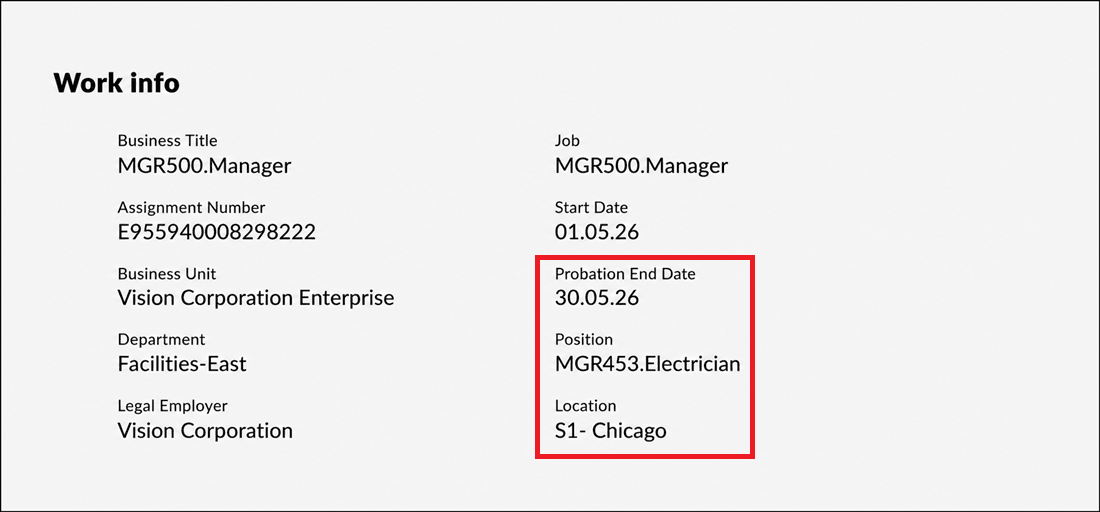
Attributes Displayed from Primary Assignment of Worker
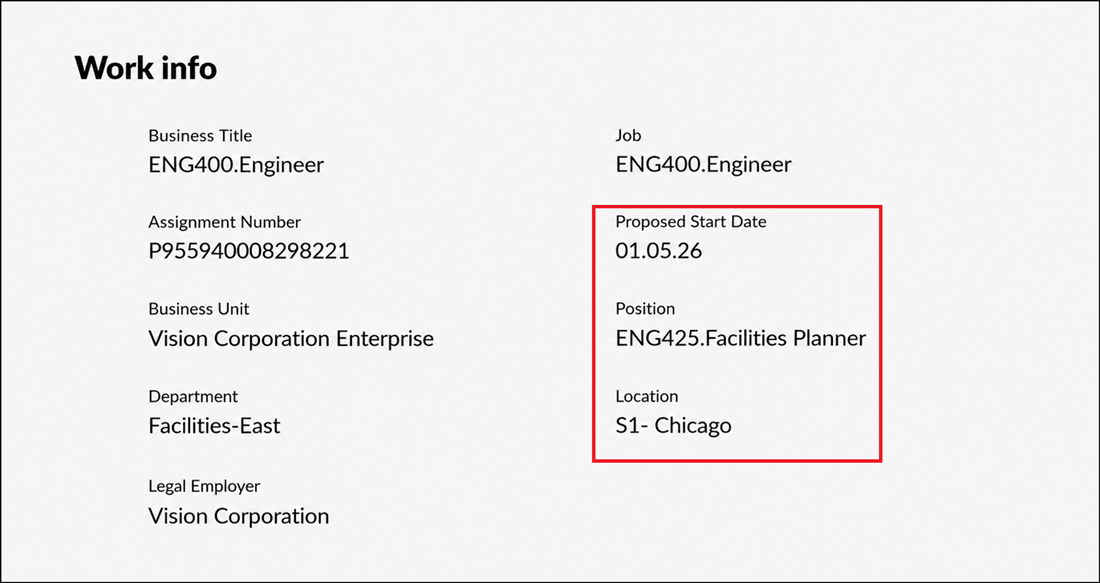
Attributes Displayed for Pending Worker
This enhancement provides more relevant worker context directly within an assigned journey.
Steps to enable and configure
You don't need to do anything to enable this feature.
Tips and considerations
- Attributes with blank values aren't displayed. You see only the additional Work Info attributes for which data is available.
- The Proposed Start Date is specific to pending workers and is displayed only when a proposed start date exists.
- The Probation Period End Date is data dependent and is displayed when a probation end date exists for the worker.
- The Position and Location assignment attributes are displayed when they are populated for the worker.
- You can’t edit the attributes from the Work Info region.
Key resources
For more information, refer to the Implementing and Using Journeys guide.