Force Close Journeys for Specific Workers
You can now use the Archive and Purge Journey Data scheduled process to specify a list of person numbers and force close journeys for the corresponding people. This enhancement gives administrators a targeted way to close open journeys, including deferred journeys, for a selected population instead of handling those journeys individually.
This capability is particularly useful when journeys should no longer remain active for specific workers. For example, you can use it to do these actions:
- Close journeys for terminated workers: Identify workers whose termination date has passed, and force close their remaining open or deferred journeys.
- Stop obsolete onboarding activity: Close journeys for workers who resigned or were terminated so that onboarding-related tasks don't continue to remain open for those workers.
- Clean up journeys for a specific population: Generate a list of affected person numbers using a custom report and provide that population to the scheduled process for targeted journey closure.
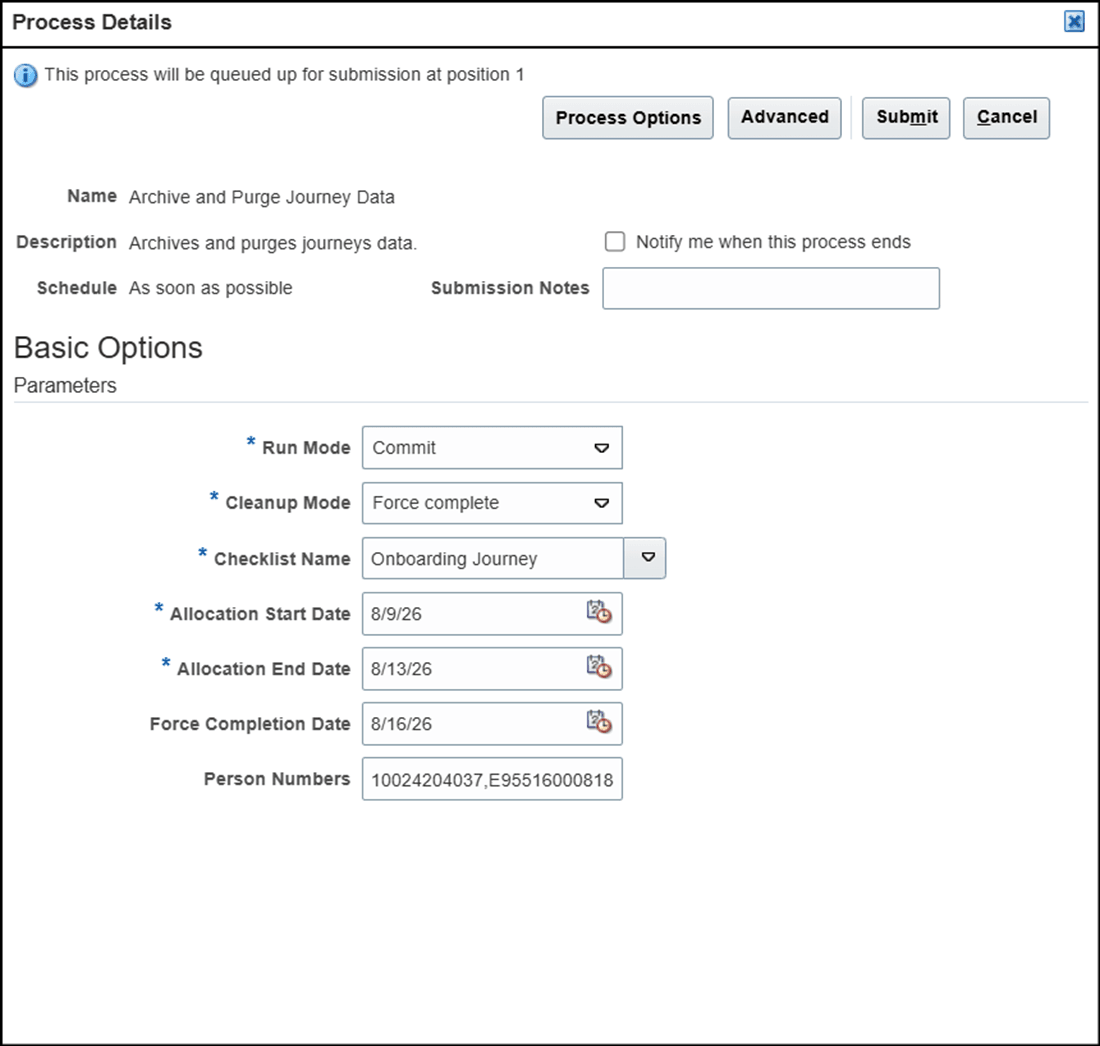
Select the Parameters to Schedule and Run the Process
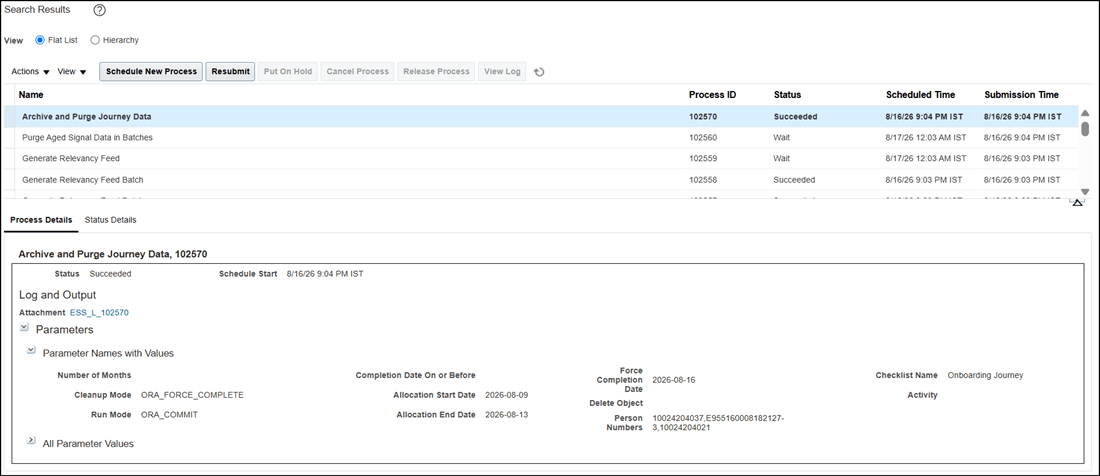
Check the Status and Process Details
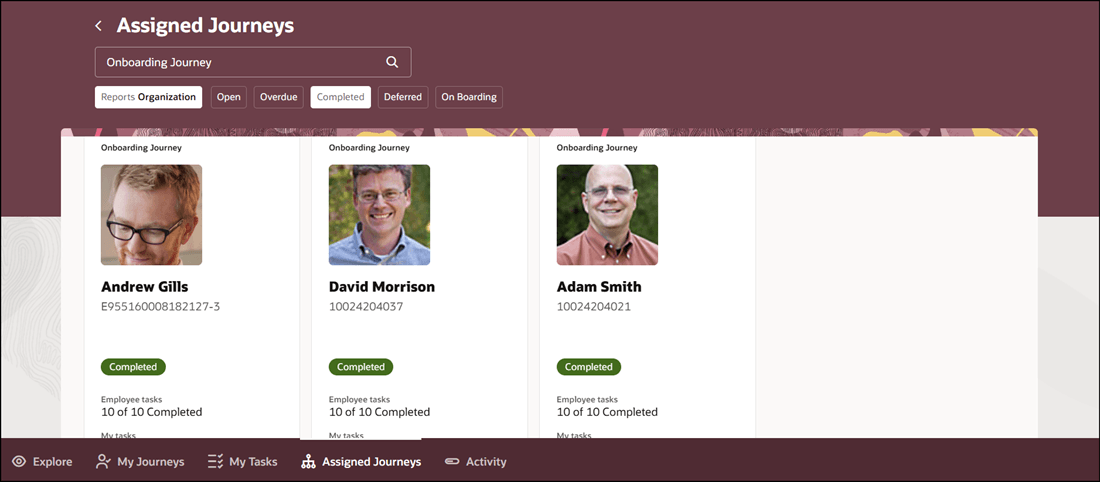
Journeys Force Completed for Selected Person Numbers
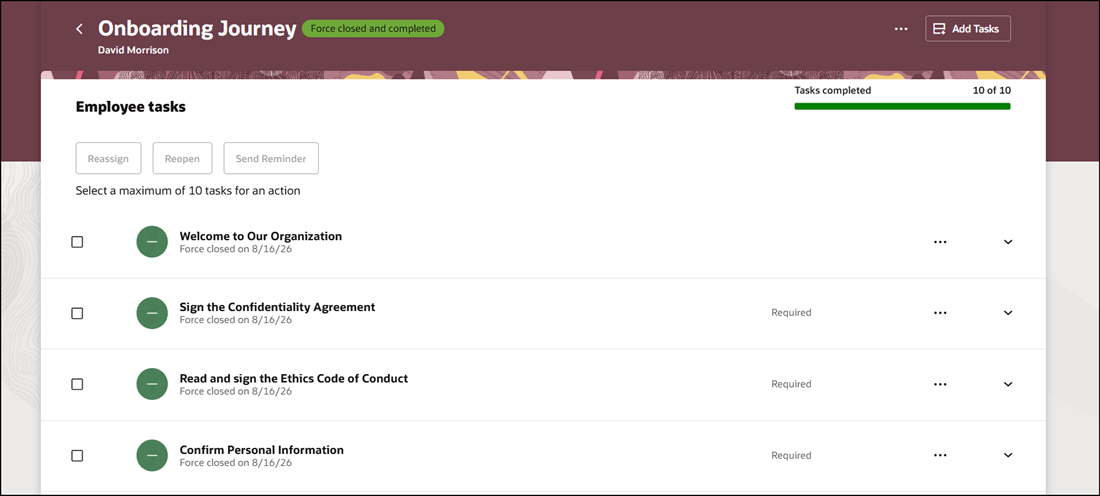
Tasks Marked Closed in Force Completed Journey
This enhancement helps you manage journey data more efficiently by enabling targeted force closure for multiple people through a scheduled process.
Steps to enable and configure
To force close journeys for a specified worker population, you need to schedule the Archive and Purge Journey Data process by providing the applicable person numbers. For more information, see Submit Scheduled Processes and Process Sets
Tips and considerations
- The enhancement supports a manual, administrator-driven process. It doesn't automatically identify workers based on criteria, such as termination or inactive assignment. To use the feature for such scenarios, first identify the applicable population, for example through a custom report, and then provide those person numbers when running the scheduled process.
- If your business requirement is to close journeys a specified number of days after termination, use a report or another suitable mechanism to identify workers who meet that condition, and then submit their person numbers to the scheduled process.
- Consider validating the list of person numbers before submitting the scheduled process, particularly when processing a large population, because force closing journeys changes the state of the affected journey records.
Key resources
For more information, see the Implementing and Using Journeys guide.
Access requirements
You must be granted the Manage Journey (ORA_PER_MANAGE_JOURNEY_TEMPLATE) aggregate privilege to work on journey templates.