Relevant Status Displayed for Expired Journeys
We have enhanced lifecycle handling for journeys by now displaying a dedicated sub status based on the user action or automatic criteria.
Here’s how the journey sub status is displayed:
- Force closed and completed: This status is displayed when a journey is force closed.
- Completed with exceptions: This status is displayed when all tasks in a journey are marked as completed, but one or more expired tasks remain.
- Completed: This status is automatically displayed when the performers in a journey have completed their tasks before the due date.
These are some example scenarios where the enhancement can be useful:
- Employee onboarding: An onboarding journey contains tasks assigned to the HR specialist, administrator, and line manager. The status provides a clear indication that journey completion occurred with unfinished expired tasks.
- Employee transfer: A transfer journey includes time-sensitive activities, such as updating responsibilities, collecting information, or coordinating operational tasks. If some tasks expire before the journey is completed, the new sub status helps HR users distinguish this journey from one where every task was completed normally.
- Offboarding: An offboarding journey contains tasks that have different deadlines. When the overall journey is completed but one or more tasks have expired, the sub status makes the exception visible without requiring users to inspect every task individually.
In this example, when the journey is manually force completed by the user, all tasks in the journey are force closed and the sub status in the page header changes to Force closed and completed.
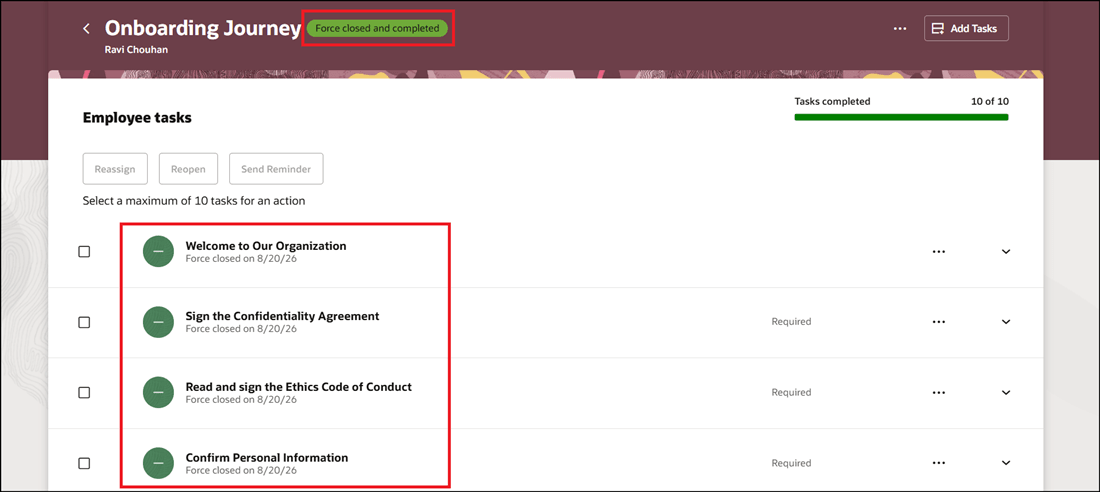
Status when the Journey is Force Completed by User
There can be some tasks that are completed by task performers and some which expire based on the assigned or due date expiry condition. In this case, the journey is completed with the expired tasks and the sub status in the page header changes to Completed with exceptions.
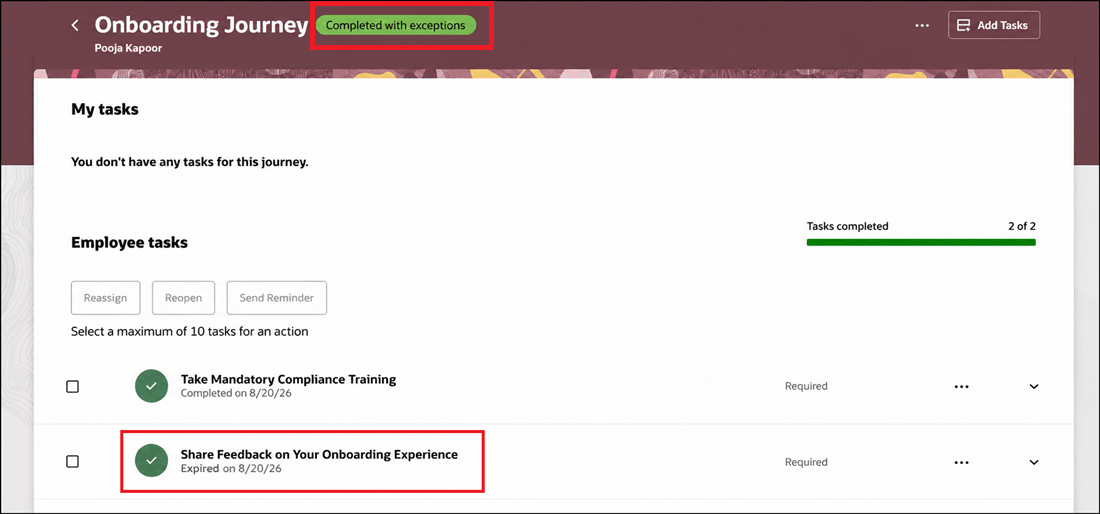
Status when Journey is Completed with Expired Tasks
When are tasks are completed by task performers by the due date set, the journey is completed automatically and the sub status in the page header changes to Completed.
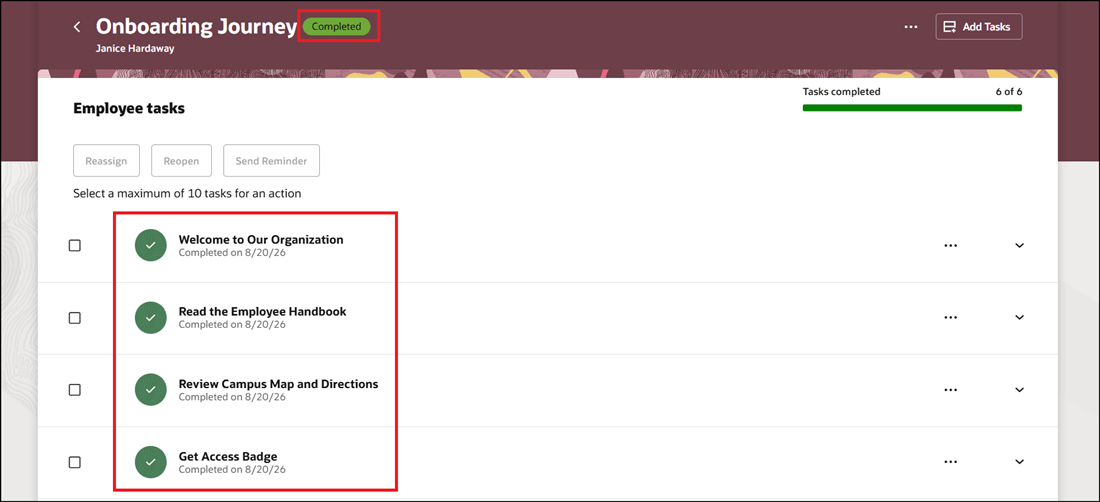
Status when the Journey is Completed Automatically
This enhancement improves the transparency of journey completion by distinguishing a normally completed journey from one that was completed with expired tasks.
Steps to enable and configure
You don't need to do anything to enable this feature.
Key resources
For more information, see the Implementing and Using Journeys guide.
Access requirements
You must be granted the Manage Journey (ORA_PER_MANAGE_JOURNEY_TEMPLATE) aggregate privilege to work on journey templates.