Add Tasks to Collection Using AI Assistance
You can now use an AI-driven workflow to automatically create tasks within collections, helping organizations automate follow-up activities without manual intervention.
Here’s an example use case:
AI-assisted HR processes: An AI workflow detects that an employee requires additional documentation and automatically creates a collection task with the appropriate instructions and due dates.
This example shows the Add To Insight workflow agent configured as a task in an onboarding guided journey.
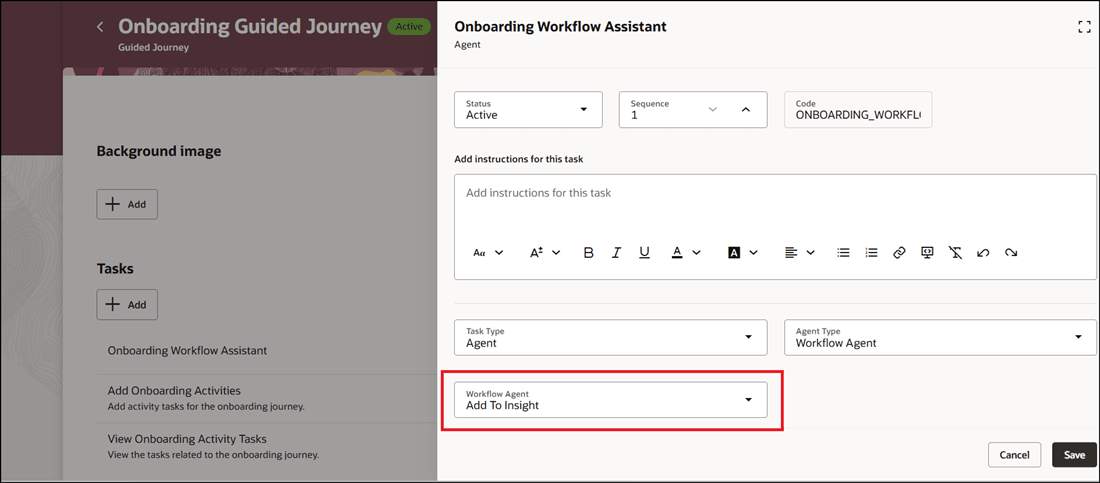
Configure the Add To Insight Workflow Agent for Task in Guided Journey
Instead of manually adding collection tasks to the Add Onboarding Activities collection in the guided journey, you can select the configured Onboarding Workflow Assistant workflow and prompt the agent to add the task.
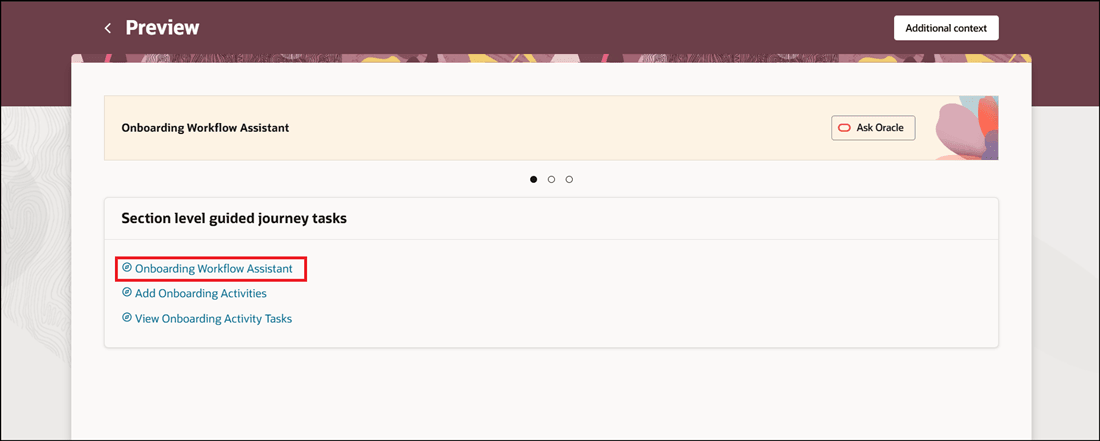
Select the Task you Created in Guided Journey
When you add the task, you can specify details, such as the task type, task value, and priority.
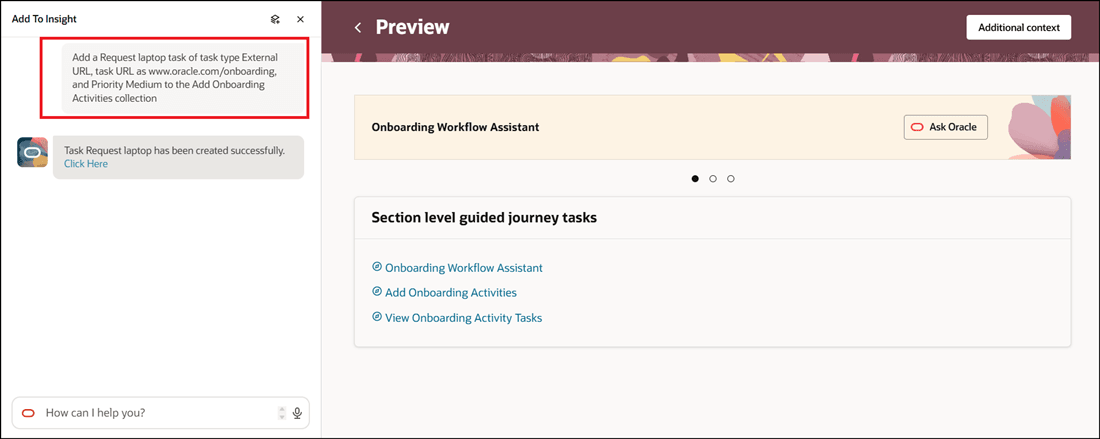
Prompt the Workflow Agent to Add Task to Collection
Select the View Onboarding Activity Tasks collection to view the task added by using the workflow agent.
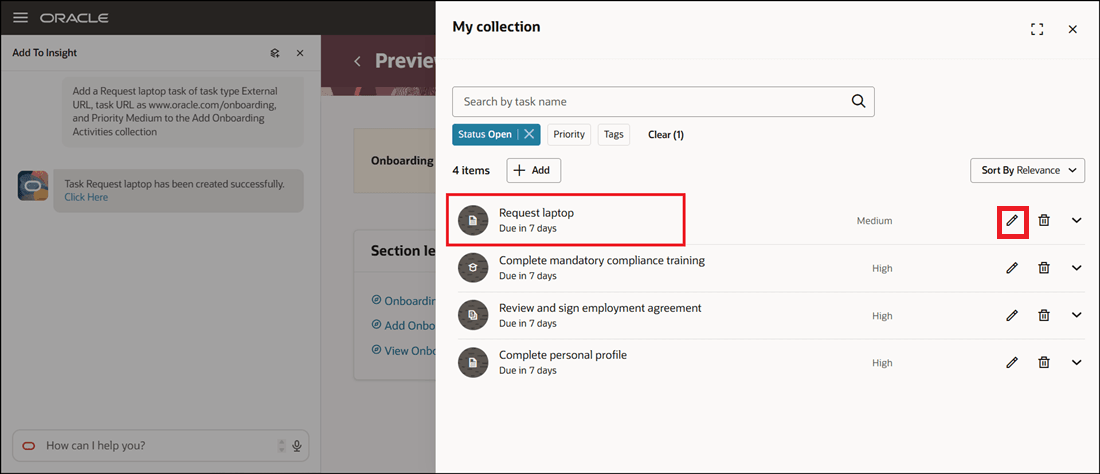
Task Added to Collection
You can make changes to the task details if needed by editing and saving the task.
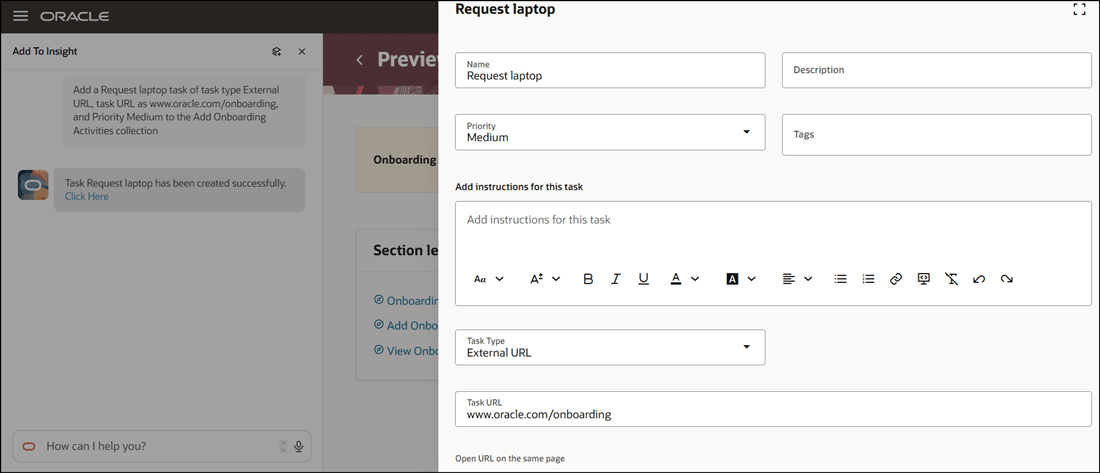
Select Edit to Verify Added Task Details
These parameters are passed to the Add To Insight workflow agent:
- name
- userGuid
- userName
- personId
- startDate
- endDate
- description
- taskURL
- chatHistory
- instructions
- priority
- taskTags
Select Edit to Verify Added Task Details
This feature enables automation by allowing AI workflows to generate collection tasks.
Steps to enable and configure
-
To add tasks using the workflow agent, see Add Tasks to Collection Task in Guided Journey Using Workflow Agent
-
Your environment must have the appropriate services for Oracle Applications Platform deployed. For more information, see FAQ2521 on My Oracle Cloud Support.
-
Set the Enable Security Console External Application Integration (ORA_ASE_SAS_INTEGRATION_ENABLED) profile option to Yes and enable permission groups for the appropriate roles. See Access Requirements for AI Agent Studio.
-
Add To Insight is a preconfigured template. You need to create your own agent using the preconfigured template.
-
To learn how to set up AI agents, see Create AI Agents Using Preconfigured Agent Team Templates.
-
Tips and considerations
- You can only add a manual or external URL task to a collection using the workflow.
- Users who participate in the journey need to be granted access to the workflow agent.
Key resources
For more information, refer to these resources:
Access requirements
- You must be granted the Manage Journey (ORA_PER_MANAGE_JOURNEY_TEMPLATE) aggregate privilege to work on journey templates.
- The agents you can view depend on the roles and privileges assigned to you. To access this agent, your role must be explicitly granted access to it by an AI Studio Administrator. See How can I give users access to AI agents, and Access Requirements for AI Agent Studio.