Add and View Collections Through Guided Journeys
You can now manage collections directly from guided journeys making it easier to view, create, organize, and complete collection tasks. For example, you can create a collection of onboarding activities for a new employee in an onboarding guided journey. Managers and employees can the track and complete the tasks from the My Tasks tab.
The enhancements include:
- Support for a new Collection task type.
- Prepopulate task information, such as task name, description, notes, dates, task type, and action URL using additional context.
Guided journeys support two Collection task actions:
- Add task to collection
- View collection task
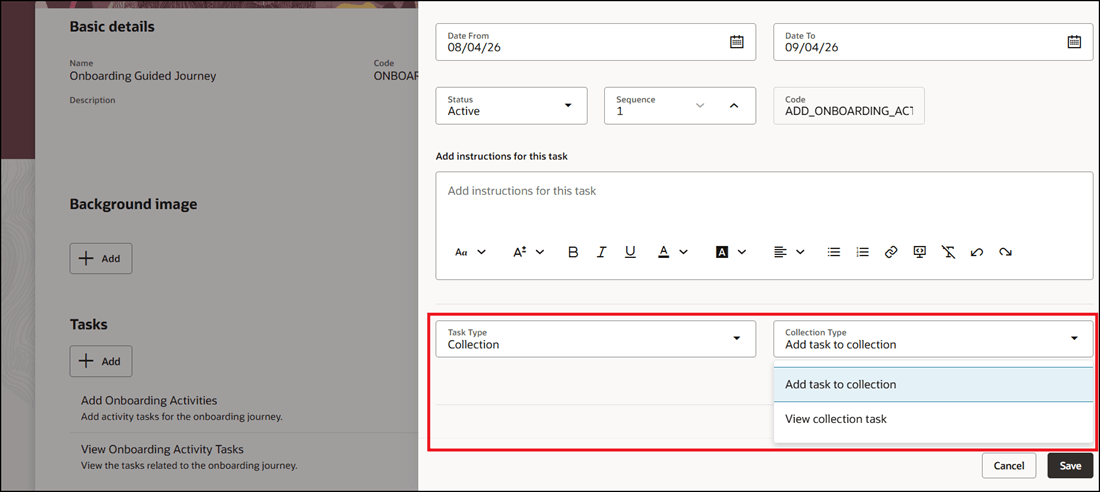
New Collection Task Type for Guided Journey
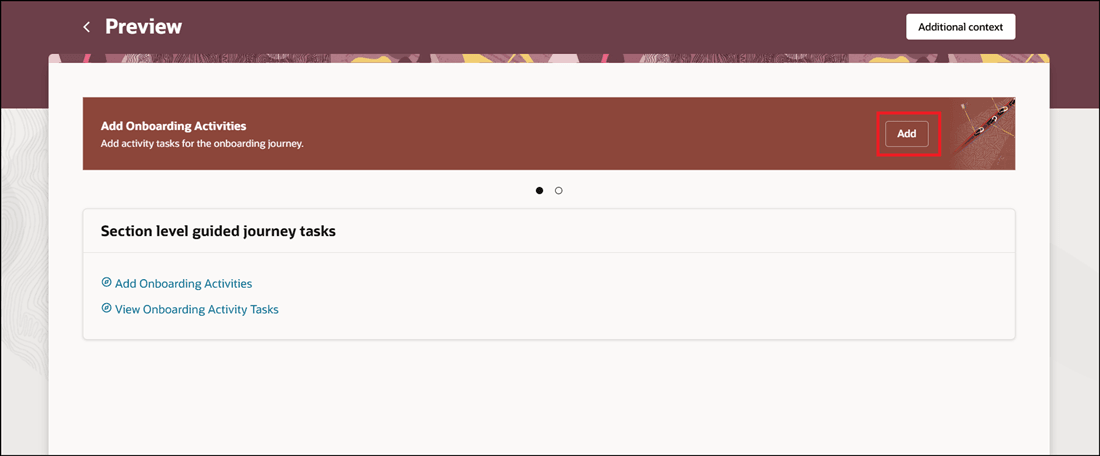
Add Tasks for Collection
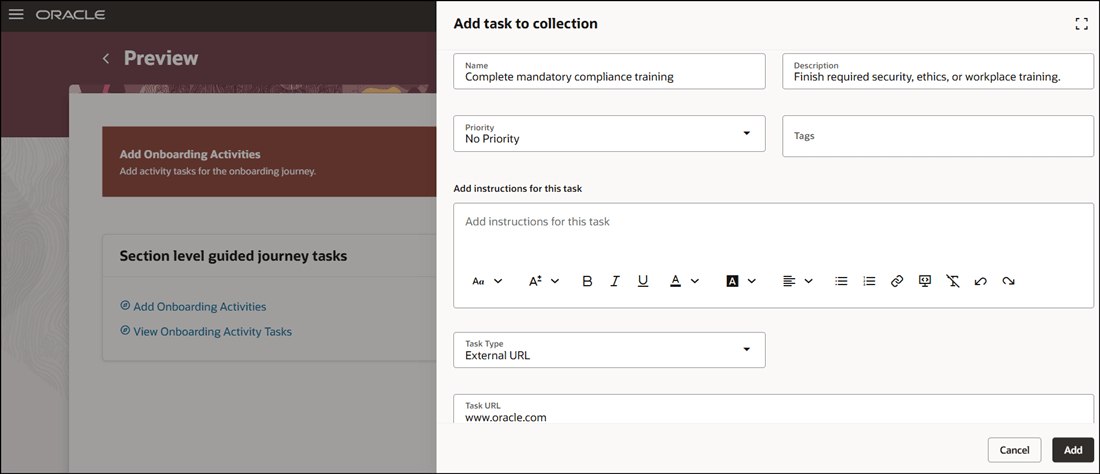
Enter Task Details for Collection Task
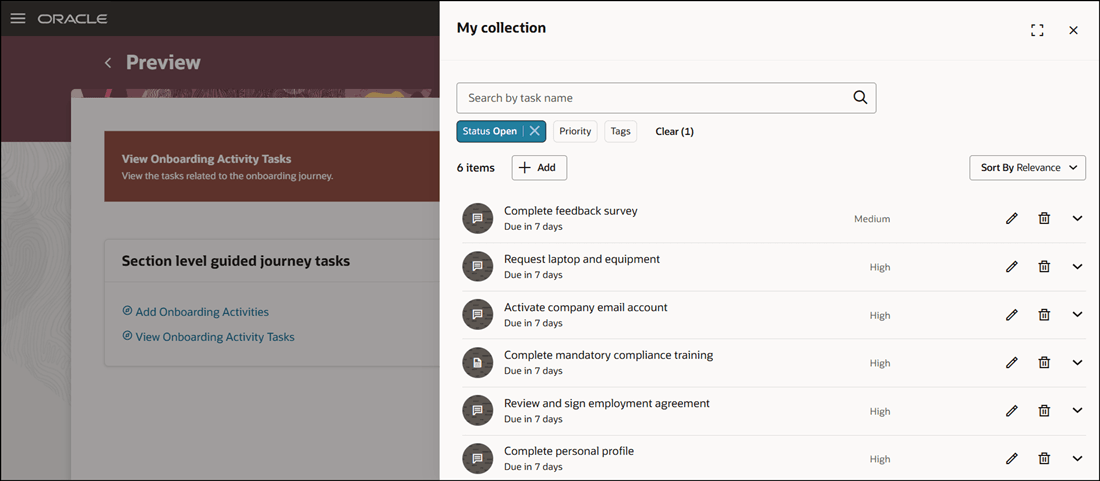
View Collection Tasks
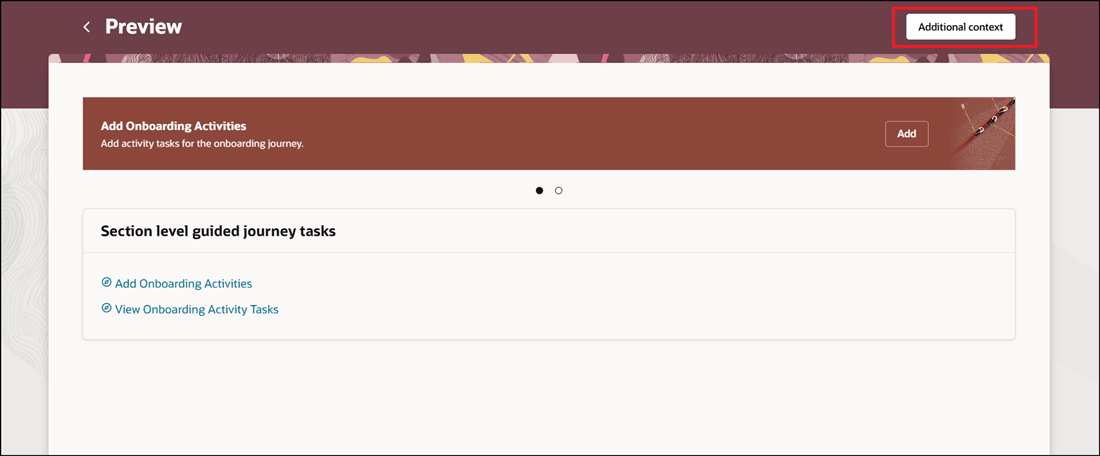
Additional Context to Prepopulate Task Information
Guided journeys can prepopulate these task attributes:
- Task Name
- Task Description
- Task Notes
- Task Type
- Task Action URL
- Task Start Date
- Task End Date
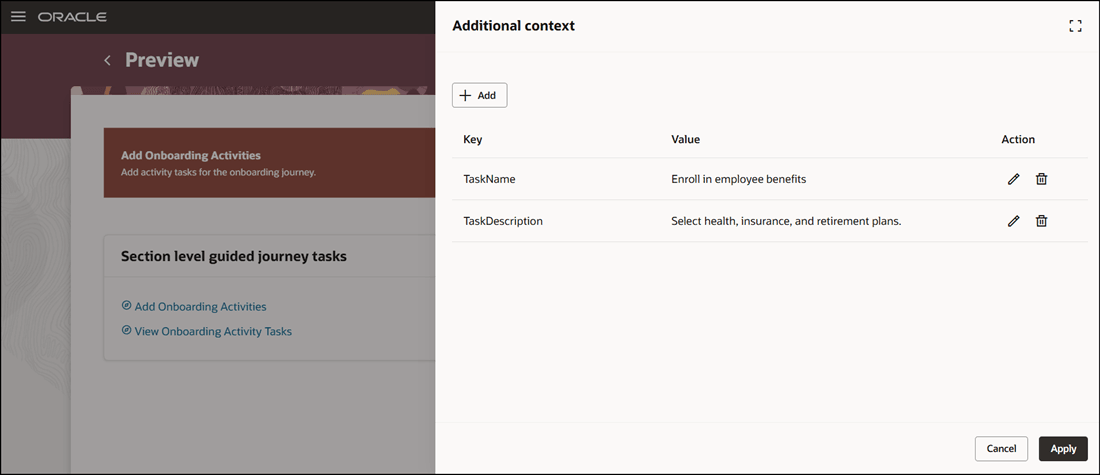
Added Context Attributes
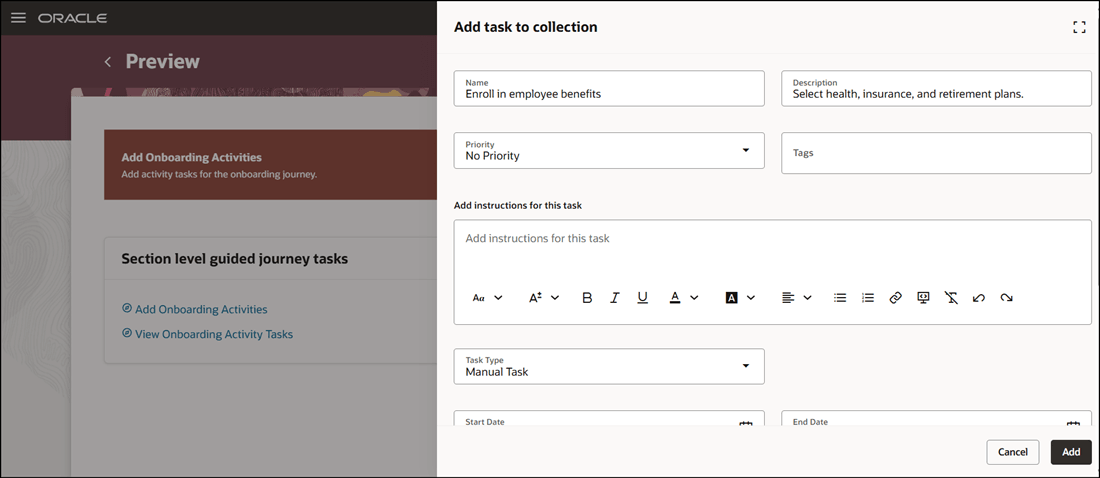
Context Attributes Populated When You Add Task to Collection
Additional Context to Prepopulate Task Information
This feature helps users to directly create or display collection tasks in a guided journey and reduces manual data entry by automatically populating task details when tasks are created from guided journeys.
Steps to enable and configure
To add and view collection tasks, see Add and View Collection Tasks in Guided Journeys
Tips and considerations
- The Collection task type is only supported for guided journeys.
Key resources
For more information, refer to the Implementing and Using Journeys guide.
Access requirements
You must be granted these privileges:
- Manage Journey (ORA_PER_MANAGE_JOURNEY_TEMPLATE) aggregate privilege.
- Manage Guided Journeys (ORA_PER_MANAGE_GUIDED_JOURNEYS) aggregate and function privilege.