Reorder Fields on Redwood Document Records Pages Using Business Rules
You can now use business rules to reorder fields on Redwood Document Records pages. You can place the most relevant information where users need it, helping create a more streamlined experience when creating, reviewing, or editing document records. This gives you greater flexibility to arrange the information shown on the page based on your business requirements.
This capability applies to these Redwood Document Records pages:
-
Create Document Record
-
Document Record Details
-
Edit Document Record
-
Edit by Approver - Document Record
You can reorder these supported fields:
- Country
- Category
- Subcategory
- Description
- Tag
- Name
- Number
- Issuing Comments
- From Date
- To Date
- Issued On
- Issuing Authority
- Issuing Country
- Issuing Location
You can also reorder descriptive flexfields (DFFs) and developer descriptive flexfields (DDFs).
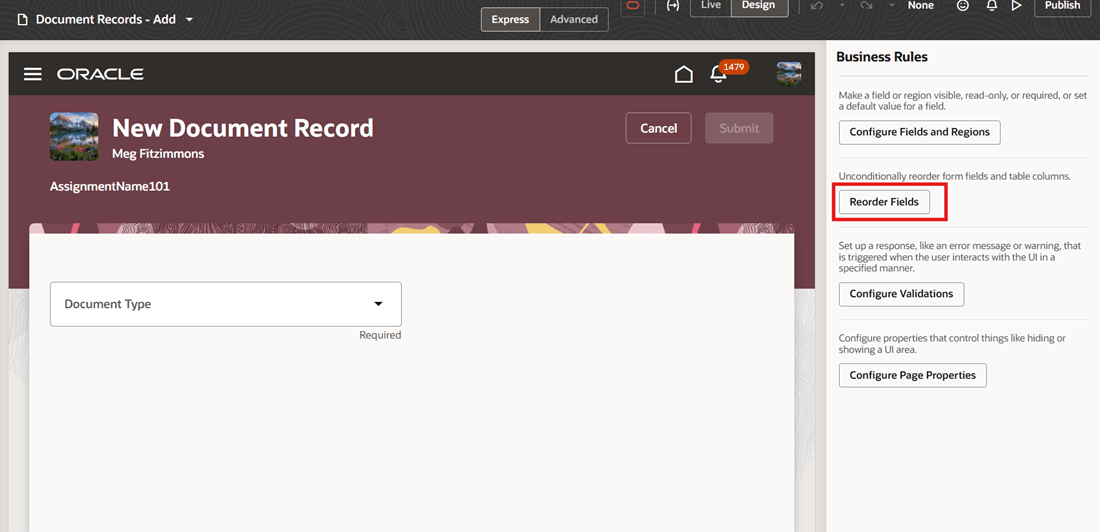
Business Rule to Reorder Fields
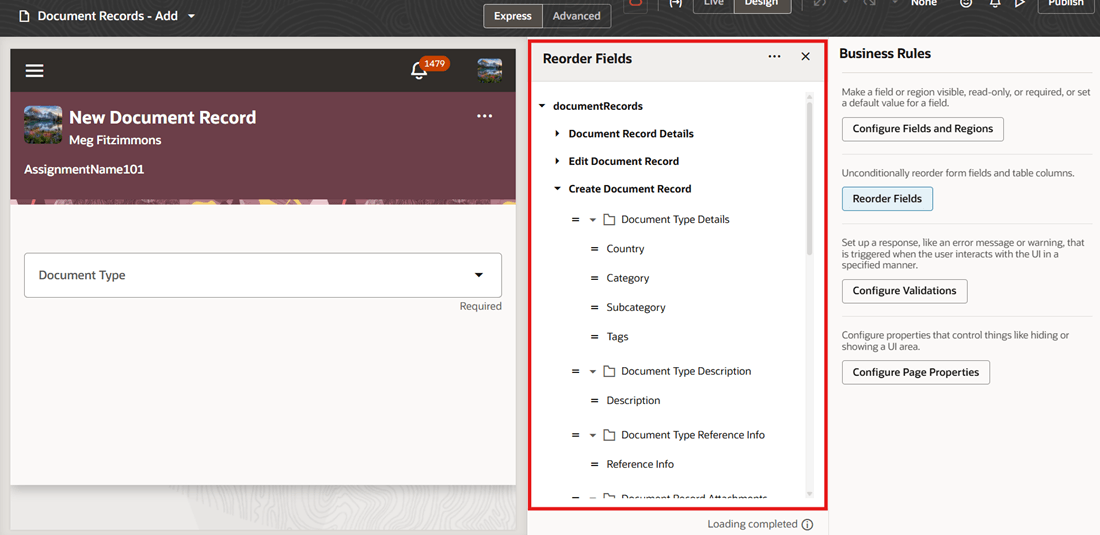
List of Fields Available to Reorder
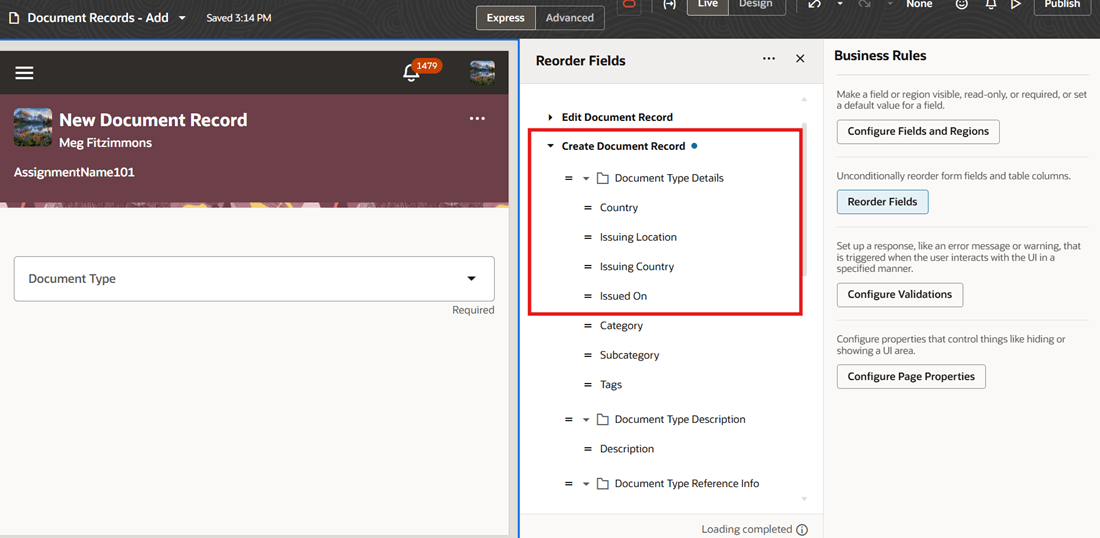
Few Fields Reordered
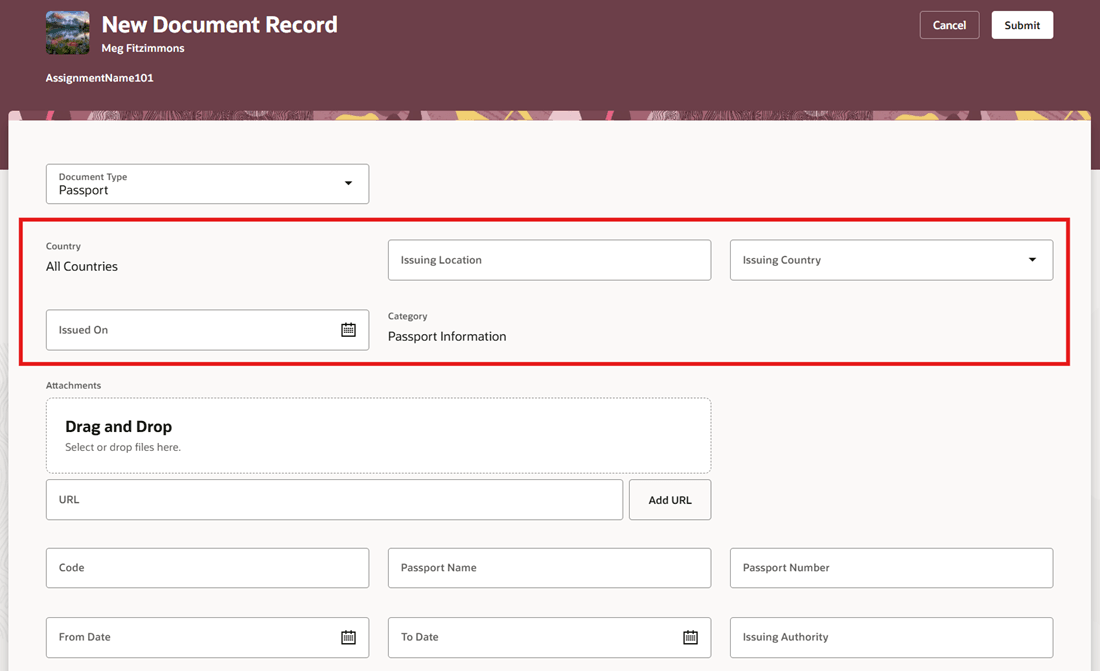
Fields Displayed on UI in New Order
Improve the usability of Document Records pages by arranging fields in an order that aligns with your organization's business processes.
Steps to enable and configure
For more information, see Reorder Fields in Regions
Tips and considerations
-
You can't reorder the Document Type field.
-
You can't apply conditional reordering; reordered fields appear for all document types.
-
You can't reorder the Attachments section, but you can reorder the Drag and Drop and URL fields within that section.
Key resources
For more information about document records, refer to the Implementing Global Human Resources guide.