Manage Document Records from Redwood Employment Contracts
You can now manage document records directly from the Redwood Employment Contracts page.
With this enhancement, document records attached to an employee from the Redwood Employment Contracts page are associated with the applicable employment contract using the contract ID. This association enables the application to retrieve and display the document records for the selected employment contract, making them easier to find and review directly from the Redwood Employment Contracts page.
Before this enhancement, document records attached from the Redwood Employment Contracts page weren't associated with the employment contract and therefore weren't available for subsequent review from the Redwood Employment Contracts page.
Example Uses
A Human Resources Specialist extends an employee’s contract and attaches the signed extension document. Later, the Specialist can open the employment contract and review the associated document record to confirm that the signed document is available.
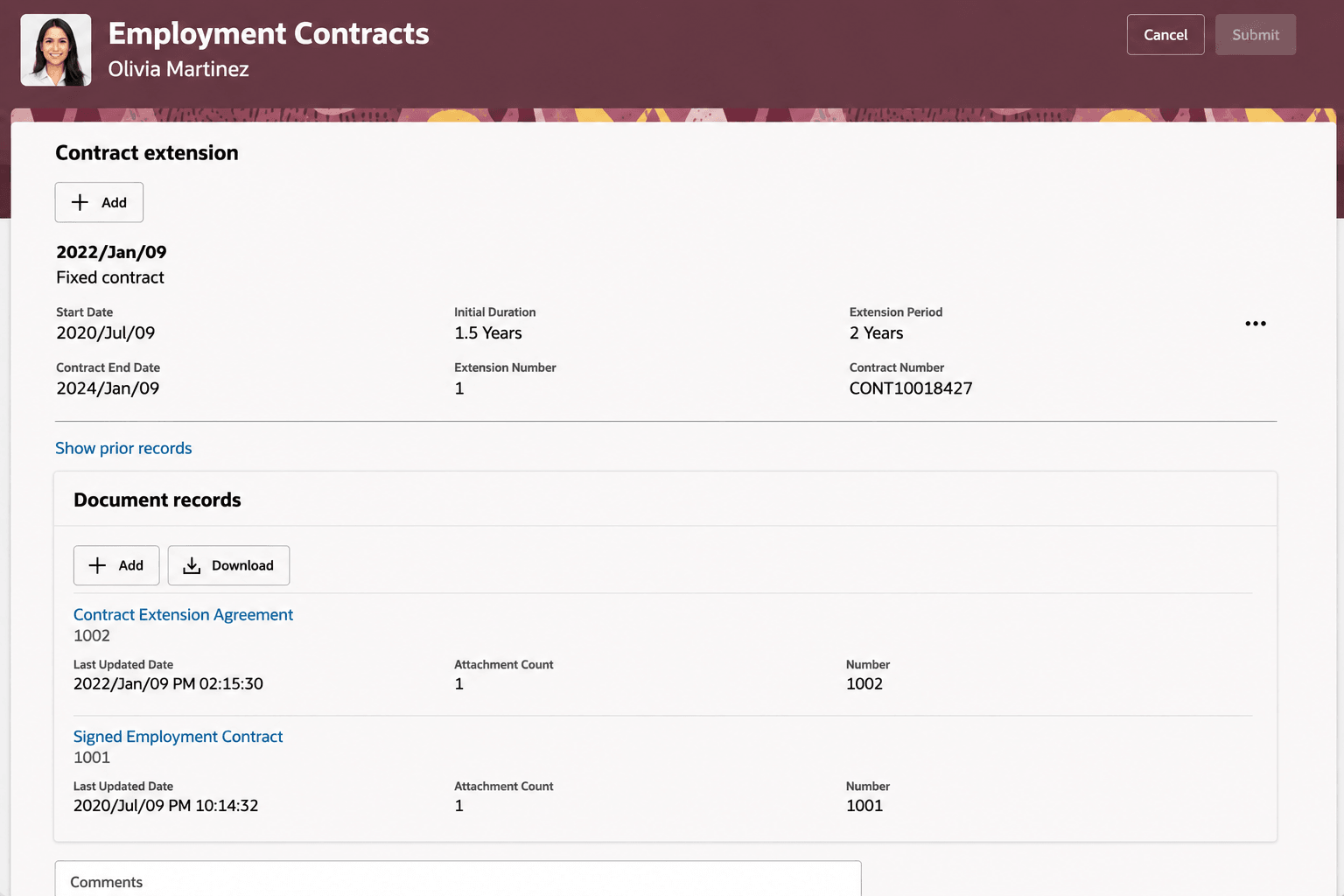
Document Records in Employment Contracts page
- Reduces the need to search for contract documents outside the employment contract flow.
- Improves continuity by letting users return to an existing contract and review its supporting documents.
- Keeps document records associated with the correct employment contract..
Steps to enable and configure
You don't need to do anything to enable this feature.
Tips and considerations
- This enhancement affects document review in the Redwood Employment Contracts user interface. It doesn’t introduce REST changes.
- There is no impact on upgrades from earlier releases, other employment areas, or other products.
- A document record must be associated with the applicable employment contract to appear for that contract.
- Existing document security and visibility rules continue to determine whether users can view a document.
- No new profile options, lookups, or reporting changes are required.
Key resources
For more information, refer to these resources on the Oracle Help Center:
- Overview of Document Records in the Using Global Human Resources guide