Synchronize Position Name and Blank Position Values Using HCM Data Loader (HDL)
HCM Data Loader (HDL) can now recognize an intentional blank value on a position and synchronize that blank value to an assignment. Previously, when a position value was cleared for a synchronized attribute, the existing assignment value could remain unchanged. You can also synchronize the Position Name with the Assignment Name.
Previously, when a synchronized attribute was blank on the position, the blank value wasn't synchronized to the assignment even using HDL. As a result, an existing assignment value could remain even though the corresponding value had been removed from the position. With this enhancement, you can also synchronize blankvalues thereby keeping position and assignment data aligned. For example, if Grade Ladder is configured for synchronization and the Grade Ladder value is removed from a position, the corresponding Grade Ladder value on the assignment can now also be cleared when synchronization of blank values is enabled.
You can also configure Position Name to synchronize with Assignment Name using HDL. When configured, the Assignment Name is derived from the Position Name as part of position synchronization.
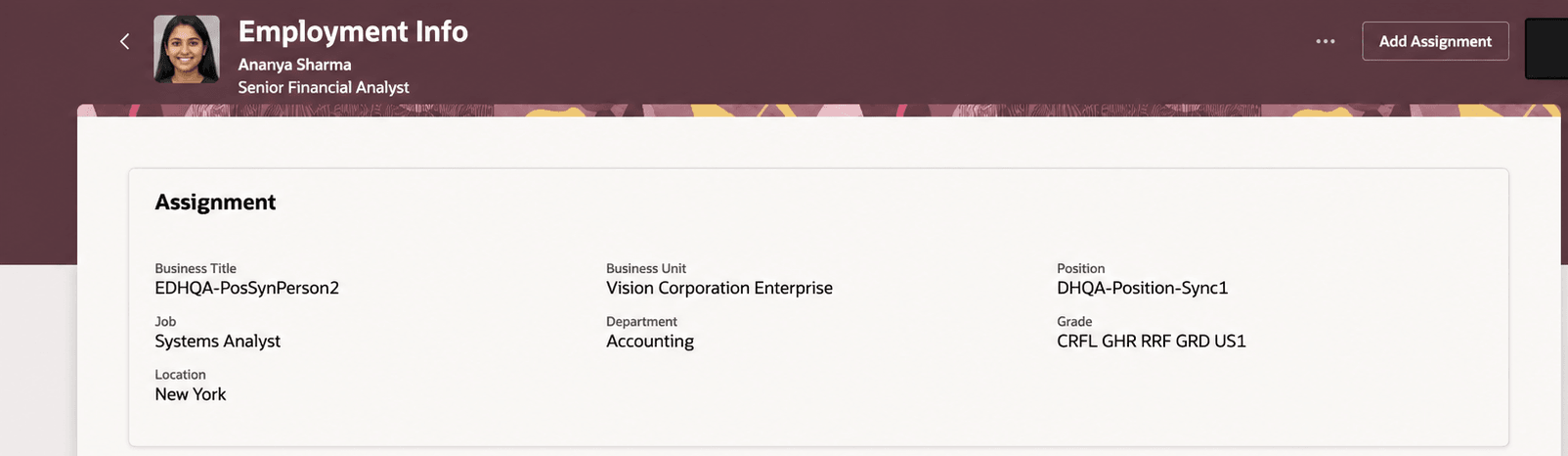
Location field before it is made a blank value
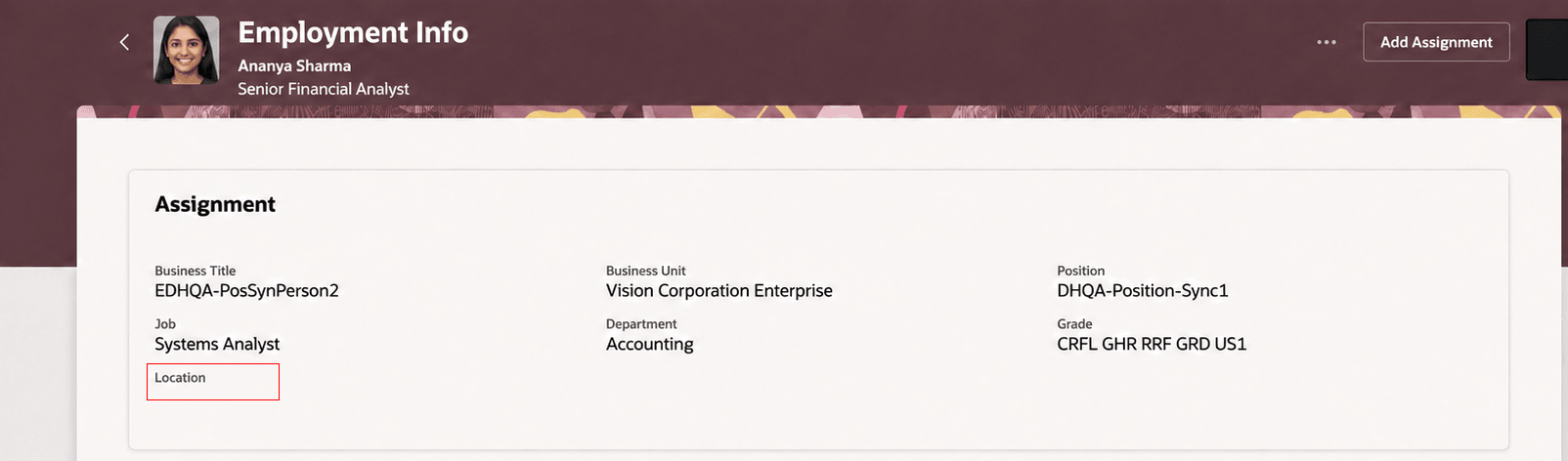
Location is blank when uploaded through HDL
Synchronize values after Location is made blank
Improves the accuracy and consistency of worker assignment data loaded using HDL by applying the same configured position synchronization rules to populated and blank position values.
This enhancement reduces the need for additional data corrections when position attributes are removed or changed and helps ensure that assignment data remains consistent with the associated position.
Steps to enable and configure
You don't need to do anything to enable this feature.
Tips and considerations
- Existing customers continue to use the previous behavior until new configuration is enabled.
- A blank value is synchronized only when the corresponding position attribute is configured for position synchronization.
- Position Name to Assignment Name synchronization must also be configured before the Position Name is used to derive the Assignment Name.
- Position synchronization rules can affect values supplied directly in an HCM Data Loader file. Review synchronized attributes when preparing your load to understand which values are derived from the position.
- When Working Hours and FTE are involved, position synchronization and HCM Data Loader FTE calculation rules determine the resulting FTE value. You need to consider this behavior when loading Working Hours and FTE together so that the resulting assignment values meet your business requirements.
- When SET_CALCULATE_FTE = Y or specified, the position derived FTE value is used even if working hours (on the position) are blank and the calculation resolves to zero, the calculated value is what gets stored and the user supplied FTE in the file is ignored.
-
When SET_CALCULATE_FTE = N or not specified, the application doesn't override the FTE value specified in the dat file.
Key resources
For more information, refer to these topics on the Oracle Help Center:
- Position Synchronization in the Using Global Human Resources guide
- Employment Processes in the Using Global Human Resources guide
You can also refer to this What's New announcement in release 26C