Configure Termination and Resignation Dates in Redwood
You can now control notification and effective date behavior in Redwood termination and resignation flows.
Redwood termination and resignation pages now support more flexible configuration for notification dates and resignation or termination dates. You can align Redwood behavior with your business rules for date entry, visibility, and editability.
This table shows the actions available for notification and effective date fields in termination and resignation flows.
| Action | Termination | Resignation |
|---|---|---|
| Hide or show notification Date | Yes | Yes |
| Hide or show notification date conditionally | Based on user roles | Based on user roles |
| Based on action reason | Based on action reason | |
| Set notification date as read-only | Yes | Yes |
| Set notification date and effective date as conditional read-only |
Yes (available earlier) | Based on user roles |
| Allow past notification date | Yes (available earlier) | Yes |
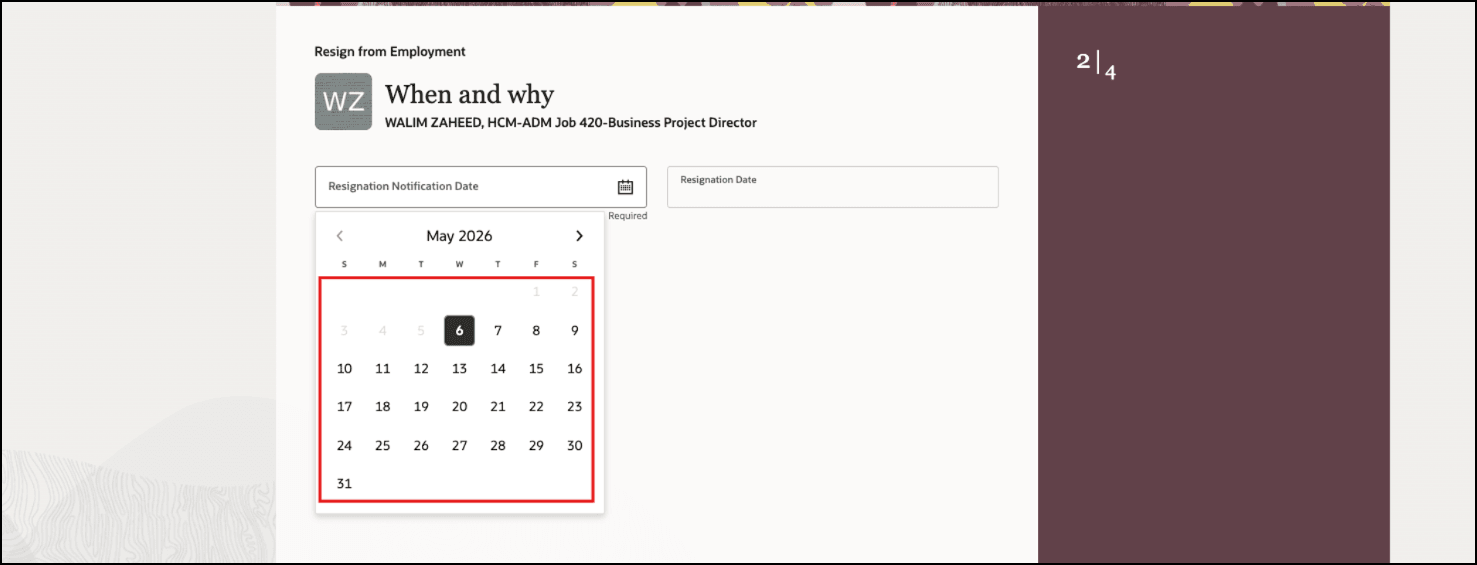
Before Enhancement: Past Dates Not Allowed for Resignation Notification Date
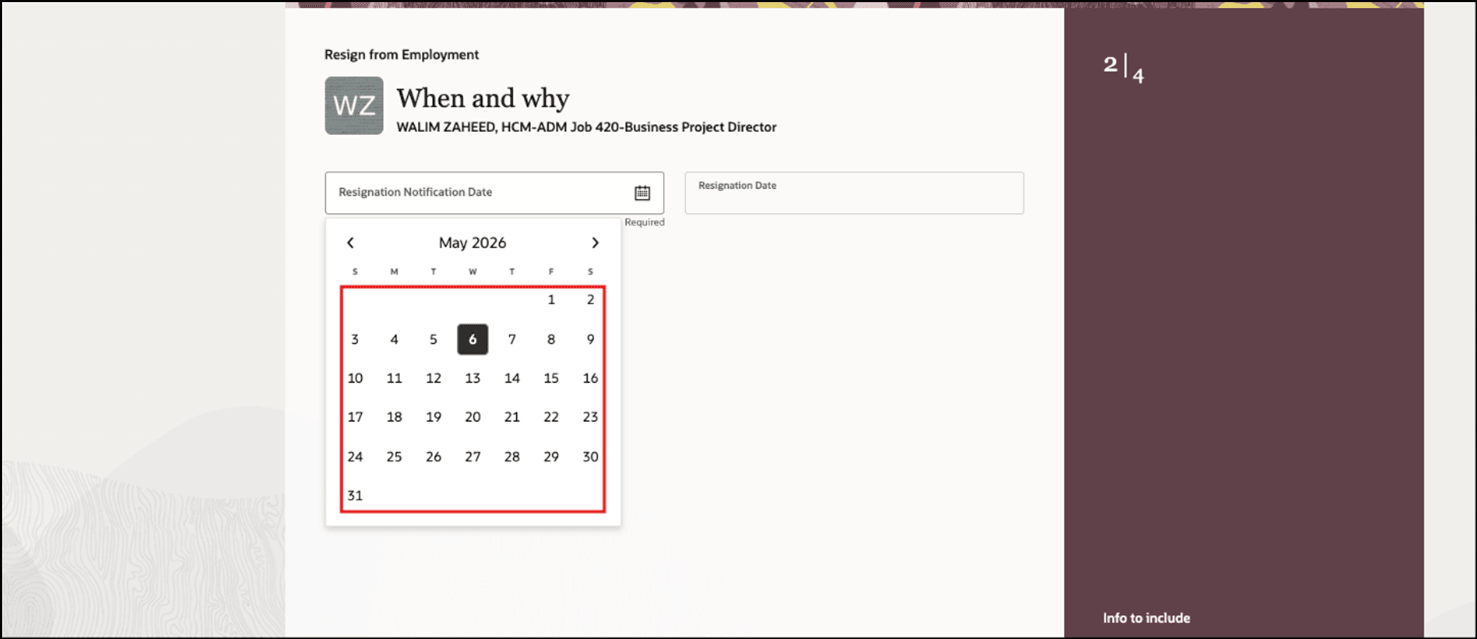
After Enhancement: Past Dates Allowed for Resignation Notification Date
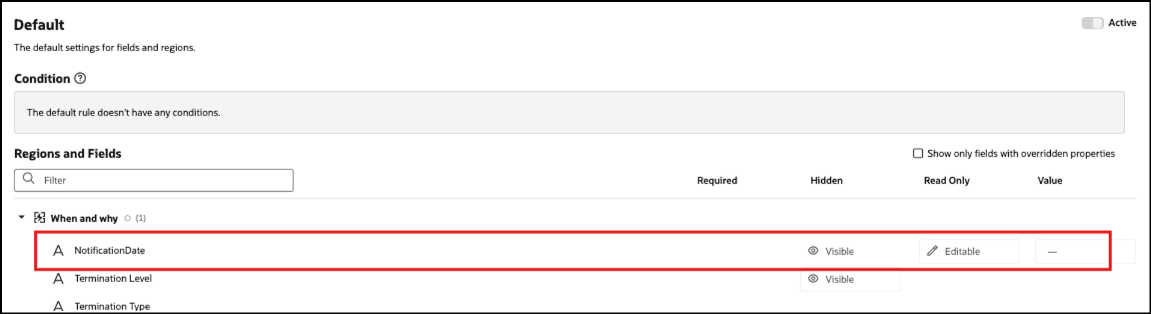
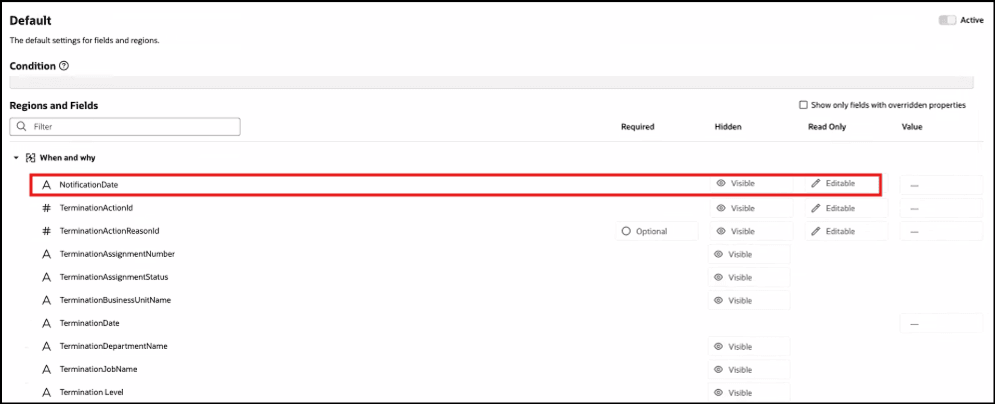
Before Enhancement: Notification Date Field Displayed
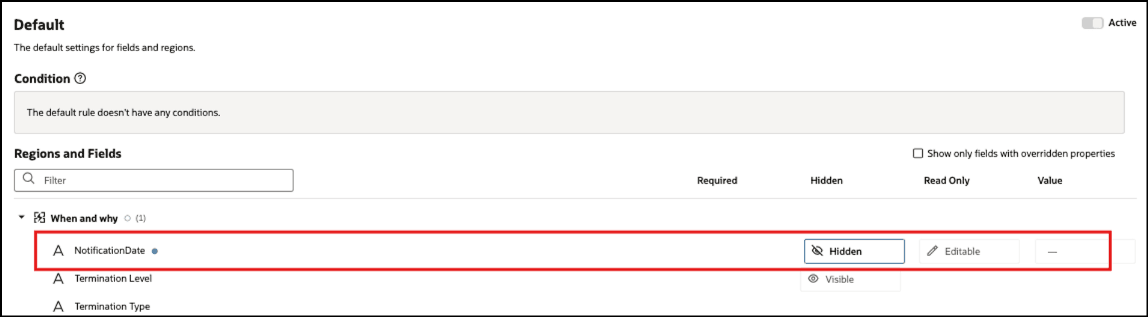
After Enhancement: Notification Date Field Hidden
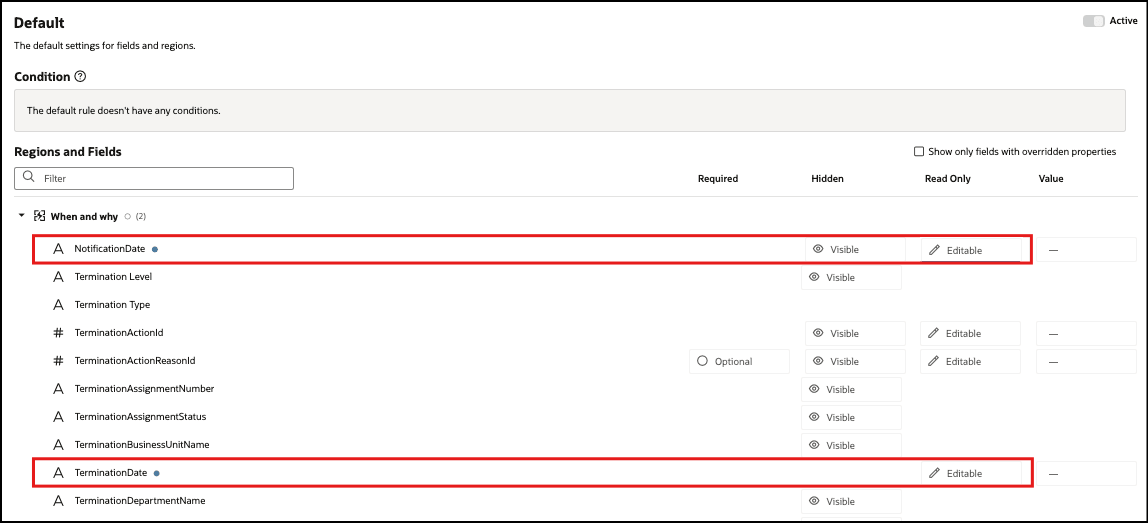
Before Enhancement: Termination Notification Date and Termination Date Not Set as Read-Only
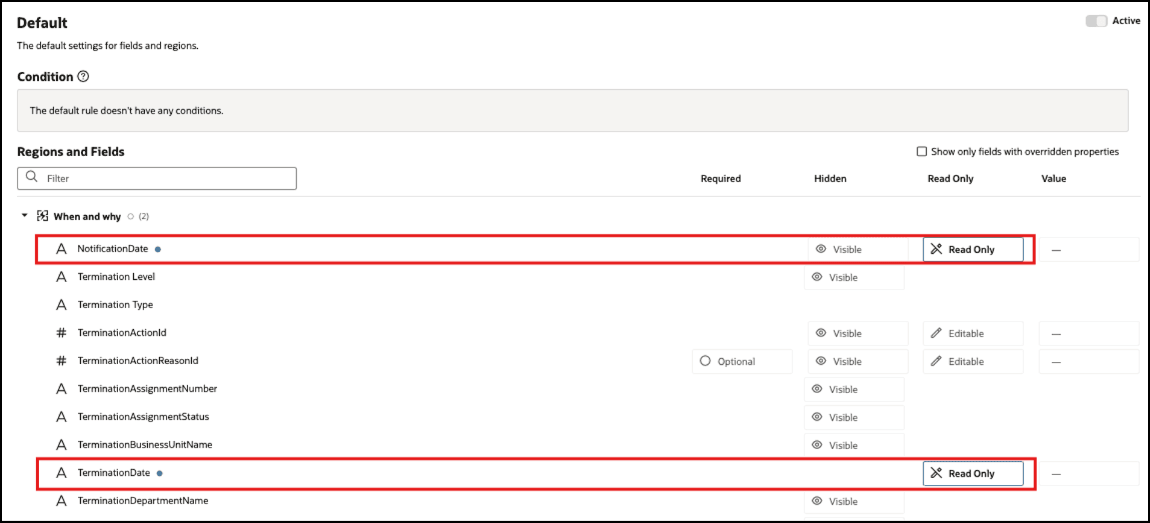
After Enhancement: Termination Notification Date and Termination Date Set as Read-Only
Before Enhancement: Notification Date Hidden Based on User Role
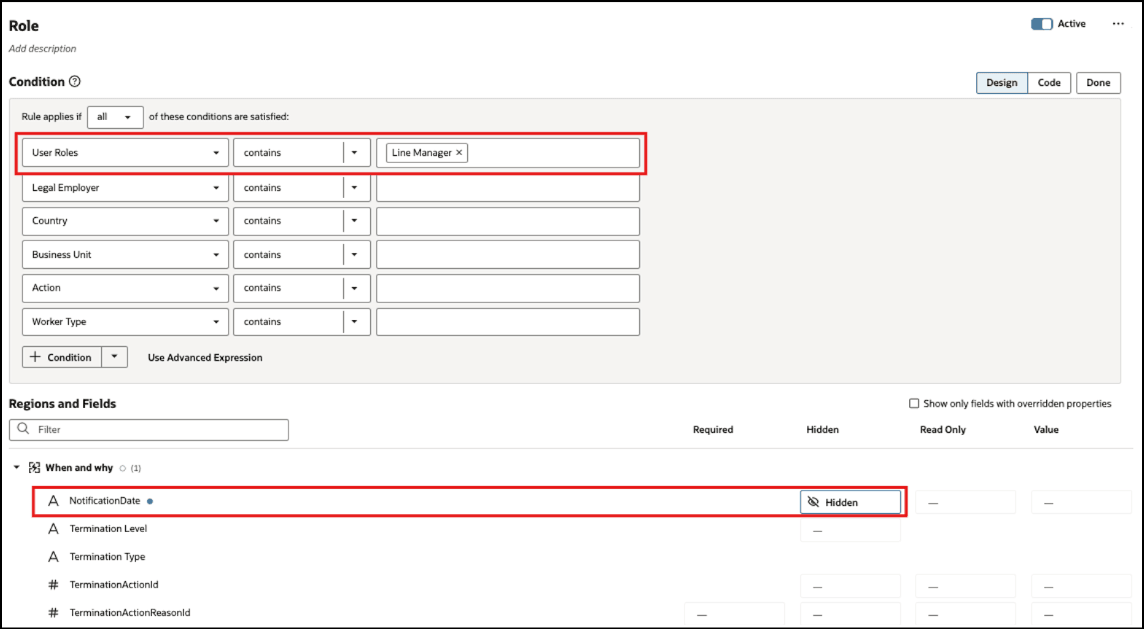
After Enhancement: Notification Date Turned On Based on User Role
This feature gives organizations more control over termination and resignation date entry in Redwood pages. It helps customers align Redwood behavior with existing business rules from Responsive UI, reduce incorrect date entry, support audit requirements, and simplify the page when the notification date isn’t needed.
Steps to enable and configure
For more information about hiding, showing, or making fields read-only using Visual Builder Studio, refer to these topics in the Oracle Help Center:
Tips and considerations
- If you choose a past notification date and notice period is available then the system derives the resignation date:
- if the derived resignation date is earlier than the system date then resignation date is defaulted as system date.
- if the derived resignation date is after the system date then resignation date is defaulted as derived resignation date.
- If the notification date is hidden or read only then you need to assure that the notification date has a value defaulted by Business Rules, otherwise the page will not allow you to proceed.
Key resources
For more information about extending Redwood pages in HCM, see the following guide on the Oracle Help Center:
Access requirements
There is no additional privilege needed for configuring the termination and resignation dates.
You can use any security privilege that allows you to edit pages through VB Studio Express. For example, you can use one of the privileges listed in this table:
| Role | Code |
|---|---|
| Application Administrator | ORA_FND_APPLICATION_ADMINISTRATOR_JOB |
| Human Capital Management Application Administrator | ORA_HRC_HUMAN_CAPITAL_MANAGEMENT_APPLICATION_ ADMINISTRATOR_JOB |