Support for Self-Paced Learning in Courses
You can add self-paced learning to a course so learners access online content from the course, similar to how they access other course offerings. From the course details page, learning specialists can add an existing standalone self-paced learning to the course or create a self-paced learning directly from the course.
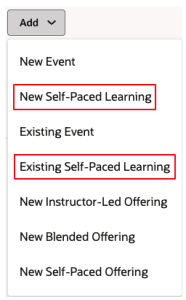
Options for Adding Learning to Courses
You can also replace an eligible offering with a new self-paced learning and link it to the same course. The original offering is automatically deprecated and remains available on the learning specialists' Learning Catalog page and the course details page, Offerings tab for historical and in-progress learner assignments. You can maintain audit and reporting visibility for deprecated offerings while directing new learner activity to the replacement self-paced learning.
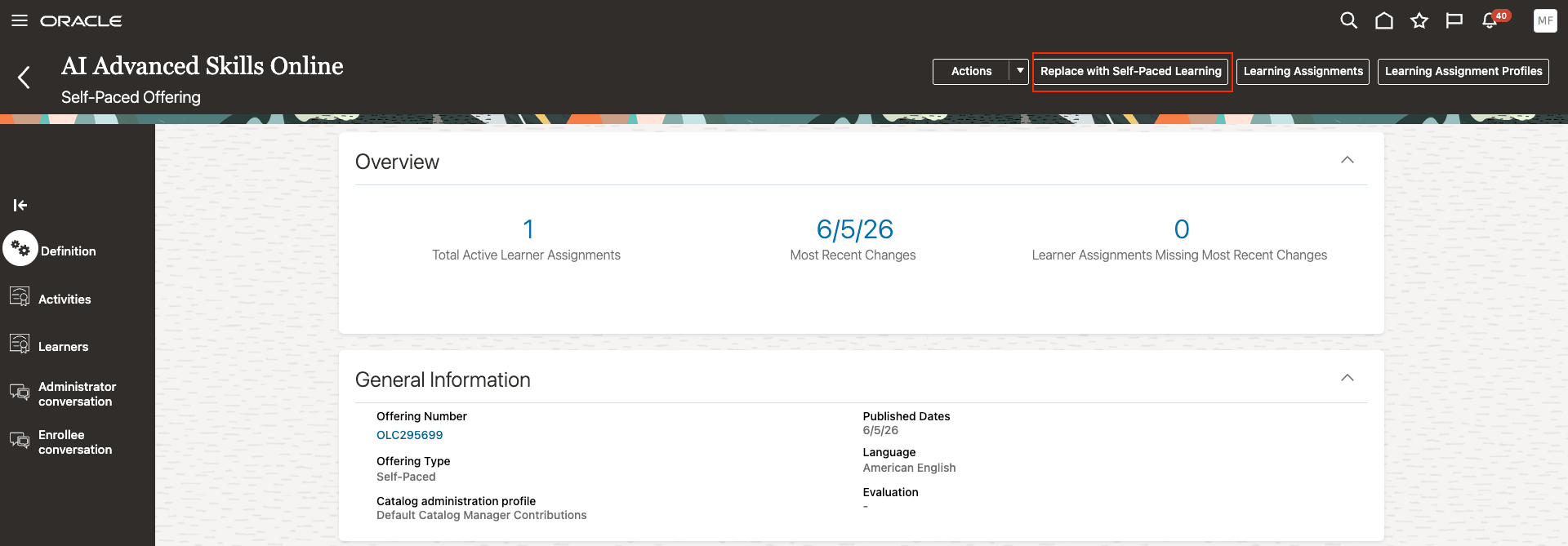
Course Offering Details Page with the Replace with Self-Paced Learning Action
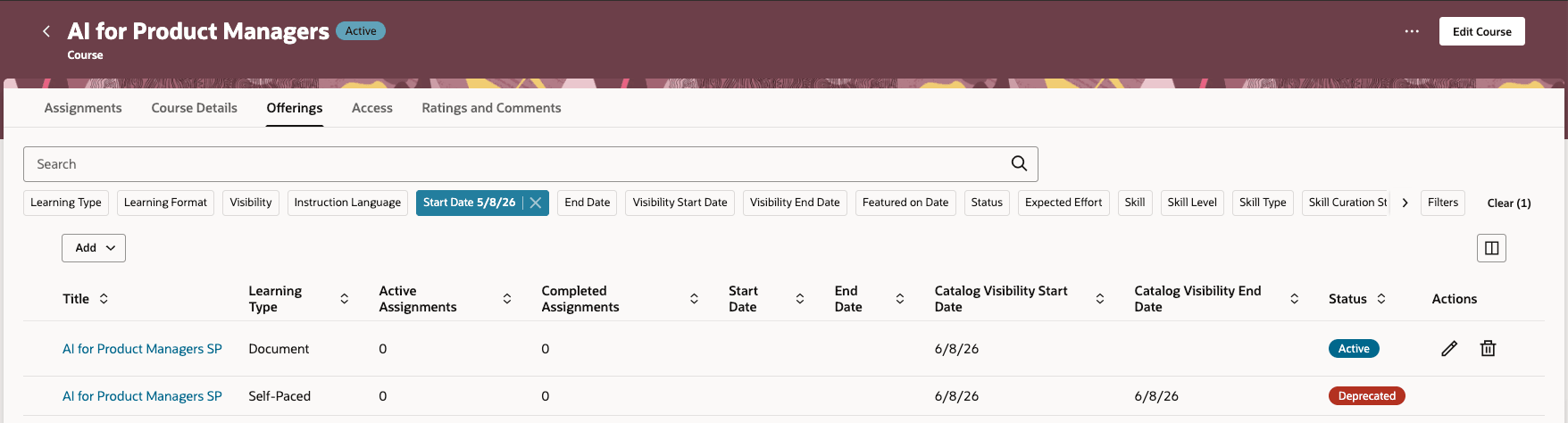
Course Details Page Showing a Deprecated Offering and the Replacement Self-Paced Learning
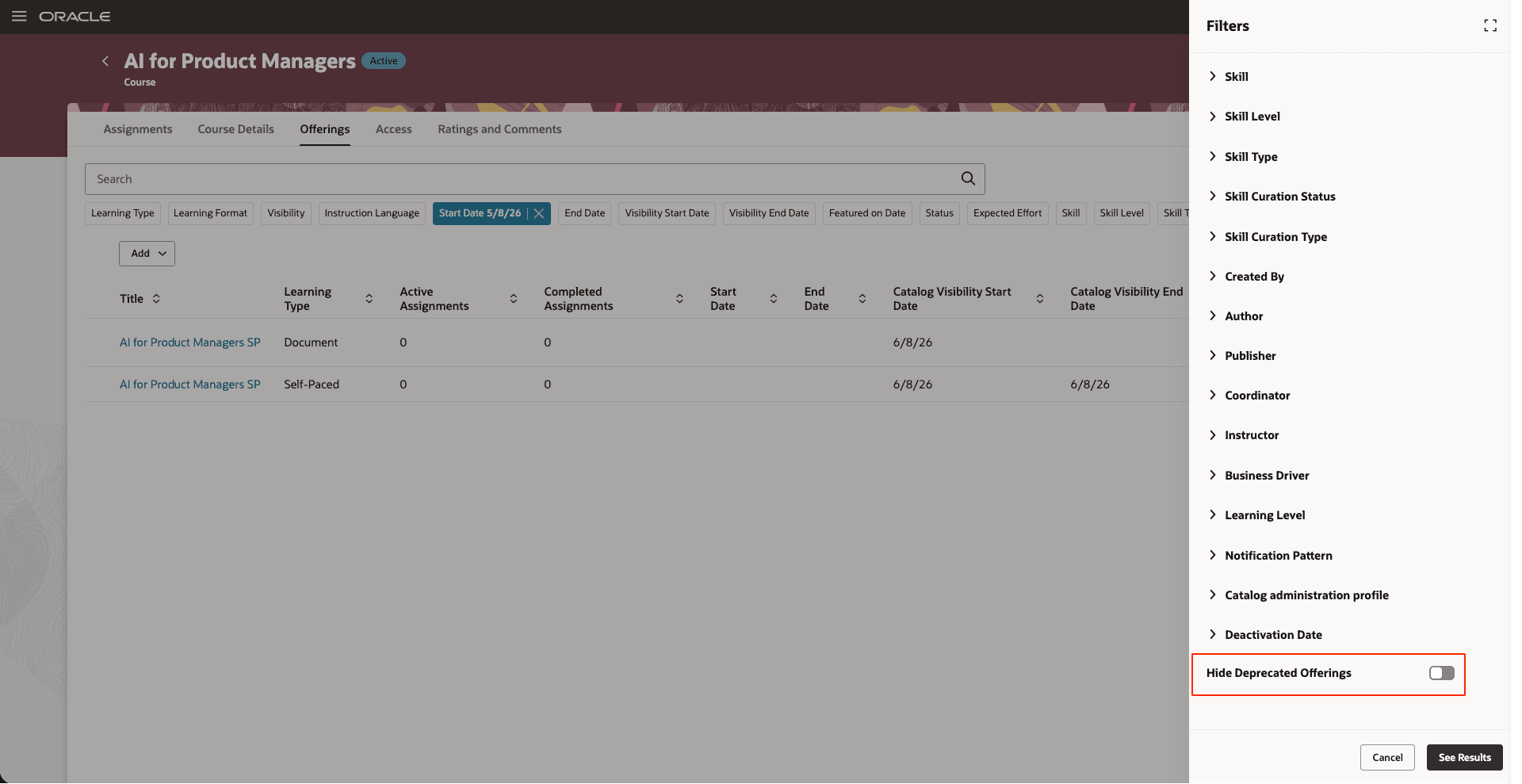
Hide Deprecated Offerings Filters Drawer Opened from the Course Details Page, Offerings Tab
Business benefit: Let learning specialists manage online content within the course structure, reduce duplicate standalone catalog items, and preserve audit and reporting visibility when replacing legacy offerings
Steps to enable and configure
Set the site-level profile value to Yes for the ORA_WLF_ENABLE_REDWOOD_COURSES profile option
Tips and considerations
- Use course-linked self-paced learning when self-paced content should be completed as part of a course. This approach is especially useful when:
- Online content is multilingual and each language is delivered in a separate file.
- Training is delivered in mixed modalities, such as online learning together with instructor-led or virtual instructor-led offerings.
- Use standalone self-paced learning when it should be discovered, assigned, or managed independently of a course, or when it needs to be added to a learning path or community.
- The Replace with Self-Paced Learning action is available only when all of these conditions are met:
- The offering contains one self-paced activity or one self-paced activity plus one feedback activity.
- The activity content wasn't created through connector integrations.
- You have permission to edit the offering and create self-paced learning.
- The replacement self-paced learning linked to a course:
- Doesn't inherit access groups, payment and pricing information, or descriptive flexfield (DFF) values from the original offering.
- Appears only through the course's available offerings.
- Doesn't appear as a standalone self-paced learning in Learning Catalog search.
- Deprecated offerings are read-only.
- They can't be edited, copied, assigned, recommended, enrolled in, or used for retakes.
- Learners can't discover them in catalog search, available offerings, self-enrollment flows, or deep links.
- Existing completed and in-progress assignments remain associated with them so learners can complete in-progress work and retain transcript history.
- Learners can continue to access transcript records for completed assignments.
- Existing initiatives and manager-created assignment profiles are cancelled or made inactive, and active recommendations are withdrawn.
- When content is cloned during replacement, the replacement self-paced learning uses the cloned content. The original content remains read-only in My Client Groups > Learning and Development, but learners who previously completed it can still review it using the Review Content action.
Key resources
Refer to the Clone and Deprecate Self-paced Offerings post listed on Learning Catalog Administration page.