Audit Learning Catalog Changes
Enable auditing for the creation and updates to courses, learning paths, events, and self-paced learning. These business objects are available under Work Life in Audit Policies. Select an object to view all auditable attributes associated with that resource in the details panel on the right.
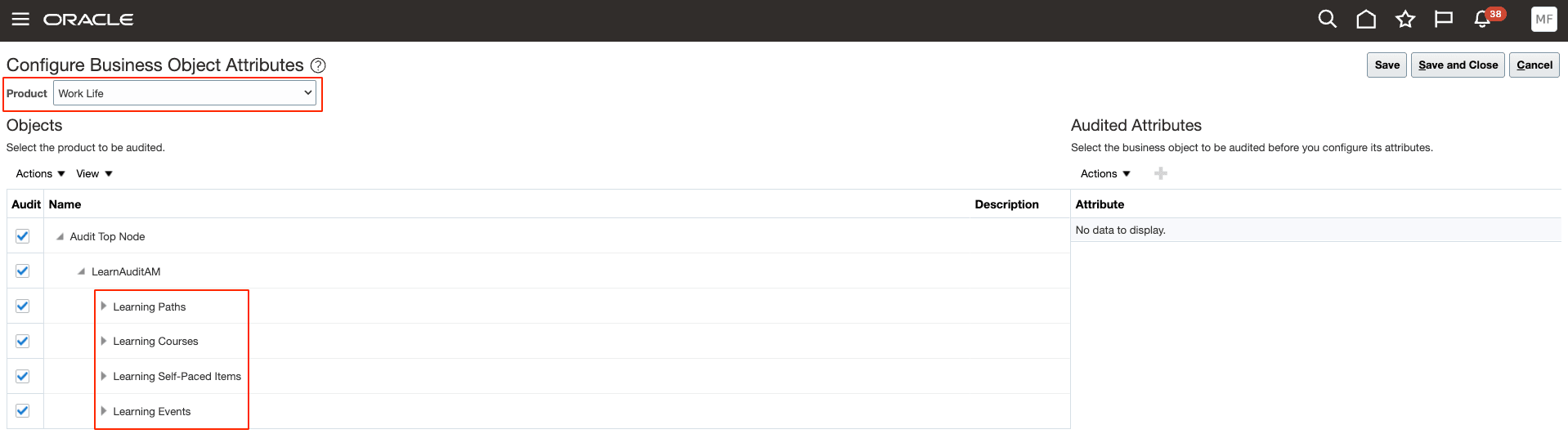
Business Object Attributes under Work Life
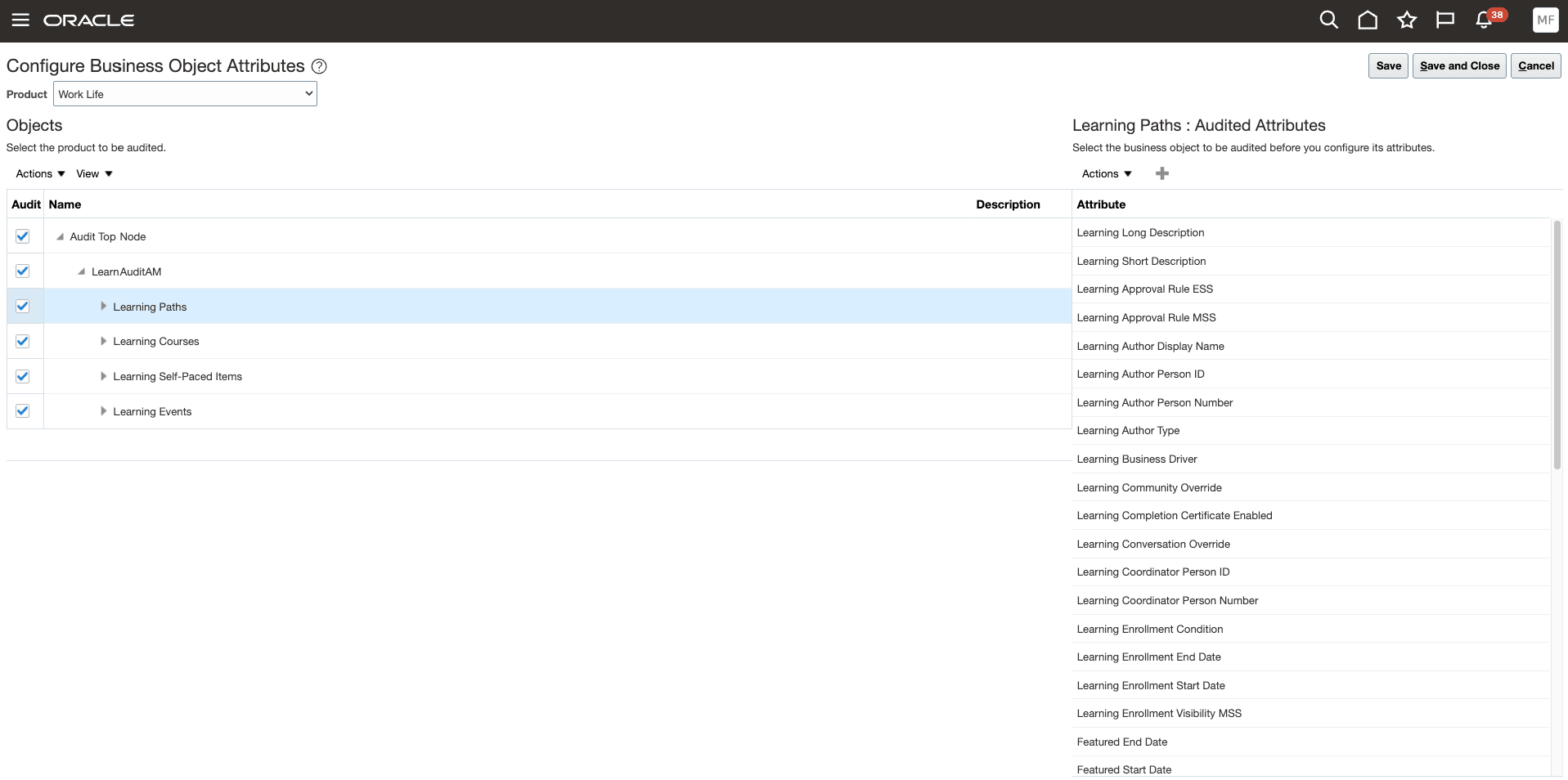
Configuring Business Objects Attributes Page
Click the + icon to view all auditable attributes, including hidden attributes, and manage their audit settings.
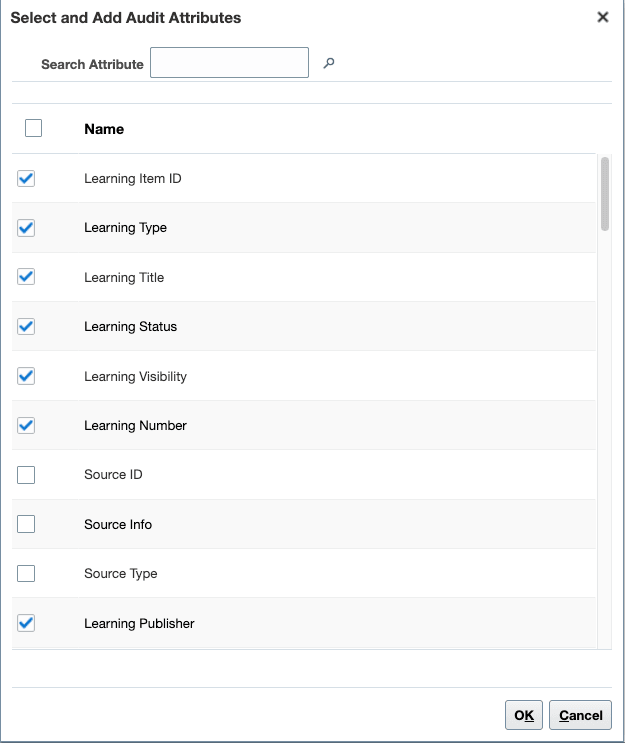
Select and Add Audit Attributes Section
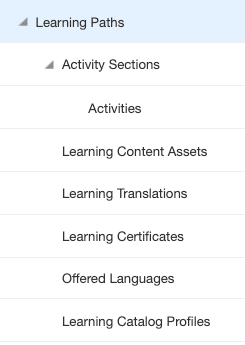
Expanded Resource Showing the Subresources
After enabling auditing for the relevant objects, subresources, and attributes, you can view and analyze the audit details by going to Tools > Audit Reports.
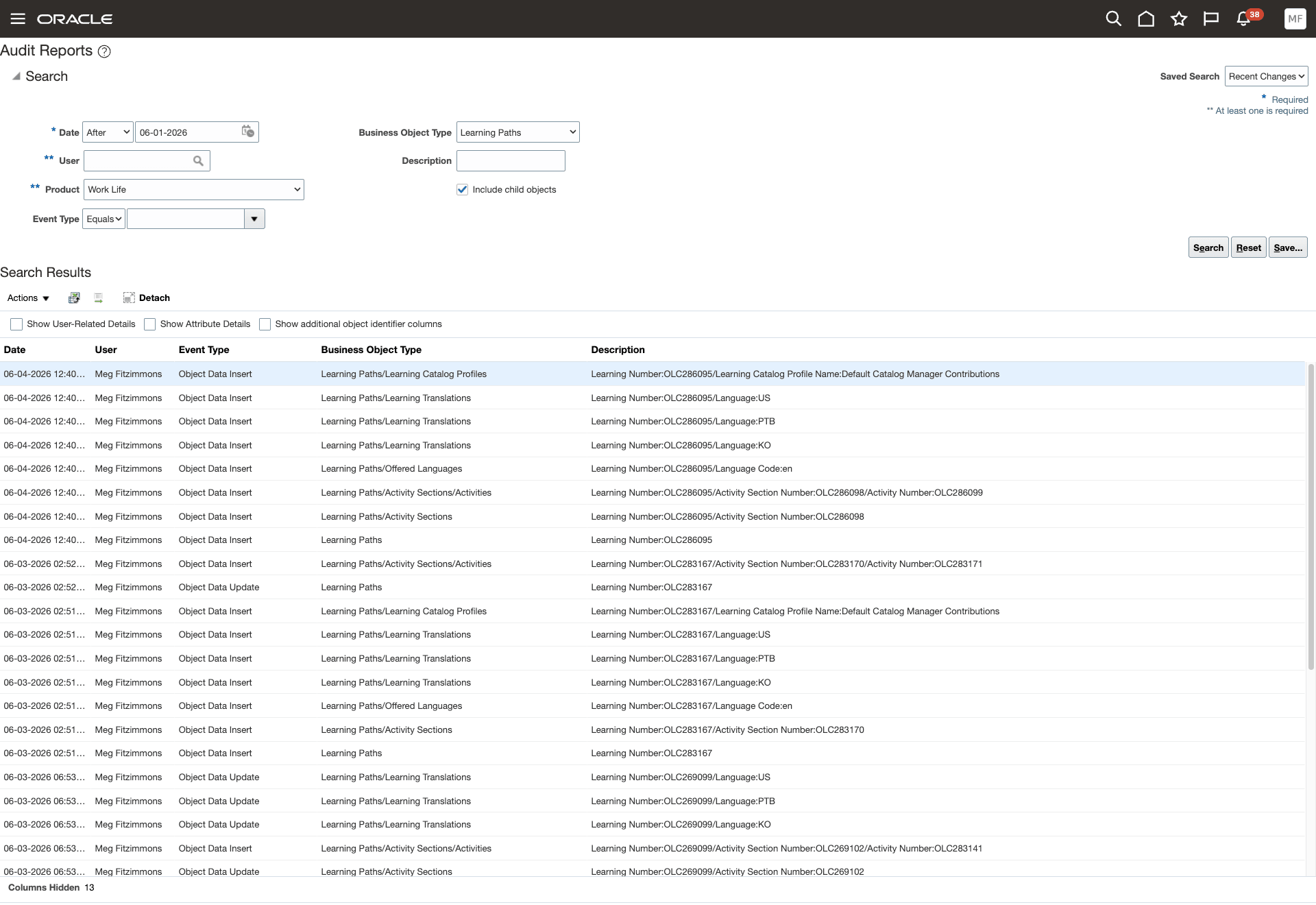
Audit Reports
Business benefit: Improve audit visibility for learning items to support compliance, governance, and reporting requirements.
Steps to enable and configure
You don't need to do anything to enable this feature.
Tips and considerations
Only learning managed through Redwood pages or these APIs are audited. Learning managed through HCM Data Loader or a responsive page aren't audited.
- learningSelfPacedItems
- learningEvents
- learningCourses
- learningPaths
Key resources
- Managing Audit Policies topic in the Implementing Compliance and Regulation guide
- View Audit Reports topic in the Using Common Features guide
- Learning Catalog Administration